
Introduction
Thank you for choosing the Coolka 500LBS Big and Tall Office Chair. This chair is designed to provide comfort and support for extended periods, featuring a durable metal base, breathable mesh back, and thick memory foam seat. It is suitable for various environments including offices, study rooms, and gaming setups. This manual provides detailed instructions for assembly, operation, maintenance, and troubleshooting to ensure optimal use and longevity of your chair.
Safety Information
- Ensure all components are securely fastened before use.
- Do not stand on the chair.
- Do not use the chair on uneven surfaces.
- Keep hands and feet clear of moving parts during adjustment.
- This chair is designed to support a maximum weight of 500 pounds. Do not exceed this limit.
- Keep children away from the chair during assembly and adjustment.
Package Contents
Before beginning assembly, please verify that all parts are present and undamaged. If any parts are missing or damaged, please contact customer support.
- Backrest Assembly
- Seat Cushion Assembly
- Armrests (2)
- Gas Lift Cylinder
- Base (5-star)
- Casters (5)
- Mechanism Plate
- Hardware Pack (screws, washers, Allen wrench)
- Instruction Manual
Assembly Instructions
Follow these steps carefully to assemble your Coolka office chair. It is recommended to assemble the chair on a soft, clean surface to prevent damage.
- Attach Casters to Base: Insert each of the five casters into the holes at the end of the 5-star base until they click securely into place.
- Insert Gas Lift: Place the gas lift cylinder into the center hole of the assembled base.
- Attach Mechanism Plate to Seat: Align the mechanism plate with the screw holes on the underside of the seat cushion. Ensure the front of the mechanism faces the front of the seat. Secure with screws and tighten using the provided Allen wrench.
- Attach Armrests to Seat: Attach the armrests to the sides of the seat cushion using the designated screws. Do not overtighten initially to allow for minor adjustments.
- Attach Backrest to Seat: Align the backrest with the mounting brackets on the seat cushion and armrests. Secure with screws. Once all screws are in place, fully tighten all armrest and backrest screws.
- Connect Seat to Gas Lift: Carefully place the assembled seat and backrest onto the gas lift cylinder, ensuring it is centered and stable.
For visual guidance, refer to the product images and videos demonstrating the chair's features and construction.
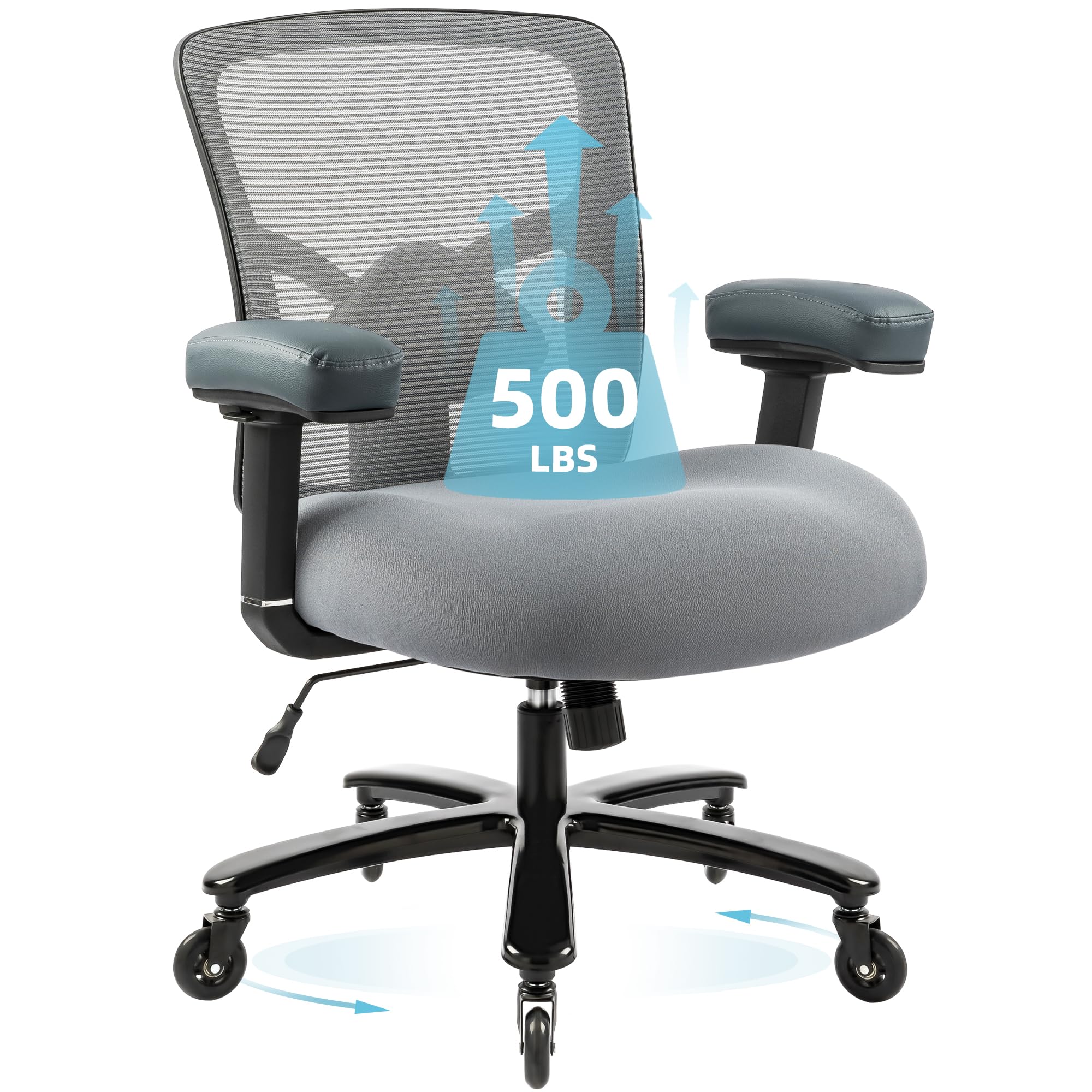
Image: Fully assembled Coolka 500LBS Big and Tall Office Chair in Grey.
Operating Instructions
Your Coolka office chair offers several adjustable features to customize your seating experience for maximum comfort and ergonomic support.
1. Seat Height Adjustment
To adjust the seat height, locate the lever on the right side, beneath the seat. While seated, pull the lever up to lower the seat. To raise the seat, stand up slightly and pull the lever up. Release the lever at your desired height to lock it in place.
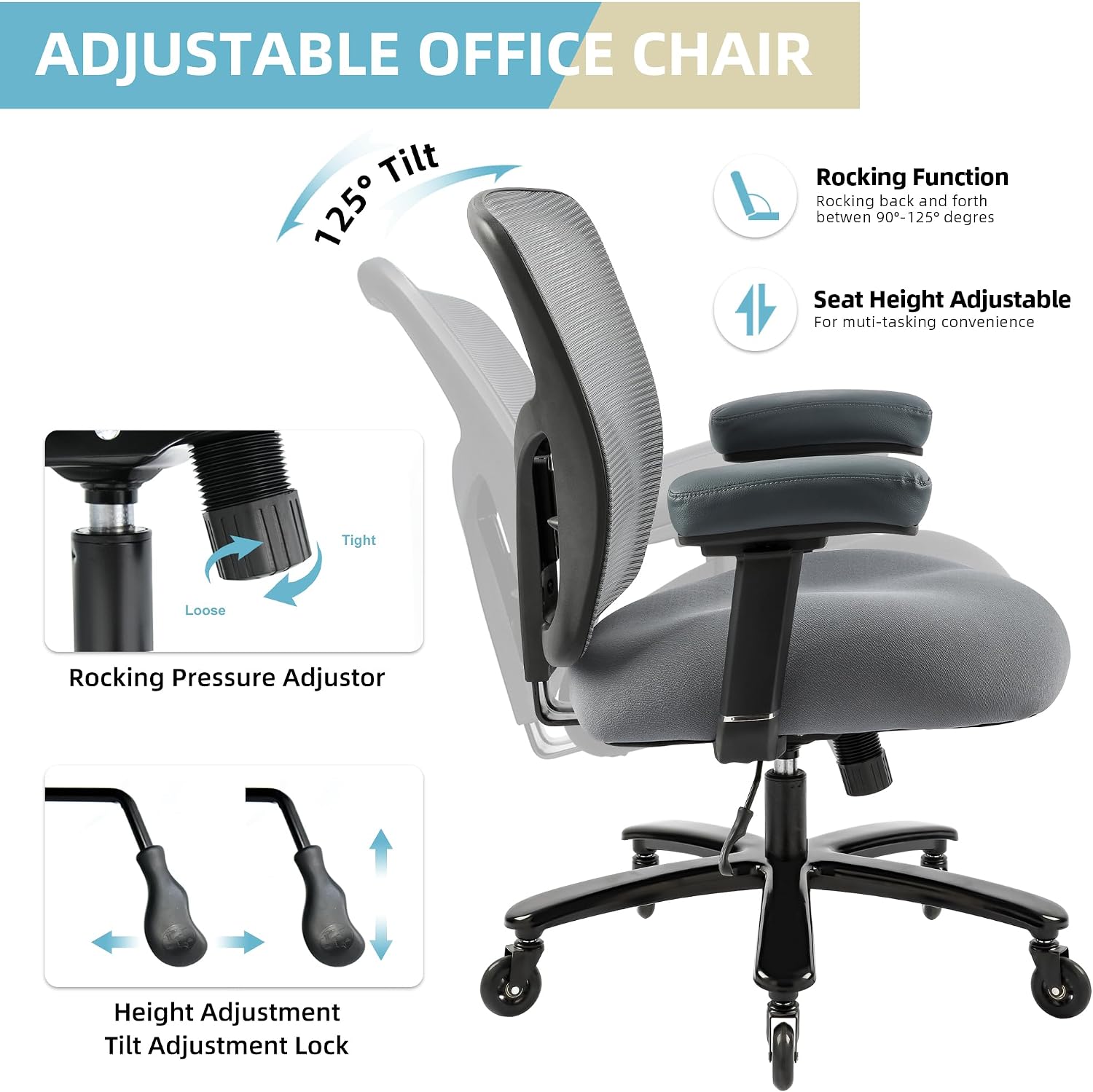
Image: Diagram showing the seat height adjustment lever and tilt mechanism.
2. Tilt Function and Rocking Pressure
The chair features a 125-degree tilt function. To recline, pull the same lever used for height adjustment outwards. To lock the backrest in an upright position, push the lever inwards. The rocking tension can be adjusted by turning the round knob located under the front of the seat. Turn clockwise to increase tension (making it harder to recline) and counter-clockwise to decrease tension (making it easier to recline).
3. 4D Armrest Adjustment
The armrests are 4-dimensional, allowing for extensive customization:
- Height Adjustment: Press the button on the side of each armrest and move it up or down. Release the button to lock.
- Forward/Backward: Slide the armrest pad forward or backward.
- Left/Right Swivel: Swivel the armrest pad left or right.
- Rotation: Rotate the armrest pad inwards or outwards.

Image: Detailed view of the 4D armrest adjustments.
4. Dynamic Lumbar Support
The chair includes dynamic lumbar support that can be adjusted to fit the curve of your lower back. The lumbar support mechanism is integrated into the backrest and can be adjusted by applying gentle pressure or by using the adjustment knob/lever if present (refer to specific model features).

Image: Back view illustrating the dynamic lumbar support.
Video: Official product video demonstrating the features and adjustments of the Coolka Big and Tall Office Chair.
Maintenance
Proper care will extend the life and appearance of your Coolka office chair.
- Cleaning: Spot clean the mesh and fabric components with a mild detergent and a damp cloth. Avoid harsh chemicals or abrasive cleaners.
- Casters: Periodically check casters for hair or debris and clean as needed to ensure smooth rolling.
- Hardware: Every few months, check all screws and bolts to ensure they are tight. Retighten if necessary.
- Avoid Direct Sunlight: Prolonged exposure to direct sunlight can cause fading and material degradation.
Troubleshooting
If you encounter any issues with your chair, refer to the following common problems and solutions:
| Problem | Possible Cause | Solution |
|---|---|---|
| Chair does not adjust height | Gas lift cylinder malfunction or lever not engaged. | Ensure the height adjustment lever is fully engaged. If the issue persists, the gas lift may need replacement. Contact customer support. |
| Chair wobbles or is unstable | Loose screws or uneven assembly. | Check and tighten all assembly screws, especially those connecting the mechanism plate to the seat and the backrest. Ensure the chair is on a flat surface. |
| Casters do not roll smoothly | Debris (hair, lint) caught in casters. | Remove casters from the base and clean any obstructions. Reinsert firmly. |
| Backrest does not recline or lock | Tilt lock lever not engaged or rocking tension too high. | Ensure the tilt lock lever is pulled outwards to allow recline, or pushed inwards to lock. Adjust the rocking tension knob counter-clockwise to reduce tension. |
Specifications
| Feature | Detail |
|---|---|
| Brand | Coolka |
| Model Number | 5127 |
| Color | Grey-1 |
| Material | Mesh, Metal, Rubber, Memory Foam |
| Product Dimensions (D x W x H) | 28.1" x 29.7" x 43.7" |
| Item Weight | 45 Pounds |
| Maximum Weight Recommendation | 500 Pounds |
| Seat Height | Adjustable, up to 23.6 Inches |
| Seat Depth | 21.6 inches |
| Arm Style | 4D Adjustable Arms |
| Back Style | Mesh Back with Adjustable Lumbar Support |
| Tilting | Yes, 125-degree tilt with lock |
| Assembly Required | Yes |

Image: Dimensional data and weight capacity of the Coolka office chair.

Image: Cross-section of the ergonomic seat cushion construction.
Warranty and Support
Coolka provides a standard warranty for this product. For specific warranty details, claims, or technical support, please refer to the warranty card included with your purchase or contact Coolka customer service directly. Please have your model number (5127) and purchase information ready when contacting support.
For further assistance, please visit the official Coolka website or contact their customer service department.