
Fenpos M76
Fenpos Bluetooth Open Ear Gaming Headphones User Manual
Model: M76
Your guide to setting up, operating, and maintaining your Fenpos Open Ear Headphones.
Product Overview
The Fenpos M76 Bluetooth Open Ear Gaming Headphones offer a unique audio experience with their open-ear design, allowing you to stay aware of your surroundings while enjoying high-fidelity sound. Featuring IPX5 waterproofing, noise cancellation, and flexible earhooks, these wireless earbuds are designed for comfort and durability across various activities.

Image: The Fenpos M76 Open Ear Headphones, showing both earbuds and their compact charging case. The earbuds feature a beige and gold design with flexible earhooks.
Setup Guide
1. Initial Charging
Before first use, fully charge the headphones and the charging case. Connect the provided Type-C charging cable to the charging port on the case and a 5V 1A power source. The digital display on the case will indicate the charging progress.
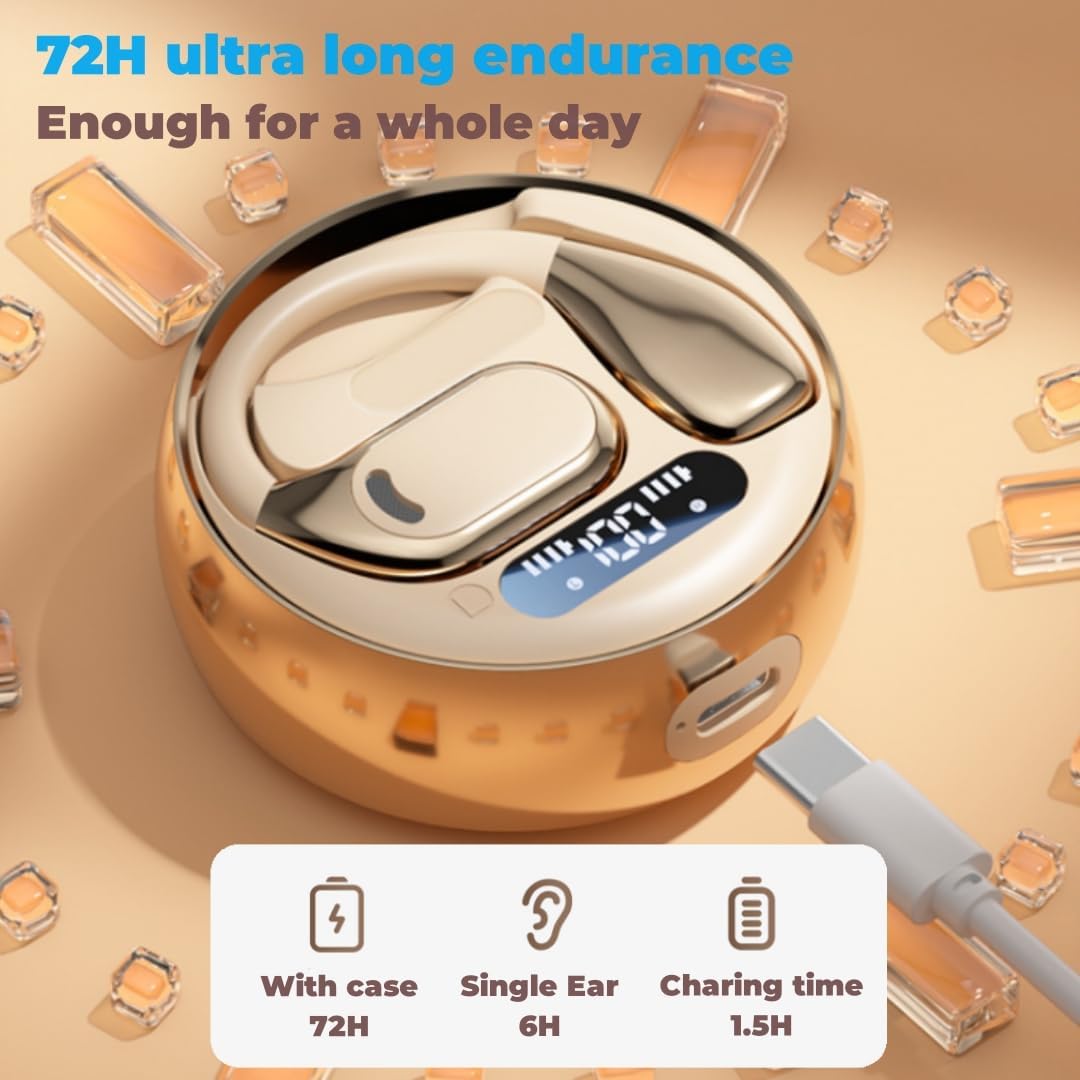
Image: The Fenpos M76 charging case connected to a Type-C charging cable, illustrating the charging process and the digital battery display.
2. Power On and Pairing
The headphones will automatically power on and enter pairing mode when taken out of the charging case. Alternatively, you can long press either earphone for 5 seconds to power them on. Once in pairing mode, search for "M76" or "Fenpos Headphones" in your device's Bluetooth settings and select to connect.
3. Language Switching
If the voice prompts are not in English, double-click either earphone when they are disconnected from any device to switch the language.
Operating Instructions
The Fenpos M76 headphones feature intuitive touch controls on each earbud for easy management of audio playback and calls.
| Action | Control |
|---|---|
| Power On/Off | Long press either earphone for 5 seconds |
| Volume Adjustment | 1 tap on left earphone (Volume Down) / 1 tap on right earphone (Volume Up) |
| Answer/Play Music | 2 taps on either earphone |
| Last Song/Next Song | 3 taps on left earphone (Last Song) / 3 taps on right earphone (Next Song) |
| Refuse Call/Wake Voice Assistant | Long press either earphone for 2 seconds |
Single/Dual Mode Switching
The innovative Bluetooth chip allows seamless switching between dual ear mode and single ear mode. Simply place one earbud back into the charging case to use the other in single mode.

Image: A person wearing the Fenpos M76 headphones, highlighting the open-ear design and comfortable fit around the ear, allowing for environmental awareness.

Image: A diagram illustrating the directional sound transmission technology of the Fenpos M76 headphones, showing how sound is precisely directed into the ear canal while minimizing leakage.
Maintenance
To ensure the longevity and optimal performance of your Fenpos M76 headphones, follow these maintenance guidelines:
- Cleaning: Gently wipe the earbuds and charging case with a soft, dry, lint-free cloth. Avoid using abrasive materials, solvents, or harsh chemicals.
- Water Resistance: The headphones are IPX5 waterproof, meaning they are resistant to splashes and sweat. Do not submerge them in water or expose them to strong jets of water. Ensure the charging port is dry before charging.
- Storage: When not in use, store the headphones in their charging case to protect them from dust and damage. Store in a cool, dry place away from extreme temperatures.
- Battery Care: To preserve battery life, avoid fully discharging the headphones and charging case frequently. Charge them regularly, even if not in constant use.

Image: The Fenpos M76 charging case with water droplets on its surface, demonstrating its IPX5 waterproof rating, suitable for protection against sweat and rain.
Troubleshooting
If you encounter any issues with your Fenpos M76 headphones, please refer to the following common solutions:
- No Sound/Connection Issues:
- Ensure the headphones are charged.
- Make sure Bluetooth is enabled on your device.
- Delete "M76" from your device's Bluetooth list and re-pair.
- Place both earbuds back into the charging case, close the lid, wait a few seconds, then take them out again to reset.
- One Earbud Not Working:
- Ensure both earbuds are charged.
- Try placing both earbuds back into the charging case and then taking them out simultaneously.
- Perform a full reset by forgetting the device on your phone and re-pairing.
- Poor Sound Quality:
- Ensure the headphones are within the 10-meter Bluetooth range of your device.
- Check for interference from other wireless devices.
- Clean any debris from the speaker grilles.
- Controls Not Responding:
- Ensure the earbuds are powered on and connected.
- Try restarting the earbuds by placing them in the case and taking them out.
Specifications
| Feature | Detail |
|---|---|
| Model Name | M76 |
| Bluetooth Version | 5.4 |
| Wireless Range | Up to 10 meters (33 feet) |
| Earbud Battery Capacity | 50mAh (each) |
| Charging Case Battery Capacity | 300mAh Lithium Battery (with protective plate) |
| Music Playback Time | Up to 6 hours (per earbud on a single charge) |
| Total Playback Time (with case) | Up to 72 hours |
| Talk Time | Up to 6 hours (per earbud on a single charge) |
| Charging Interface | Type-C |
| Charging Input | 5V 1A |
| Water Resistance Rating | IPX5 |
| Noise Control | Active Noise Cancellation |
| Audio Driver Type | Dynamic Driver (13mm reconstructed biological diaphragm) |
| Frequency Range | 20 Hz - 20,000 Hz |
| Impedance | 32 Ohm |
| Compatible Devices | Android/iOS devices |
| Material | Acrylonitrile Butadiene Styrene (ABS) |
| Ear Placement | Open Ear |

Image: A detailed view of the Fenpos M76 earbud and charging case, showcasing the electroplated metal and silicone elastic ear hook, emphasizing the exquisite and compact design.
Official Product Video
Video: An official product video demonstrating the Fenpos M76 Open Ear Headphones, including how to wear them, their compact charging case, and features like water resistance and comfortable fit. The video highlights the product's design and ease of use.
Warranty and Support
Warranty Information
Specific warranty details for your Fenpos M76 headphones are typically provided with your purchase documentation. Please refer to the packaging or any included warranty cards for information regarding coverage period and terms. For any warranty claims, retain your proof of purchase.
Customer Support
For further assistance, technical support, or inquiries not covered in this manual, please contact Fenpos customer support. You can typically find contact information on the product packaging, the official Fenpos website, or through the retailer where you purchased the product.
Visit the official Fenpos Store: Fenpos Store on Amazon