
Introduction
Welcome to the BENLYDESIGN X7000-steel OLED Digital Watch user manual. This guide provides detailed instructions for the proper setup, operation, and maintenance of your new timepiece. Please read this manual thoroughly to ensure optimal performance and longevity of your watch.
What's in the Box
Upon opening your BENLYDESIGN X7000-steel watch package, you should find the following items:
- BENLYDESIGN X7000-steel OLED Digital Watch
- User Manual (this document)
- Warranty Information
- Link Adjustment Tool
Product Overview
The BENLYDESIGN X7000-steel features a sleek, modern design with an OLED digital display. Familiarize yourself with the watch's components:

Figure 1: Front view of the watch, highlighting the OLED display and control buttons.
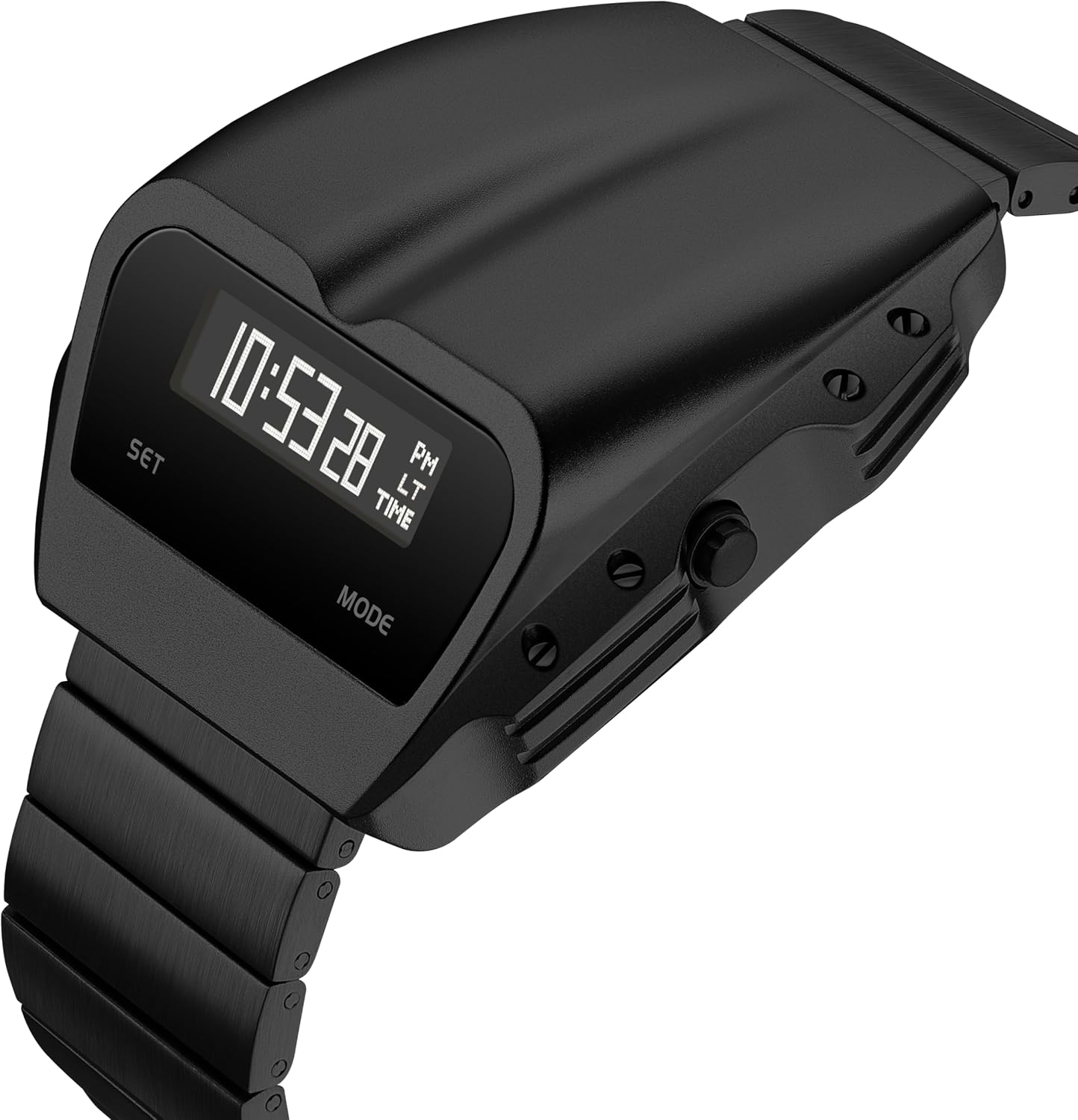
Figure 2: Angled perspective of the watch, illustrating the case and strap design.

Figure 3: Side profile of the watch, detailing the case thickness and strap attachment.

Figure 4: Rear view of the watch, displaying the stainless steel case back with engraved information.
The watch features a 43.7mm x 49mm alloy case with a 17.7mm thickness. The 20mm band width is adjustable from 17-22cm. It is equipped with a scratch-resistant mineral glass lens and a stainless steel case back.
Setup
1. Adjusting the Strap
Your BENLYDESIGN X7000-steel watch comes with a link adjustment tool to customize the stainless steel strap length for a comfortable fit. Follow these steps:
- Place the strap in the adjustment tool, aligning the pin with the tool's pusher.
- Gently push the pin out in the direction of the arrow marked on the inside of the strap links.
- Remove the desired number of links.
- Reassemble the strap by inserting the pins back into the links, ensuring they are securely seated.
If you are unsure, it is recommended to have a professional jeweler adjust the strap.
2. Setting Time and Date
The watch features 'SET' and 'MODE' buttons for adjustments. The exact procedure may vary slightly, but generally involves:
- Press the MODE button repeatedly to cycle through display modes (Time, Date, Alarm).
- When the desired setting (e.g., Time) is displayed, press and hold the SET button until the digits begin to flash.
- Use the MODE button to adjust the flashing digit (e.g., hours, minutes).
- Press the SET button again to move to the next adjustable digit.
- Once all settings are complete, press the SET button to exit the setting mode.

Figure 5: Watch display in alarm setting mode.
3. Battery Installation/Replacement
The BENLYDESIGN X7000-steel uses a replaceable CR2032 battery. When the display dims or stops functioning, it's time to replace the battery.
- Carefully remove the watch's case back using an appropriate tool.
- Locate the battery compartment and gently remove the old CR2032 battery.
- Insert a new CR2032 battery, ensuring correct polarity (+ side up).
- Replace the case back, ensuring it is securely fastened to maintain water resistance.
Operating Instructions
1. Raise-to-Wake Function
The watch features a convenient lift-to-wake function. Simply raise your wrist and turn it towards you as if checking the time, and the OLED display will automatically illuminate.
2. Navigating Display Modes
Press the MODE button to cycle through the available display modes. These typically include:
- Time Display: Shows current hour, minute, and second.
- Date Display: Shows month, day, and year.
- Alarm Display: Shows alarm setting (if activated).
Maintenance
1. Cleaning
To maintain the appearance of your watch, wipe the case and strap regularly with a soft, dry cloth. For stubborn dirt, a slightly damp cloth can be used, followed by immediate drying. Avoid using harsh chemicals or abrasive materials.
2. Water Resistance (30M/3ATM)
Your BENLYDESIGN X7000-steel watch is water-resistant up to 30 meters (3 ATM). This means it is suitable for daily use and can withstand splashes, rain, and brief immersion in water. It is not suitable for swimming, showering, diving, or prolonged water activities. Do not operate the buttons while the watch is wet.
3. Battery Care
Store the watch in a cool, dry place when not in use. If you plan to store the watch for an extended period, consider removing the battery to prevent potential leakage, although CR2032 batteries are generally stable.
Troubleshooting
- Display is dim or not working: Check the battery. It may need replacement (CR2032).
- Time is incorrect: Re-enter the time setting mode and adjust the time as per the 'Setting Time and Date' section.
- Raise-to-Wake not responding: Ensure the watch is securely on your wrist. If the issue persists, the battery might be low.
- Buttons are unresponsive: Ensure the watch is dry. If wet, dry thoroughly. If still unresponsive, contact customer support.
Specifications
| Model Number | X7000-steel |
| Case Dimensions | 43.7mm x 49mm |
| Case Thickness | 17.7mm |
| Band Width | 20mm |
| Band Length | Adjustable (17-22cm) |
| Movement | BENLYDESIGN Custom Electronic Digital |
| Display Type | OLED |
| Lens Material | Scratch-resistant Mineral Glass |
| Case Back Material | Stainless Steel |
| Weight | 90g (approx.) |
| Water Resistance | 30 Meters / 3 ATM |
| Battery Type | CR2032 (1 included) |
| Item Weight (packaged) | 9.9 ounces |
| Package Dimensions | 4.21 x 4.02 x 3.15 inches |
Warranty Information
Your BENLYDESIGN X7000-steel OLED Digital Watch comes with a manufacturer's warranty. Please refer to the separate 'Warranty Information' document included in your package for details regarding coverage, terms, and conditions. Retain your proof of purchase for warranty claims.
Support
For further assistance, technical support, or inquiries regarding your BENLYDESIGN X7000-steel watch, please visit the official BENLYDESIGN store or contact customer service through the retailer where you purchased the product.
BENLYDESIGN Store: Visit BENLYDESIGN on Amazon
