
Hmaston RS-53
H'MASTON RS-53 Bluetooth 5.3 Wireless Sport Earbuds User Manual
Model: RS-53
1. Introduction
Thank you for choosing the H'MASTON RS-53 Bluetooth 5.3 Wireless Sport Earbuds. This manual provides essential information for the proper use, setup, and maintenance of your new earbuds. Please read it carefully before use and retain it for future reference.
2. Package Contents
Verify that all items listed below are present in your package:
- H'MASTON RS-53 Wireless Sport Earbuds (Left and Right)
- Charging Case
- USB Charging Cable
- User Manual
3. Product Overview
The H'MASTON RS-53 earbuds are designed for active lifestyles, featuring a secure ear-hook design, Bluetooth 5.3 connectivity, and an intelligent LED digital display on the charging case.

Image 3.1: H'MASTON RS-53 Wireless Sport Earbuds in their charging case, displaying battery levels.

Image 3.2: The charging case features a dual digital LED display, showing the battery percentage for both the left and right earbuds.

Image 3.3: The ergonomic ear-hook design ensures a secure and comfortable fit, ideal for sports and active use.
4. Setup
4.1. Initial Charging
Before first use, fully charge the earbuds and the charging case.
- Place both earbuds into the charging case.
- Connect the USB charging cable to the charging port on the case and to a power source.
- The LED display on the case will indicate the charging status. A full charge takes approximately 1.5 hours.

Image 4.1: Illustration of the charging process for the earbuds and case, highlighting the USB-C port.
4.2. Bluetooth Pairing
- Ensure the earbuds are charged and placed in the charging case.
- Open the charging case. The earbuds will automatically enter pairing mode.
- On your device (smartphone, tablet, etc.), enable Bluetooth.
- Search for available Bluetooth devices and select "H'MASTON RS-53" from the list.
- Once connected, a voice prompt will confirm successful pairing.
The earbuds will automatically reconnect to the last paired device when removed from the case, if Bluetooth is enabled on the device.
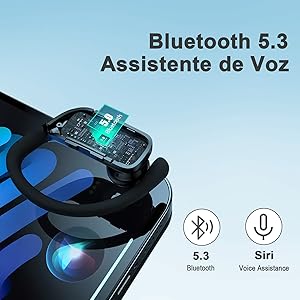
Image 4.2: Visual representation of Bluetooth 5.3 connectivity and voice assistant compatibility.
5. Operating Instructions
5.1. Touch Controls
The H'MASTON RS-53 earbuds feature intuitive touch controls for various functions:
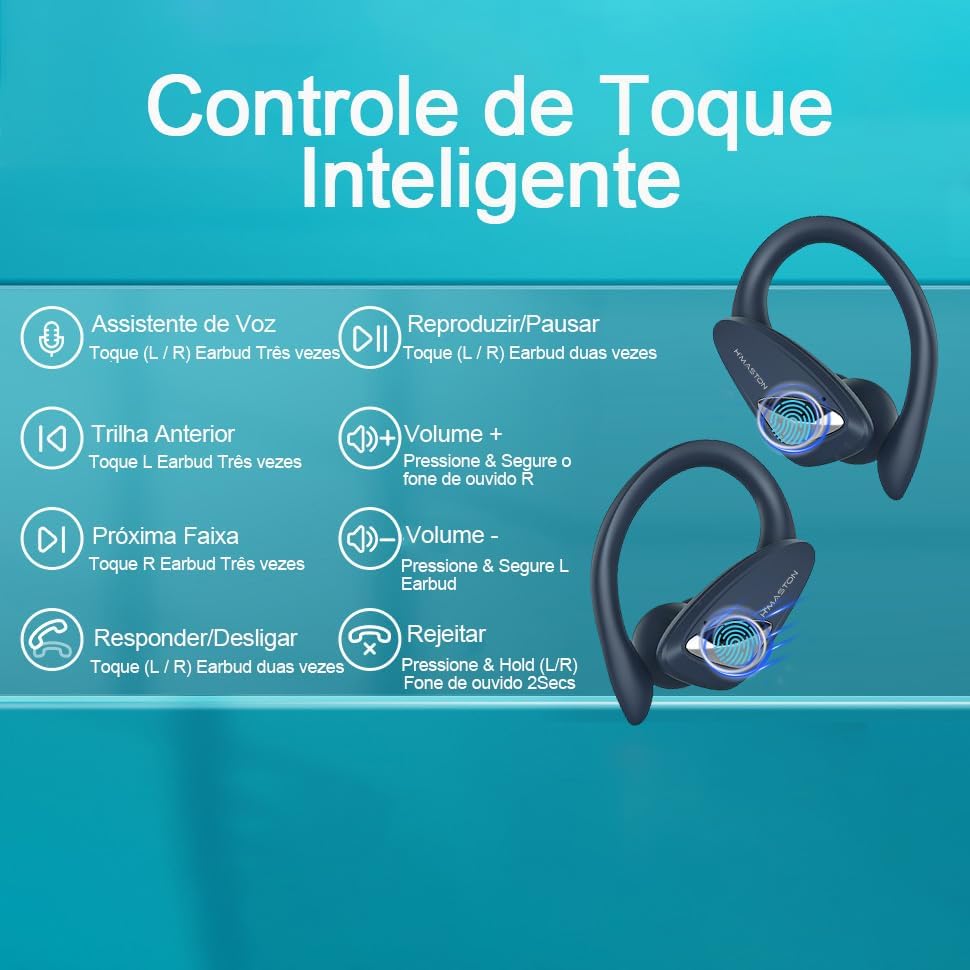
Image 5.1: Detailed diagram of touch control functions for music playback, calls, and voice assistant.
| Function | Action |
|---|---|
| Play/Pause | Tap L/R earbud twice |
| Next Track | Tap R earbud three times |
| Previous Track | Tap L earbud three times |
| Volume + | Press & hold R earbud |
| Volume - | Press & hold L earbud |
| Answer/End Call | Tap L/R earbud twice |
| Reject Call | Press & hold L/R earbud for 2 seconds |
| Voice Assistant | Tap L/R earbud three times |
5.2. Making Calls
The earbuds feature high-definition noise-canceling microphones for clear calls.
- Answering/Ending Calls: Tap either earbud twice.
- Rejecting Calls: Press and hold either earbud for 2 seconds.

Image 5.2: The earbuds are equipped with high-quality built-in microphones for clear communication during calls.
5.3. Audio Quality
Experience Hi-Fi stereo sound with dynamic treble and deep bass, powered by 13mm dynamic drivers and a biological fiber composite diaphragm.

Image 5.3: Internal component diagram illustrating the 13mm dynamic drivers and biological fiber composite diaphragm for Hi-Fi stereo sound.
6. Maintenance
6.1. Cleaning
Regular cleaning helps maintain optimal performance and hygiene.
- Use a soft, dry, lint-free cloth to wipe the earbuds and charging case.
- Do not use abrasive cleaners, solvents, or aerosol sprays.
- Gently clean the charging contacts on both the earbuds and the case with a dry cotton swab if necessary.
6.2. Water Resistance (IPX5)
The earbuds are IPX5 water-resistant, meaning they can withstand splashes and sweat. They are not designed for submersion in water.
- Do not immerse the earbuds or charging case in water.
- If the earbuds get wet from sweat or rain, wipe them dry before placing them back in the charging case.
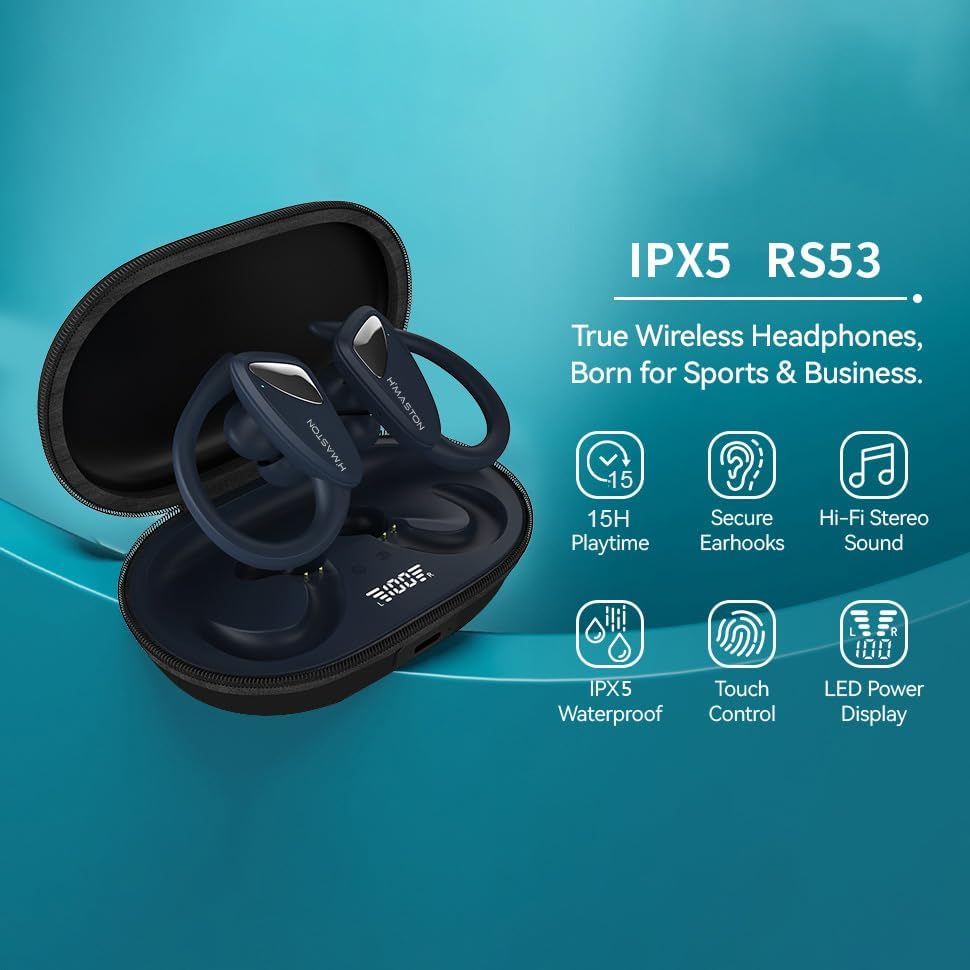
Image 6.1: The earbuds feature an IPX5 waterproof rating, providing protection against sweat and splashes.
6.3. Storage
When not in use, store the earbuds in their charging case to protect them and ensure they remain charged.
7. Troubleshooting
If you encounter issues with your H'MASTON RS-53 earbuds, refer to the following common solutions:
| Problem | Possible Solution |
|---|---|
| Earbuds not pairing | Ensure earbuds are charged. Turn off and on Bluetooth on your device. Forget the device in your Bluetooth settings and re-pair. |
| Only one earbud working | Place both earbuds back in the charging case, close the lid, then open it again. Ensure both earbuds are charged. |
| No sound | Check device volume. Ensure earbuds are connected. Try re-pairing. |
| Charging case not charging | Check USB cable and power adapter. Ensure the cable is securely connected. |
| Earbuds disconnecting frequently | Ensure earbuds are fully charged. Keep the earbuds within the Bluetooth range of your device. Avoid strong electromagnetic interference. |
8. Specifications
| Feature | Detail |
|---|---|
| Model Name | RS-53 |
| Connectivity Technology | Wireless (Bluetooth 5.3) |
| Noise Control | Active Noise Cancellation (for calls) |
| Water Resistance Level | IPX5 (Water Resistant) |
| Control Method | Touch |
| Ear Placement | In-Ear with Ear-hook Form Factor |
| Material | Plastic |
| Charging Time | 1.5 Hours |
| Battery Type | Lithium-ion (2 batteries included) |
| Product Weight | 220 g |
| Impedance | 32 Ohm |
| Specific Product Uses | Entertainment, Gaming, Exercise |
9. Warranty and Support
9.1. Manufacturer Warranty
This product comes with a manufacturer's warranty of 7 Days from the date of purchase. Please retain your proof of purchase for any warranty claims.
9.2. Customer Support
For further assistance, technical support, or warranty inquiries, please contact your retailer or refer to the H'MASTON official website for contact information.
Related Documents - RS-53
 |
EARLOX TWS-53 Bone Conduction Headphones User Manual User manual for EARLOX TWS-53 bone conduction headphones, detailing features, specifications, how to use, controls, and care instructions for these lightweight, open-ear audio devices. |
 |
REDSHIFT ShockStop Sattelstützen: Sicherheits- und Warninformationen Wichtige Sicherheits- und Warninformationen für REDSHIFT ShockStop Federsattelstützen, einschließlich Verwendungszweck, Gewichtsbeschränkungen, Installationsrichtlinien und Produktspezifikationen. |
 |
Informacje dotyczące bezpieczeństwa i ostrzeżenia dla sztyc podsiodłowych REDSHIFT ShockStop Szczegółowe informacje dotyczące bezpieczeństwa, ostrzeżenia i wytyczne dotyczące użytkowania sztyc podsiodłowych REDSHIFT ShockStop, obejmujące limity wagowe, instrukcje instalacji, specyfikacje produktów oraz listę kompatybilnych modeli. |
 |
AQL URBAN Bluetooth Earphones: User Manual & Specifications Comprehensive guide to AQL URBAN Bluetooth stereo earphones, covering setup, usage, technical specifications, safety, and compliance. Learn how to pair, charge, and control your wireless earbuds. |
 |
REDSHIFT ShockStop Seatposts: Safety, Warnings, and Specifications Essential safety, warning, and installation guidelines for REDSHIFT ShockStop suspension seatposts, including intended use, weight limits, and a comprehensive list of applicable models with ASINs, SKUs, and UPCs. |
 |
Lenovo XT 53 True Wireless Earbuds User Manual Comprehensive user manual for Lenovo XT 53 true wireless earbuds, detailing features, operation, specifications, and safety guidelines. |