
1. Introduction
The VABIRA VBR-REDNIR meter is a precision instrument designed to measure the irradiance intensity of red light (660 nm), specific red light (730 nm), and near-infrared light (800-1000 nm). This device is ideal for users who need to accurately quantify light output from various sources, particularly those used in red light therapy applications. Its compact design and Bluetooth connectivity to a smartphone application ensure ease of use and reliable data collection.
2. Safety Information
- Battery Safety: Use only specified AAA batteries. Do not mix old and new batteries, or different types of batteries. Dispose of batteries according to local regulations.
- Handling: Handle the device with care. Avoid dropping or subjecting it to strong impacts. Keep it away from water and extreme temperatures.
- Light Sources: When measuring intense light sources, avoid direct eye exposure to the light. Although the meter measures light, it does not protect against harmful radiation.
3. Package Contents
Please check the package for the following items:
- VABIRA VBR-REDNIR Irradiance Meter
- AAA Batteries (2 included, 1 required for operation)
- User Manual (this document)
4. Product Overview
The VBR-REDNIR meter is a small, square device featuring a central sensor for light detection. It communicates wirelessly with a dedicated smartphone application to display measurement data.

Image: The VABIRA VBR-REDNIR meter displaying irradiance values for 660nm and 800-1000nm light.
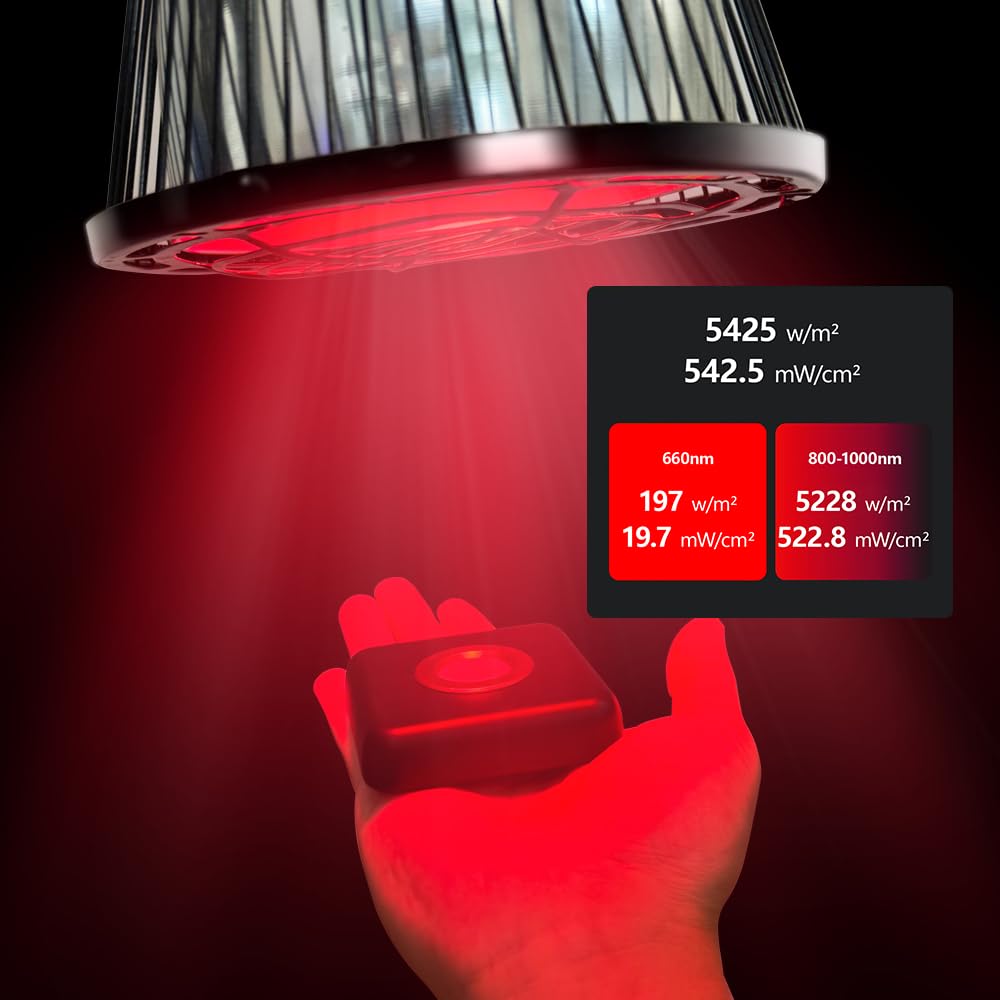
Image: The compact VBR-REDNIR meter shown in a user's hand, illustrating its portable dimensions.
The internal sensor is sourced from a reputable Japanese semiconductor company, ensuring high precision in measurements. The device is designed for accurate readings across the specified red and near-infrared spectrums.
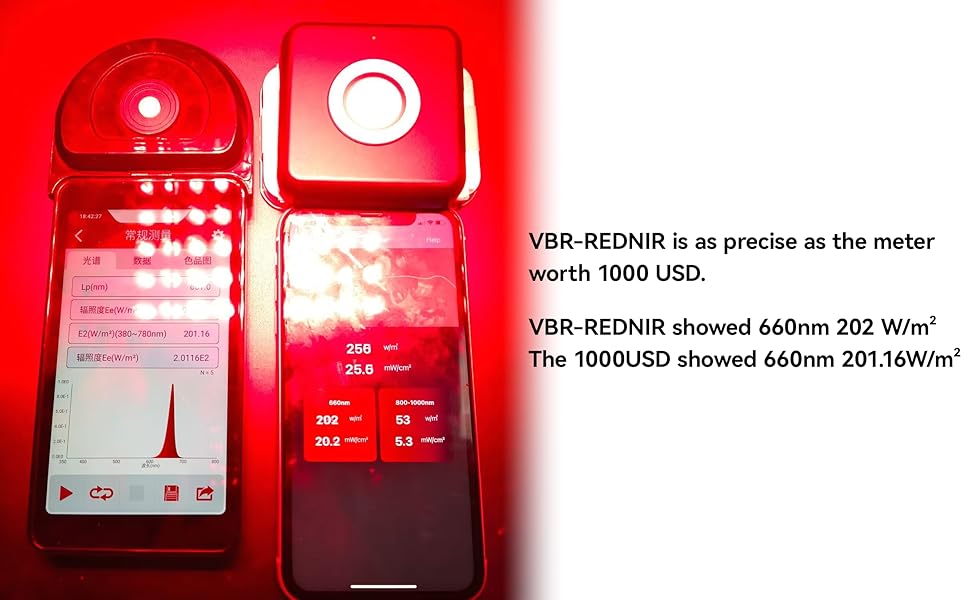
Image: A comparison demonstrating the VBR-REDNIR meter's accuracy against a higher-priced reference meter, showing comparable readings for 660nm light.
5. Setup
5.1 Battery Installation
- Locate the battery compartment on the back of the VBR-REDNIR meter.
- Open the compartment cover.
- Insert one AAA battery, ensuring correct polarity (+/-).
- Close the battery compartment cover securely.
5.2 App Download and Bluetooth Connection
The VBR-REDNIR meter operates in conjunction with the 'Vsensor' smartphone application, available for both Android and iOS devices. The connection process is simple and secure.

Image: A visual guide illustrating the three simple steps for connecting the meter via Bluetooth to the Vsensor app.
- Download the App: Search for 'Vsensor' in your smartphone's app store (Google Play Store for Android or Apple App Store for iOS) and install it.
- Power On Meter: Ensure the VBR-REDNIR meter has a fresh battery and is powered on.
- Connect via Bluetooth: Open the 'Vsensor' app on your smartphone. The app will automatically scan for and connect to the VBR-REDNIR meter via Bluetooth. No manual pairing through your phone's settings is typically required. The device can be used even without an internet connection once the app is installed.
6. Operation
6.1 Taking Measurements
To measure light irradiance:
- Ensure the meter is connected to the 'Vsensor' app.
- Position the sensor of the VBR-REDNIR meter directly facing the light source you wish to measure. For consistent results, maintain a consistent distance from the light source for each measurement.
- The app will display the irradiance readings in Watts per square meter (W/m²) and milliwatts per square centimeter (mW/cm²) for both 660 nm and 800-1000 nm wavelengths. The meter can also test light at 730 nm.
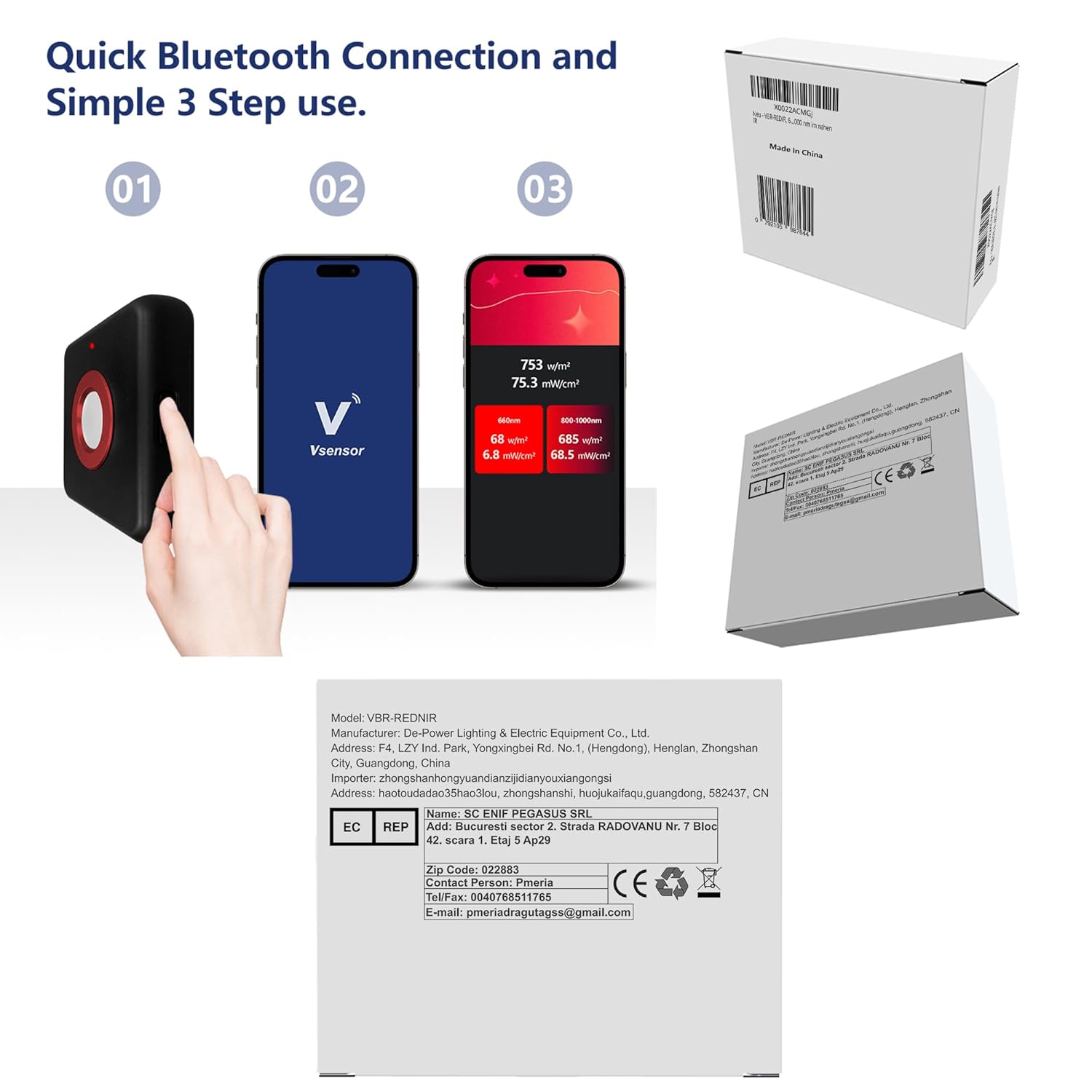
Image: The VBR-REDNIR meter positioned to measure the output of a red light therapy panel, with readings displayed on a smartphone.

Image: The VBR-REDNIR meter measuring the irradiance from a red light flashlight, showing the versatility of the device.
6.2 Grid Measurement Function
The 'Vsensor' app allows for methodical recording of irradiance intensity data at different points using a grid function. This is particularly useful for mapping the light distribution across larger areas or panels.
- Within the app, select the grid measurement option.
- Take measurements at various points as indicated by the grid.
- The app can then calculate an average irradiance value, providing a comprehensive overview of the light source's output.
6.3 Importance of Frequent Testing for Infrared Lamps
Infrared lamps, especially those used for therapeutic purposes, should be tested frequently. The intensity of their radiation can decrease significantly over time with increased usage. Regular measurements with the VBR-REDNIR meter help ensure that your light sources are operating at optimal levels for effective use.

Image: A graph illustrating the typical reduction in light intensity from an infrared lamp as its operational hours increase, highlighting the need for regular testing.
7. Maintenance
- Cleaning: Gently wipe the device, especially the sensor area, with a soft, dry cloth. Do not use abrasive cleaners or solvents.
- Battery Replacement: Replace the AAA battery when the device indicates low power or fails to connect/power on. Always use fresh, high-quality batteries.
- Storage: Store the meter in a cool, dry place away from direct sunlight and extreme temperatures when not in use.
8. Troubleshooting
- Device Not Powering On: Check if the battery is correctly installed and has sufficient charge. Replace the battery if necessary.
- Bluetooth Connection Issues: Ensure Bluetooth is enabled on your smartphone and the 'Vsensor' app is open. Make sure the meter is within range. Restart both the meter and the app if problems persist.
- Inaccurate Readings: Ensure the sensor is clean and unobstructed. Verify that the meter is positioned correctly and at a consistent distance from the light source. Note that an earlier product version had an issue with infrared readings being off by a factor of 10, but this has been resolved in all current VBR-REDNIR meters. If you suspect an issue, ensure your device is from a recent production batch.
- App Not Responding: Close and reopen the 'Vsensor' app. If the issue continues, try restarting your smartphone.
9. Specifications
| Feature | Specification |
|---|---|
| Model Number | VBR-REDNIR |
| Product Dimensions (L x W x H) | 9.98 x 8.69 x 3.28 cm |
| Weight | 100 grams |
| Power Source | 1 x AAA Battery (2 included) |
| Measurement Wavelengths | 660 nm, 730 nm, 800-1000 nm |
| Manufacturer | De-Power |
| Country of Origin | China |
10. Warranty and Support
Information regarding product warranty and customer support is not specified in the provided details. Please refer to the product packaging or contact the retailer/manufacturer directly for warranty claims or technical assistance.


