
1. Important Safety Information
Please read and understand all safety instructions before operating the QKR 12V 20A LiFePO4 Battery Charger. Failure to follow these instructions may result in electric shock, fire, or serious injury.
- This charger is designed exclusively for 12V LiFePO4 (Lithium Iron Phosphate) batteries. Do not attempt to charge other battery types (e.g., lead-acid, Ni-Cd, Ni-MH) as this may cause damage to the battery, charger, or personal injury.
- Ensure proper ventilation during charging. Do not cover the charger or battery.
- Connect the charger to the battery terminals correctly: positive (+) to positive (+), and negative (-) to negative (-). Reverse polarity connection can cause sparks, damage, or injury.
- Keep the charger away from water, moisture, and flammable materials.
- Do not operate the charger if it has been damaged, dropped, or exposed to excessive heat.
- Disconnect the AC power before connecting or disconnecting the battery.
- This appliance is not intended for use by persons (including children) with reduced physical, sensory or mental capabilities, or lack of experience and knowledge, unless they have been given supervision or instruction concerning use of the appliance by a person responsible for their safety.
The QKR charger includes multiple built-in safety protections: over-voltage protection, short-circuit protection, over-temperature protection, and reverse polarity protection. These features are designed to ensure safe and stable operation.
2. Product Overview
The QKR 12V 20A LiFePO4 Battery Charger is a smart AC-DC charger designed for efficient and safe charging of 12V Lithium Iron Phosphate batteries. It features a robust aluminum case and advanced charging technology.
Key Features:
- Dedicated LiFePO4 Charging: Optimized for 12.8V 50Ah-300Ah LiFePO4 batteries with a maximum charging voltage of 14.6V and current of 20A.
- High Efficiency: Delivers up to 20A charging current, capable of charging a 12V 100Ah LiFePO4 battery to 50% in approximately 2.5 hours.
- Multiple Safety Protections: Includes over-voltage, short-circuit, over-temperature, and reverse polarity protection.
- Smart 3-Stage Charging: Utilizes CC (Constant Current), CV (Constant Voltage), and Full Charger stages to optimize battery performance and extend lifespan.
- 0V Charging Function: Supports reactivation or repair of long-unused batteries.
- Fan Cooling Design: Equipped with a built-in cooling fan and heat dissipation holes for stable, low-temperature operation.
- Easy Operation: Features an Anderson connector for convenient battery connection.
Components:
- Charger Unit (with AC input cable)
- Output Cable with Anderson Connector
- Output Cable with M8 Ring Terminals (may be included as an alternative or adapter)

Figure 2.1: QKR 12V 20A LiFePO4 Battery Charger. This image shows the main charger unit, AC power cord, and the output cable with an Anderson connector.

Figure 2.2: Charger output connections. The charger features an Anderson connector for easy connection and disconnection, and may include M8 ring terminals for secure attachment to battery posts.
3. Specifications
| Parameter | Value |
|---|---|
| Model | 12V20A |
| Input Voltage | AC 110-240V, 50/60Hz |
| Output Voltage | 14.6 Volts |
| Output Current | 20A |
| Input Power (Max) | 300W |
| Recommended Battery Capacity | 50Ah - 300Ah (12V LiFePO4) |
| Product Dimensions | 8.46 x 2.56 x 3.66 inches (21.5 x 6.5 x 9.3 cm) |
| Item Weight | 2.61 pounds (1.18 kg) |
| Certifications | CE, FCC |
4. Setup
Follow these steps to set up your QKR LiFePO4 Battery Charger:
- Inspect the Charger: Before use, visually inspect the charger and cables for any signs of damage. Do not use if damaged.
- Ensure Compatibility: Confirm that the battery you intend to charge is a 12V LiFePO4 battery within the recommended capacity range (50Ah-300Ah).
- Connect to Battery:
- Ensure the charger's AC power cord is NOT plugged into a wall outlet.
- Connect the Anderson connector from the charger's output cable to the corresponding Anderson port on your LiFePO4 battery. Ensure a secure connection. If using M8 ring terminals, connect the red terminal to the battery's positive (+) post and the black terminal to the battery's negative (-) post. Ensure connections are tight.
- Connect to AC Power: Once the charger is securely connected to the battery, plug the charger's AC power cord into a standard 110-240V AC wall outlet.
- Verify Indicator: The charger's LED indicator will illuminate to show the charging status.

Figure 4.1: Proper connection of the charger to a LiFePO4 battery using an Anderson connector. Ensure correct polarity.
5. Operating Instructions
The QKR 12V 20A LiFePO4 Battery Charger operates automatically once connected. It employs a smart 3-stage charging process.
5.1 Charging Process (3-Stage Smart Charging)
The charger automatically adjusts its output to optimize charging and extend battery life:
- Stage 1: CC (Constant Current) Stage: The charger delivers a constant maximum current (20A) to rapidly charge the battery until it reaches a predetermined voltage level.
- Stage 2: CV (Constant Voltage) Stage: Once the battery voltage reaches 14.6V, the charger maintains this voltage while the current gradually decreases.
- Stage 3: Full Charger Stage: When the current drops to a very low level, indicating the battery is fully charged, the charger automatically stops charging to prevent overcharging.

Figure 5.1: Illustration of the 3-stage smart charging technology, showing the progression of current and voltage over time.
5.2 LED Indicator Status
- Red LED (Solid): Indicates the battery is currently charging.
- Green LED (Solid): Indicates the battery is fully charged, or the charger is in standby mode (not connected to a battery, or connected to a battery that does not require charging).

Figure 5.2: The charger's LED indicator showing red for charging and green for fully charged.
5.3 0V Charging (Wake-Up Mode)
This charger supports a 0V charging function, which can reactivate or repair LiFePO4 batteries that have entered a low-voltage cut-off state due to prolonged disuse or over-discharge. When connected to such a battery, the charger will attempt to gently bring its voltage up to a level where normal charging can resume.

Figure 5.3: The 0V charging feature allows the charger to reactivate deeply discharged LiFePO4 batteries.
6. Maintenance
- Cleaning: Disconnect the charger from both AC power and the battery before cleaning. Use a soft, dry cloth to wipe the exterior. Do not use liquid cleaners or solvents.
- Storage: Store the charger in a cool, dry place away from direct sunlight, moisture, and extreme temperatures. Ensure cables are neatly coiled and not kinked.
- Ventilation: Regularly check that the cooling fan and ventilation holes are free from dust and debris to ensure proper heat dissipation. The built-in fan helps maintain optimal operating temperature.
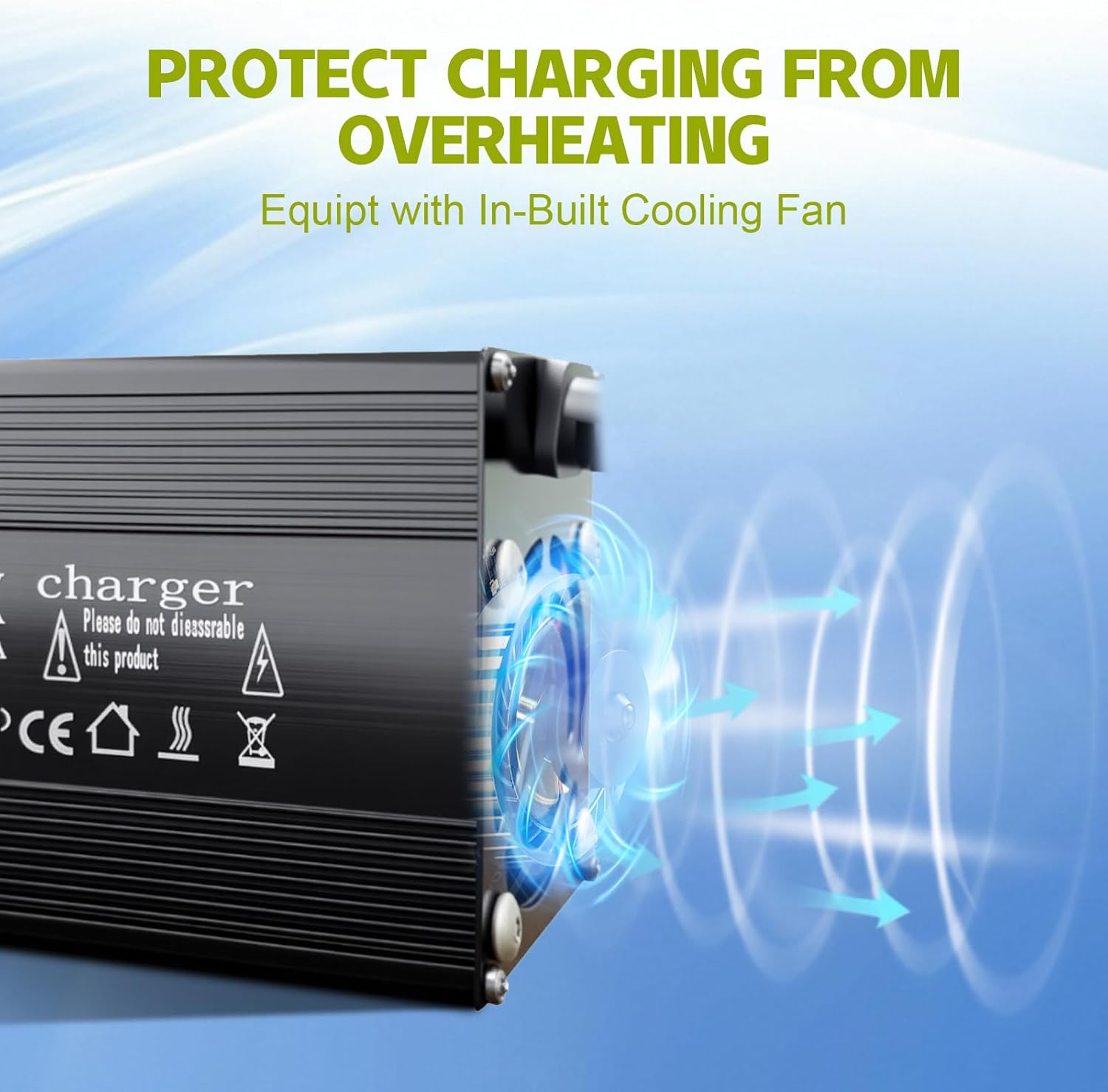
Figure 6.1: The charger features a fan cooling design to prevent overheating during operation.
7. Troubleshooting
If you encounter issues with your QKR LiFePO4 Battery Charger, refer to the following common problems and solutions:
- Charger not turning on / No LED indicator:
- Check if the AC power cord is securely plugged into a live wall outlet.
- Ensure the charger is properly connected to the battery.
- Verify the wall outlet is functioning by plugging in another device.
- Red LED not illuminating / Battery not charging:
- Confirm correct polarity: positive (+) to positive (+), negative (-) to negative (-). The charger has reverse polarity protection, which may prevent charging if connected incorrectly.
- Check battery voltage. If the battery is severely discharged (below 0V), the 0V charging function should attempt to reactivate it. If it fails, the battery might be faulty.
- Ensure the battery capacity is within the recommended range (50Ah-300Ah).
- Check for any loose connections between the charger and the battery.
- Charger stops charging prematurely (Green LED):
- The battery may already be fully charged.
- The charger's over-temperature protection may have activated due to excessive heat. Allow the charger to cool down in a well-ventilated area.
- A short circuit protection might have been triggered. Disconnect everything, inspect cables and connections for damage, and reconnect carefully.
- Sparks when connecting to battery:
- This can occur if the charger is already plugged into AC power before connecting to the battery. Always connect to the battery first, then to AC power.
- Ensure correct polarity.
If the problem persists after trying these steps, please contact customer service for further assistance.
8. Warranty and Support
QKR provides professional technical support and customer service. If you have any questions or require assistance with your product, please contact us. We aim to provide quick feedback within 24 hours.
Specific warranty details are not provided in this manual. Please refer to your purchase documentation or contact QKR customer service for warranty information.
For support, please visit the official QKR website or contact the seller directly through your purchase platform.