
1. Introduction
This manual provides detailed instructions for the Oassuose USB C to AR Glasses Charging Adapter. This adapter is designed to enhance your AR glasses experience by enabling simultaneous charging of your source device and AR glasses while providing high-resolution video output. Please read this manual thoroughly before use to ensure proper operation and to maximize the product's potential.
2. Product Overview
The Oassuose USB C to AR Glasses Charging Adapter is a versatile device that allows you to connect your AR glasses to various USB-C compatible devices while simultaneously providing power. Key features include:
- Simultaneous Charge and Play: Enjoy uninterrupted gaming or media consumption by charging your device and AR glasses concurrently.
- Fast Charging Support: Delivers up to 50W of charge to your device when used with AR glasses. Compatible with 50W/100W fast chargers.
- High-Resolution Video Output: Supports resolutions up to 8K 60Hz, and 4K at 120Hz or 144Hz, ensuring a clear and immersive visual experience.
- Durable Construction: Crafted from high-quality aluminum alloy for enhanced durability and constant temperature heat dissipation.
- Plug-and-Play: No software installation required, offering immediate functionality.

Image 2.1: The Oassuose USB C to AR Glasses Charging Adapter, showcasing its compact design and USB-C ports.
3. Setup Instructions
Follow these steps to set up your Oassuose USB C to AR Glasses Charging Adapter:
- Connect AR Glasses: Plug the USB-C cable from your AR glasses into the dedicated display output port on the Oassuose adapter.
- Connect Power Source: Connect a compatible USB-C power adapter (50W/100W fast charger recommended) to the power input port on the Oassuose adapter. This provides power to both your AR glasses and your source device.
- Connect Source Device: Plug the integrated USB-C cable from the Oassuose adapter into the USB-C port of your source device (e.g., Nintendo Switch, Steam Deck, iPhone 15, Samsung S22/S23).
- Verify Connection: Ensure all connections are secure. Your AR glasses should now display the content from your source device, and both devices should be charging.
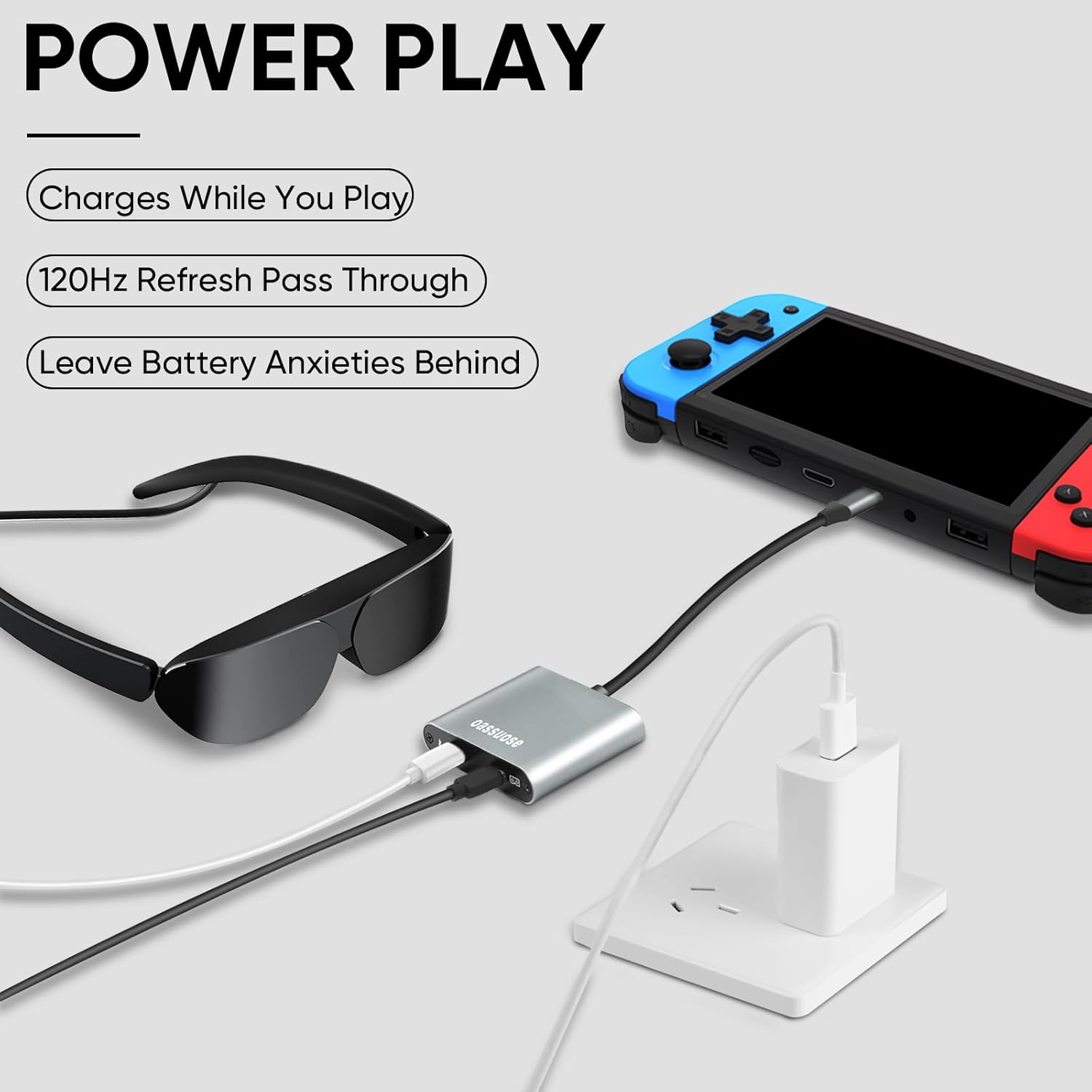
Image 3.1: Visual guide for connecting the adapter to a Nintendo Switch, AR glasses, and a power source for simultaneous play and charging.

Image 3.2: Visual guide for connecting the adapter to a smartphone, AR glasses, and a power source for fast charging and display.
Video 3.1: A demonstration of connecting the Oassuose USB C adapter to AR glasses, a Nintendo Switch, and a power source, showing the display output on the AR glasses.
4. Operating Instructions
Once properly connected, the Oassuose adapter operates automatically. The video signal from your source device will be mirrored or extended to your AR glasses, and power will be supplied to both connected devices.
- Extended Playtime: The simultaneous charging feature ensures your gaming or viewing sessions are not interrupted by low battery.
- High Refresh Rate: Experience smooth visuals with support for up to 120Hz refresh rates, depending on your source device and AR glasses capabilities.
- Plug-and-Play: The adapter is designed for ease of use, requiring no additional drivers or software.

Image 4.1: A user enjoying an immersive experience with AR glasses, highlighting the adapter's support for up to 120Hz refresh rates.
5. Compatibility
The Oassuose USB C to AR Glasses Charging Adapter offers broad compatibility with various devices:
- Compatible Source Devices: Steam Deck, SteamDeck OLED, Samsung S22/S23, ROG Ally, Nintendo Switch, Switch OLED, iPhone 15, iPhone 15 Plus, iPhone 15 Pro, iPhone 15 Pro Max.
- Compatible AR Glasses: RayNeo AR Glasses, XREAL Air AR Glasses, Rokid Air AR Glasses, Thunderbird AR, GRAWOOA, Sonny, and other AR Glasses.
Important Compatibility Notes:
- The source device must support the USB C standard protocol and full-function video output.
- Devices with an HDMI interface are not supported (e.g., certain Nintendo Switch models, PlayStation consoles, or dedicated graphics card devices).
- Not compatible with the Nintendo Switch 2.
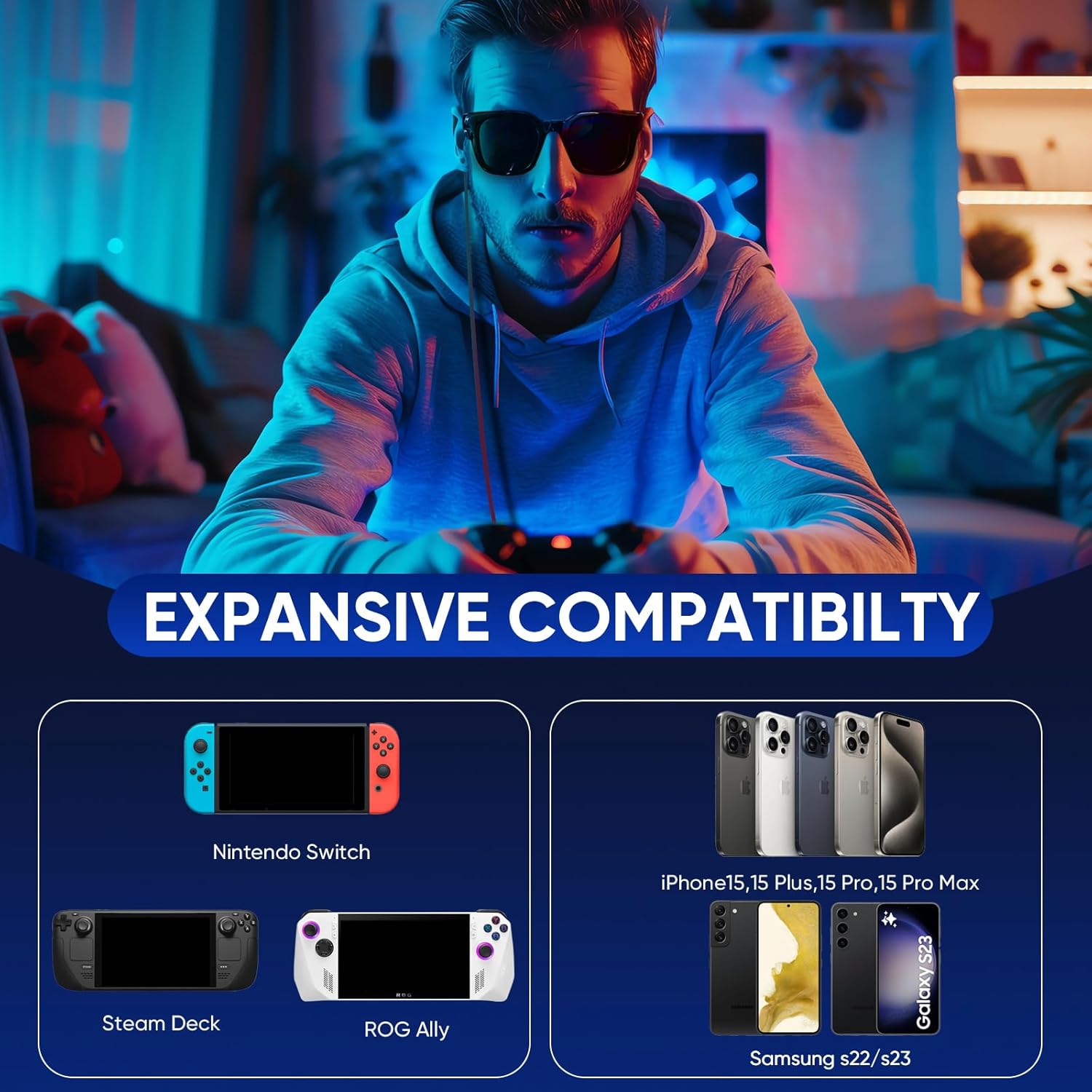
Image 5.1: A visual representation of the adapter's expansive compatibility with various gaming consoles and smartphones.
6. Troubleshooting
If you encounter issues, please refer to the following troubleshooting steps:
- No Video or Sound Output:
- Ensure all cables are securely connected to the adapter, AR glasses, and source device.
- Verify that your source device supports USB-C full-function video output.
- For AR glasses, you may need to switch the signal source to DP mode (DisplayPort mode) according to your AR glasses' specific instructions.
- If using a portable monitor, switch its signal source to USB C mode.
- For Samsung Phones (e.g., S25 Ultra): Disable Samsung Dex in your phone's settings. Set the display refresh rate to 60Hz on your phone. Restart the phone. Try starting the AR application first, then connect the phone to the adapter.
- Charging Issues:
- Ensure your power adapter is a compatible 50W/100W fast charger. The actual charging power depends on your power adapter's capabilities.
- Intermittent Connection:
- Check all cable connections for any looseness. Ensure cables are not excessively bent or stressed at the connection points.
7. Maintenance
To ensure the longevity and optimal performance of your Oassuose adapter, follow these maintenance guidelines:
- Cleaning: Wipe the adapter with a soft, dry cloth. Avoid using liquid cleaners or solvents.
- Storage: Store the adapter in a cool, dry place away from direct sunlight and extreme temperatures.
- Handling: The adapter is made of durable aluminum alloy, but avoid dropping it or subjecting it to strong impacts.
- Overvoltage Protection: The smart hardware prevents overvoltage damage, but always use a compatible power adapter.

Image 7.1: Features of the aluminum alloy material, emphasizing high heat dissipation, safety, stability, and durability.
8. Specifications
| Feature | Detail |
|---|---|
| Model Number | Oassuose-ARAdapter-1 |
| Package Dimensions | 3.98 x 3.98 x 0.67 inches |
| Item Weight | 1.76 ounces |
| Connector Type | USB Type C |
| Color | Silver |
| Manufacturer | oassuose |
| Date First Available | June 6, 2024 |
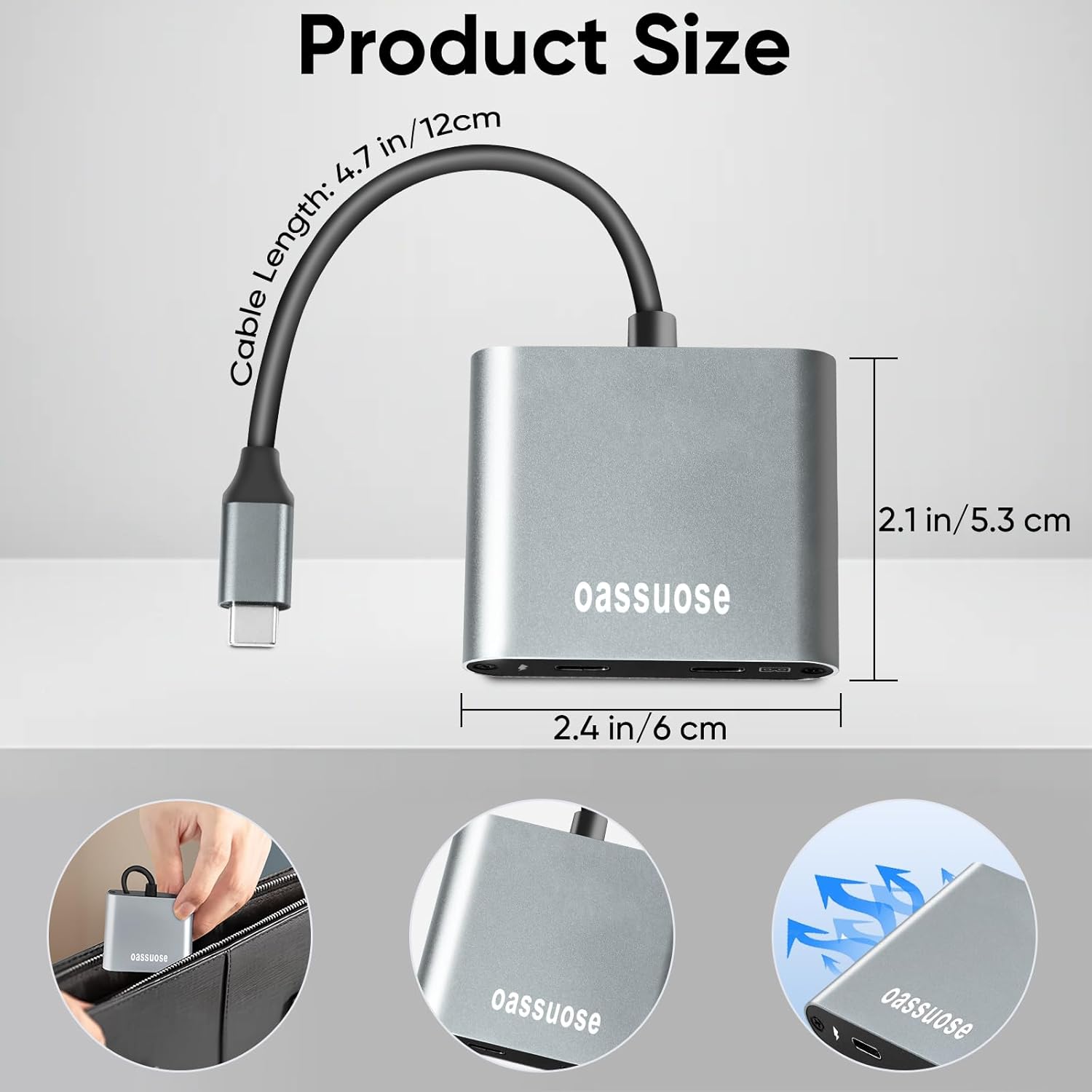
Image 8.1: Detailed dimensions of the Oassuose USB C adapter.
9. Warranty and Support
For warranty information or technical support, please refer to the product packaging or contact Oassuose customer service directly. Keep your purchase receipt for warranty claims.