1. Introduction
This manual provides essential information and instructions for the proper installation and maintenance of your LRFDRESS CFX-G100/GB composite air purifier filter. This filter is designed as a replacement for specific Samsung air purifier models, ensuring continued air purification performance.
The LRFDRESS CFX-G100/GB is a 2-in-1 composite filter, combining a High-Efficiency Particulate Air (HEPA) filter with an Activated Carbon filter. This design effectively captures airborne particles and absorbs odors and harmful gases, contributing to cleaner indoor air quality.

Image 1.1: LRFDRESS CFX-G100/GB Composite Air Purifier Filter (Front View)
This image displays the LRFDRESS CFX-G100/GB composite air purifier filter, showing its primary filtration surface. The filter is rectangular with a black frame.
2. Product Features
- 2-in-1 Composite Design: Integrates both HEPA and Activated Carbon filtration layers into a single unit.
- H13 True HEPA Filter: Captures 99.97% of airborne particles as small as 0.3 microns, including dust, pollen, pet dander, and smoke.
- Activated Carbon Filter: Effectively absorbs odors from cooking, pets, smoke, and volatile organic compounds (VOCs).
- Compatibility: Designed for use with Samsung Air Purifier models AX40R3030WM, AX34R3020WW, AX40T3030WM/SA, AX34T3020WW/SA, and AX40T3020.
3. Setup and Installation
Follow these general steps to replace the air filter in your compatible Samsung air purifier. Always refer to your specific air purifier's user manual for detailed, model-specific instructions.
- Power Off and Unplug: Before attempting any filter replacement, ensure your air purifier is turned off and unplugged from the power outlet to prevent electrical hazards.
- Locate Filter Compartment: Identify the filter access panel on your air purifier. This is typically on the back or side of the unit.
- Remove Old Filter: Open the filter compartment cover. Carefully remove the used composite filter. Note its orientation to ensure correct installation of the new filter. Dispose of the old filter responsibly.
- Install New Filter: Unpack the new LRFDRESS CFX-G100/GB filter. Insert the new filter into the compartment, ensuring it is oriented correctly and fits securely. The foam seal should create a tight fit.
- Close Compartment: Close the filter compartment cover securely.
- Restore Power: Plug the air purifier back into the power outlet and turn it on.
- Reset Filter Indicator: Most air purifiers have a filter replacement indicator. Consult your air purifier's manual for instructions on how to reset this indicator after installing a new filter. This step is crucial for accurate filter life monitoring.
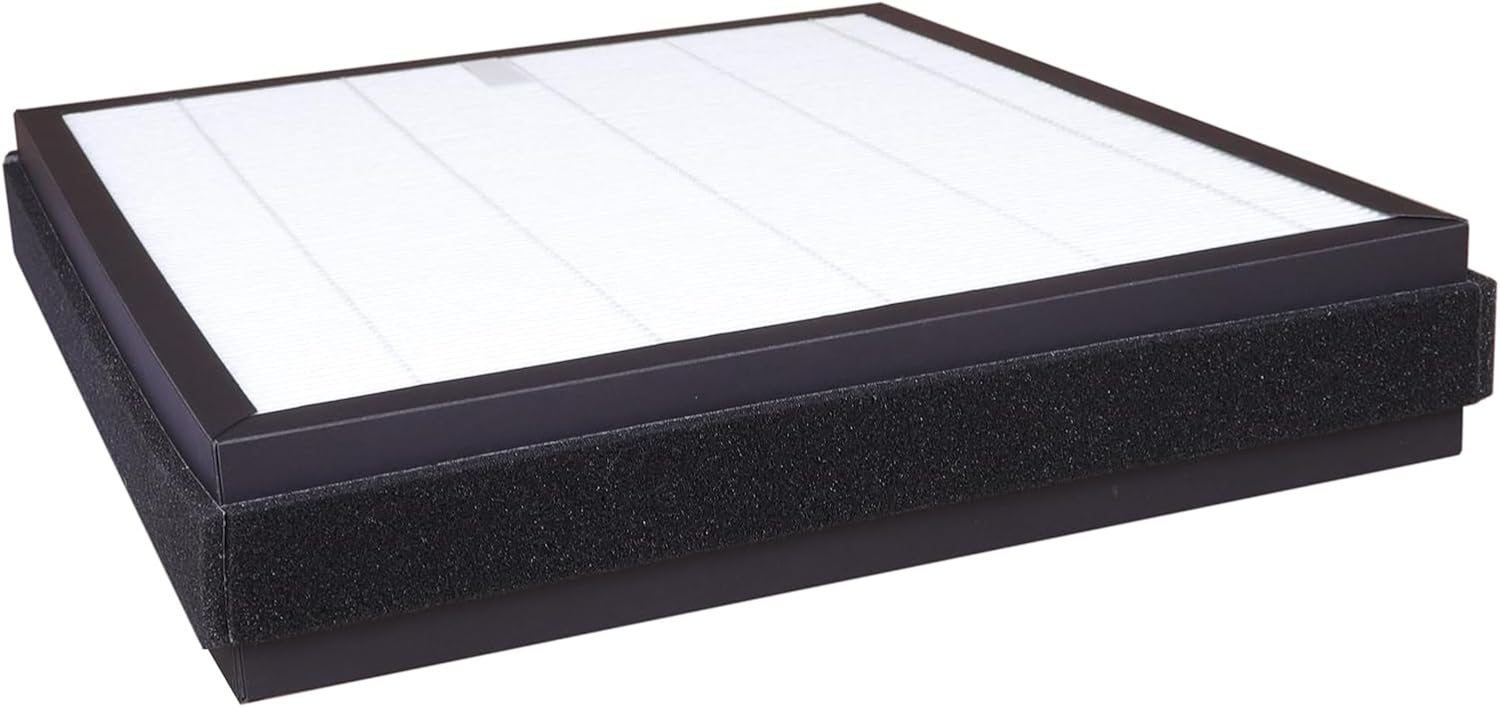
Image 3.1: LRFDRESS CFX-G100/GB Composite Air Purifier Filter (Angled View)
This image shows an angled view of the LRFDRESS CFX-G100/GB filter, highlighting its thickness and the black foam sealing around the edges, which is important for a proper fit in the air purifier.
4. Operating Considerations
Once the LRFDRESS CFX-G100/GB filter is correctly installed, the air purifier will operate as usual, drawing air through the filter to remove pollutants. The filter functions passively, requiring no direct user interaction during operation.
Ensure the air purifier's filter replacement indicator is reset after installation to accurately track the new filter's lifespan. Failure to reset the indicator may result in premature warnings or inaccurate filter life readings.
5. Maintenance
The LRFDRESS CFX-G100/GB is a disposable composite filter designed for replacement, not cleaning. Attempting to wash or clean the HEPA or Activated Carbon layers will damage the filter media and compromise its effectiveness.
- Replacement Frequency: The lifespan of the filter depends on air quality, usage hours, and environmental factors. Typically, composite filters should be replaced every 6 to 12 months. Refer to your air purifier's manual or its filter indicator for recommended replacement intervals.
- Filter Indicator: Pay attention to your air purifier's filter replacement indicator light or message. Replace the filter promptly when indicated to maintain optimal air purification performance.
- Disposal: Dispose of used filters according to local waste disposal guidelines.
6. Troubleshooting
If you encounter issues after replacing your filter, consider the following:
- Air Purifier Does Not Recognize New Filter:
- Ensure the filter is installed correctly and securely in its compartment.
- Verify that you have reset the filter life indicator on your air purifier. This step is often manual and required for the device to recognize a new filter. Consult your air purifier's manual for specific reset instructions.
- Confirm the filter model (CFX-G100/GB or CFX-G100D) is compatible with your specific Samsung air purifier model (e.g., AX40R3030WM, AX34R3020WW).
- Reduced Airflow or Purification Performance:
- Check if the filter compartment cover is fully closed and sealed.
- Ensure there are no obstructions to the air intake or outlet vents of the air purifier.
- If the filter is new, allow some time for the air purifier to circulate air. If the issue persists, re-verify installation steps.
- Unusual Odors:
- A new activated carbon filter may emit a slight, temporary odor initially. This should dissipate within a few hours of operation.
- If strong or persistent odors occur, ensure the filter is genuine and undamaged.
7. Specifications

Image 7.1: LRFDRESS CFX-G100/GB Composite Air Purifier Filter with Dimensions
This image illustrates the LRFDRESS CFX-G100/GB filter with its key dimensions: 12.5 inches (318mm) in length, 11.4 inches (289mm) in width, and 2.3 inches (58mm) in thickness.
| Feature | Detail |
|---|---|
| Brand | LRFDRESS |
| Model Number | CFX-G100/GB, CFX-G100D |
| Compatible Devices | Samsung AX40R3030WM, AX34R3020WW, AX40T3030WM/SA, AX34T3020WW/SA, AX40T3020 |
| Filter Type | 2-in-1 Composite (H13 True HEPA + Activated Carbon) |
| Material | Activated carbon, H13 Meltblown nonwovens |
| Product Dimensions (L x W x Th) | 12.5 x 11.4 x 2.28 inches (318 x 289 x 58 mm) |
| Item Weight | 1.41 pounds (0.64 Kilograms) |
| Number of Items | 1 |
8. Warranty and Support
For warranty information regarding your LRFDRESS CFX-G100/GB filter, please refer to the purchase documentation or contact the seller directly. Specific warranty terms may vary.
For technical support or further inquiries, please reach out to the LRFDRESS customer service through the retailer where the product was purchased.