
Introduction
This manual provides instructions for the safe and effective use of the Generic KWS 1802C Type C Voltage Current Power Meter. This compact and accurate device is designed to measure voltage, current, power, and timing for various USB Type C devices and power supplies. Please read this manual thoroughly before operation.
Safety Information
- Do not disassemble or modify the device.
- Avoid exposing the device to extreme temperatures, humidity, or direct sunlight.
- Keep the device away from water and other liquids.
- Use the device within its specified voltage and current ranges to prevent damage.
- This device is intended for informational measurement purposes and should not be used as a primary safety device.
Package Contents
- 1 x Generic KWS 1802C Type C Voltage Current Power Meter
- 1 x User Manual (this document)
Product Overview
The KWS 1802C is a compact Type C USB tester featuring a clear display for real-time measurements. It includes a male Type C connector for input and a female Type C port for output, allowing for bidirectional testing.

Figure 1: Front view of the KWS 1802C Type C Voltage Current Power Meter. This image shows the device with its male USB-C connector on the left and the display screen showing voltage, current, power, and temperature readings.

Figure 2: Close-up of the KWS 1802C display. The screen clearly shows real-time measurements including voltage (V), current (A), power (W), timing (H), and temperature (°C).
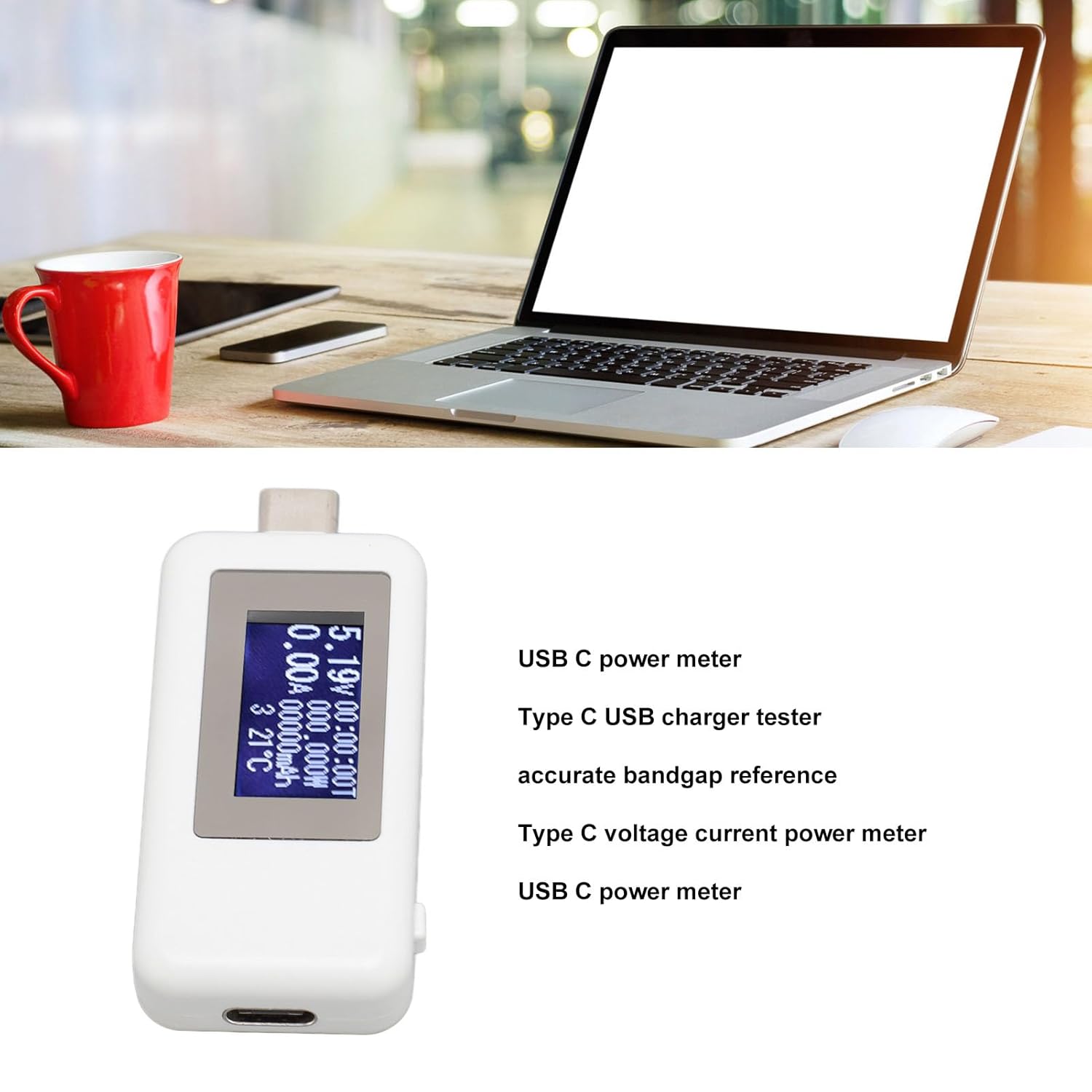
Figure 3: Side view of the KWS 1802C, highlighting the control button. This button is used to cycle through display modes or reset data.

Figure 4: Detailed view of the male USB-C connector on the KWS 1802C, which plugs into the power source.
Specifications
| Parameter | Value |
|---|---|
| Product Model | KWS 1802C |
| Voltage Measurement Range | 4-30V |
| Current Measurement Range | 0-5.1A |
| Power Measurement Range | 0-155W |
| Timing Range | 0-99 Hours |
| Test Direction | Bidirectional |
| Material | Plastic, Electronic Components |
| Item Weight | 15 g |
| Dimensions (approx.) | 12 x 8 x 2 cm (Parcel Dimensions) |
Setup
- Connect to Power Source: Insert the male USB Type C connector of the KWS 1802C into a USB Type C power adapter, power bank, or any Type C power output port.
- Connect Device to be Tested: Plug your USB Type C device (e.g., smartphone, tablet, laptop) into the female USB Type C port on the KWS 1802C.
- Power On: The device will automatically power on and display real-time measurements once connected. No additional power supply is required.
The KWS 1802C is designed for plug-and-play operation, providing immediate feedback on voltage, current, and power.
Operating Instructions
Once connected, the KWS 1802C display will show various parameters. The device typically cycles through different display modes or allows manual cycling via a button.
Understanding the Display:
- Voltage (V): Indicates the real-time voltage being supplied to the connected device.
- Current (A): Shows the real-time current drawn by the connected device.
- Power (W): Displays the calculated power (Voltage x Current) being consumed.
- Timing (H): Tracks the duration of the charging or power delivery session, up to 99 hours.
- Capacity (mAh/Wh): Accumulates the total charge or energy transferred over time. This value can typically be reset.
- Temperature (°C): Shows the internal temperature of the device or ambient temperature.
Using the Control Button:
The small button on the side of the device (refer to Figure 3) serves multiple functions:
- Short Press: Cycles through different display screens or data sets (e.g., voltage/current, accumulated capacity, timing).
- Long Press: Typically resets accumulated data such as timing (H) and capacity (mAh/Wh). Hold the button until the values clear.
Note: Specific button functions may vary slightly. Refer to the on-screen prompts or experiment with short and long presses to understand all functionalities.
Maintenance
- Cleaning: Use a soft, dry cloth to clean the device. Do not use liquid cleaners or solvents.
- Storage: Store the device in a cool, dry place when not in use.
- Handling: Handle the device with care to avoid physical damage to the connectors or display.
Troubleshooting
No Display / Device Not Powering On:
- Ensure the male USB Type C connector is fully inserted into a working power source.
- Verify that the power source itself is active and providing power.
- Check for any visible damage to the device or its connectors.
Incorrect Readings:
- Ensure both the power source and the connected device are functioning correctly.
- Confirm that the device is within its specified operating ranges (4-30V, 0-5.1A).
- Try connecting the meter to a different power source and device to isolate the issue.
Display Frozen or Unresponsive:
- Disconnect and reconnect the device to reset it.
- If the issue persists, contact customer support.
Warranty and Support
This product comes with a standard manufacturer's warranty. For specific warranty details, please refer to the purchase documentation or contact your retailer.
For technical support or further assistance, please contact the seller or manufacturer through the platform where the product was purchased.