
1. Introduction
This manual provides essential information for the safe and efficient operation of your Rockwell 280L Vertical Freezer (Model UF300A). Please read these instructions thoroughly before installation, use, or maintenance to ensure optimal performance and longevity of your appliance. This vertical freezer is designed for organizing and preserving a variety of frozen foods, featuring 9 pull-out drawers for convenient segregation.
2. Important Safety Information
Always follow basic safety precautions when using electrical appliances to reduce the risk of fire, electric shock, and injury.
- Ensure the power supply matches the voltage specified on the appliance's rating label.
- Do not operate the freezer with a damaged power cord or plug.
- Keep ventilation openings clear of obstructions.
- Do not store explosive substances such as aerosol cans with a flammable propellant in this appliance.
- This appliance is not intended for use by persons (including children) with reduced physical, sensory or mental capabilities, or lack of experience and knowledge, unless they have been given supervision or instruction concerning use of the appliance by a person responsible for their safety.
- The appliance must be earthed.
- Do not use mechanical devices or other means to accelerate the defrosting process, other than those recommended by the manufacturer.
- Do not damage the refrigerant circuit.
- Do not use electrical appliances inside the food storage compartments of the appliance, unless they are of the type recommended by the manufacturer.
3. Installation and Initial Setup
3.1 Unpacking
Carefully remove all packaging materials. Inspect the freezer for any shipping damage. Report any damage to your retailer immediately.
3.2 Placement
Place the freezer on a firm, level surface away from direct sunlight, heat sources (e.g., stoves, radiators), and moisture. Ensure adequate air circulation around the unit. Allow at least 10 cm (4 inches) of space at the back and sides for proper ventilation.

Figure 3.2.1: Front view of the Rockwell 280L Vertical Freezer, showcasing its sleek design and single door.

Figure 3.2.2: The Rockwell 280L Vertical Freezer from the front, highlighting its compact footprint and modern appearance.
3.3 Leveling
Adjust the leveling feet at the bottom of the freezer to ensure it is stable and level. A level appliance operates more efficiently and prevents door alignment issues.
3.4 Power Connection
Plug the freezer into a dedicated, properly grounded electrical outlet. Do not use extension cords or adapter plugs. Allow the freezer to stand upright for at least 2-4 hours before plugging it in to allow refrigerants to settle.
4. Operating Instructions
4.1 Temperature Control
The freezer is equipped with a temperature control dial, typically located at the top or inside the unit. Adjust the dial to your desired freezing temperature. For optimal food preservation, a temperature of -18°C (0°F) or lower is recommended.

Figure 4.1.1: The freezer maintains peak freshness for food at temperatures below -18°C.
4.2 Organizing with 9 Pull-Out Drawers
The Rockwell UF300A features 9 transparent pull-out drawers designed for efficient organization and easy access to your frozen items. Utilize these drawers to segregate different food types (e.g., meats, vegetables, fruits, ready-to-eat meals, ice cream) to prevent cross-contamination and simplify retrieval.

Figure 4.2.1: Interior view of the freezer with its 9 pull-out drawers, illustrating how they help preserve flavors and nutrients by keeping items neatly separated.

Figure 4.2.2: A closer look at the organized drawers, demonstrating the advanced cooling technology that helps preserve your food effectively.
4.3 Safety Lock Feature
The freezer is equipped with a safety lock to secure its contents. Use the provided key to lock and unlock the door as needed. This feature is particularly useful for preventing unauthorized access or for households with children.

Figure 4.3.1: Overview of the Rockwell Upright Freezer's key features, including the safety lock for enhanced security.
5. Care and Maintenance
5.1 Defrosting
Over time, frost may accumulate inside the freezer. Defrost the unit when the frost layer is about 5mm (1/4 inch) thick. To defrost:
- Unplug the freezer from the power outlet.
- Remove all food items and store them in another freezer or cooler.
- Leave the freezer door open to allow frost to melt naturally. Place towels at the bottom to absorb water.
- Once defrosted, wipe the interior dry with a soft cloth.
- Plug the freezer back in and allow it to cool down before returning food.
5.2 Cleaning Interior and Exterior
Regular cleaning helps maintain hygiene and efficiency.
- Interior: Clean the interior and drawers with a solution of mild detergent and warm water. Rinse thoroughly and dry completely before closing the door.
- Exterior: Wipe the exterior surfaces with a soft, damp cloth. For stubborn stains, use a mild, non-abrasive cleaner.
- Do not use abrasive cleaners, harsh chemicals, or sharp objects for cleaning.
5.3 Power Outage
In case of a power outage, keep the freezer door closed to maintain the internal temperature for as long as possible. Food can remain frozen for several hours depending on the ambient temperature and how full the freezer is.
6. Troubleshooting Guide
Before contacting service, please check the following common issues and their solutions:
| Problem | Possible Cause | Solution |
|---|---|---|
| Freezer does not operate. | No power supply; power cord unplugged; circuit breaker tripped. | Check power outlet, plug, and circuit breaker. |
| Freezer is not cold enough. | Temperature control set too high; door not closed properly; excessive door openings; warm food placed inside; poor ventilation. | Adjust temperature setting; ensure door is sealed; reduce door openings; allow warm food to cool before freezing; ensure adequate space around the unit. |
| Excessive frost buildup. | Door not sealed properly; frequent door openings; high humidity. | Check door gasket for leaks; reduce door openings; defrost as needed. |
| Unusual noises. | Freezer not level; objects vibrating against the unit; normal operating sounds (e.g., refrigerant flow, compressor). | Level the freezer; ensure nothing is touching the unit; some sounds are normal. |
| Door does not close completely. | Freezer not level; food packages obstructing closure; door gasket dirty or damaged. | Level the freezer; rearrange contents; clean or inspect door gasket. |
7. Product Specifications
Detailed technical specifications for the Rockwell 280L Vertical Freezer (Model UF300A):
- Brand: ROCKWELL
- Model Name: UF300A
- Manufacturer: Rockwell Industries Limited
- Colour: White
- Item Weight: 56.1 kg (56 kg 100 g)
- Product Dimensions (LxWxH): 60 x 68 x 162.8 Centimeters
- Wattage: 130 Watts
- Included Components: Drawers, User Manual
- Door Material Type: Plastic
- Refrigerant: R600a (Eco-friendly)

Figure 7.1.1: Side view of the Rockwell 280L Vertical Freezer, illustrating its dimensions.
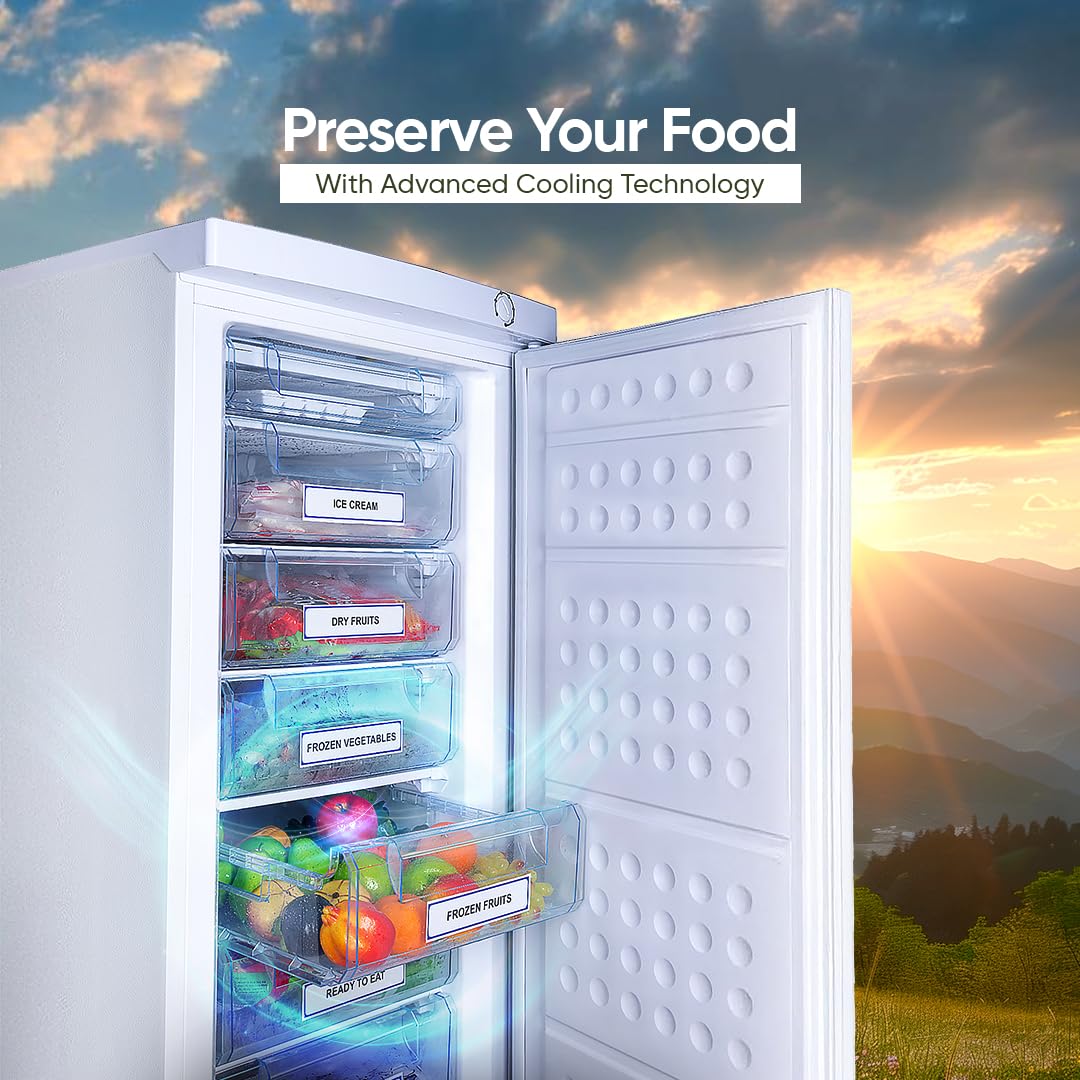
Figure 7.1.2: Rear view of the Rockwell 280L Vertical Freezer.
8. Warranty Information
The Rockwell 280L Vertical Freezer (Model UF300A) comes with a robust 5-year warranty on the compressor. This warranty covers defects in materials and workmanship under normal use and service. Please retain your purchase receipt as proof of purchase for warranty claims. For full terms and conditions, refer to the warranty card included with your product or contact Rockwell customer service.
9. Customer Support
For any queries, service requests, or technical assistance, please contact Rockwell Industries Limited:
- Customer Service Hotline: 1860-208-2323
- Email: Service@rockwell.co.in
When contacting support, please have your product model number (UF300A) and purchase details ready.


