
1. Introduction
Thank you for choosing the HISION Cordless Pool Vacuum Robot Cleaner. This advanced robotic cleaner is designed to provide efficient and thorough cleaning for your inground pool, covering the floor, walls, and waterline. With its intelligent navigation and powerful suction, it simplifies pool maintenance, allowing you more time to enjoy your pool.
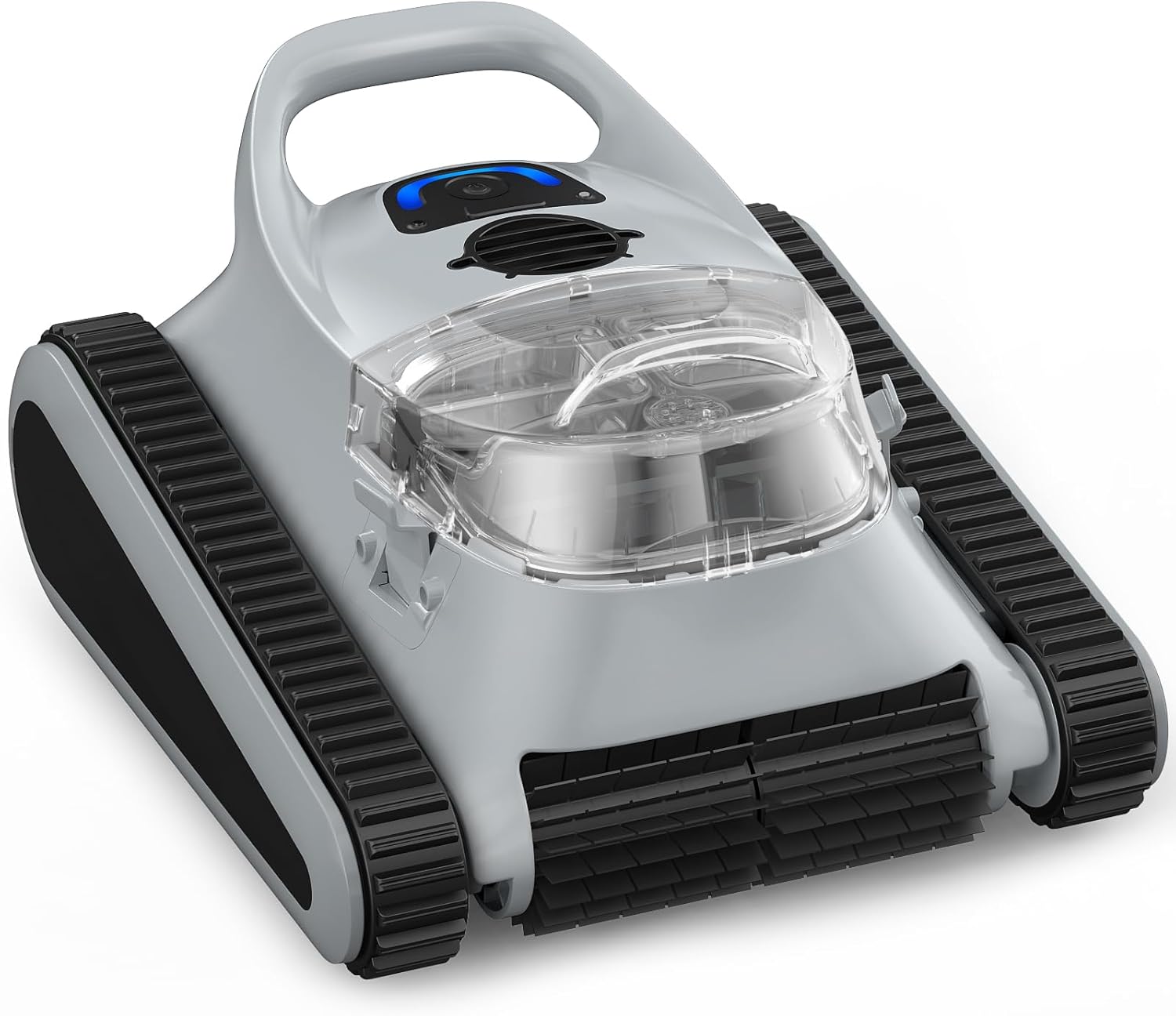
Figure 1.1: HISION Cordless Pool Vacuum Robot Cleaner
2. Important Safety Information
Please read all safety instructions carefully before operating the HISION Pool Vacuum Robot Cleaner. Failure to follow these instructions may result in electric shock, fire, or serious injury.
- Always ensure the cleaner is fully charged and disconnected from the power source before placing it in or removing it from the pool.
- Do not operate the cleaner if the power cord or charger is damaged. Contact customer support immediately.
- Keep children and pets away from the pool area while the cleaner is in operation.
- Only use the original charger and accessories provided by HISION.
- Do not attempt to disassemble or repair the cleaner yourself. Refer all servicing to qualified personnel.
- Store the cleaner in a cool, dry place when not in use, away from direct sunlight and extreme temperatures.
- Ensure the pool water chemistry is balanced before operating the cleaner to prevent damage to the unit.
3. Product Components
Familiarize yourself with the main components of your HISION Pool Vacuum Robot Cleaner:
- Main Unit: The robotic cleaner body, housing the motor, battery, and control systems.
- Filter Basket: A top-load, removable basket designed to collect debris. Capacity: 3.5L.
- Charging Adapter: For recharging the cleaner's internal battery.
- Brushes/Rollers: Located at the bottom for scrubbing pool surfaces.
- Indicator Lights/Audio Alerts: Provide status updates (e.g., battery level, cleaning mode).

Figure 3.1: Cleaner performing waterline and wall cleaning.

Figure 3.2: The 3.5L top-load filter basket for easy debris removal.
4. Setup Guide
Follow these steps to prepare your HISION Pool Vacuum Robot Cleaner for its first use:
- Unpack the Cleaner: Carefully remove all components from the packaging. Retain the packaging for future storage or transport.
- Initial Charge: Before first use, fully charge the cleaner's battery. Connect the charging adapter to the cleaner and plug it into a power outlet. The indicator lights will show charging status. A full charge takes approximately 2.5 hours.
- Pre-Deployment Check: Ensure the filter basket is clean and properly installed. Check for any visible damage to the cleaner.

Figure 4.1: Connecting the cleaner to its charging adapter.

Figure 4.2: The cordless design allows for easy plug-and-play operation without tangled cords.
5. Operating Instructions
Operating your HISION Pool Vacuum Robot Cleaner is straightforward:
- Place in Pool: Gently lower the cleaner into the pool. Ensure it sinks completely and no air bubbles are trapped underneath.
- Start Cleaning: Press the power button (often a single-click start) on the cleaner. The cleaner will begin its cleaning cycle, intelligently navigating your pool's floor, walls, and waterline.
- Cleaning Modes: The cleaner automatically adapts to different pool shapes and surfaces, providing comprehensive coverage. It features SonarNav Pro technology for efficient mapping and cleaning.
- Automatic Parking: When the battery is low or the cleaning cycle is complete, the cleaner will automatically park itself near the pool's edge for easy retrieval. An audio and LED alert system will notify you.
- Retrieve from Pool: Use the handle to carefully lift the cleaner out of the water. Allow excess water to drain before placing it on a clean surface.

Figure 5.1: Simple one-click start to begin the cleaning cycle.

Figure 5.2: The cleaner parks itself at the edge for easy retrieval.

Figure 5.3: The cleaner provides full coverage for floor, wall, and all-around cleaning.

Figure 5.4: Intelligent navigation ensures comprehensive cleaning coverage.
6. Maintenance
Regular maintenance ensures optimal performance and extends the lifespan of your HISION Pool Vacuum Robot Cleaner:
- Clean the Filter Basket: After each use, remove the top-load filter basket and rinse it thoroughly with a garden hose. Ensure all debris is removed before reinserting.
- Rinse the Cleaner: After removing the cleaner from the pool, rinse its exterior with fresh water to remove any chlorine or chemical residue.
- Inspect Brushes/Rollers: Periodically check the brushes and rollers for any tangled hair or debris and clean as necessary.
- Charge Battery: Charge the battery as needed to maintain its health. Avoid leaving the battery completely discharged for extended periods.
- Storage: When not in use for an extended period, store the cleaner in a dry, shaded area. Ensure it is clean and fully charged before storage.
- Professional Maintenance: For any complex issues or repairs, contact HISION customer support. Do not attempt to service the unit yourself.

Figure 6.1: The 3.5L top-load filter basket is designed for easy cleaning.
7. Troubleshooting
If you encounter issues with your HISION Pool Vacuum Robot Cleaner, refer to the following common problems and solutions:
| Problem | Possible Cause | Solution |
|---|---|---|
| Cleaner does not start. | Low battery; Power button not pressed correctly. | Charge the cleaner fully. Ensure the power button is pressed firmly. |
| Poor cleaning performance. | Full or clogged filter basket; Obstruction in suction inlet; Worn brushes. | Clean the filter basket. Check and clear any obstructions. Contact support for brush replacement. |
| Cleaner gets stuck or moves erratically. | Large debris obstruction; Uneven pool surface; Air trapped inside. | Remove large debris from the pool. Gently shake the cleaner underwater to release trapped air. |
| Cleaner does not park at the edge. | Sensor obstruction; Software glitch. | Ensure sensors are clean. Try restarting the cleaner. If issue persists, contact support. |
| Battery life is shorter than expected. | Battery degradation; Extreme water temperature. | Ensure proper charging cycles. Avoid operating in extremely hot or cold water. Contact support if battery life significantly decreases. |
If the problem persists after trying these solutions, please contact HISION customer support for further assistance.
8. Technical Specifications
Detailed specifications for the HISION A7MAX-GY-02 Pool Vacuum Robot Cleaner:
| Feature | Specification |
|---|---|
| Model Number | A7MAX-GY-02 |
| Power Source | Battery Powered (Lithium-Ion) |
| Suction Power | 180W |
| Battery Life (Floor Cleaning) | Up to 150 minutes |
| Charging Time | Approx. 2.5 hours |
| Cleaning Area Coverage | Up to 2000 sq.ft |
| Filter Basket Capacity | 3.5L |
| Cleaning Coverage | Floor, Walls, Waterline |
| Navigation Technology | SonarNav Pro |
| Product Dimensions | 15.2"L x 10.1"W x 16.7"H |
| Material | Plastic / Polypropylene |
| Color | Gray |
| Assembly Required | No |
| Installation Type | Portable |

Figure 8.1: The cleaner offers up to 150 minutes run time for pools up to 2000 sq.ft.

Figure 8.2: The 180W motor effectively removes various debris types.

Figure 8.3: Compatible with most pool shapes including Rectangle, Round, L-shaped, Kidney-shaped, and Freeform.

Figure 8.4: Suitable for most pool types including Concrete, Vinyl, Fiberglass, and Mosaic Tiles.
9. Warranty & Customer Support
HISION is committed to providing high-quality products and excellent customer service.
- Warranty: This product is backed by a 24-month service commitment from the date of purchase. This warranty covers defects in materials and workmanship under normal use.
- What is Not Covered: This warranty does not cover damage caused by misuse, abuse, accident, unauthorized modification, improper installation, or failure to follow the instructions in this manual.
- Customer Support: For any questions, technical assistance, warranty claims, or service inquiries, please reach out to HISION customer support. Contact information can typically be found on the product packaging or the official HISION website.
