
1. Introduction
Thank you for choosing the Lueptexx 1500W Wall Heater. This convection panel heater is designed to provide efficient and quiet heating for indoor spaces. Please read this manual thoroughly before installation and operation to ensure safe and optimal performance of your device. Keep this manual for future reference.

Image 1.1: The Lueptexx 1500W Wall Heater in a modern living room setting, showcasing its sleek design.
2. Important Safety Instructions
When using electrical appliances, basic precautions should always be followed to reduce the risk of fire, electric shock, and injury to persons, including the following:
- Read all instructions before using this heater.
- This heater is hot when in use. To avoid burns, do not let bare skin touch hot surfaces.
- Extreme caution is necessary when any heater is used by or near children or invalids and whenever the heater is left operating unattended.
- Do not operate any heater with a damaged cord or plug or after the heater malfunctions, has been dropped or damaged in any manner.
- Do not use outdoors.
- Do not run cord under carpeting. Do not cover cord with throw rugs, runners, or similar coverings. Arrange cord away from traffic area and where it will not be tripped over.
- To disconnect heater, turn controls to off, then remove plug from outlet.
- Do not insert or allow foreign objects to enter any ventilation or exhaust opening as this may cause an electric shock or fire, or damage the heater.
- To prevent a possible fire, do not block air intakes or exhaust in any manner. Do not use on soft surfaces, like a bed, where openings may become blocked.
- This heater has hot and arcing or sparking parts inside. Do not use it in areas where gasoline, paint, or flammable liquids are used or stored.
- Use this heater only as described in this manual. Any other use not recommended by the manufacturer may cause fire, electric shock, or injury to persons.
- Always plug heaters directly into a wall outlet/receptacle. Never use with an extension cord or relocatable power tap (outlet/power strip).
- This heater includes tip-over and overheat protection features. If the heater tips over or overheats, it will automatically shut off.
- The child lock feature prevents accidental changes to settings.
3. Product Overview
3.1 Components
The Lueptexx 1500W Wall Heater consists of the main heating unit, a digital touch control panel, and options for either wall-mounting brackets or universal wheels for freestanding use.
3.2 Key Features
- Efficient Convection Technology: Evenly distributes warmth without fans, ensuring consistent heating and potential energy savings.
- Sleek and Portable Design: Aluminum frame with a white finish, suitable for wall-mounting or freestanding use with included wheels.
- Intuitive Touch Controls: User-friendly touch panel and LED display for temperature, timer, and schedule adjustments.
- Advanced Safety Features: Includes tip-over protection, overheat protection, V0 flame retardant materials, and a child lock.
- Quiet Operation: Designed for silent heating, ideal for bedrooms and offices.
- Power Output: 1500 Watts.
- Heating Coverage: 150-300 sq.ft.

Image 3.1: Illustration of the efficient and quiet heating process, highlighting low noise, energy saving, and fast heating capabilities.
4. Setup and Installation
Your Lueptexx heater offers flexible installation options: freestanding with wheels or wall-mounted.
4.1 Freestanding Installation
- Carefully unpack the heater and all accessories.
- Attach the universal wheels to the base of the heater using the provided screws. Ensure they are securely fastened.
- Place the heater on a stable, level surface, away from curtains, furniture, and other flammable materials.
- Ensure there is adequate clearance around the heater for proper air circulation.
4.2 Wall-Mount Installation
- Identify a suitable wall location, ensuring it is a sturdy wall capable of supporting the heater's weight (approximately 29.9 pounds).
- Use the provided wall-mounting bracket as a template to mark drilling points on the wall.
- Drill holes and insert wall anchors if necessary.
- Securely attach the wall-mounting bracket to the wall using the appropriate screws.
- Carefully hang the heater onto the wall-mounting bracket, ensuring it is firmly seated and level.
- Ensure the power cord can reach a suitable electrical outlet without being stretched or obstructed.

Image 4.1: Visual guide demonstrating both freestanding and wall-mounted installation options for the heater.
5. Operating Instructions
The heater features an intuitive touch control panel and LED display for easy operation.

Image 5.1: Detailed view of the touchscreen digital control panel, showing various function icons.
5.1 Control Panel Functions
- Power Button: Turns the heater ON/OFF.
- Mode Button: Cycles through heating modes (e.g., Comfort, Economic, Thawing).
- Temperature Adjustment (+/-): Increases or decreases the desired temperature.
- Timer Button: Sets the operating duration (up to 24 hours).
- Weekly Timing Program Button: Configures custom heating schedules for different days of the week.
- Child Lock Button: Activates/deactivates the child lock to prevent accidental changes.
- Window Opening Function: Automatically detects open windows and pauses heating to save energy.
5.2 Setting the Timer
- With the heater on, press the Timer Button.
- Use the +/- Buttons to set the desired operating time in hours (e.g., 1-24 hours).
- The heater will automatically turn off after the set time expires.
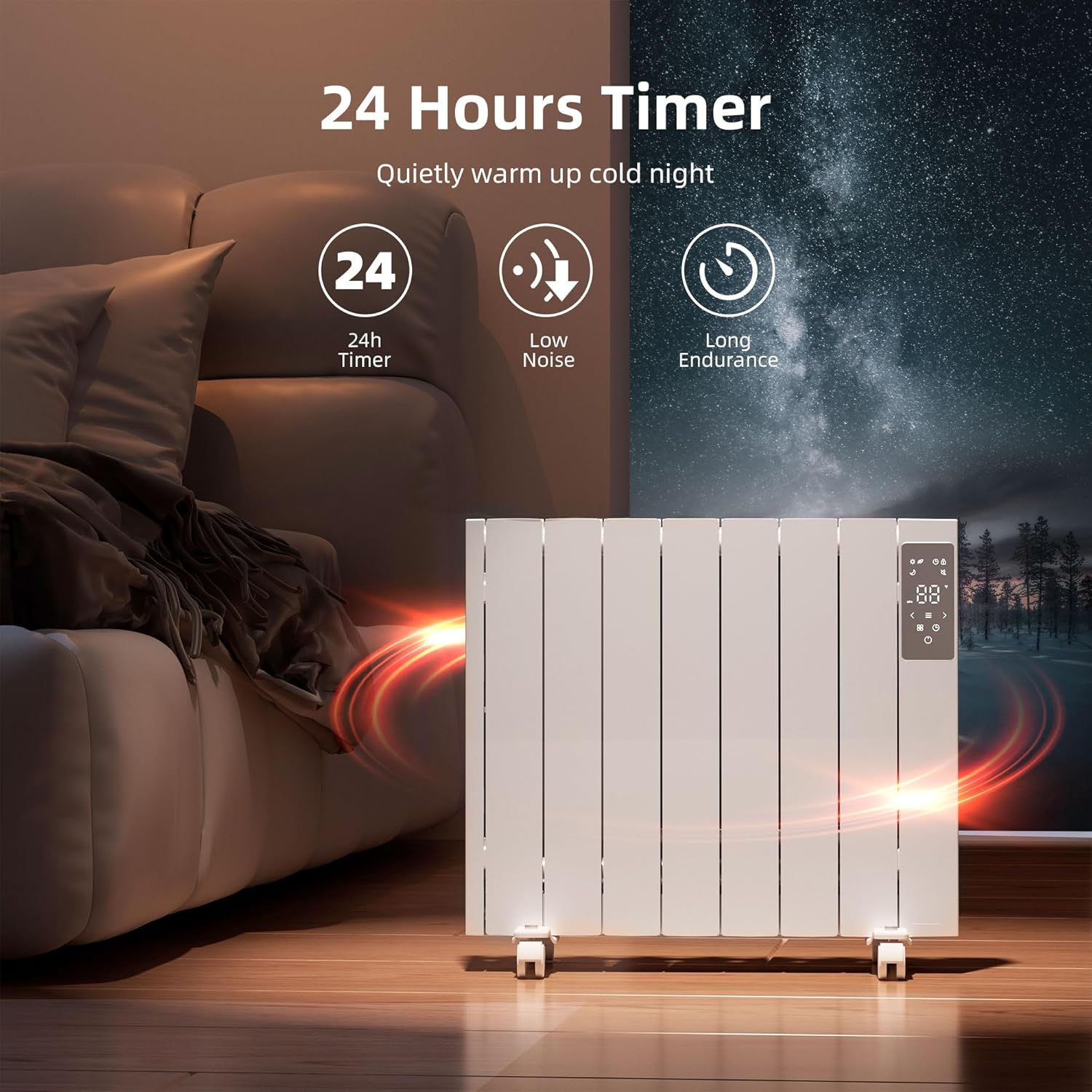
Image 5.2: The heater displaying its 24-hour timer function, emphasizing quiet operation and long endurance.
5.3 Activating Child Lock
To activate the child lock, press and hold the Child Lock Button for a few seconds until the lock icon appears on the display. To deactivate, repeat the process.
6. Maintenance
Regular cleaning and maintenance will help ensure the longevity and efficient operation of your heater.
- Cleaning: Always unplug the heater and allow it to cool completely before cleaning. Use a soft, damp cloth to wipe the exterior surfaces. Do not use abrasive cleaners or solvents.
- Storage: If storing the heater for an extended period, ensure it is clean and dry. Store it in a cool, dry place, preferably in its original packaging.
- Inspection: Periodically check the power cord and plug for any signs of damage. If damage is found, do not use the heater and contact customer support.
7. Troubleshooting
If you encounter issues with your heater, refer to the following common problems and solutions:
| Problem | Possible Cause | Solution |
|---|---|---|
| Heater does not turn on. | Not plugged in; power outlet not working; power switch off; overheat protection activated; tip-over switch activated. | Ensure plug is fully inserted. Check power outlet with another device. Turn power switch ON. Allow heater to cool down. Place heater on a flat, stable surface. |
| Heater is not heating effectively. | Temperature setting too low; room size too large; air intake/exhaust blocked. | Increase temperature setting. Ensure heater is appropriate for room size (150-300 sq.ft.). Clear any obstructions from air vents. |
| Child lock is active and controls are unresponsive. | Child lock feature is engaged. | Press and hold the Child Lock Button for a few seconds to deactivate. |
8. Specifications
- Brand: Lueptexx
- Model Number: HKAH001
- Power Output: 1500 Watts
- Heating Coverage: 150-300 sq.ft.
- Product Dimensions: 3"D x 26"W x 22"H
- Item Weight: 29.9 pounds
- Mounting Type: Wall Mount / Freestanding
- Special Features: Adjustable Temperature, Child Lock, On/Off Timer, Overheat Protection, Wheels, Window Opening Function
- Fuel Type: Electric
- Indoor/Outdoor Usage: Indoor only
- Color: White
9. Warranty and Support
For warranty information or technical support, please contact Lueptexx customer service. Please have your model number (HKAH001) and purchase date available when contacting support.
You may find contact information on the product packaging or the official Lueptexx website.


