
1. Introduction
The XVX K75 Pro is a 75% layout wireless mechanical keyboard designed for gaming and typing. It features a sturdy aluminum case, a high-definition TFT display, and versatile tri-mode connectivity. This manual provides essential information for setting up, operating, maintaining, and troubleshooting your keyboard.
2. What's in the Box
- 75% Mechanical Keyboard
- USB Cable (Type-C to USB-A)
- Keycap and Switch Puller
For a visual guide on what's included and initial setup, please refer to the unboxing video below.
Video: XVX K75 PRO Unboxing - Creamy Keyboard. This video demonstrates the unboxing process and contents of the keyboard package.
3. Setup and Connectivity
The K75 Pro supports three connection modes: Bluetooth 5.0, 2.4GHz wireless, and USB wired. It can connect to up to five devices simultaneously.
3.1. Tri-Mode Connection Overview

Image: The keyboard's three connection modes are illustrated, showing Bluetooth (FN + 1/2/3), 2.4GHz Wireless (FN + 4), and USB-C Wired (FN + 5).
3.2. Charging the Keyboard
The keyboard is equipped with a 4000mAh battery. Connect the USB-C cable to the keyboard and a power source (e.g., computer USB port or wall adapter) to charge. The TFT display will show the charging status.

Image: A diagram illustrating the outward-opening battery compartment, highlighting the 4000mAh battery and the potential for DIY battery expansion.
3.3. Switching Between Devices
Easily switch between connected devices using shortcut keys or the TFT screen interface.
- Bluetooth Mode: Press
FN + 1,FN + 2, orFN + 3to select a Bluetooth channel. The keyboard will enter pairing mode if no device is connected. - 2.4GHz Wireless Mode: Press
FN + 4. Ensure the 2.4GHz receiver is plugged into your device. - USB Wired Mode: Press
FN + 5. Connect the keyboard directly to your device using the provided USB-C cable.
4. Operating Instructions
4.1. TFT Smart Display Functions
The high-definition TFT display allows you to visualize various settings and customize your keyboard experience.
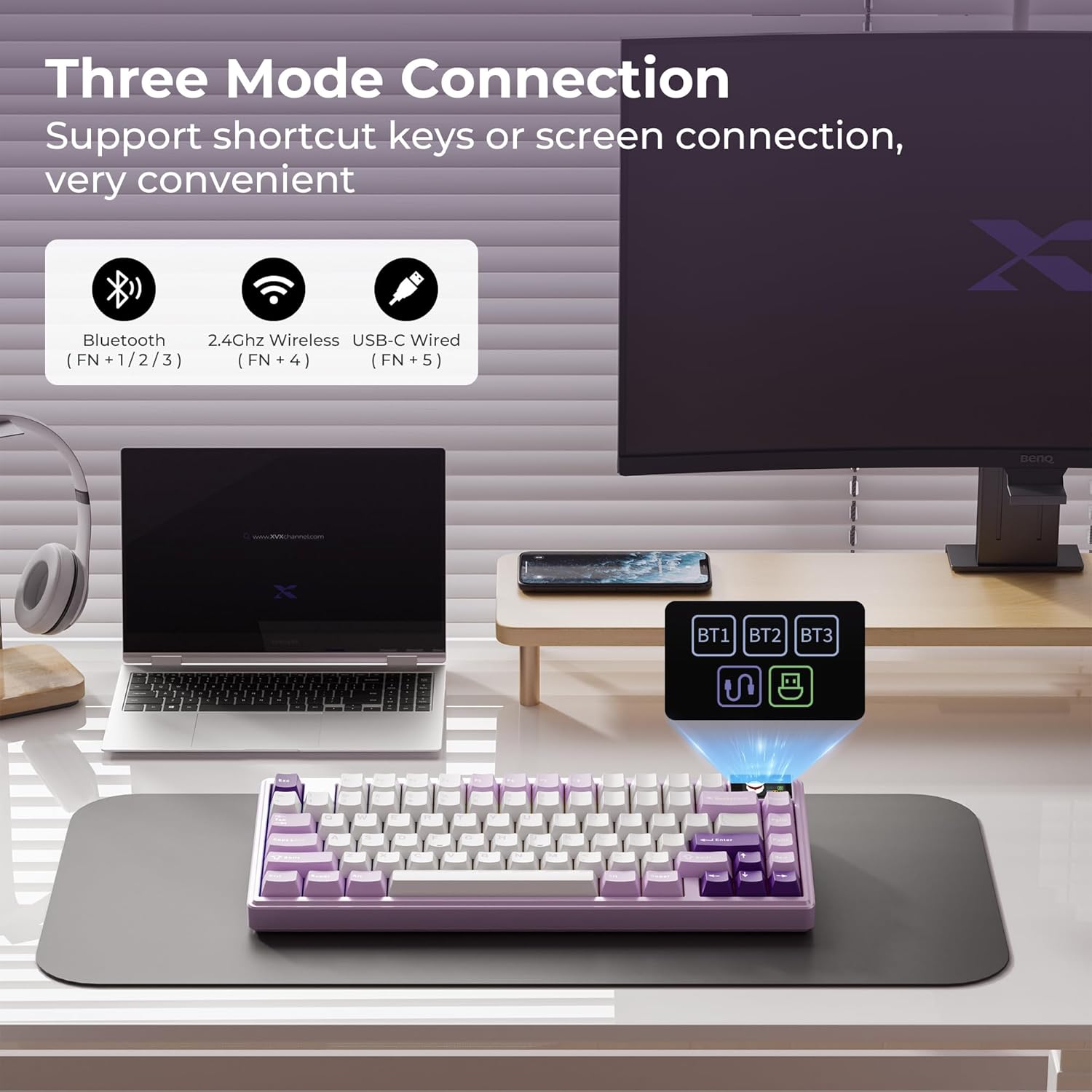
Image: The 1.1-inch color smart screen displays custom GIF images, connection status, backlight brightness/speed, RGB mode/color, volume, and language settings.
Video: XVX K75 PRO Mechanical Keyboard with TFT Smart Display. This video demonstrates the functionality and customization options of the keyboard's TFT smart display.
5. Customization
5.1. RGB Backlight Settings
The keyboard features 19 default RGB effects and 8 backlight colors with south-facing LEDs for enhanced illumination.
- Adjust Effects: Use
FN + \|to cycle through RGB effects. - Adjust Brightness: Use
FN + ↑orFN + ↓. - Adjust Colors: Use
FN + ←orFN + →. - Adjust Speed: Use
FN + [orFN + ].
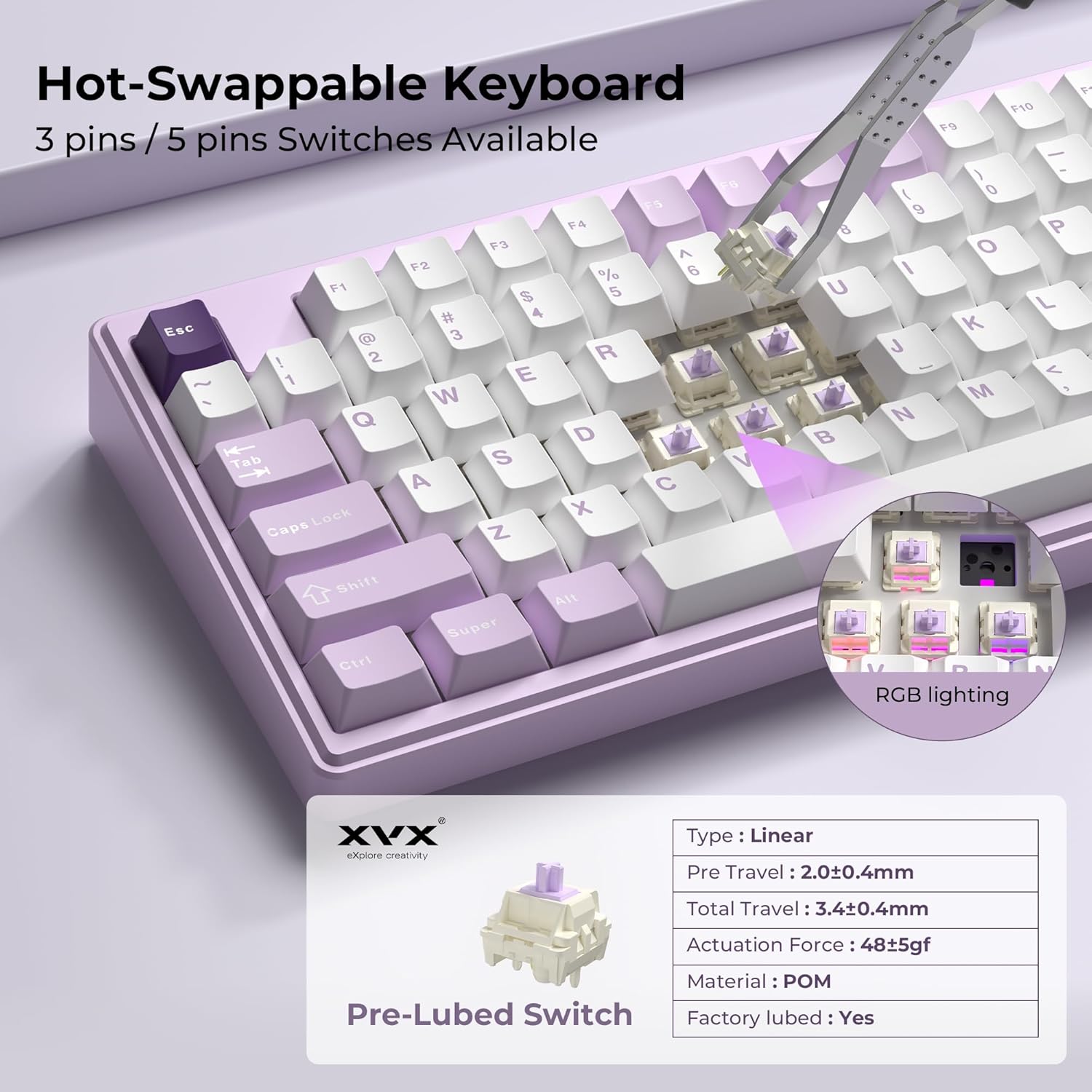
Image: The keyboard displays various RGB lighting effects, with instructions on how to adjust effects, brightness, colors, and speed using FN key combinations.
5.2. Programming Software
Utilize the dedicated programming software (Windows compatible) to redefine keys, set macros, customize RGB lighting, and upload custom GIF images to the TFT display.

Image: A computer screen displays the keyboard's programming software, offering options for 16.8 million colors, custom modes, custom profiles, and GIF image display settings.
6. Key Features
6.1. Gasket Mount and Noise Dampening
The keyboard features a gasket structure with an extended integrated silicone pad and flex-cut PCB plate for softer, more elastic key feel. Four layers of sound-dampening fillings significantly reduce resonance and hollow noise, creating a clear and creamy switch sound.

Image: An exploded view of the keyboard's internal structure, highlighting the gasket design, 1.2mm Flex-Cut FR4 PCB, and multi-layer sound absorbing padding for noise reduction.
6.2. Hot-Swappable Switches
The full-key hot-swappable sockets are compatible with 3-pin or 5-pin switches, allowing for easy customization of your typing feel. The keyboard comes with pre-lubricated full POM linear switches for a creamy sound and smooth key feel.

Image: A keycap and switch are being removed from the keyboard, illustrating the hot-swappable feature. Details of the pre-lubed linear switch (POM material, 48gf actuation force) are also shown.
6.3. Double-Shot PBT Keycaps
The keyboard features Cherry profile PBT keycaps using doubleshot technology. These keycaps have a matte surface, are non-fading, and offer enhanced durability and a longer service life.
7. Maintenance
- Regularly clean the keycaps with a soft, dry cloth to remove dust and debris.
- Use the provided keycap puller to carefully remove keycaps for deeper cleaning or switch replacement.
- Avoid spilling liquids on the keyboard. If a spill occurs, immediately disconnect the keyboard and allow it to dry completely before reconnecting.
8. Troubleshooting
- Keyboard not responding: Ensure the keyboard is charged and properly connected (wired, 2.4GHz receiver, or Bluetooth paired). Try switching between modes.
- Connectivity issues: For 2.4GHz, ensure the receiver is securely plugged in. For Bluetooth, ensure the keyboard is in pairing mode and visible to your device. Try re-pairing.
- RGB lights not working: Check RGB settings via FN key combinations or the programming software. Ensure brightness is not set to zero.
- TFT display not working: Ensure the keyboard is powered on. Check for any software settings that might affect the display.
9. Specifications
- Product Dimensions: 12.5"L x 5.3"W x 0.98"H
- Item Weight: 2.99 pounds
- Battery: 1 Lithium Polymer battery required (included), 4000mAh capacity
- Connectivity Technology: Bluetooth, 2.4GHz Wireless, USB-C Wired
- Keyboard Description: Gaming, 75% 80-key layout
- Special Features: 3 Modes, Cherry Profile PBT Keycaps, Ergonomic design, TFT Smart Display, Gasket Mounted, Hot-Swappable, RGB Backlighting
- Compatible Devices: Gaming Console, Laptop, PC (Windows, MacOS)
10. Warranty and Support
For warranty information and technical support, please refer to the documentation provided with your purchase or visit the official HITIME website. Keep your proof of purchase for warranty claims.