
1. Introduction
Thank you for purchasing the iMeshbean Mini DVD Player. This compact and versatile player is designed to provide high-quality video and audio playback for your home entertainment system. Featuring 1080P HD output, region-free compatibility, USB input, and various audio/video connection options, it offers an immersive viewing experience. Please read this manual carefully before operating the device to ensure proper use and optimal performance.
2. Package Contents
Please check the package contents upon unboxing:
- 1 x iMeshbean Mini DVD Player
- 1 x AV Cable
- 1 x Remote Control
- 1 x User Manual (this document)
3. Product Overview
3.1 Front and Rear Panels

Image: Front and rear panels of the iMeshbean Mini DVD Player, showing the USB port, disc tray, control buttons, and various audio/video output jacks.
The image above illustrates the key components on the front and rear of your DVD player:
- Front Panel: Includes the disc door, USB jack for media playback, Open/Close button, Play/Pause button, Stop button, and Power button.
- Rear Panel: Features YUV Component Video Output, Audio Left Output Jack (FL), Audio Right Output Jack (FR), Video Output Jack, and Coaxial Digital Audio Output.
3.2 Remote Control

Image: The iMeshbean Mini DVD Player, its remote control, and included AV cables.
The included remote control allows for convenient operation of all player functions. Key buttons include:
- Power: Turns the player on or off.
- Open/Close: Opens and closes the disc tray.
- Play/Pause: Starts or pauses playback.
- Stop: Stops playback.
- Navigation Buttons (Up/Down/Left/Right/Enter): For menu navigation and selection.
- Volume +/-: Adjusts the audio volume.
- Setup: Accesses the player's settings menu.
- Repeat: Cycles through repeat modes (e.g., repeat track, repeat chapter, repeat all).
- Zoom: Zooms in on the video image.
- Number Buttons (0-9, 10+): For direct track/chapter selection.
4. Setup
4.1 Connecting to a Television
To connect your DVD player to a television, use the provided AV cable:
- Locate the AV output ports on the rear of the DVD player (red, white, and yellow RCA jacks).
- Connect the corresponding colored plugs of the AV cable to these output ports.
- Connect the other end of the AV cable to the AV input ports on your television (ensure colors match).
- Turn on your television and select the correct AV input source using your TV's remote control (e.g., AV1, Video, Input).

Image: Standard AV (RCA) cables used for connecting the DVD player to a television.
4.2 Power Connection
Connect the power cord from the DVD player to a standard electrical outlet. The player is now ready for operation.
5. Operating Instructions
5.1 Basic Disc Playback
- Ensure the DVD player is connected to your TV and powered on.
- Press the Open/Close button on the player or remote control to open the disc tray.
- Place a DVD or CD disc gently onto the tray with the label side facing up.
- Press the Open/Close button again to close the disc tray.
- The player will automatically begin reading the disc. If a menu appears, use the navigation buttons on the remote to select your desired option (e.g., Play Movie, Scene Selection).
- Use the Play/Pause, Stop, and other remote control buttons to manage playback.

Image: The DVD player connected to a television, showcasing 1080P HD video quality.
5.2 USB Media Playback
The DVD player supports playback of digital audio, video, and image files from a USB drive.
- Insert your USB flash drive into the USB port on the front of the DVD player.
- The player should automatically detect the USB drive and display a menu. If not, press the USB button on the remote (if available) or navigate through the player's menu to select the USB source.
- Use the navigation buttons to browse your files and folders.
- Press Enter or Play to start playback of your selected media file.

Image: A family enjoying content streamed from a USB flash drive via the DVD player to their television.
5.3 Repeat Functions
The player features various repeat playback options:
- Full Disc Repeat: Repeats the entire disc after it finishes.
- Single Song/Chapter Repeat: Repeats the current song or chapter.
- Segment Repeat (A-B Repeat): Allows you to set a start point (A) and an end point (B) to repeatedly play a specific segment of the disc.
Press the Repeat button on the remote control to cycle through these options during playback.
5.4 Audio Output Settings
The iMeshbean Mini DVD Player supports advanced audio decoding and output options:
- AC-3 & DTS Dual Decoding: The player can decode Dolby AC-3 and DTS signal sources, outputting the signal through analog 6 channels.
- 5.1 Surround Sound: Equipped with a 5.1 surround sound interface, it provides an immersive audio experience.
- Digital Audio Output: The coaxial/fiber optic output allows connection to an external 6-channel AV amplifier for enhanced sound processing.
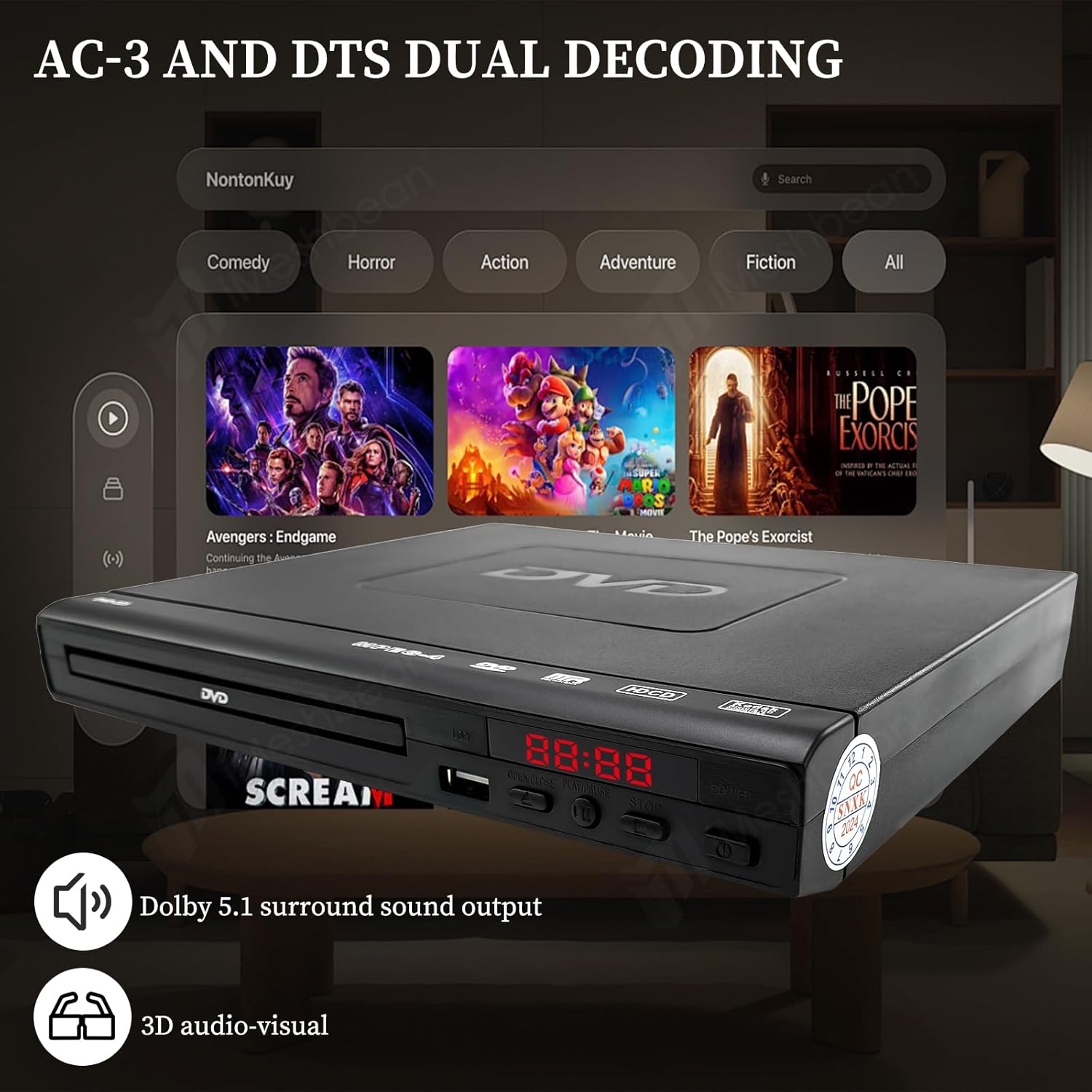
Image: The DVD player integrated into a home entertainment setup, highlighting its AC-3 and DTS dual decoding capabilities for surround sound.
6. Troubleshooting
If you encounter issues with your DVD player, please refer to the following common problems and solutions:
- No Power: Ensure the power cord is securely connected to both the player and the electrical outlet.
- No Picture: Verify that the AV cable is correctly connected to both the player and the TV. Ensure your TV is set to the correct input source (e.g., AV1, Video).
- No Sound: Check the audio cable connections. Ensure your TV's volume is not muted or too low. If using external audio equipment, verify its connections and settings.
- Disc Not Playing/Skipping: Ensure the disc is clean and free of scratches. The player features an Intelligent Error Correction function that can help read slightly scratched discs by automatically repairing and reshaping the image.

Image: Visual representation of the intelligent error correction function, showing how the player can restore and reshape images from damaged discs.
7. Maintenance
To ensure the longevity and optimal performance of your iMeshbean Mini DVD Player, follow these maintenance guidelines:
- Cleaning: Use a soft, dry cloth to clean the exterior of the player. Do not use liquid cleaners or abrasive materials. For the disc tray, use a soft, lint-free cloth.
- Disc Care: Always handle discs by their edges. Store discs in their cases to prevent scratches and dust accumulation. Clean dirty discs with a soft, damp cloth wiping from the center outwards.
- Ventilation: Ensure the player has adequate ventilation. Do not block any ventilation openings.
- Storage: When not in use for extended periods, store the player in a cool, dry place away from direct sunlight and extreme temperatures.
8. Specifications
| Model Name | DVD-225 |
| Brand | iMeshbean |
| Product Dimensions | 8.8"L x 7.6"W x 1.8"H |
| Resolution | 1920x1080 (1080P HD) |
| Media Types Supported | DVD, CD, VCD, SVCD, CD-R, CD-RW, CD-G, MP3, MP4 |
| Connectivity Technology | RCA (AV), USB |
| Audio Output Mode | Surround, Stereo (Dolby AC-3, DTS decoding) |
| Special Features | Compact, Portable, Anti-skip, Region Free, Intelligent Error Correction |
| On-mode Power Consumption | 15 watts |

Image: The DVD player's compatibility with multiple regions and various media formats.
9. Warranty and Support
This iMeshbean product is covered by a standard manufacturer's warranty. For specific warranty details, please refer to the documentation included with your purchase or contact iMeshbean customer support. If you require technical assistance or have questions not covered in this manual, please reach out to the seller or manufacturer's support channels.