
1. Safety Information
Please read and understand all instructions before beginning installation and use. Failure to follow these instructions may result in electric shock, fire, or personal injury.
- Ensure the power is turned off at the circuit breaker before installation or maintenance.
- All electrical connections must be in accordance with local codes, ordinances, or national electrical codes. If you are unfamiliar with electrical wiring, consult a qualified electrician.
- The ceiling fan must be mounted to a structurally sound ceiling joist or outlet box capable of supporting the fan's weight (approximately 12 pounds).
- Do not bend the blade holders during installation, balancing, or cleaning.
- Keep hands, tools, and other objects clear of the fan blades when the fan is operating.
- This fan is designed for indoor use only.
2. Setup and Installation
This ceiling fan is designed for straightforward DIY installation. A safety hook is included to assist with installation by one person. Ensure your ceiling can support the fan's weight and is suitable for ceiling mount installation.
2.1 Included Components
- Ceiling Fan Motor Housing
- 5 Fan Blades
- LED Light Kit
- Remote Control
- 5-inch Downrod
- 8-inch Downrod
- Mounting Hardware
2.2 Downrod Options
The fan includes two downrods: a 5-inch and an 8-inch. The maximum height after installation with the 8-inch downrod is approximately 13.5 inches. The fan can be installed on ceilings with a horizontal tilt of no more than 15 degrees.
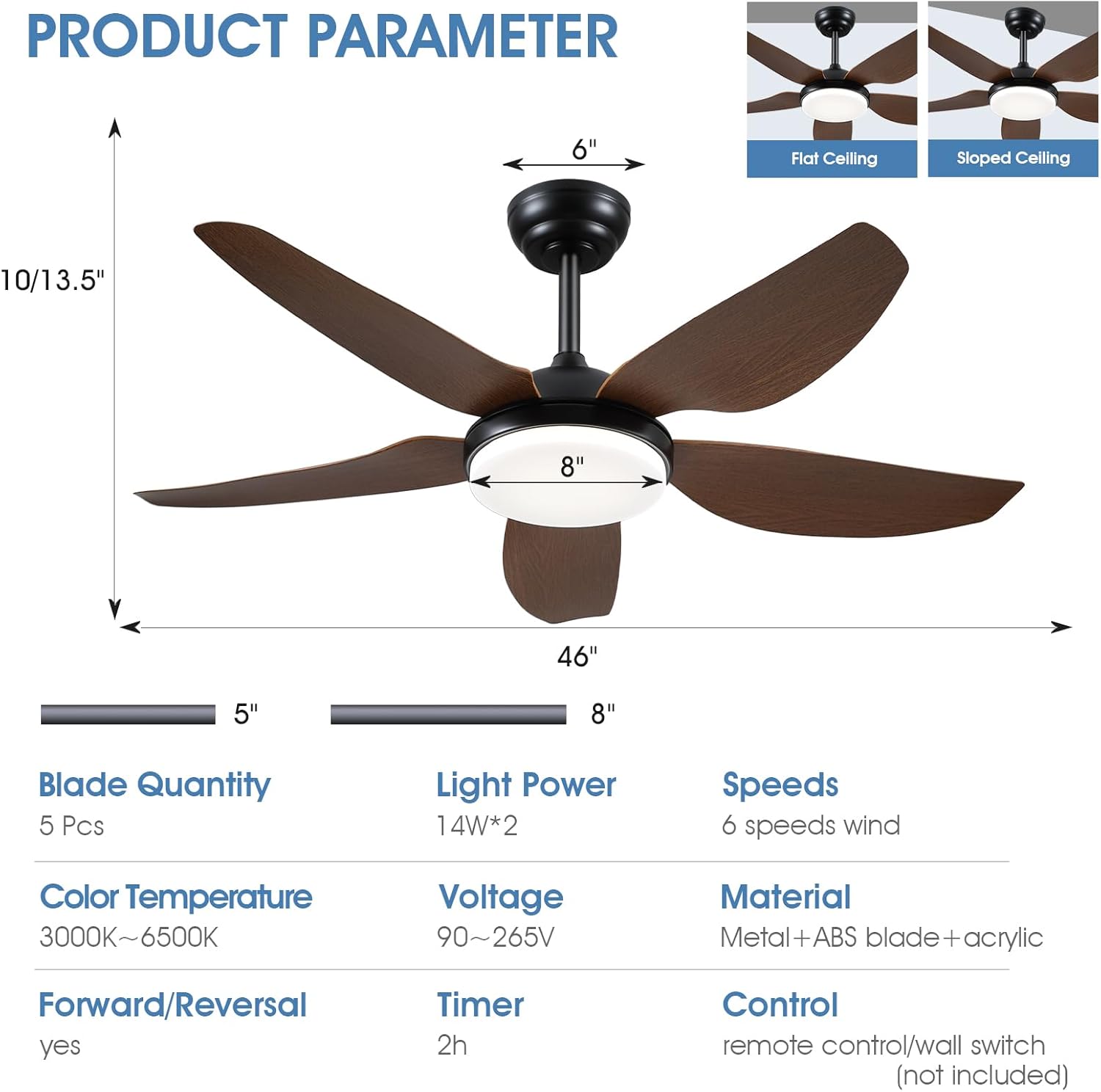
Image: Product parameters showing dimensions, blade quantity, light power, speeds, color temperature, voltage, material, forward/reversal, timer, and control methods. Also illustrates flat and sloped ceiling mounting options.
2.3 Wiring and Mounting
Follow the detailed installation instructions provided in the physical manual for wiring and mounting the fan to your ceiling. Ensure all connections are secure and the fan is properly balanced before operation.
3. Operating Instructions
Your Kviflon ceiling fan can be controlled via the included remote control or a mobile application.
3.1 Remote Control Functions
The remote control provides comprehensive control over the fan and light features.

Image: Diagram of the remote control with numbered buttons and their corresponding functions, including All Off, Light on/off, Wind Speed Control, Fan Off, 3 Colors changing, Warm Night Light, Brightness +, Brightness -, Forward/Reverse, 2H Timer, Color temperature -, and Color temperature +.
- Power On/Off: Use the dedicated buttons to turn the fan and light on or off.
- Fan Speed Control: Select from 6 distinct wind speeds to suit your comfort level.
- Light Control: Turn the light on/off, adjust brightness, and change color temperature.
- Color Temperature Adjustment: Cycle through 3 color temperatures (3000K Warm Light, 4500K Natural Light, 6500K White Light) and dim the light steplessly.
- Night Light Mode: Activate a soft, warm night light with a single button press.
- Timer Function: Set the fan to turn off automatically after 2 hours. This timer applies only to the fan, not the light.
- Forward/Reverse Rotation: Change the direction of blade rotation for seasonal use.

Image: Illustration showing the three adjustable light color temperatures: 3000K Warm Light, 4500K Natural Light, and 6500K White Light, along with a dimming scale.
3.2 App Control
Scan the QR code provided in the physical manual to download and pair the mobile application. The app allows for convenient control of all fan and light functions from your smartphone.
3.3 Reversible DC Motor
The fan features a reversible DC motor, allowing you to optimize airflow for different seasons. Press the F/R button on the remote control to switch modes.
- Downdraft Mode (Summer): Blades rotate counter-clockwise, pushing air downwards to create a cooling breeze.
- Updraft Mode (Winter): Blades rotate clockwise, drawing air upwards to circulate warm air trapped near the ceiling, distributing heat evenly throughout the room. This mode is more energy-efficient for heating.
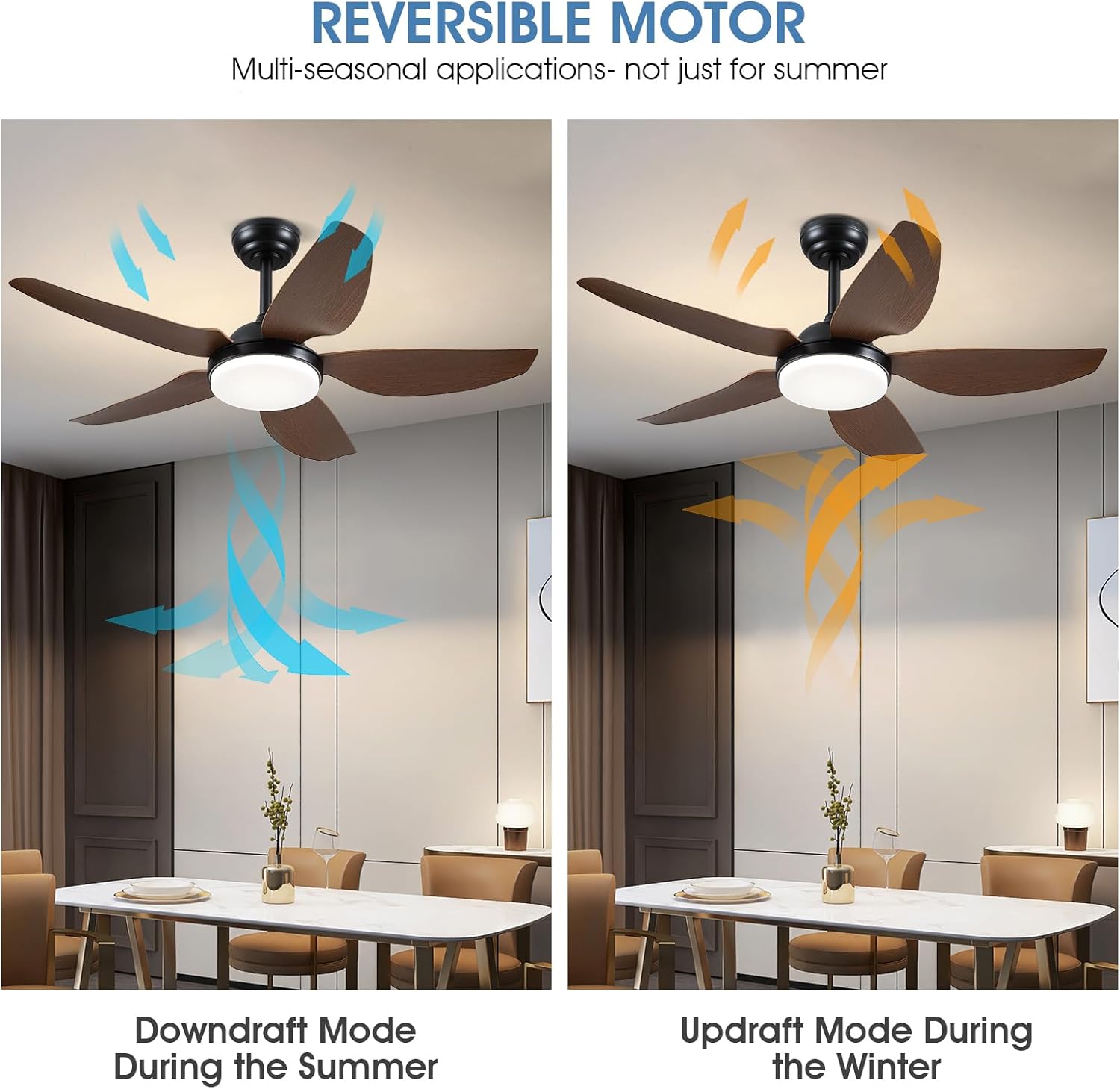
Image: Visual representation of the reversible motor function, showing downdraft mode for summer (blue arrows indicating downward airflow) and updraft mode for winter (orange arrows indicating upward airflow).
3.4 Fan Speed Settings
The 6-speed settings cater to various needs, from gentle air circulation to strong cooling.
- Speeds 1-2: Ideal for sleeping or minimal air movement.
- Speeds 3-4: Provides natural wind for comfortable daily use.
- Speeds 5-6: Delivers strong wind for maximum cooling.
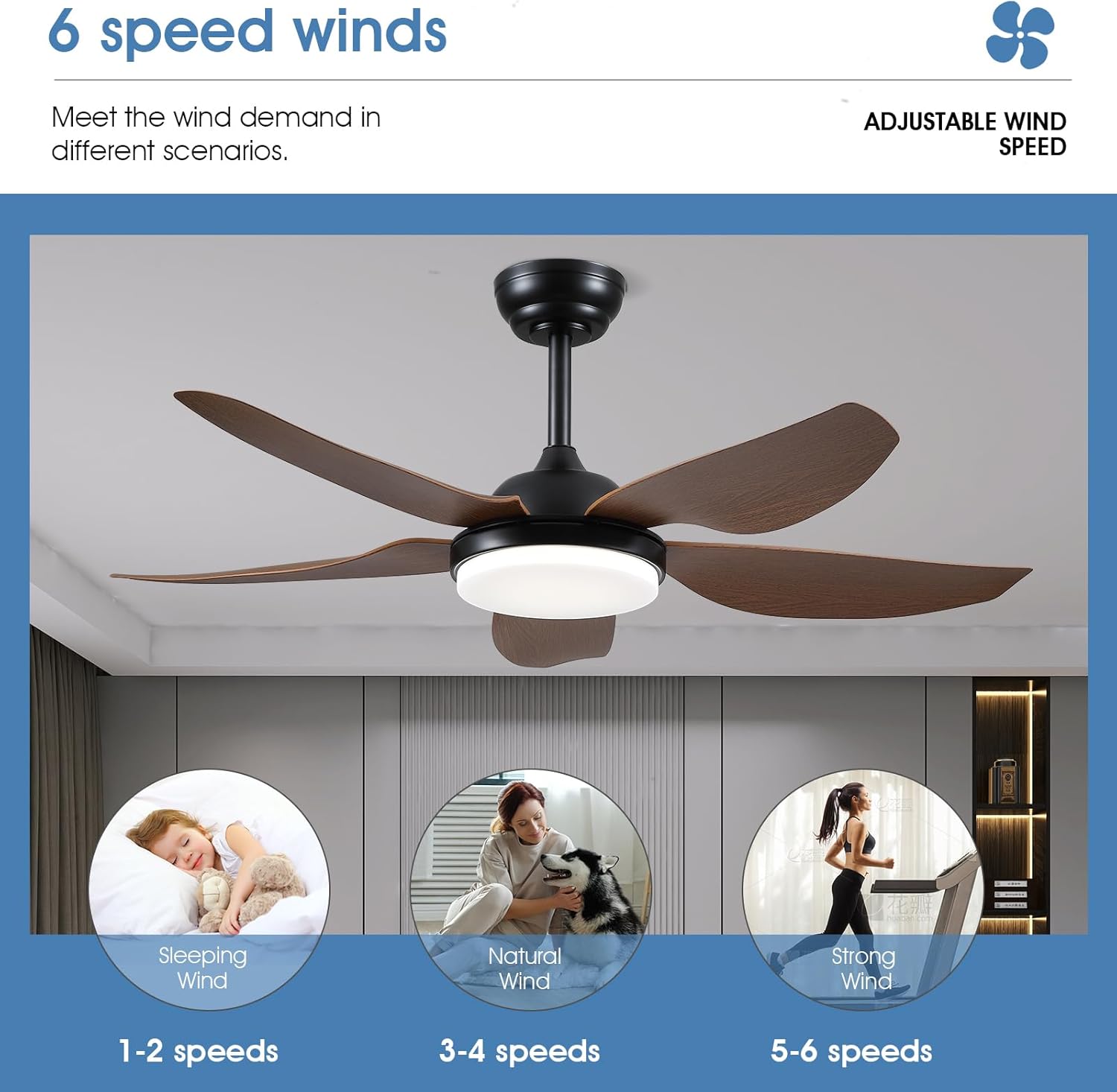
Image: Graphic illustrating the 6 wind speed settings, categorized into Sleeping Wind (1-2 speeds), Natural Wind (3-4 speeds), and Strong Wind (5-6 speeds), with corresponding scenarios.
4. Maintenance
Regular maintenance ensures optimal performance and longevity of your ceiling fan.
- Cleaning: Periodically clean the fan blades and motor housing with a soft, damp cloth. Do not use abrasive cleaners or solvents that could damage the finish.
- Blade Inspection: Check the fan blades for any cracks or damage. Replace damaged blades immediately.
- Tighten Screws: Over time, screws may loosen. Periodically check and tighten all screws on the motor housing and blade attachments.
- Light Kit: The LED light source is integrated. If the light fails, contact customer support for assistance.
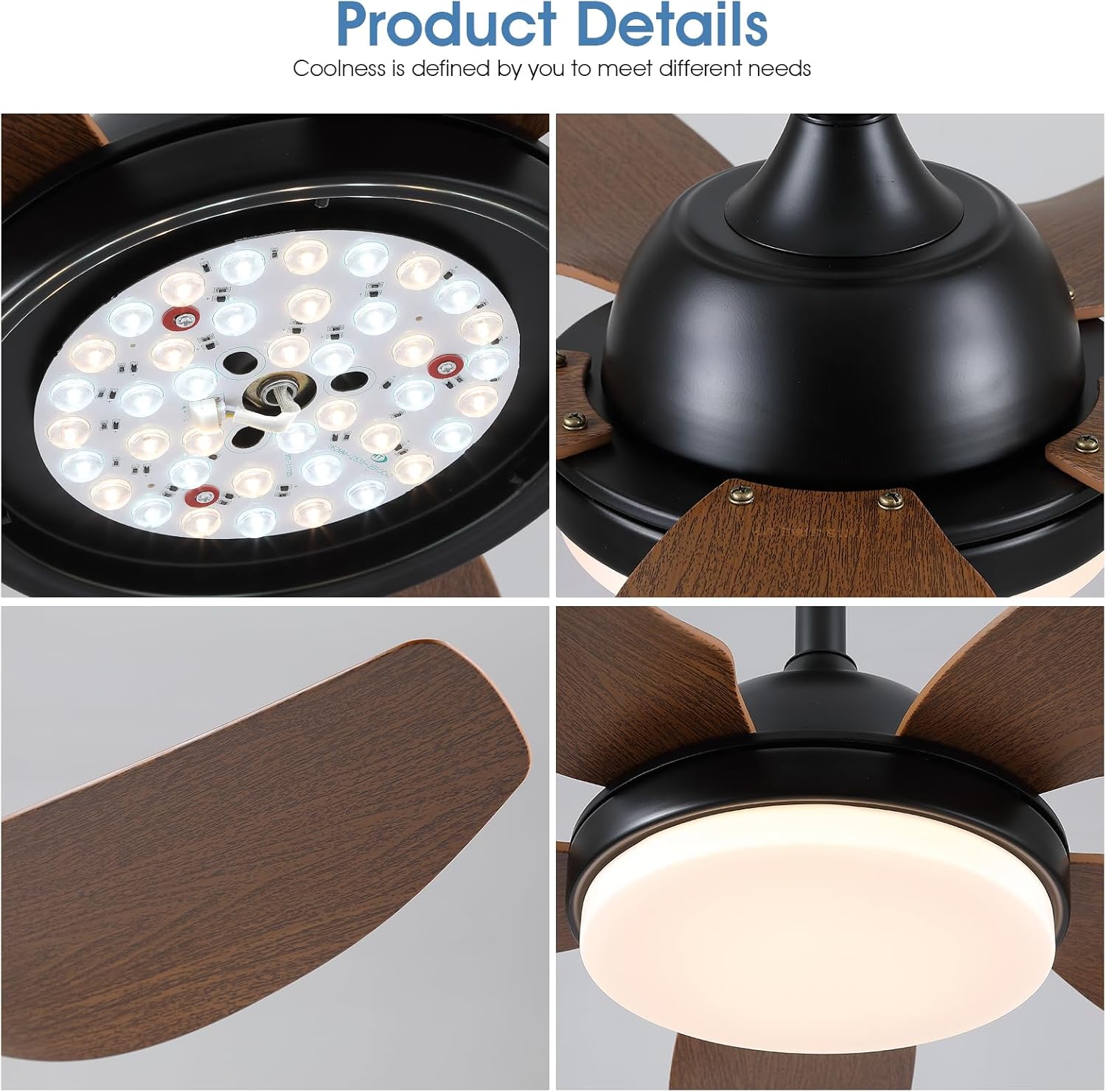
Image: Close-up views of the fan's components, including the LED light array, motor housing, fan blade texture, and the light cover, highlighting the quality of materials.
5. Troubleshooting
Refer to the following common issues and solutions before contacting customer support.
| Problem | Possible Cause | Solution |
|---|---|---|
| Fan does not start | No power supply; Loose wiring; Remote control battery low. | Check circuit breaker; Verify all wiring connections; Replace remote control batteries. |
| Light does not work | Loose wiring; LED light kit failure. | Check light kit wiring; Contact customer support if LED light kit is faulty. |
| Fan wobbles | Loose blades or mounting hardware; Unbalanced blades. | Ensure all blade screws and mounting hardware are tight; Use a balancing kit (not included) if necessary. |
| Remote control not working | Low battery; Not paired correctly. | Replace batteries; Refer to the physical manual for remote pairing instructions (Code Match button on remote). |
| Excessive noise | Loose screws; Motor issue. | Tighten all screws; If noise persists, contact customer support. Note: DC motors are generally quiet (below 30 decibels). |
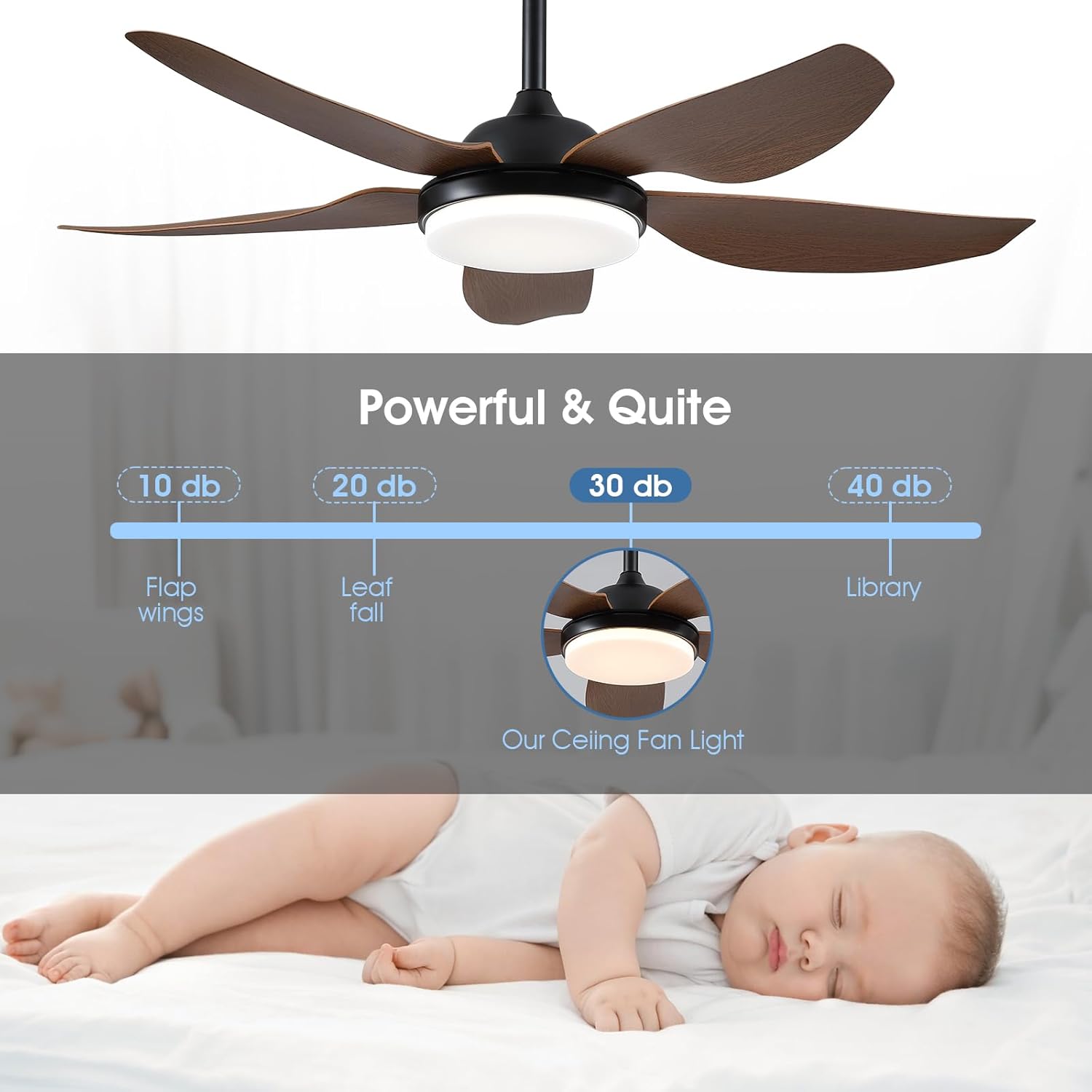
Image: Illustration comparing the noise level of the Kviflon ceiling fan (below 30 dB) to other common sounds like leaf fall (20 dB) and library (30 dB), emphasizing its quiet operation.
6. Specifications
| Brand | Kviflon |
| Model Number | 8227 |
| Product Dimensions (D x W x H) | 43.2D x 33W x 19.8H Centimetres |
| Fan Diameter | 46 inches (unfolded) |
| Number of Blades | 5 |
| Blade Material | ABS Plastic |
| Motor Type | DC Motor |
| Number of Speeds | 6 |
| Noise Level | Below 30 Decibels |
| Light Type | Integrated LED |
| Color Temperature | 3000K (Warm), 4500K (Natural), 6500K (White) - Dimmable |
| Light Power | 14W*2 |
| Fan Wattage | 26 watts |
| Voltage | 110 Volts |
| Timer Function | 2-hour (fan only) |
| Control Method | Remote Control, Mobile App |
| Mounting Type | Ceiling Mount (5" and 8" downrods included) |
| Indoor/Outdoor Usage | Indoor |
| Item Weight | 12 Pounds |
7. Warranty Information
This Kviflon ceiling fan comes with a 1-year warranty from the date of purchase. This warranty covers manufacturing defects and material flaws under normal use. Please retain your proof of purchase for warranty claims. The warranty does not cover damage caused by improper installation, misuse, accidents, or unauthorized repairs.
8. Customer Support
If you encounter any problems or have questions regarding your Kviflon ceiling fan, please do not hesitate to contact our customer support team. We provide 24-hour technical support to assist you.
For assistance, please refer to the contact information provided in your product packaging or on the official Kviflon website.


