
OEMGMINER Avalon Nano 3
New Canaan Avalon Nano 3 Bitcoin Miner User Manual
Model: Avalon Nano 3 | Brand: OEMGMINER
1. Product Overview
The New Canaan Avalon Nano 3 is a compact and quiet Bitcoin ASIC miner designed for residential use. It utilizes the SHA-256 algorithm for direct Bitcoin mining, offering a hash rate of 4 Th/s with a power consumption of 140W. Its design includes an information display screen for easy monitoring and a simple setup process, making it suitable for both beginners and experienced users.
Key features include:
- Designed for residential spaces, featuring the SHA-256 algorithm.
- Eye-catching design with an information display screen and simple setup.
- Hash rate of 4 Th/s and power consumption of 140W.
- Low energy efficiency of approximately 35 J/TH.
- Noise level of 36dB for quiet operation.
- Supports connection to Canaan's mining pool for simplified withdrawals via the Lightning Network.
2. Package Contents
Upon unboxing, ensure all components are present and in good condition. The standard package includes:
- Avalon Nano 3 Bitcoin Miner unit
- Power Supply Unit (PSU)
- Power Cable

Image: The Avalon Nano 3 Bitcoin Miner unit shown with its included power supply unit and power cable.
3. Setup Guide
Follow these steps to set up your Avalon Nano 3 miner:
- Connect Power Supply: Connect the provided Type-C (28V, 5A) power supply to the miner. Ensure the connection is secure.
- Network Connection: The Avalon Nano 3 requires a wired internet connection for optimal performance. Connect an Ethernet cable from your router or network switch to the miner's network port.
- Power On: Long press the power button on the miner to turn it on. The display screen will illuminate.
- Initial Configuration: For initial setup and management, download the Avalon Remote App. The app allows for easy configuration of networking and operating modes.

Image: Diagram illustrating the main components of the Avalon Nano 3, including the logo, monitor, mode switch, and power button.

Image: Screenshots of the Avalon Remote App interface, showing device management, heater control, and device search functionalities.
4. Operation
Once powered on and connected to the network, your Avalon Nano 3 will begin its operation. The device is designed for continuous mining with stable hash rate performance.
- Power On/Off: A long press on the power button initiates power on. To power off, long press the power button again.
- Switching Modes: Use the mode switch button to cycle through different operating modes (e.g., low, mid, high hash rate settings). The display screen will show the current mode and hash rate.
- Monitoring: The integrated display screen provides real-time information such as IP address, current time, and hash rate.
- Remote Management: Utilize the Avalon Remote App for comprehensive control and monitoring of your miner, including networking settings and operational modes.
Video: An official product video demonstrating the physical appearance of the Avalon Nano 3, its power supply, and the process of powering it on and switching between operational modes, showcasing the display screen's real-time data.
5. Maintenance
To ensure the longevity and optimal performance of your Avalon Nano 3 miner, regular maintenance is recommended:
- Ventilation: Ensure the air outlet and intake vents are clear of obstructions. The miner produces soft wind at 40-60°C, indicating proper heat dissipation. Adequate airflow is crucial to prevent overheating.
- Cleaning: Periodically clean the exterior of the miner and gently clear any dust accumulation from the vents using a soft brush or compressed air.
- Environment: Operate the miner in a well-ventilated area with stable temperature and humidity to prevent damage and ensure efficient operation.
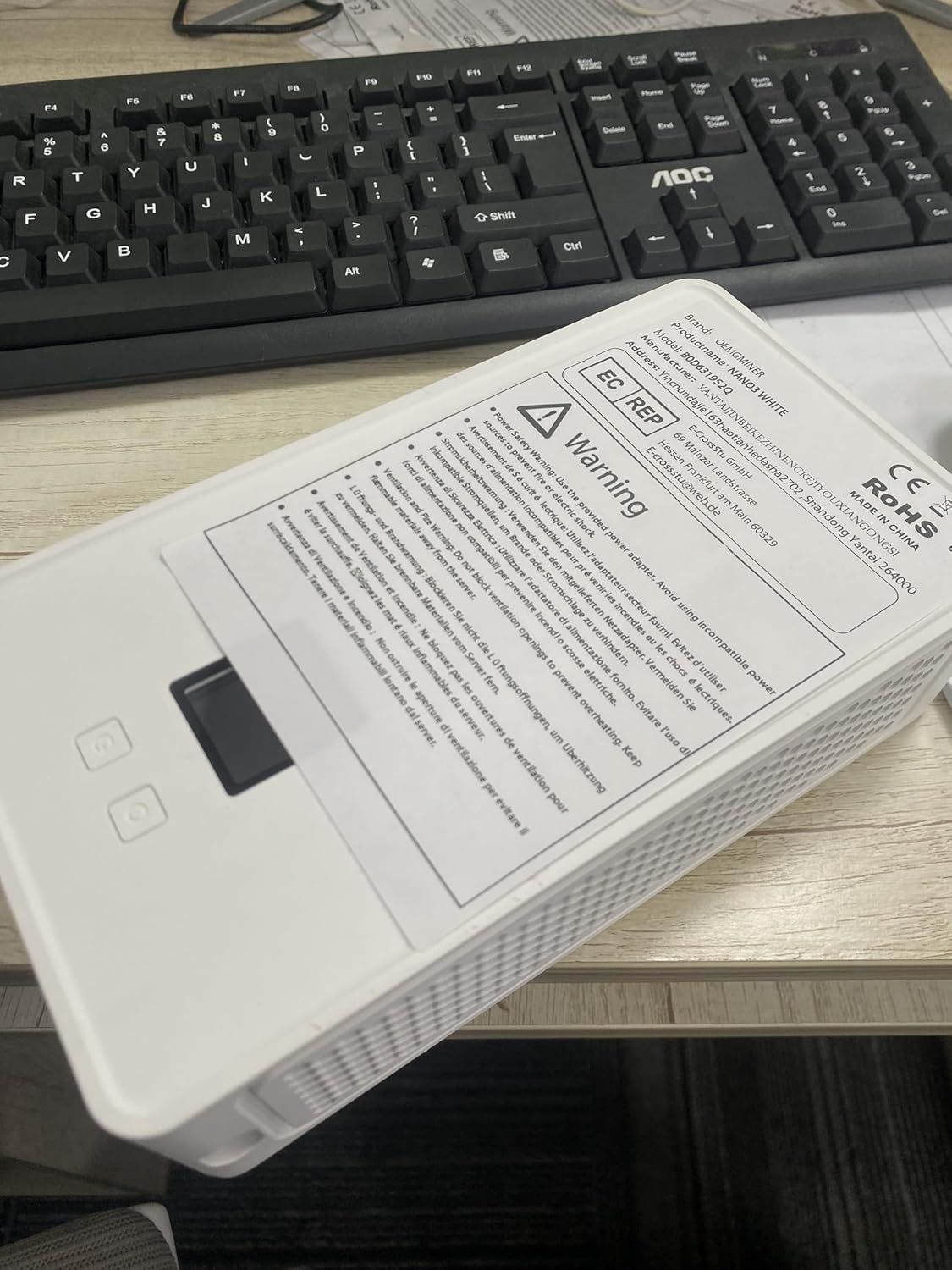
Image: A warning label affixed to the Avalon Nano 3, advising against blocking ventilation openings to prevent overheating and to keep flammable materials away.
6. Troubleshooting
If you encounter issues with your Avalon Nano 3, consider the following common solutions:
| Problem | Possible Cause / Solution |
|---|---|
| Miner does not power on. |
|
| No network connection / Cannot access miner via app. |
|
| Low hash rate or unstable operation. |
|
| Miner is overheating. |
|
7. Technical Specifications
| Specification | Value |
|---|---|
| Model | Avalon Nano 3 |
| Algorithm | SHA-256 |
| Hash Rate | 4 Th/s |
| Power Consumption (TDP) | 140W (Max) |
| Energy Efficiency | ~35 J/TH |
| Input Voltage | 28V DC, 5A |
| Noise Level | 36dB |
| Net Dimensions | 205 x 115 x 57 mm (8.07 x 4.53 x 2.24 inches) |
| Net Weight | ~725g (1.6 lbs) |
| Cooling Method | Air |
| Air Outlet Temperature | 40-60°C |

Image: A detailed table of technical specifications for the Avalon Nano 3, including dimensions, weight, power consumption, hash rate, and noise level.
8. Warranty and Support
For warranty information, technical support, or any inquiries regarding your Avalon Nano 3 miner, please contact OEMGMINER customer service. Refer to the product packaging or the official OEMGMINER website for the most up-to-date contact details.
It is recommended to keep your purchase receipt as proof of purchase for warranty claims.