
1. Introduction
Thank you for choosing JaeJaes Smart Motorized Blackout Roller Shades. This product is designed to enhance your home with convenience and smart control. Please read this manual thoroughly before installation and operation to ensure proper use and longevity of your shades.

Image: JaeJaes Smart Motorized Blackout Roller Shades, showcasing the shades, remote control, an Amazon Echo device, and a smartphone displaying the Alexa app, illustrating the various control methods.
2. Product Overview
The JaeJaes Smart Motorized Blackout Roller Shades offer a blend of functionality and style. Key features include:
- Smart Control: Direct compatibility with select Alexa Echo devices (with built-in Zigbee hub) for hands-free voice control and app management.
- Long Battery Life: Equipped with a 2200mAh battery, providing 3-6 months of use on a single charge. Rechargeable via 10ft USB cord or optional solar panel.
- Quiet Operation: Ultra-quiet motor operates at under 30 decibels, ensuring minimal disturbance.
- Multiple Control Options: Control via remote, Alexa app, voice commands, and smart home integration.
- 100% Blackout Fabric: Triple-layer fabric effectively blocks sunlight and provides insulation for privacy and comfort.
Product Components
The shades are constructed with durable materials for reliable performance:
- Aluminum Cover Shell
- Setting Button (with Indicator Light)
- High Quality Fabric
- Aluminum Bottom Bar

Image: Close-up view of the roller shade's internal components, highlighting the aluminum cover shell, setting button with indicator light, high-quality fabric, and aluminum bottom bar.
Quiet Motor Technology
The shades feature a high-torque, low-noise motor with a TPEE helical gear and whisper-quiet planetary gearbox, operating at a low 30dBA. The reinforced anti-noise motor housing and heavy-duty shock-absorbing silicone crown contribute to its silent performance.

Image: An exploded view diagram of the motorized roller shade's internal mechanism, detailing the high-torque, low-noise motor, TPEE helical gear, reinforced anti-noise motor housing, and heavy-duty aluminum track.
Blackout Capability
The shades utilize 100% blackout fabric with a triple-layer craftsmanship to effectively block out light, ensuring privacy and a dark environment for sleep or media viewing.

Image: A visual comparison of a room before and after the JaeJaes blackout shades are deployed, illustrating the complete light blockage provided by the 100% blackout fabric.
3. Installation
Installation is designed to be straightforward. Please follow these steps carefully.
Required Tools
- Drill (with 15/64" or 6mm drill bit)
- Screwdriver
- Ladder (if necessary)

Image: A collection of tools required for installation, including a power drill, drill bit, screwdriver, and a step ladder.
Measuring Your Window
Accurate measurements are crucial for proper fit. Refer to the diagram below for Inside Mount and Outside Mount measurements.

Image: A detailed diagram showing how to measure windows for both inside and outside mount installations, including considerations for width, height, and depth.
For a visual guide on measuring, please watch the video below:
Video: This video demonstrates the correct method for measuring your windows for JaeJaes motorized shades, covering both inside and outside mount scenarios to ensure a perfect fit.
Installation Steps
- Step 1: Paste the Positioning Strip
Use the provided reference slip to mark the installation position for either inside or outside mount. Ensure it is level and correctly aligned.

Image: A visual guide on applying the positioning strip to the window frame for accurate bracket placement, showing examples for both inside and outside mounts.
- Step 2: Drill Holes
Using the marked positions from the strip, drill holes into the wall or window frame. Use the appropriate drill bit size (15/64" or 6mm).
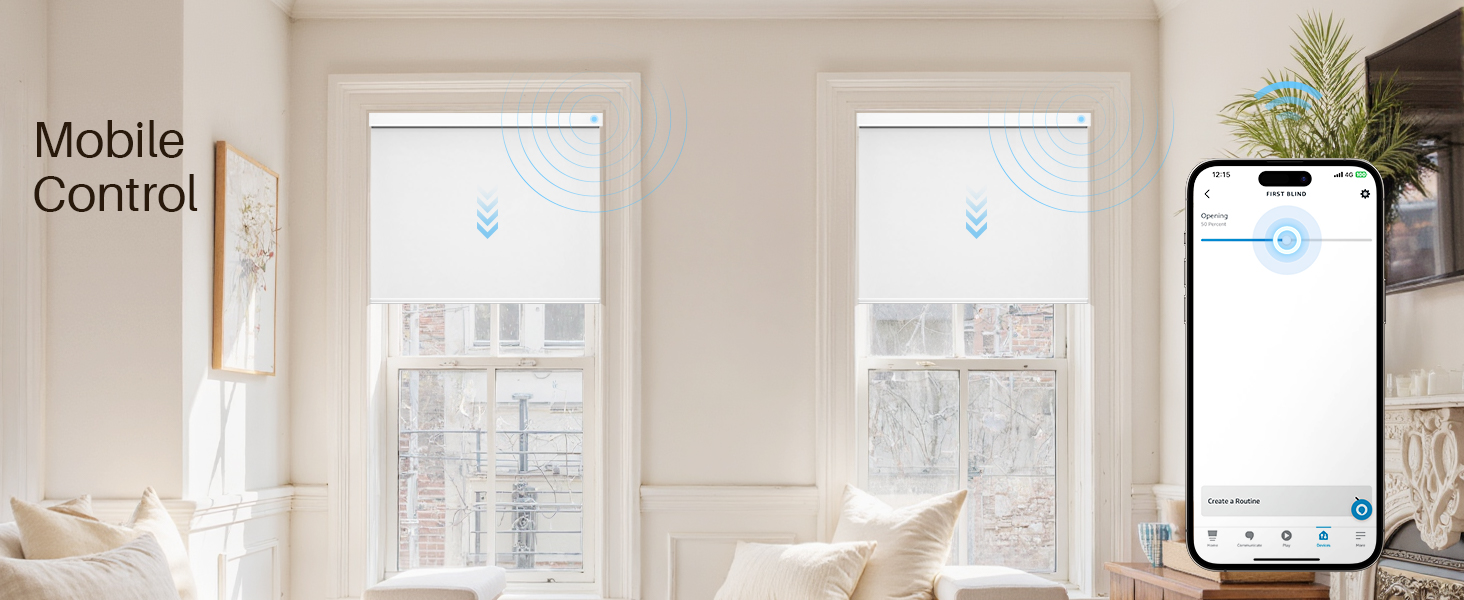
Image: A person using a power drill to create pilot holes on the wall above a window, guided by the pre-applied positioning strip.
- Step 3: Screw in the Screws
Insert the provided screws into the drilled holes to secure the mounting brackets.

Image: A close-up of a hand using a screwdriver to secure a mounting bracket to the wall with screws.
- Step 4: Hang the Roller Blind
Carefully align the roller blind with the installed brackets and snap it into place. Ensure it is securely fastened.

Image: A person carefully attaching the roller blind assembly to the pre-installed mounting brackets, with an illustration of how the blind clicks into place.
4. Setup
Your JaeJaes Smart Motorized Blackout Roller Shades can be controlled via remote, Alexa app, or voice commands. Follow these steps to set up your preferred control method.
Remote Control Setup
The included remote control allows for direct operation of your shades. Instructions for pairing and setting favorite positions are typically found in the separate remote control guide or quick start guide.

Image: A white remote control for the JaeJaes shades, positioned in a home office setting, emphasizing its role in controlling the blinds.
Alexa Integration
These shades are designed for seamless integration with Amazon Alexa. They can connect directly to Echo devices with a built-in Zigbee hub (e.g., Echo 4th Gen, Echo Plus, Echo Show 10, Echo Studio, Echo Hub) without requiring an additional gateway.

Image: A visual guide to Alexa compatibility, distinguishing between Echo devices with built-in Zigbee hubs that connect directly and those without, which require a separate smart hub (sold separately).
For a demonstration of Alexa control, please watch the video below:
Video: This video demonstrates the seamless integration of JaeJaes motorized roller shades with Alexa, showcasing voice control, app control, and scheduled operation.
Direct Connection (Echo with Zigbee)

Image: An illustration showing how JaeJaes shades connect directly to Echo devices with Zigbee, enabling voice control, Alexa app control, schedule control, and linkage.
Connection via Smart Hub (Echo without Zigbee)
If your Echo device does not have a built-in Zigbee hub, a separate smart hub (sold separately) is required to enable smart features.
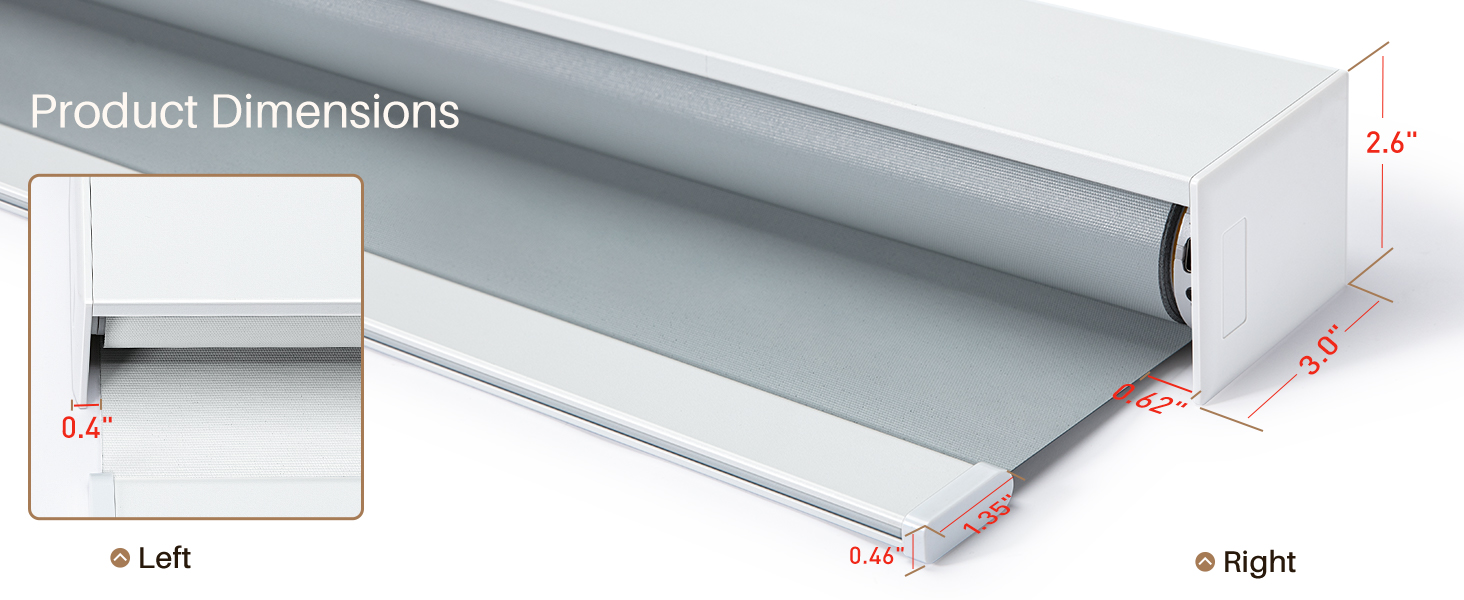
Image: An illustration depicting how JaeJaes shades can be controlled by Echo devices without Zigbee through a smart hub (sold separately), enabling various smart functionalities.
5. Operating Instructions
Control your shades effortlessly using various methods.
Voice Control with Alexa
Once connected to Alexa, simply use voice commands to open or close your shades. For example, "Alexa, turn on first blind."

Image: An Echo device on a kitchen island, responding to a voice command to control the smart shades, which are shown in the background.
Mobile App Control
Manage your shades from anywhere using the Alexa app on your smartphone. You can open, close, or adjust them to specific positions.

Image: A person using a smartphone with the Alexa app to control two smart shades in a bright living room, demonstrating mobile control capabilities.
Scheduling and Timer Control
Set schedules or timers through the Alexa app to automate your shades. For example, have them open with the morning sun and close at dusk.

Image: A smartphone displaying Alexa timer settings for shades, with a bedroom scene in the background where shades are automatically opening at a set time.
6. Charging
The shades are powered by a rechargeable 2200mAh battery, offering 3-6 months of use per charge. Charging options include:
- 10ft USB-C charging cable (included)
- Solar panel (sold separately)

Image: An illustration detailing the 6-month battery life and 2600mAh capacity, alongside visual representations of compatible charging methods: solar charging, power bank charging, and adapter charging.
7. Maintenance
To ensure the longevity and optimal performance of your JaeJaes Smart Motorized Blackout Roller Shades, follow these simple maintenance guidelines:
- Cleaning: Spot clean only. Use a soft, damp cloth with mild soap and water to gently clean any soiled areas. Avoid harsh chemicals or abrasive cleaners.
- Dusting: Regularly dust the shades with a soft cloth or a vacuum cleaner with a brush attachment to prevent dust buildup.
- Battery Care: Recharge the battery when the indicator light signals low power. Avoid completely draining the battery frequently to prolong its lifespan.
- Inspection: Periodically check the mounting brackets and hardware to ensure they remain secure.
8. Troubleshooting
If you encounter any issues with your JaeJaes Smart Motorized Blackout Roller Shades, please refer to the following common troubleshooting tips:
| Problem | Possible Cause | Solution |
|---|---|---|
| Shades not responding to remote/app/voice. | Low battery, remote not paired, Alexa connection issue, power switch off. | Check battery level and charge if necessary. Re-pair the remote. Verify Alexa connection and device compatibility. Ensure the power switch on the shade is ON. |
| Shades move unevenly or stop mid-way. | Obstruction, motor calibration issue, low battery. | Check for any obstructions in the path of the shade. Recalibrate the motor (refer to specific instructions in the quick start guide). Charge the battery. |
| Alexa cannot discover the shades. | Incorrect Alexa device, no Zigbee hub, shades not in pairing mode. | Ensure your Echo device has a built-in Zigbee hub or use a separate smart hub. Put the shades into pairing mode (refer to quick start guide). Ensure shades are within range of the Alexa device/hub. |
If the problem persists after attempting these solutions, please contact JaeJaes customer support for further assistance.
9. Specifications
| Feature | Detail |
|---|---|
| Brand | JaeJaes |
| Model Number | V0005 |
| Material | Polyester |
| Product Dimensions | 72"L x 24"W |
| Color | White |
| Opacity | Blackout |
| Recommended Use | Indoor Window |
| Operation Mode | Automatic |
| Closure Type | Motorized |
| Mounting Type | Inside Mount, Outside Mount |
| Control Type | Electronic (Remote, Alexa App, Voice) |
| Battery | 2 Lithium Ion batteries (included) |
| Item Weight | 4.46 pounds |
| Product Care | Spot Clean Only |
10. Warranty and Support
For any questions, technical support, or warranty inquiries regarding your JaeJaes Smart Motorized Blackout Roller Shades, please contact JaeJaes customer service. Refer to the product packaging or the official JaeJaes website for contact information.
We are committed to providing high-quality products and excellent customer service.