
1. Introduction
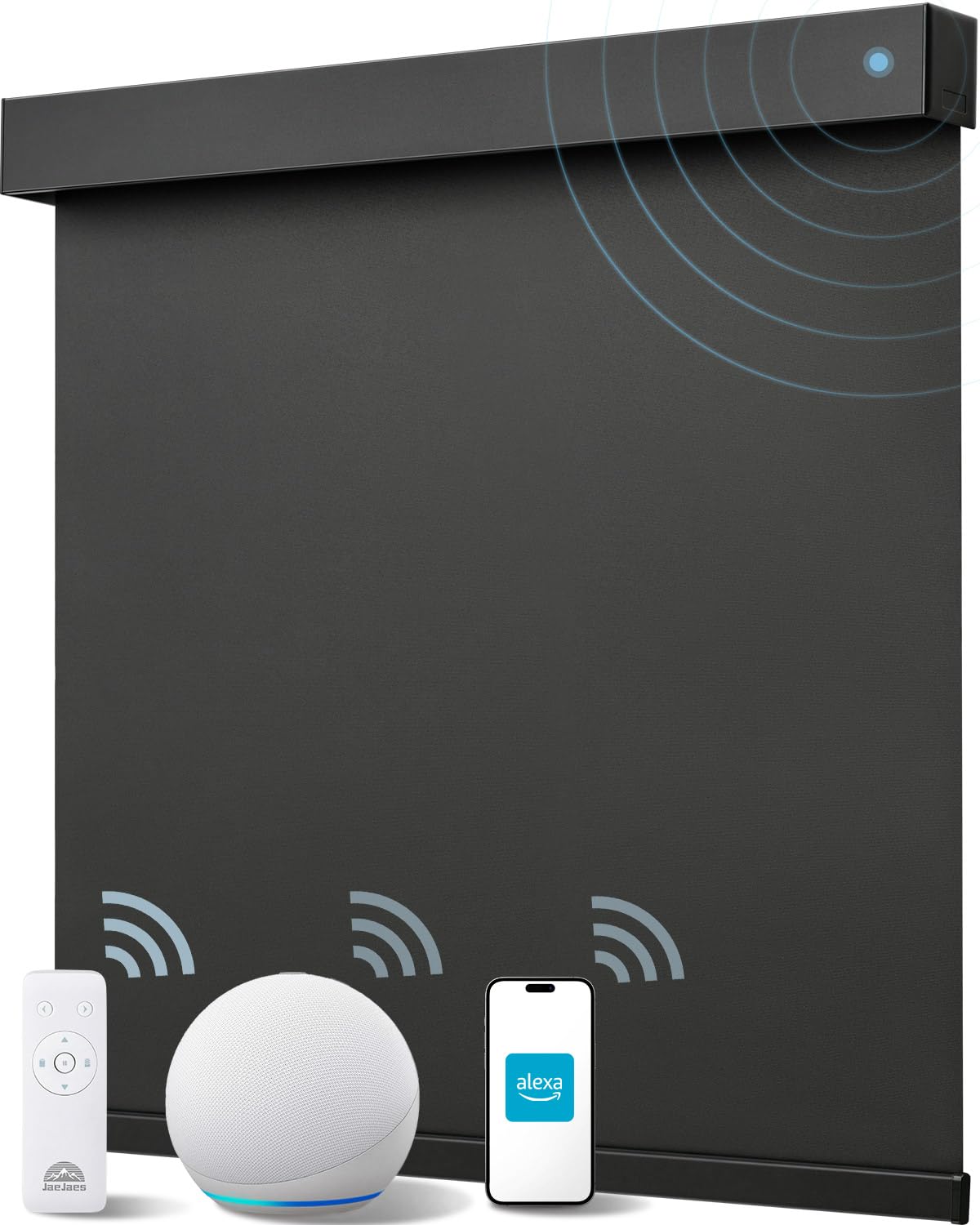
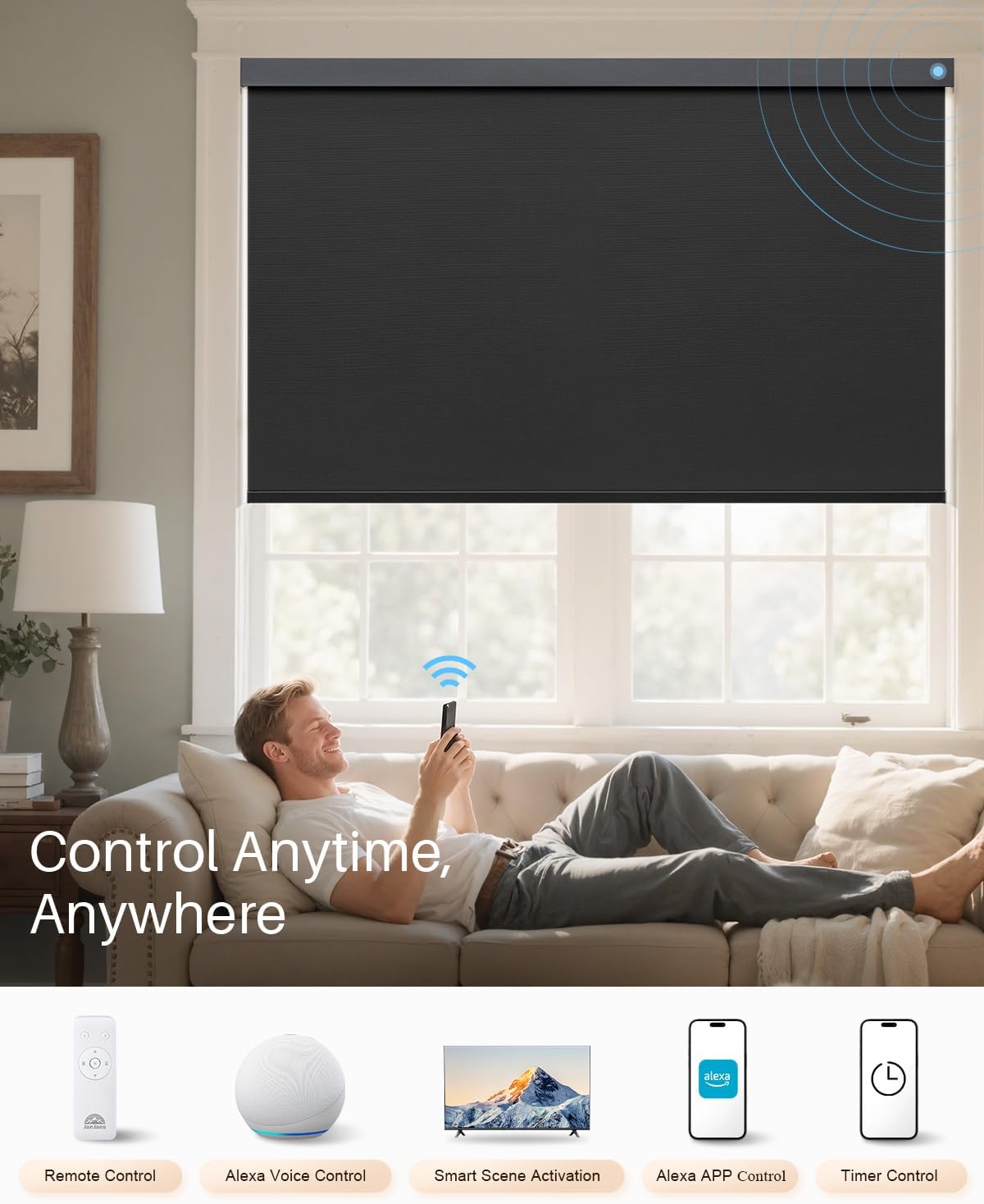
This manual provides instructions for the installation, setup, operation, and maintenance of your JaeJaes Smart Motorized Blackout Roller Shades. These shades offer convenient control via remote, Alexa voice commands, and the Alexa app, providing privacy and light control for your indoor spaces.
2. Safety Information
- Read all instructions carefully before installation and use.
- Keep the remote control out of reach of children.
- Ensure all mounting hardware is securely fastened to prevent the shades from falling.
- Do not attempt to disassemble or repair the motor or internal components. Contact customer support if issues arise.
- Avoid exposing the shades to excessive moisture or direct water spray.
3. Package Contents
Verify that all items are present in your package:
- Motorized Shade x 1
- Remote Control x 1
- 9.84-foot USB-C Charging Cable x 1
- Product Manual x 1
- Reference Slip for Installation Position x 1
- Installation Package (screws, anchors, brackets) x 1
4. Product Overview
The JaeJaes Smart Motorized Blackout Roller Shades are designed for ease of use and durability. Key features include:
- Aluminum Cover Shell: Provides a sleek and protective housing for the roller mechanism.
- Setting Button (Indicator Light): Used for pairing and resetting, with an integrated indicator light for status.
- USB-C Charging Port: For convenient recharging of the internal battery.
- High-Quality Fabric: 100% blackout, triple-layer polyester fabric for light blocking and insulation.
- Aluminum Bottom Bar: Ensures the shade hangs straight and provides stability.
- Ultra-Quiet Motor: Operates at under 30 decibels for minimal disturbance.
- Durable Construction: Features a 1.2mm heavy-duty aluminum track and reinforced anti-noise motor housing.
5. Installation
5.1. Measuring Your Window
Accurate measurements are crucial for proper fit and function. There are two main mounting types: Inside Mount and Outside Mount.
5.1.1. Inside Mount Measurement
For an inside mount, the shades fit within the window frame.
- Window Depth: Ensure your window depth is ≥ 2.6 inches (6.6 cm) for the shade to fit properly.
- Width: Measure the window width at the top, middle, and bottom of the inner frame. Take the minimum of these three measurements and subtract 1/4 inch (0.64 cm) for the final order width.
- Height: Measure the window height at the left, center, and right vertical positions of the inner frame. Take the maximum of these three measurements. The maximum height supported is 72 inches (182.88 cm).

5.1.2. Outside Mount Measurement
For an outside mount, the shades are installed outside the window frame, covering the entire opening.
- Width: Measure the window width at the top, middle, and bottom of the outer frame. Take the maximum of these three measurements and add 4 inches (10.16 cm) for the final order width.
- Height: Measure the window height at the left, center, and right vertical positions of the outer frame. Take the maximum of these three measurements. The maximum height supported is 70 inches (177.8 cm).

5.2. Tools Required
- Drill (with 15/64" or 6mm drill bit)
- Screwdriver
- Measuring Tape
- Pencil
- Ladder (if necessary)

5.3. Installation Steps
- Step 1: Paste the Positioning Slip
Use the provided reference slip to mark the drilling points. Ensure it's level and correctly positioned for either inside or outside mount.

Image: Applying the positioning slip to mark drill locations for inside or outside mount. - Step 2: Drill Holes
Using a drill with a 15/64" (6mm) bit, drill holes at the marked positions. Insert wall anchors if drilling into drywall.

Image: Drilling holes into the wall or window frame according to the positioning slip. - Step 3: Screw in the Brackets
Attach the mounting brackets using the provided screws, ensuring they are firmly secured.

Image: Securing the mounting brackets to the drilled holes. - Step 4: Hang the Roller Blind
Carefully align the roller shade with the installed brackets and snap it into place. Ensure it is securely seated.

Image: Attaching the roller blind to the pre-installed mounting brackets.
6. Setup and Operation
6.1. Charging the Blinds
Your JaeJaes Smart Roller Shades come with a 2200mAh battery, providing 3-6 months of use on a single charge. Charge using the provided 9.84-foot USB-C cable. A solar panel (sold separately) can also be used for continuous charging.

6.2. Remote Control Operation
The included remote control allows for easy manual operation of your shades.
- Use the up/down arrows to raise or lower the shades.
- The pause button stops the shades at any desired position.
- Multiple shades can be controlled with a single remote.
- Set favorite positions for quick access using the remote's memory functions (refer to the remote's specific instructions for details).

6.3. Alexa Integration (Smart Control)
Your JaeJaes Smart Roller Shades can be controlled directly with specific Alexa Echo devices or via a smart hub for other Echo models.
6.3.1. Direct Connection with Alexa (Zigbee Chip Required)
For direct control without a separate gateway, your Alexa Echo device must have a built-in Zigbee chip. Supported models include:
- Echo (4th Gen)
- Echo Plus
- Echo Show 10 (all models except 1st Gen)
- Echo Studio
To connect:
- Ensure your Echo device is powered on and connected to Wi-Fi.
- Say, "Alexa, discover devices" or use the Alexa app to initiate device discovery.
- Follow the on-screen prompts or app instructions to complete pairing.


6.3.2. Connection via Smart Hub (for other Alexa models)
If your Alexa Echo device does not have a built-in Zigbee chip (e.g., Echo Show 5/8/15/21, Echo Dot, Echo Spot, Echo Pop), a separate Zigbee Smart Hub (sold separately) is required to enable smart control features.
- Connect your Smart Hub to your home network and Alexa device according to the hub's instructions.
- Use the Alexa app to discover devices through the Smart Hub.
- Once connected, you can use voice control, app control, and schedule settings.

6.3.3. Voice Control
Once paired, use simple voice commands to control your shades:
- "Alexa, open [Shade Name]"
- "Alexa, close [Shade Name]"
- "Alexa, set [Shade Name] to 50%" (or any percentage)
6.3.4. Alexa App Control
Manage your shades from anywhere using the Alexa app:
- Open the Alexa app and navigate to your devices.
- Select your shades to manually adjust their position.
- Create routines and schedules for automated operation.

6.3.5. Schedule Setting
Automate your shades to open or close at specific times using the Alexa app's scheduling feature. This is ideal for waking up to natural light or ensuring privacy at night.
7. Maintenance
- Cleaning: Gently wipe the fabric with a soft, damp cloth. Do not use harsh chemicals or abrasive cleaners.
- Battery: Recharge the battery every 3-6 months, or as needed, to ensure continuous operation.
- Motor: The motor is designed for quiet, maintenance-free operation. Do not lubricate or attempt to service.
- Fabric Care: The 100% blackout polyester fabric is scratch and cat-claw resistant, waterproof, and blocks 97.3% UV.


8. Troubleshooting
| Problem | Possible Cause | Solution |
|---|---|---|
| Shade does not respond to remote. | Low battery in shade or remote; remote not paired. | Charge the shade's battery. Replace remote batteries. Re-pair the remote with the shade (refer to remote instructions). |
| Alexa cannot control the shades. | Incorrect Alexa device (no Zigbee chip); shades not discovered by Alexa; Wi-Fi connectivity issues. | Ensure you have a compatible Alexa device with Zigbee or a separate Smart Hub. Initiate device discovery in the Alexa app. Check Wi-Fi connection for both Alexa and the shades. |
| Shade stops mid-way or moves erratically. | Obstruction; motor calibration issue; low battery. | Check for any obstructions. Fully charge the battery. Recalibrate the motor's upper and lower limits (refer to specific instructions for calibration). |
| Shade is noisy during operation. | Unusual wear or damage. | While the motor is ultra-quiet, if unusual noise occurs, contact customer support. Do not attempt to open the motor housing. |
9. Specifications
- Model Number: V0005
- Material: Polyester
- Product Dimensions: 72"L x 38"W (for this variant)
- Opacity: 100% Blackout
- Color: Black (for this variant)
- Battery: 2200mAh (3-6 months battery life)
- Motor Noise Level: Under 30dB
- Max Drive Weight: 55 lbs (26 kg)
- Recommended Use: Indoor
10. Warranty and Support
JaeJaes products are designed for quality and durability. For warranty information, technical support, or any questions regarding your Smart Motorized Blackout Roller Shades, please contact JaeJaes customer service through the retailer where you purchased the product or visit the official JaeJaes store online.
JaeJaes Store: Visit the JaeJaes Store on Amazon