
Product Overview
The NUROUM A15 is a portable Bluetooth wireless speakerphone designed for clear and efficient communication in various settings, from individual home offices to large conference rooms. It features advanced audio processing technologies for superior sound quality and versatile connectivity options.
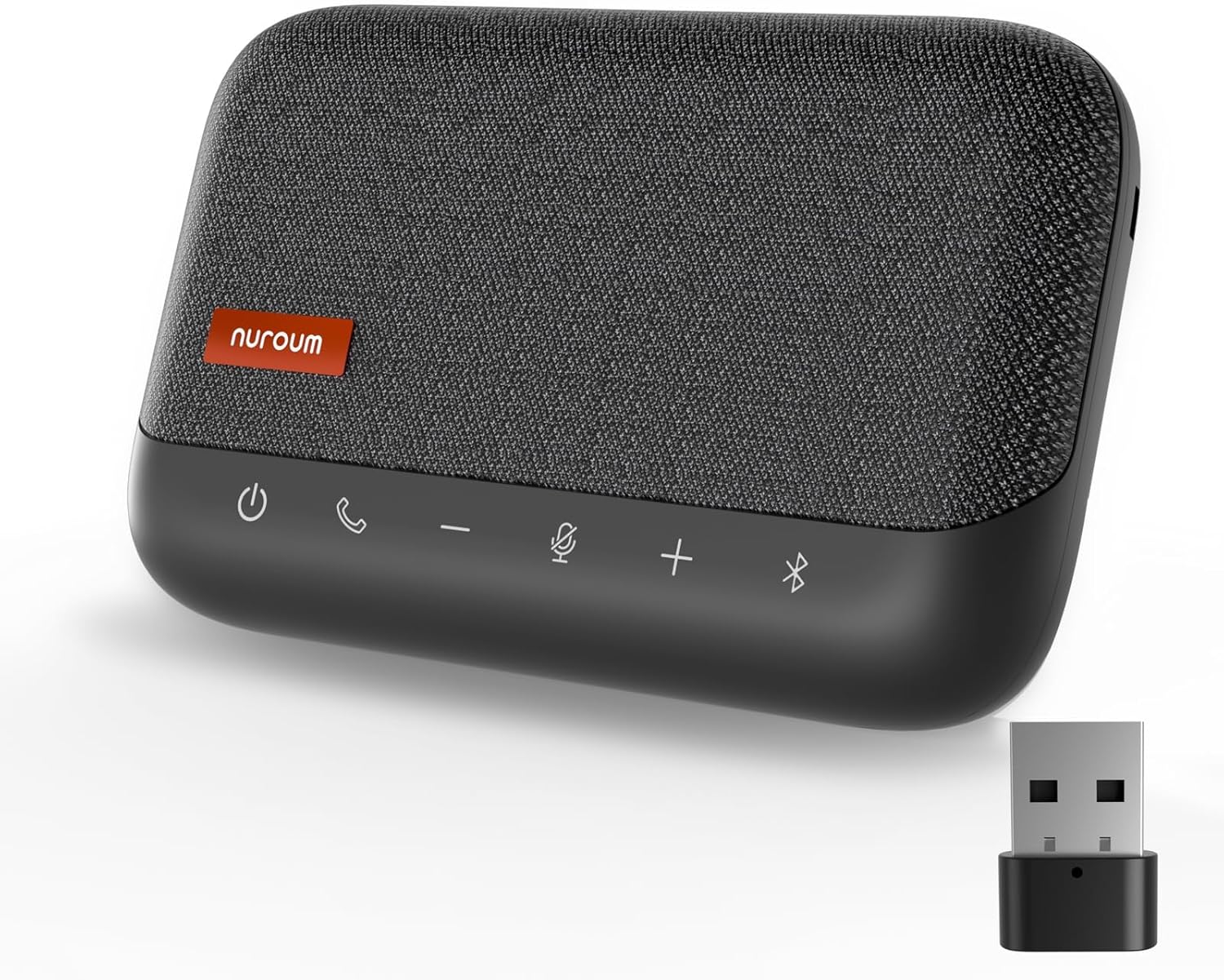
Image: The NUROUM A15 conference speaker and microphone, shown with its USB dongle, highlighting its compact and portable design.
Key Features
- 360° Omnidirectional Mic & Daisy Chain: Built with 4 professional-level microphones for 360-degree voice capture. Supports cascading of two A15 units for conferences with up to 20 participants.
- Echo, Reverberation and Noise Cancellation: Advanced algorithms suppress echo, reverberation, and ambient noise for crystal clear audio.
- Full Duplex & Automatic Gain Control (AGC): Allows multiple people to speak simultaneously without interruption. AGC automatically adjusts voice volume within 3m/10ft for consistent sound levels.
- Easy Connectivity & Universal Compatibility: Offers Bluetooth, USB wired, and USB dongle options. Compatible with most conferencing programs (Zoom, Teams, Google Meet, Webex) and operating systems (Windows, MacOS, Linux).
- Portable & Fashionable Design: 10-hour battery life, includes a carrying case for portability. Can also be used via USB cable when battery is low.
What's in the Box
- 1 x A15 Speakerphone
- 1 x USB Dongle
- 1 x User Manual
- 1 x USB Cable
- 1 x Daisy Chain Cable
Setup Guide
Connecting Your Speakerphone
The NUROUM A15 offers multiple ways to connect to your devices.
Bluetooth Connection
- Power on the A15 speakerphone.
- Activate Bluetooth on your device (smartphone, tablet, laptop).
- Search for "NUROUM A15" in your device's Bluetooth settings and select to pair.
- The speakerphone will indicate a successful connection.
USB Dongle Connection
- Insert the provided USB dongle into an available USB-A or USB-C port on your computer.
- Power on the A15 speakerphone.
- The speakerphone will automatically connect to the dongle. This is a plug-and-play connection, typically requiring no additional drivers.
Wired USB Connection
- Connect the A15 speakerphone to your computer using the provided USB cable (USB-A or USB-C port on the speakerphone).
- The device will be recognized as an audio input/output device.
- Select the NUROUM A15 as your preferred microphone and speaker in your computer's sound settings or conferencing application.

Image: Diagram illustrating wired USB connection to a laptop and wireless Bluetooth/USB dongle connection to a smartphone.
Operating Instructions
Basic Controls
The NUROUM A15 features intuitive controls on its top panel:
- ⏻ (Power Button): Press and hold to power on/off.
- 📞 (Call Button): Press to answer or end a call.
- − (Volume Down): Decrease speaker volume.
- 🎤 (Mute Microphone): Toggle microphone mute on/off.
- + (Volume Up): Increase speaker volume.
- ☬ (Bluetooth Button): Press to enter Bluetooth pairing mode.
Advanced Features
360° Omnidirectional Voice Pickup
The A15 is equipped with four built-in MEMS microphones that capture sound from all directions, ensuring every participant's voice is heard clearly within a 3-meter range.

Image: Illustration showing the 360-degree voice pickup capability of the A15 speakerphone with four built-in omnidirectional microphones.
Daisy Chain Functionality
For larger meeting spaces or more participants, two A15 units can be cascaded together using the provided daisy chain cable. This expands the coverage area and microphone pickup range, supporting conferences with up to 20 participants.

Image: Diagram illustrating two A15 units connected via daisy chain to cover a larger conference room, showing extended voice pickup range.
AI-Based Audio Processing
The A15 incorporates AI-based audio processing technology for enhanced clarity. This includes:
- Echo Cancellation: Eliminates echoes for natural conversations.
- Reverberation Suppression: Reduces room reverberation, making voices clearer.
- Noise Cancellation: Filters out distracting background noise.
- Full Duplex: Allows simultaneous speaking and listening without audio cutoff.
- Automatic Gain Control (AGC): Automatically balances the volume of voices within 3 meters (10 feet), ensuring consistent loudness regardless of speaker distance.

Image: Graphic illustrating AI-based human voice enhancement features like noise suppression, automatic gain control, and full duplex technology.

Image: Illustration demonstrating Automatic Gain Control (AGC) balancing voice levels from speakers at different distances in a meeting room.
Charging and Power Bank Functionality
The A15 has a built-in battery providing up to 10 hours of use. It can be charged via the USB-C port. Additionally, it features a reverse charging port (USB-A) that can be used to charge other devices like smartphones.

Image: Detailed diagram of the NUROUM A15's ports, including Daisy-Chain Port, AUX Port, USB Audio and Charging Port, Reverse Charging Port, and Reset Hole.
Video: An official product video demonstrating the features and usage of the Nuroum A15 Conference Speaker and Microphone, including its connectivity, audio processing, and portability.
Maintenance and Care
- Keep the device clean by wiping it with a soft, dry cloth.
- Avoid exposing the device to extreme temperatures, humidity, or direct sunlight.
- Do not use abrasive cleaners or solvents.
- Store the speakerphone in its carrying case when not in use to protect it from dust and scratches.
Troubleshooting
No Sound / Microphone Not Working
- Ensure the speakerphone is powered on and charged.
- Check that the correct audio input/output device (NUROUM A15) is selected in your computer's sound settings or conferencing application.
- Verify that the microphone is not muted (check the mute button on the device).
- If using Bluetooth, ensure the device is paired and within range. Try re-pairing.
- If using USB, try a different USB port or cable.
Poor Audio Quality
- Ensure the speakerphone is placed on a stable surface and not obstructed.
- Reduce background noise in the environment.
- Check your internet connection if using for online conferences.
- Ensure the device firmware is up to date (check manufacturer's website for updates).
Device Not Charging
- Ensure the charging cable is securely connected to the correct charging port (USB-C).
- Try a different USB charger or port.
- Confirm the power source is active.
Daisy Chain Not Working
- Ensure both A15 units are powered on.
- Verify the daisy chain cable is securely connected to the correct ports on both units.
- Only two units can be daisy-chained.
Resetting the Device
If the device is unresponsive, locate the reset hole (as shown in the ports diagram) and gently insert a paperclip to press the reset button. This will restore factory settings.
Specifications
| Feature | Detail |
|---|---|
| Model Name | NA-A15-Grey |
| Speaker Type | Surround Sound |
| Speaker Maximum Output Power | 3 Watts |
| Number of Microphones | 4 |
| Connectivity Technology | Bluetooth, Dongle Adapter, USB |
| Wireless Communication Technology | Bluetooth |
| Battery Life | 10 Hours |
| Product Dimensions | 6.5"D x 4.1"W x 1.5"H |
| Item Weight | 1.32 pounds |
| Color | Grey |
| Manufacturer | Auditoryworks |
| Warranty Type | Limited |
Warranty and Support
Warranty Information
The NUROUM A15 Conference Speaker and Microphone comes with a limited warranty. Please refer to the warranty card included in your package for specific terms and conditions. Keep your proof of purchase for warranty claims.
Customer Support
For technical assistance, troubleshooting, or warranty inquiries, please contact NUROUM customer support:
- Email: customer.service@nuroum.com
- Website: https://nuroum.com
You can also visit the official NUROUM store on Amazon for more product information and support resources: NUROUM Amazon Store