
1. Introduction
Welcome to the BlendJet 2 experience. This portable blender is designed for convenience, allowing you to create smoothies, shakes, and more, wherever you are. Its compact design, powerful blending capabilities, and easy-to-use features make it an ideal companion for a healthy lifestyle. Please read this manual thoroughly before first use to ensure safe and optimal operation.
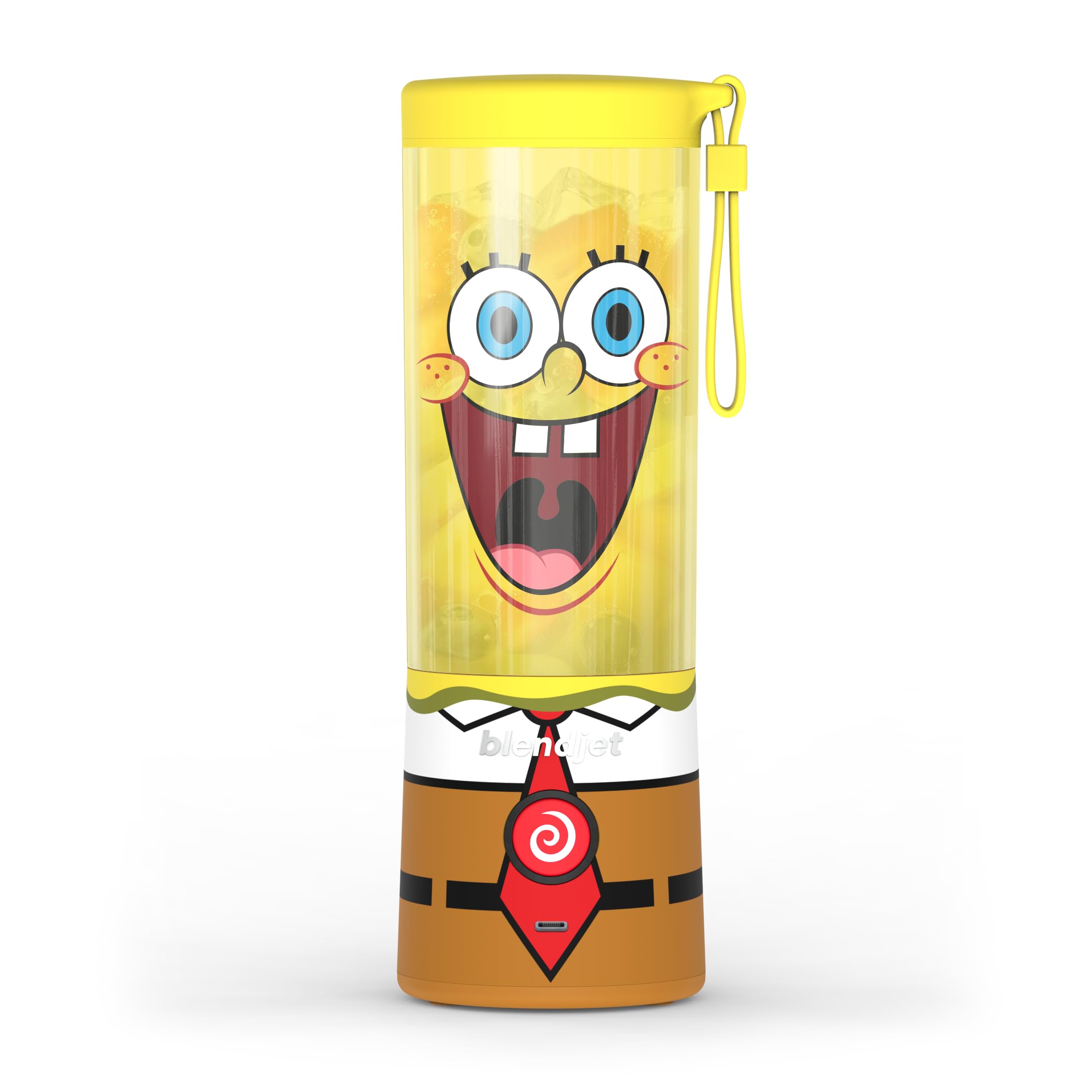
Image: The BlendJet 2 portable blender, showcasing its sleek design and portability.
2. Important Safety Information
Always follow basic safety precautions when using electrical appliances to reduce the risk of fire, electric shock, and/or injury to persons.
- Blades are Sharp: Handle the stainless steel blades with extreme care. Avoid contact with moving parts.
- Keep Dry: Do not immerse the motor base in water or other liquids. Clean with a damp cloth.
- Proper Assembly: Ensure the jar is securely attached to the motor base before operating.
- Charging: Use only the provided USB-C cable for charging. Do not attempt to charge with damaged cables or chargers.
- Children: Keep the blender out of reach of children. This appliance is not intended for use by children.
- Overfilling: Do not overfill the blender jar. Ensure ingredients do not exceed the maximum fill line.
- Hot Liquids: Do not blend hot liquids, as pressure buildup can cause injury.
- Foreign Objects: Do not place metal utensils or other foreign objects into the blender jar while it is operating.
3. Package Contents
Your BlendJet 2 package should include the following items:
- BlendJet 2 Portable Blender Unit (Motor Base, Jar, Lid)
- USB-C Charging Cable
- User Manual (This document)
4. Setup and Initial Use
- Unpack: Carefully remove all components from the packaging.
- Initial Charge: Before first use, fully charge your BlendJet 2. Connect the provided USB-C cable to the charging port on the motor base and plug the other end into a USB power source (e.g., wall adapter, computer). The indicator light will show charging status. A full charge typically takes about one hour.
- Wash Components: Wash the blender jar and lid with warm, soapy water. Rinse thoroughly and dry. The motor base should be wiped clean with a damp cloth. Do not submerge the motor base in water.
- Assemble: Ensure the jar is properly seated and twisted onto the motor base until secure.

Image: The BlendJet 2 jar showing measurement markings for accurate ingredient portions.
5. Charging Your BlendJet 2
The BlendJet 2 features a USB-C rechargeable battery, offering convenience and portability.
- Connect the USB-C charging cable to the port on the front of the motor base.
- Plug the other end of the cable into any standard USB power adapter (not included) or a powered USB port.
- The indicator light around the power button will illuminate to show charging status.
- A full charge takes approximately 1 hour and provides power for 15+ blends.

Image: The BlendJet 2 connected to a USB-C charging cable, highlighting its rechargeable feature.
6. Operating Instructions
Standard Blending
- Add Ingredients: Fill the jar with your desired ingredients. For best results, add liquids first, then soft fruits, leafy greens, and finally ice or frozen fruits. Do not exceed the maximum fill line.
- Secure Lid: Screw the lid on tightly to prevent leaks.
- Start Blending: Press the power button once to start blending. The patented TurboJet technology creates a powerful vortex to blend ingredients in approximately 20 seconds.
- Stop Blending: Press the power button again to stop, or it will automatically stop after 20 seconds.

Image: The BlendJet 2 in operation, illustrating the powerful vortex created by its TurboJet technology for efficient blending.
Food Processing Mode
For tougher ingredients or to achieve a finer consistency, use the Food Processing Mode.
- Double-press the power button to activate Food Processing Mode.
- The blender will continue to pulverize ingredients as long as you hold down the button.
- Release the button to stop.
Lock Mode
To prevent accidental blending when carrying your BlendJet 2, use the Lock Mode.
- Hold down the power button for approximately 3 seconds until the indicator light changes or flashes, indicating it's locked.
- To unlock, repeat the process by holding the power button for 3 seconds.

Image: A close-up of the BlendJet 2 power button, illustrating the lock mode feature to prevent accidental activation.
7. Cleaning and Maintenance
The BlendJet 2 features a convenient self-cleaning function.
- Self-Cleaning: Add water and a drop of dish soap to the blender jar.
- Secure the lid and press the power button to blend for 20 seconds.
- Rinse the jar thoroughly.
- Deep Cleaning: For a more thorough clean, disassemble the jar and lid and wash them by hand with warm, soapy water. The motor base should only be wiped clean with a damp cloth. Do not put the motor base in a dishwasher or submerge it in water.
- Storage: Store the BlendJet 2 with the lid slightly ajar to allow for air circulation and prevent odors.

Image: The BlendJet 2 demonstrating its self-cleaning feature by blending water and soap.
8. Troubleshooting
| Problem | Possible Cause | Solution |
|---|---|---|
| Blender does not turn on. | Low battery, jar not properly aligned, or in lock mode. | Charge the blender. Ensure the jar is securely twisted onto the base. Hold the power button for 3 seconds to exit lock mode. |
| Blender stops during operation. | Overloaded with ingredients, low battery, or ingredients are too large/hard. | Reduce ingredient quantity. Charge the blender. Cut ingredients into smaller pieces. |
| Leaking from the jar. | Lid not secured properly, or jar not seated correctly on the base. | Ensure the lid is tightly screwed on. Re-seat the jar onto the motor base and twist until secure. |
| Ingredients not blending smoothly. | Too little liquid, too many hard ingredients, or ingredients are too large. | Add more liquid. Reduce the amount of hard ingredients. Cut ingredients into smaller pieces. Use Food Processing Mode for tougher items. |
9. Specifications
- Brand: BlendJet
- Model: BlendJet 2
- Color: SB (Specific color variant, other colors available)
- Number of Speeds: 1
- Control Type: Manual
- Container Material: Plastic
- Product Dimensions: 3 x 3 x 9.3 inches
- Item Weight: 1.4 pounds
- Blade Material: Stainless Steel
- Batteries: 2 Lithium Ion batteries (included)
- Charging: USB-C Rechargeable
10. Official Product Video
Video: An official demonstration of the BlendJet 2, showcasing its features, blending capabilities, and ease of use for various ingredients.
11. Warranty and Support
For warranty information, product support, or to contact customer service, please refer to the official BlendJet website or your purchase documentation.