1. Introduction
This manual provides detailed instructions for the setup, operation, maintenance, and troubleshooting of your PAAZOMU Smart Watch PZMGT956. This device integrates a smartwatch with wireless earbuds, offering advanced features for communication, fitness tracking, and entertainment.
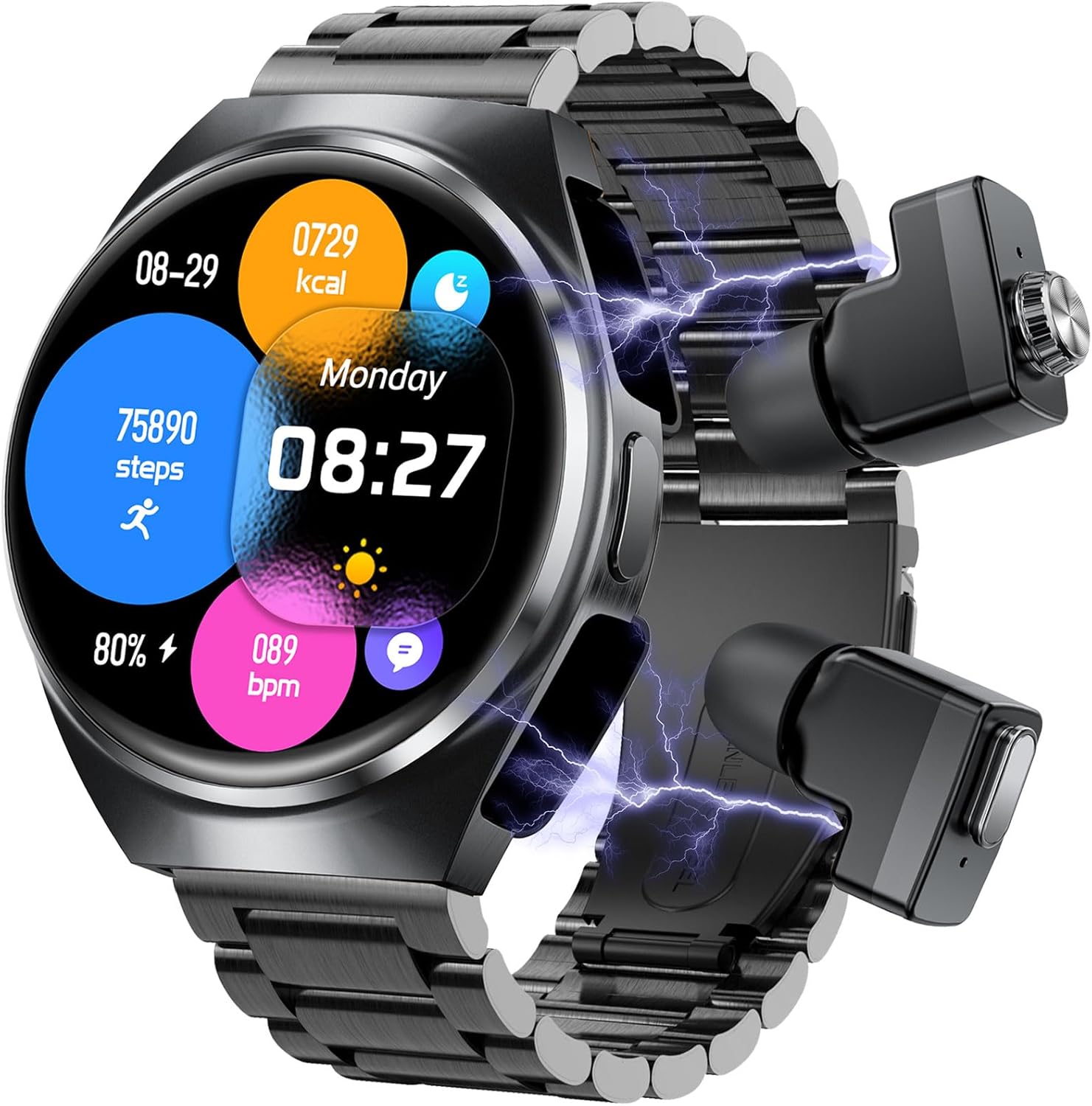
Image 1.1: PAAZOMU Smart Watch PZMGT956 with wireless earbuds shown.
2. Package Contents
Verify that all items are present in your package:
- PAAZOMU Smart Watch PZMGT956 (with integrated wireless earbuds)
- Charging Cable
- User Manual (this document)
3. Setup Guide
3.1 Initial Charging
Before first use, fully charge the smartwatch. Connect the charging cable to the charging port on the watch and a USB power adapter. The watch display will indicate charging status.
3.2 App Installation and Pairing
- Download the "Da Fit" application from your smartphone's app store (compatible with Android 5.0+ and iOS 9.0+).
- Open the "Da Fit" app and follow the on-screen instructions to create an account or log in.
- Enable Bluetooth on your smartphone.
- In the "Da Fit" app, search for your PAAZOMU Smart Watch PZMGT956 and select it to pair.
- Confirm the pairing request on both your smartphone and the smartwatch.
3.3 Earbud Pairing
The integrated wireless earbuds are designed for seamless connectivity. Once the smartwatch is paired with your phone, the earbuds will typically connect automatically when removed from their charging slots within the watch. If manual pairing is required:
- Ensure the earbuds are charged.
- Remove the earbuds from the smartwatch.
- On your smartphone, go to Bluetooth settings and look for the earbud device name (e.g., "PAAZOMU Earbuds").
- Select to pair.
4. Operating Instructions
4.1 Watch Navigation
The PAAZOMU Smart Watch features a 1.53-inch AMOLED HD touch screen for intuitive navigation.
- Swipe Up/Down: Access notifications or quick settings.
- Swipe Left/Right: Navigate through widgets such as activity tracking, heart rate, weather, and music controls.
- Tap: Select an item or open an application.
- Press Side Button: Return to the home screen or access the app menu.

Image 4.1: Overview of various smart watch features including games, voice assistant, stopwatch, and calculator.
4.2 Bluetooth Call Functions
The smartwatch supports making and answering calls directly from your wrist, utilizing its built-in microphone and speaker, or through the integrated earbuds.
- Making a Call: Access the dial pad or contact list on the watch to initiate a call.
- Answering a Call: When a call comes in, tap the green answer icon on the watch screen.
- Switching Audio: During a call, you can switch audio output between the watch speaker and the earbuds.
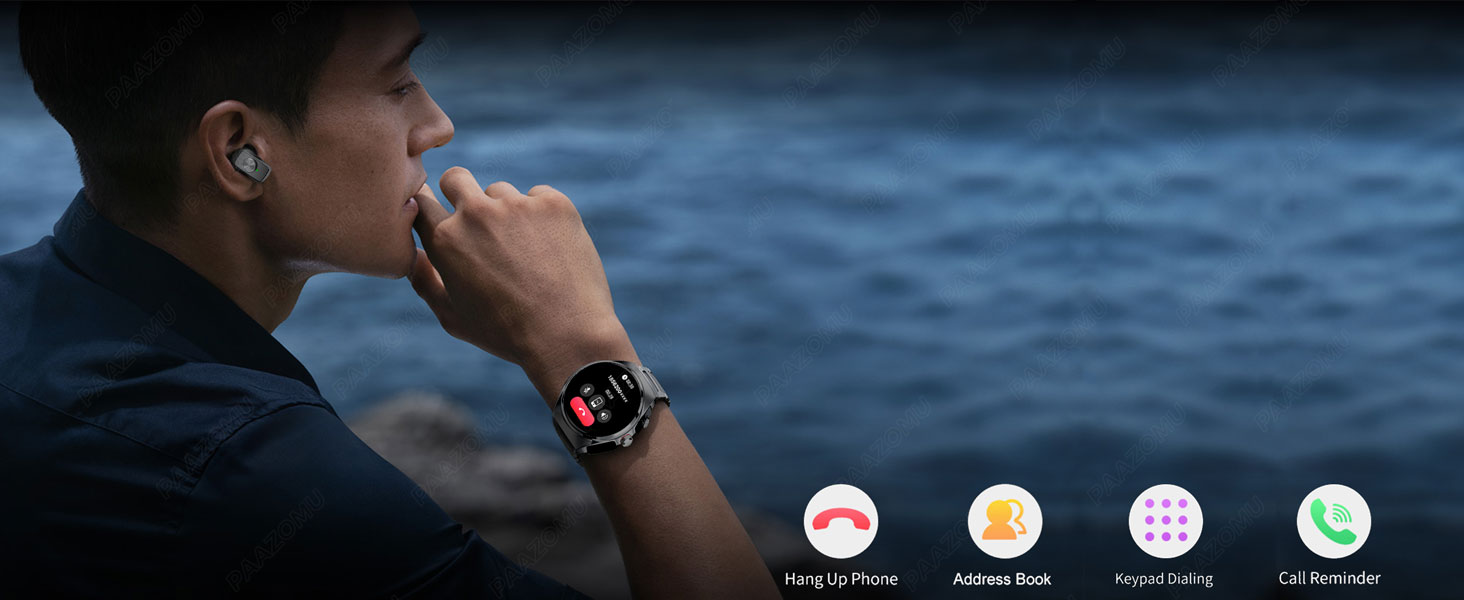
Image 4.2: Smartwatch interface displaying options for handling calls, including keypad dialing and call reminders.
4.3 Music Playback and Earbud Controls
The smartwatch functions as an MP3 player and a Bluetooth speaker. The integrated earbuds provide high-quality audio.
- Play/Pause: Double-tap either earbud.
- Next Track: Triple-tap the right earbud.
- Previous Track: Triple-tap the left earbud.
- Automatic Pairing: Earbuds automatically pair upon power on.

Image 4.3: Earbud control gestures for music and calls.
4.4 Fitness Tracking and Health Monitoring
The watch tracks various health metrics and supports over 100 sports modes.
- Heart Rate: Continuous monitoring and recording.
- Blood Oxygen (SpO2): Measures blood oxygen saturation.
- Sleep Management: Monitors sleep patterns.
- Step Counting: Tracks daily steps, calories, and distance.
- Sports Modes: Select from over 100 modes for accurate activity tracking.

Image 4.4: Health monitoring features on the smartwatch.

Image 4.5: Examples of sports tracking features: running posture analysis and cycling trajectory recording.
4.5 Other Functions
The smartwatch includes various practical functions:
- Information Reminders: Receive notifications from social media (Facebook, Twitter, WhatsApp, Instagram) and SMS.
- Smart Alarm Clock: Set alarms and reminders.
- Sedentary Reminder: Prompts you to move after periods of inactivity.
- Remote Camera: Control your phone's camera remotely.
- Weather: Displays current weather conditions.
- Stopwatch & Timer: Built-in timing functions.
- Find Mobile Phone: Locate your paired smartphone.
- Voice Assistant: Activate a smart voice assistant.
- Casual Games: Access simple games directly on the watch.
5. Maintenance
5.1 Cleaning
- Wipe the watch screen and body with a soft, dry, lint-free cloth.
- For stubborn smudges, lightly dampen the cloth with water. Avoid harsh chemicals.
- Clean the earbud charging contacts regularly with a dry cotton swab to ensure proper charging.
5.2 Water Resistance
The PAAZOMU Smart Watch is rated IP67 water-resistant. This means it is protected against dust and can withstand immersion in water up to 1 meter for up to 30 minutes. It is suitable for daily use and light splashes, but not recommended for swimming, showering, or diving.
5.3 Battery Care
- Avoid fully discharging the battery frequently.
- Charge the device using the provided charging cable.
- Store the watch in a cool, dry place when not in use for extended periods.
6. Troubleshooting
If you encounter issues with your PAAZOMU Smart Watch, refer to the following common solutions:
| Problem | Possible Solution |
|---|---|
| Watch not turning on or charging | Ensure the charging cable is securely connected to both the watch and a working power source. Clean charging contacts. Allow the watch to charge for at least 30 minutes before attempting to power on. |
| Screen is blank or glitching | Restart the watch by pressing and holding the side button. If the issue persists after a full charge and restart, contact customer support. |
| Earbuds not connecting or poor sound | Ensure earbuds are fully charged. Re-insert them into the watch and remove again. Check Bluetooth settings on your phone to ensure they are paired. Clean earbud contacts. Ensure you are within Bluetooth range of your phone. |
| Bluetooth connection unstable | Ensure the watch and phone are within close proximity (typically within 10 meters). Restart both the watch and your phone. Re-pair the devices through the "Da Fit" app. |
| App data not syncing | Ensure Bluetooth is enabled and the watch is connected to the "Da Fit" app. Check for app updates. Restart both devices. |
7. Specifications
| Feature | Detail |
|---|---|
| Model Number | PZMGT956 |
| Screen Size | 1.53 Inches |
| Display Type | AMOLED HD |
| Operating System | Wear OS 3.0 |
| Connectivity Technology | Bluetooth 5.3 |
| Battery Capacity | 400 Milliamp Hours (Lithium Polymer) |
| Memory Storage Capacity | 128 MB |
| Water Resistance | IP67 |
| Item Weight | 7.8 ounces |
| Compatible Devices | Android 5.0 and above, iOS 9.0 and above |
| Special Features | Activity Tracker, Multisport Tracker, Music Player, Phone Call, Time Display, Heart Rate, Blood Oxygen, Sleep Monitor, Voice Assistant, Games |
8. Warranty and Support
For warranty information or technical support, please refer to the official PAAZOMU website or contact their customer service directly. Keep your purchase receipt as proof of purchase.