
1. Introduction
Thank you for choosing the SENSE7 NOJO Electric Standing Desk. This manual provides essential information for the safe and efficient assembly, operation, and maintenance of your new desk. Please read this manual thoroughly before use and retain it for future reference.
2. Safety Information
- Ensure all components are securely fastened before use.
- Keep children and pets away from the desk during operation.
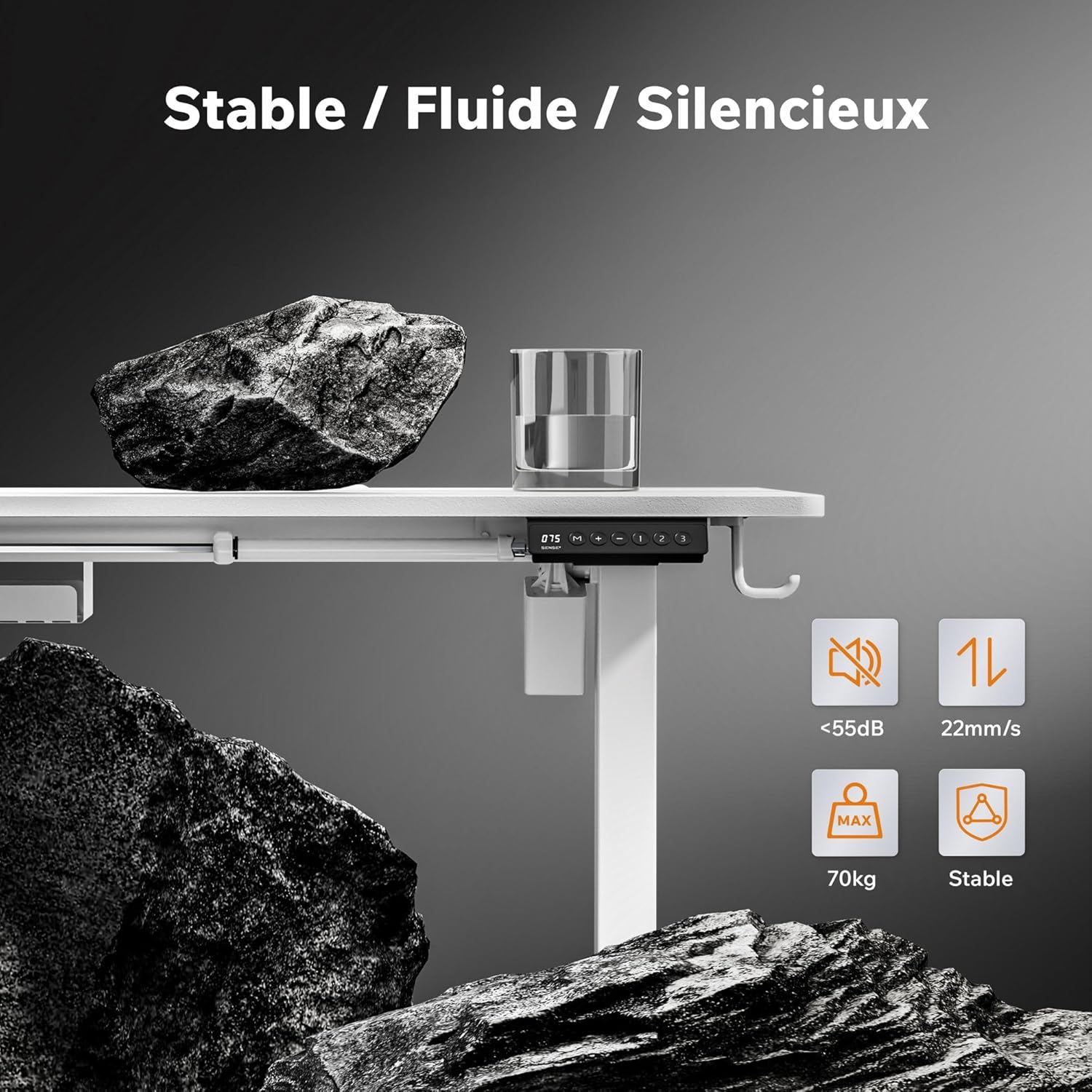
- Do not overload the desk beyond its maximum weight capacity of 70 kg.
- Avoid placing liquids directly on the control panel or near electrical components.
- In case of malfunction, disconnect the power supply immediately and contact customer support.
- The anti-collision system is designed to prevent damage; however, always ensure the path of movement is clear.
3. Package Contents
Verify that all parts are present before beginning assembly. If any parts are missing or damaged, please contact SENSE7 customer support.
- Desktop (120x60cm, White)
- Desk Legs with Motorized Mechanism
- Control Panel
- Power Adapter and Cable
- 2 x Hanging Hooks
- Cable Tray
- Protective Pads
- Assembly Hardware (screws, tools)
- User Manual
4. Setup and Assembly
Assembly is straightforward when following the provided instructions. It is recommended to have two people for easier setup.
4.1 Unpacking and Preparation
- Carefully unpack all components and lay them out on a clean, soft surface to prevent scratches.
- Identify all parts against the package contents list.
4.2 Assembling the Desk Frame
- Attach the desk legs to the crossbar using the provided screws.
- Secure the feet to the bottom of the desk legs.
4.3 Attaching the Desktop
- Carefully place the desktop upside down on a soft surface.
- Align the assembled desk frame with the pre-drilled holes on the desktop.
- Secure the frame to the desktop using the appropriate screws. Caution: Ensure screws are not overtightened to avoid damaging the desktop surface.
4.4 Installing Accessories
- Mount the control panel to the underside of the desktop in an easily accessible location.
- Attach the cable tray to manage wires and power strips.
- Install the two hanging hooks on either side of the desk for headphones or bags.
- Apply protective pads to the bottom of the feet if desired.


4.5 Cable Management
Utilize the integrated cable slot and cable tray to organize and conceal power cords and peripheral cables, maintaining a tidy workspace.

5. Operating Instructions
The SENSE7 NOJO desk features an intuitive control panel for easy height adjustment and memory functions.
5.1 Control Panel Overview
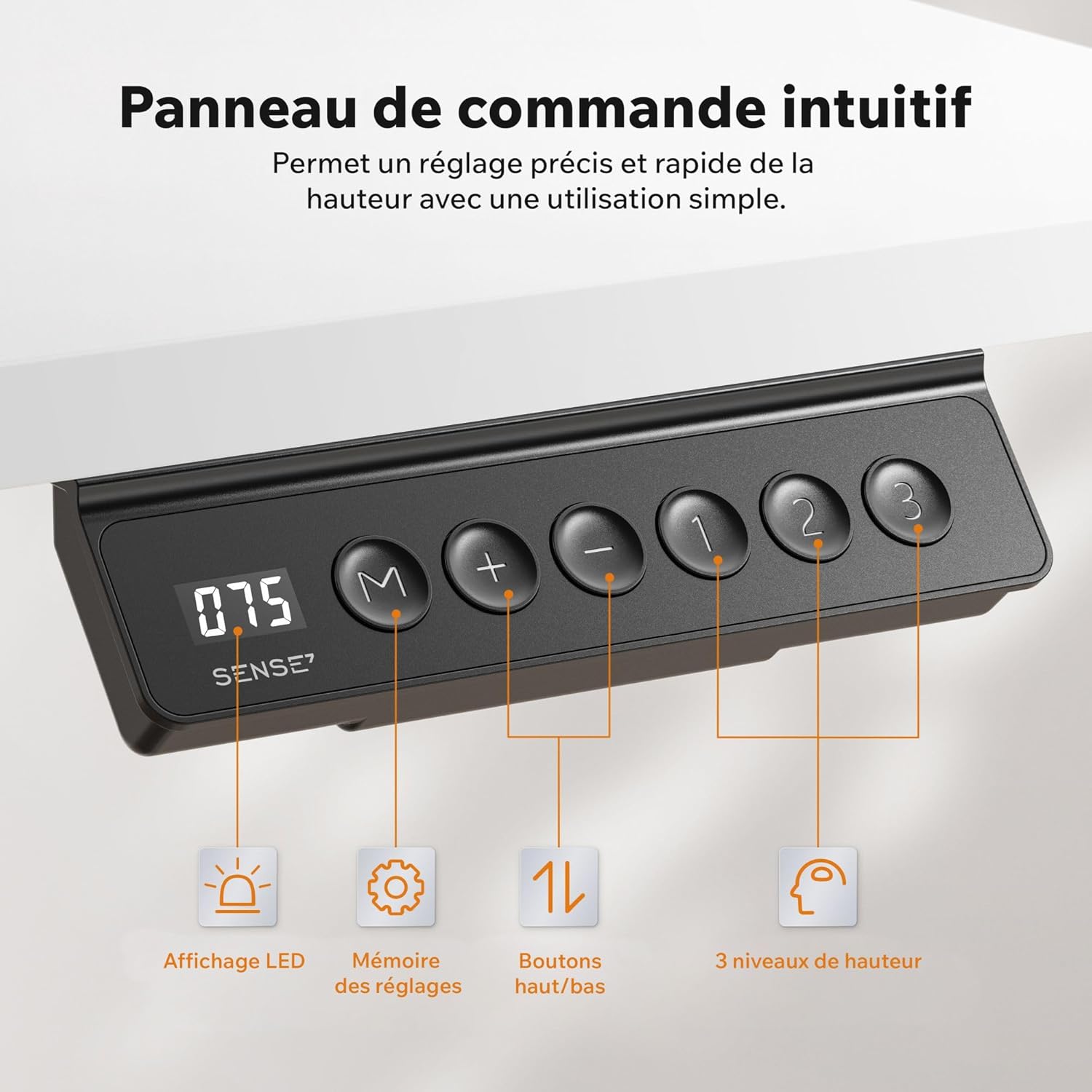

- LED Display: Shows the current desk height.
- M (Memory) Button: Used to save height presets.
- + / - Buttons: Adjust the desk height up or down.
- 1, 2, 3 Buttons: One-touch access to saved height presets.
5.2 Adjusting Desk Height
- Press and hold the + button to raise the desk.
- Press and hold the - button to lower the desk.
- Release the button when the desired height is reached. The desk can adjust from 72 cm to 118 cm.

5.3 Saving Height Presets
- Adjust the desk to your desired height using the + or - buttons.
- Press the M button. The LED display will show 'S-'.
- Within 3 seconds, press one of the preset buttons (1, 2, or 3) to save the current height to that position. The display will show 'S-1', 'S-2', or 'S-3' to confirm.
5.4 Using Saved Presets
Simply press the corresponding preset button (1, 2, or 3) to automatically move the desk to the saved height.
5.5 Anti-Collision System
The desk is equipped with an anti-collision system. If the desk encounters an obstacle during height adjustment, it will automatically stop and reverse slightly to prevent damage. Always ensure the area around the desk is clear during operation.
6. Maintenance
Regular maintenance ensures the longevity and optimal performance of your SENSE7 NOJO desk.
- Cleaning: Wipe the desktop and frame with a soft, damp cloth. Avoid abrasive cleaners or harsh chemicals.
- Cable Management: Periodically check and reorganize cables to prevent tangles and damage.
- Fasteners: Occasionally check all screws and bolts to ensure they remain tight. Retighten if necessary.
- Motor: The motor is maintenance-free. Do not attempt to open or lubricate it.
7. Troubleshooting
If you encounter any issues with your SENSE7 NOJO desk, refer to the following common solutions:
| Problem | Possible Cause | Solution |
|---|---|---|
| Desk does not move or respond to controls. | Power cable disconnected, power outage, control panel issue. | Check power connections. Ensure the power outlet is functional. Reset the desk by unplugging it for 30 seconds and plugging it back in. |
| Desk moves unevenly or makes unusual noises. | Uneven load, loose connections, motor issue. | Ensure weight is evenly distributed. Check all assembly screws for tightness. Contact support if the issue persists. |
| Anti-collision system frequently activates. | Obstruction in the desk's path. | Clear any objects from the desk's path of movement. |
| Desk feels unstable or wobbly. | Loose assembly, uneven floor. | Verify all assembly screws are securely tightened. Ensure the desk is on a level surface. |
| Screws appear too long or cause damage during assembly. | Incorrect screw used, overtightening. | Refer to the assembly instructions to ensure the correct screws are used for each step. Avoid overtightening. |
If these solutions do not resolve the issue, please contact SENSE7 customer support for further assistance.
8. Specifications
| Feature | Detail |
|---|---|
| Brand | SENSE7 |
| Model Number | 13187592 |
| Color | White |
| Product Dimensions (L x W x H) | 120 x 60 x (72-118) cm |
| Material | Engineered Wood, Alloy Steel |
| Desktop Thickness | 15mm |
| Special Features | 3 Headphone/Bag Hooks, Ergonomic, 3 Height Memory Presets, Under-desk Cable Tray, Anti-collision System |
| Item Weight | 21.7 Kilograms |
| Max Load Capacity | 70 kg |
| Height Adjustment Speed | 22mm/s |
| Noise Level | <55dB |
| Country of Origin | Poland |
9. Warranty Information
For detailed warranty information, please refer to the official SENSE7 website or contact their customer support directly. Keep your proof of purchase for warranty claims.
10. Customer Support
If you have any questions, require technical assistance, or need to report an issue, please contact SENSE7 customer support through their official channels. Contact information can typically be found on the SENSE7 website or on your product packaging.