
QCHMM B0D5Y4XSC6
QCHMM Mini Electric Bicycle Pump User Manual
Model: B0D5Y4XSC6
1. Introduction
Thank you for choosing the QCHMM Mini Electric Bicycle Pump. This compact and portable pump is designed for efficient and precise inflation of bicycle tires and other inflatables. It features a memory function, compatibility with both Presta and Schrader valves, and an automatic shut-off mechanism for safe operation. Please read this manual thoroughly before use to ensure proper handling and optimal performance.
2. Important Safety Instructions
- This device is not a toy. Keep out of reach of children.
- Do not expose the pump to rain or moisture. Store in a dry place.
- Avoid operating the pump in excessively hot or cold environments.
- Do not overinflate tires or other items. Always refer to the recommended pressure for your specific item.
- Ensure the inflation hose is securely connected to both the pump and the valve before starting inflation.
- Do not block the air inlet/outlet during operation.
- Use only the provided charging cable and a compatible power adapter.
- If the pump emits unusual noises, smells, or smoke, discontinue use immediately and contact support.
3. Package Contents
Please check the package for the following items:
- QCHMM Mini Electric Bicycle Pump
- Inflation Hose
- USB Charging Cable
- Valve Adapters (e.g., ball needle, swimming ring nozzle)
- Storage Bag
- User Manual
4. Product Overview
Familiarize yourself with the pump's components and controls:

Image Description: A close-up view of the QCHMM Mini Electric Bicycle Pump held in a hand. The digital display shows '0.00' for real-time pressure and '100.1' for preset pressure, along with unit indicators (PSI, BAR, KPA, Kg/cm²). Below the display are four control buttons: Power On/Off, Increase Pressure Value (+), Decrease Pressure Value (-), Switch Pressure Unit, and Switch Pressure Modes.
- Digital Display: Shows real-time pressure, preset pressure, pressure units, and selected inflation mode.
- Power Button: Long press for 2 seconds to turn on/off.
- '+' Button: Increase preset pressure value.
- '-' Button: Decrease preset pressure value.
- Unit Switch Button (Sun icon): Cycle through PSI, BAR, KPA, KG/cm².
- Mode Switch Button (Arrow icon): Cycle through Road Bike, E-Bike, Mountain Bike, and Ball modes.
- Inflation Port: Where the inflation hose connects.
- USB-C Charging Port: For charging the internal battery.
5. Setup
5.1 Initial Charging
Before first use, fully charge the pump. Connect the provided USB charging cable to the pump's USB-C port and a compatible USB power adapter (not included). The charging indicator on the display will show charging status. A full charge is recommended for optimal battery life and performance.
5.2 Attaching the Inflation Hose
Screw the inflation hose securely into the inflation port on the top of the pump. Ensure it is finger-tight to prevent air leakage.
6. Operating Instructions
6.1 Powering On/Off
Long press the Power Button for 2 seconds to turn the pump on or off.
6.2 Connecting to the Valve
The pump is compatible with both Presta and Schrader valves. Attach the appropriate end of the inflation hose to your tire valve. For Presta valves, you may need to unscrew the valve cap and lightly press the valve stem to release any trapped air before connecting.

Image Description: A split image demonstrating the QCHMM pump connected to two different bicycle tire valves. The left side shows the pump connected to a Schrader valve, and the right side shows it connected to a Presta valve, highlighting its dual compatibility.
6.3 Setting Pressure Units and Modes
After powering on, the display will show the current real-time pressure. You can adjust the settings:
- Press the Unit Switch Button (Sun icon) to cycle through available pressure units: PSI, BAR, KPA, KG/cm².
- Press the Mode Switch Button (Arrow icon) to select an inflation mode: Road Bike, E-Bike, Mountain Bike, or Ball. Each mode may have a default preset pressure range.

Image Description: A detailed view of the QCHMM pump's display, illustrating the various unit choices (PSI, BAR, KPA, KG/cm²) and preset pressure ranges for different inflation modes: Road Bike, E-Bike, Mountain Bike, and Ball. The display shows a current pressure of 17.0 and a preset of 100.1.
6.4 Setting Target Pressure
Use the '+' and '-' buttons to adjust the desired target pressure. The pump features a memory function, meaning it will recall the last set pressure value for each mode, so you may not need to reset it every time.
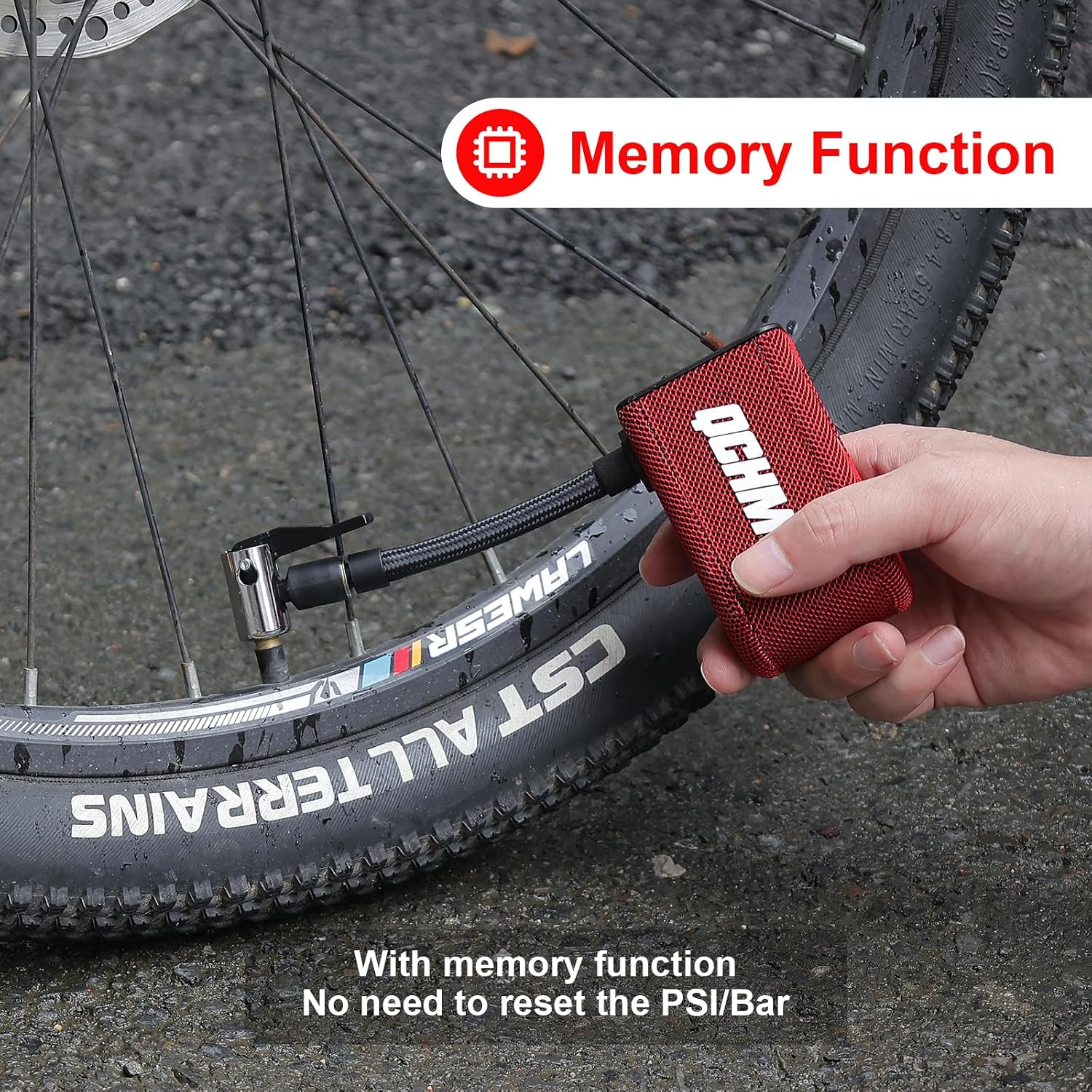
Image Description: The QCHMM Mini Electric Bicycle Pump is shown connected to a bicycle tire valve, with the text "Memory Function" and "No need to reset the PSI/Bar" overlaid, indicating the pump's ability to remember previous pressure settings.
6.5 Starting and Stopping Inflation
Once the target pressure is set, short press the Power Button to start inflation. The pump will automatically stop when the preset pressure is reached. To manually stop inflation at any time, short press the Power Button again.

Image Description: The QCHMM Mini Electric Bicycle Pump is actively inflating a bicycle tire, connected via its hose to the valve. The pump's display is visible, showing inflation in progress.
7. Maintenance
7.1 Cleaning
Wipe the pump with a soft, dry cloth. Do not use harsh chemicals or abrasive cleaners. Ensure no water enters the charging port or inflation port.
7.2 Storage
Store the pump in a cool, dry place, away from direct sunlight and extreme temperatures. Use the provided storage bag to protect it from dust and damage.
7.3 Battery Care
To prolong battery life, charge the pump at least once every three months, even if not in regular use. Avoid fully discharging the battery frequently.
8. Troubleshooting
| Problem | Possible Cause | Solution |
|---|---|---|
| Pump does not turn on. | Low battery; not long-pressing power button. | Charge the pump; long press the power button for 2 seconds. |
| Pump does not inflate. | Hose not securely connected; target pressure already reached; valve blocked. | Ensure hose is tight; check current pressure; inspect valve for obstructions. |
| Inaccurate pressure reading. | Loose connection; sensor issue. | Reconnect hose securely; if problem persists, contact support. |
| Battery not charging. | Faulty cable or adapter; charging port issue. | Try a different USB-C cable and power adapter; ensure port is clean. |
9. Specifications
- Model: B0D5Y4XSC6
- Dimensions: 3.8 x 5.5 x 9 cm (1.5 x 2.2 x 3.5 inches)
- Weight: 145 grams (0.32 lbs)
- Material: Aluminum
- Power Source: Battery (2 Lithium Polymer batteries included)
- Max Pressure: 100 PSI / 6.8 Bar
- Pressure Units: PSI, BAR, KPA, KG/cm²
- Inflation Modes: Road Bike, E-Bike, Mountain Bike, Ball
- Charging Port: USB-C
10. Warranty and Support
For warranty information and customer support, please refer to the documentation provided with your purchase or contact the seller directly through the platform where the product was acquired. Keep your purchase receipt as proof of purchase.
Ask a question about this manual
Ask about setup, troubleshooting, compatibility, parts, safety, or missing instructions. Manuals+ will review the question and use this page’s manual context to help answer it.