1. Introduction
Thank you for purchasing the Generic The Waves Vinyl Player Bluetooth Speaker. This device combines audio playback with ambient lighting, offering multiple modes for various environments. Please read this manual carefully before use to ensure proper operation and to maximize your enjoyment of the product.
Package Contents:
- The Waves Vinyl Player Bluetooth Speaker (Model: Player001)
- USB Charging Cable
- User Manual

Image: The product packaging showing the speaker, USB cable, and user manual.
2. Safety Information
To prevent damage and ensure safe operation, please observe the following precautions:
- Do not expose the device to water, moisture, or extreme temperatures.
- Avoid dropping or subjecting the device to strong impacts.
- Do not attempt to disassemble, repair, or modify the device yourself. Contact qualified service personnel.
- Use only the provided USB charging cable or a certified equivalent.
- Keep out of reach of children and pets.
- Ensure proper ventilation when in use.
3. Product Overview
Familiarize yourself with the components and controls of your speaker.
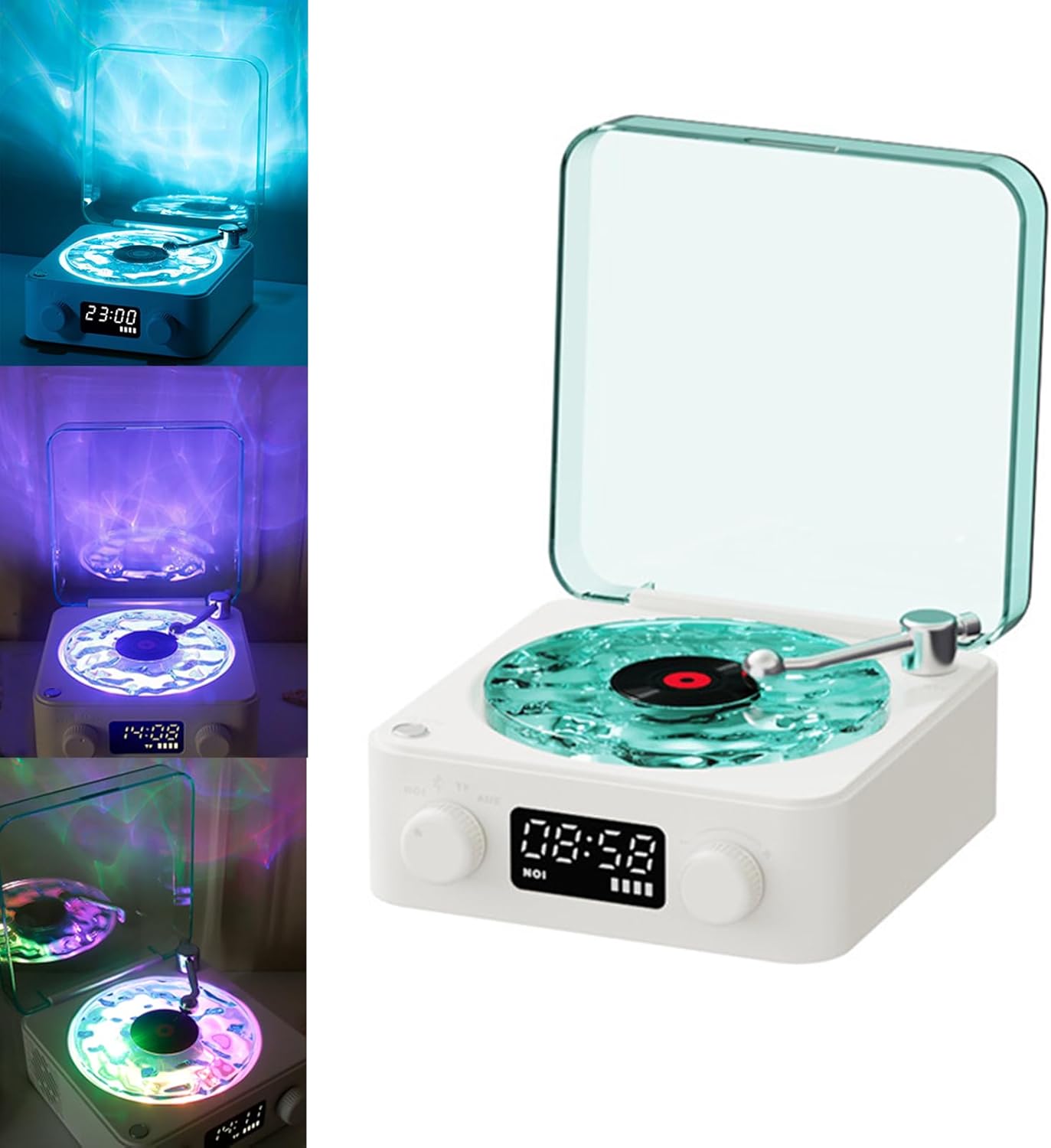
Image: Front view of the speaker.
Controls and Ports:
- Left Knob: Volume control, White Noise mode selection.
- Right Knob: Track selection (White Noise mode), Power On/Off.
- Digital Display: Shows time, mode, and battery level.
- Light Button: Cycles through lighting modes.
- USB-C Port: For charging.
- TF Card Slot: For TF card playback.
- AUX Port: For auxiliary audio input.

Image: Detailed view of the control panel.
4. Setup
4.1 Initial Charging
Before first use, fully charge the speaker using the provided USB-C cable. Connect the cable to the USB-C port on the device and a compatible USB power adapter (not included). The battery indicator on the digital display will show charging status.
4.2 Power On/Off
To power on the device, rotate the right knob clockwise. To power off, rotate the right knob counter-clockwise until the display turns off.
5. Operating Instructions
5.1 Playback Modes
The speaker supports four playback modes: White Noise, Bluetooth, TF Card, and AUX. Rotate the left knob to cycle through these modes.

Image: Visual representation of the four playback modes.
5.1.1 White Noise Mode
In White Noise mode, the device plays various natural sounds. Rotate the right knob to select different white noise tracks (e.g., ocean waves, birds, rain forest). The digital display will show the current track number.

Image: Speaker in use for sleep with white noise.
5.1.2 Bluetooth Mode
Select Bluetooth mode. The device will enter pairing mode, indicated by a flashing Bluetooth icon on the display. On your smartphone or other Bluetooth-enabled device, search for "The Waves Speaker" and connect. Once paired, you can stream audio wirelessly.
Video: Demonstration of Bluetooth pairing and music playback.
5.1.3 TF Card Mode
Insert a TF (microSD) card with audio files into the TF card slot. Select TF Card mode. The device will automatically begin playing audio from the card. Use the right knob to navigate tracks.
5.1.4 AUX Mode
Connect an external audio device to the AUX port using a 3.5mm audio cable (not included). Select AUX mode. Audio from the connected device will play through the speaker.
5.2 Lighting Modes
Press the dedicated Light button to cycle through the three available lighting modes:
- Monotone Light Mode: Displays a single, static color.
- RGB Gradient Mode: Cycles through a spectrum of colors.
- Water-Rippled Projection: Projects a dynamic water ripple effect onto surrounding surfaces.
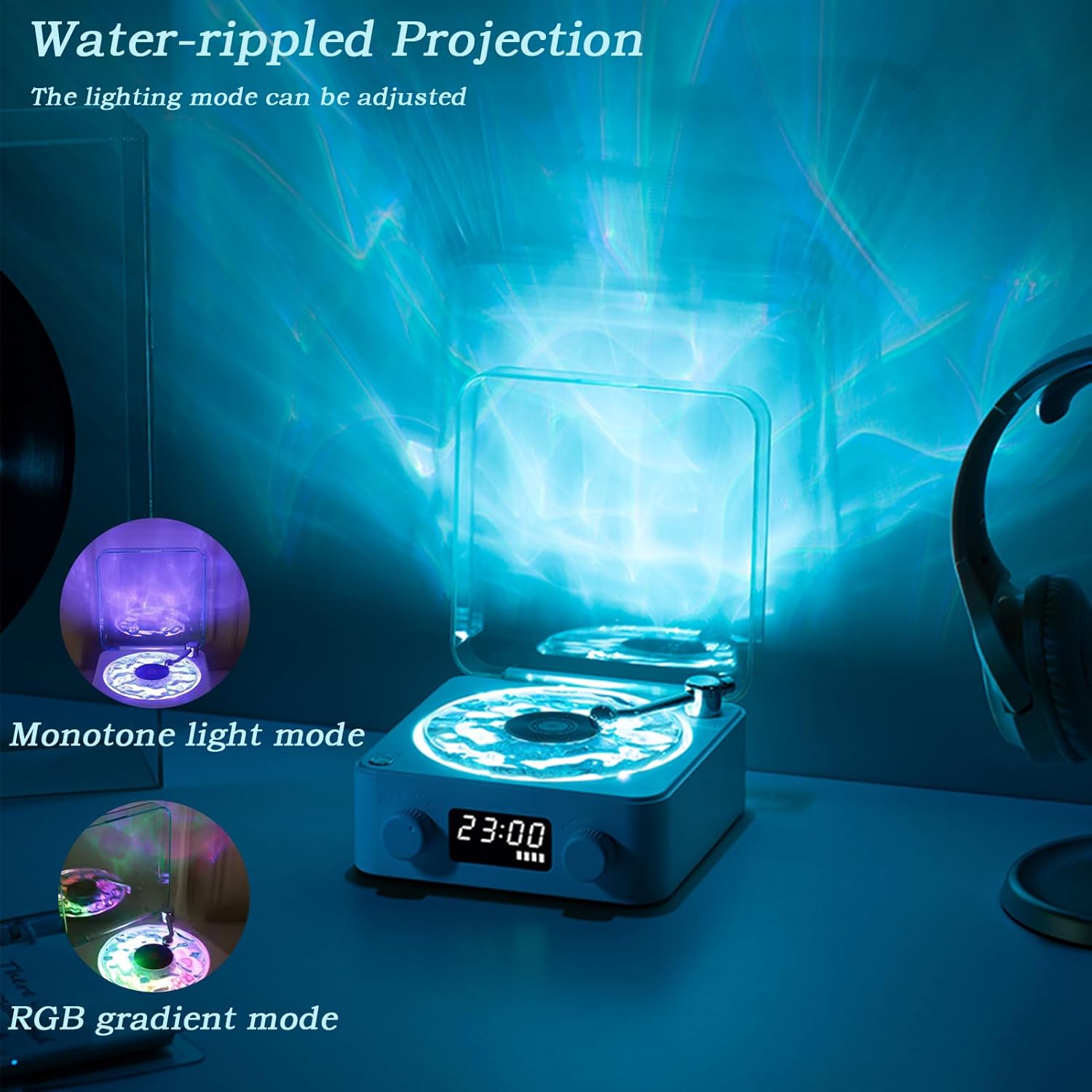
Image: Speaker showcasing various lighting effects.
5.3 Volume Control
Adjust the volume by rotating the left knob. Turn clockwise to increase volume and counter-clockwise to decrease volume.
5.4 Time Display
The digital display shows the current time. Refer to the quick start guide or product packaging for specific instructions on setting the time, as this may vary.
6. Maintenance
6.1 Cleaning
Wipe the device with a soft, dry cloth. Do not use abrasive cleaners, solvents, or harsh chemicals. Ensure the device is powered off and unplugged before cleaning.
6.2 Storage
When not in use for extended periods, store the speaker in a cool, dry place away from direct sunlight and extreme temperatures. Ensure the device is fully charged before storing to prolong battery life.
7. Troubleshooting
| Problem | Possible Cause | Solution |
|---|---|---|
| Device does not power on. | Low battery; Power switch off. | Charge the device; Ensure the right knob is rotated clockwise to power on. |
| No sound from speaker. | Volume too low; Incorrect mode selected; Device not paired (Bluetooth). | Increase volume with the left knob; Select the correct playback mode; Re-pair Bluetooth device. |
| Bluetooth pairing fails. | Device too far; Interference; Speaker not in pairing mode. | Ensure devices are within range; Reduce interference; Select Bluetooth mode on speaker. |
| Lights are not working. | Light mode off; Malfunction. | Press the Light button to cycle through modes; Contact support if issue persists. |
8. Specifications
- Product Dimensions: 5.59 x 5.59 x 2.55 inches
- Item Weight: 1.48 pounds (0.67 Kilograms)
- Model Number: Player001
- Brand: Generic
- Material: Plastic
- Special Feature: Portable, Adjustable Lighting, White Noise
- Playback Modes: White Noise, Bluetooth, TF Card, AUX
- Compatible Devices: Speaker, Headphone, Personal Computer, Desktop, Smartphone, Tablets, MP3 Player, Laptop
9. Warranty and Support
For warranty information or technical support, please refer to the contact details provided on the product packaging or contact your retailer. Keep your purchase receipt as proof of purchase.