
1. Overview
The NATURE HERO Portable Air Compressor LP8-P is a versatile and compact device designed for inflating various items such as car, motorcycle, and bicycle tires, as well as sports balls. Equipped with a high-performance chip and powerful motor, it offers efficient inflation with an operating pressure range of 2-150 PSI. Its digital LCD display provides real-time pressure readings, preset pressure settings, and mode indicators. For convenience, it features an integrated LED light for low-light conditions and can function as a power bank to charge other devices.

Figure 1: NATURE HERO Portable Air Compressor LP8-P with included accessories.
2. Setup
2.1 Unpacking and Initial Charge
Upon receiving your NATURE HERO Portable Air Compressor, carefully unpack all components. It is recommended to fully charge the device before first use. Connect the provided Type-C cable to the charging port on the device and to a suitable USB power adapter (not included). The battery level indicator on the LCD screen will show charging progress.
2.2 Connecting the Air Hose and Nozzles
The air compressor comes with a detachable air hose and various nozzles for different applications:
- Schrader Valve Air Hose: For car, motorcycle, and some bicycle tires.
- Ball Needle: For sports balls (basketballs, footballs, volleyballs).
- Presta Valve Adapter: For bicycles with Presta valves.
- Swimming Ring Nozzles: For inflatable toys and swimming rings.
To connect the air hose, firmly insert the hose connector into the designated port on the top of the compressor and twist to secure. Attach the appropriate nozzle to the other end of the air hose based on the item you intend to inflate.

Figure 2: Complete Inflation Kit with all accessories.
3. Operating Instructions
3.1 Power On/Off
To turn on the device, press and hold the power switch button for 2-3 seconds. The LCD screen will illuminate. To turn off, press and hold the power switch again for 2-3 seconds.
3.2 Selecting Inflation Mode
The compressor features 5 preset inflation modes. Short press the 'Mode Switch' button to cycle through the following options:
- Car Mode: (0.1-4.4 BAR)
- Motorcycle Mode: (0.1-3.7 BAR)
- Bicycle Mode: (2-150 PSI)
- Ball Mode: (2-15 PSI)
- Custom Mode: (2-150 PSI)
The selected mode will be indicated by an icon on the LCD display.

Figure 3: Multiple inflation modes for various items.
3.3 Setting Target Pressure
Once a mode is selected, the preset pressure for that mode will be displayed. Use the '+' and '-' buttons to adjust the target pressure to your desired level. The unit can be changed by pressing the 'Unit Switch' button.
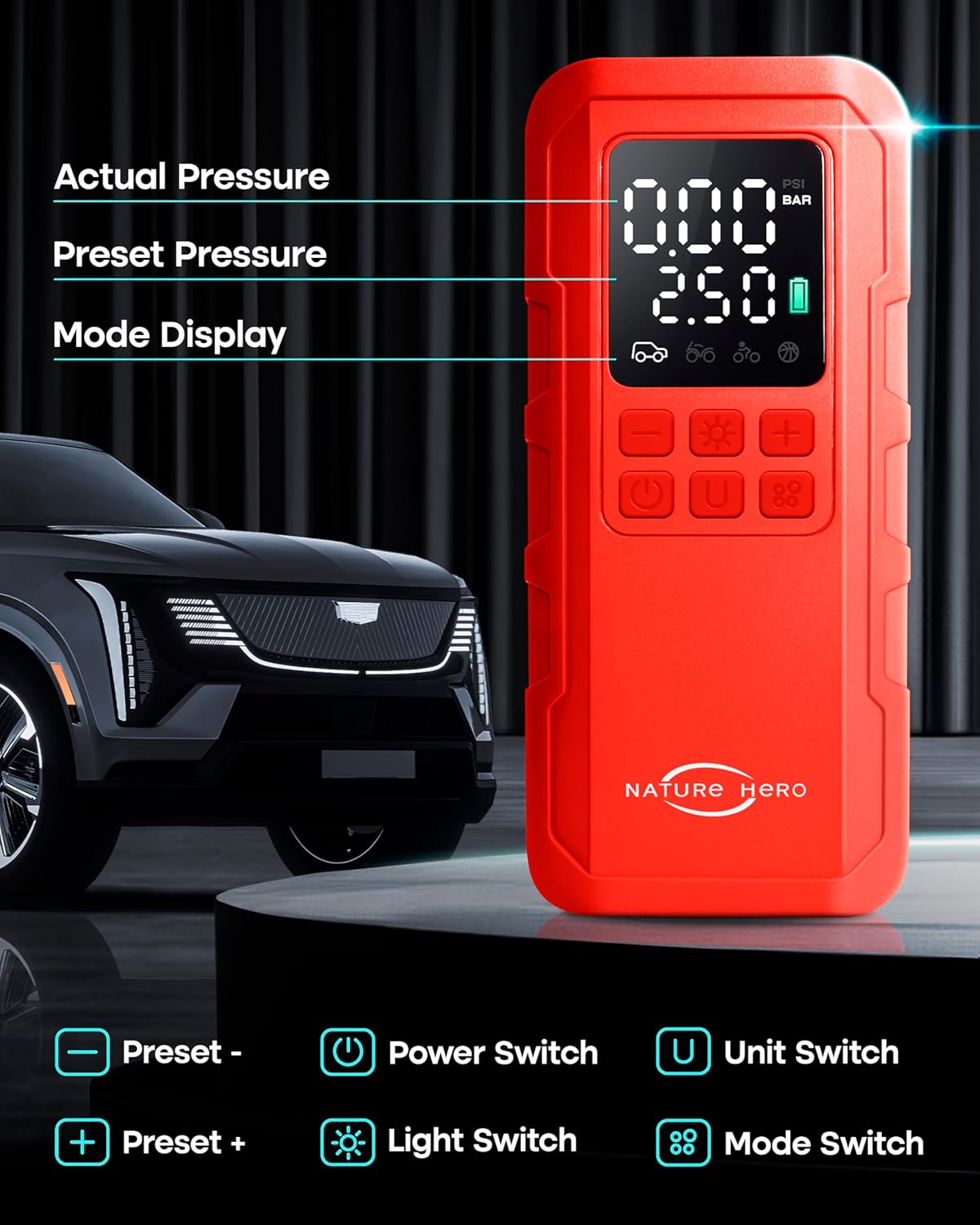
Figure 4: Digital LCD display and control buttons.
3.4 Starting and Stopping Inflation
Connect the air hose with the appropriate nozzle to the item's valve. The LCD will show the current pressure. Press the power switch button briefly to start inflation. The compressor will automatically stop once the preset target pressure is reached. To manually stop inflation, press the power switch button again.
3.5 Using the LED Light
The device includes an LED light for illumination. Short press the 'Light Switch' button to cycle through different light modes: steady light, SOS signal, and strobe light. Press again to turn off the light.
3.6 Power Bank Function
The air compressor can also serve as a power bank. Connect your device (e.g., smartphone) to the USB output port using a compatible cable. The compressor's internal battery will provide power to charge your device.
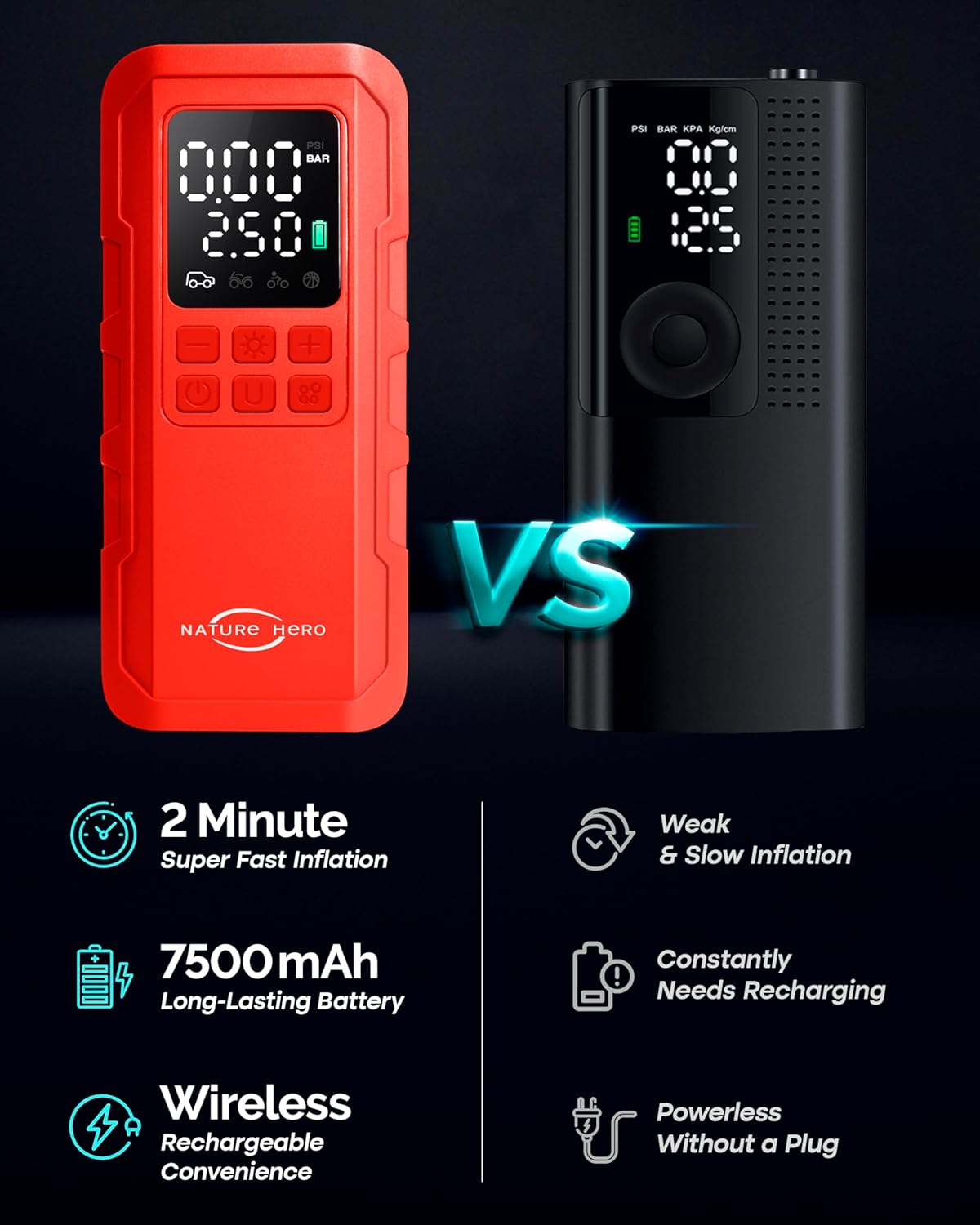
Figure 5: Power bank and LED light features.
3.7 Visual Guide: How to Use
For a visual demonstration of the operating steps, please refer to the video below:
Video 1: Official NATURE HERO guide on how to use the portable air pump and its functionalities.
4. Maintenance
4.1 Cleaning
Wipe the device with a soft, dry cloth. Do not use harsh chemicals or abrasive cleaners. Ensure the air intake and exhaust vents are clear of debris.
4.2 Storage
Store the air compressor and its accessories in the provided storage bag in a cool, dry place, away from direct sunlight and extreme temperatures. Ensure the device is fully charged before long-term storage to maintain battery health.
4.3 Safety Caution
WARNING:
The metal parts of the air hose connector can become very hot during prolonged inflation. Exercise caution and allow the device to cool down before handling the connector after use to prevent burns.
5. Troubleshooting
If you encounter issues with your NATURE HERO Portable Air Compressor, please refer to the following common solutions:
- Device not turning on: Ensure the battery is sufficiently charged. Connect the device to a power source using the Type-C cable and allow it to charge.
- Device not inflating: Check that the air hose is securely connected to both the compressor and the item's valve. Verify that the target pressure is set correctly and is above the current pressure.
- Inaccurate pressure reading: Ensure the air hose is properly sealed to the valve. If the issue persists, try recalibrating by turning the device off and on.
- Slow inflation: Ensure the battery is fully charged. Extremely low tire pressure may require more time.
If the problem persists after attempting these steps, please contact customer support.
6. Specifications
| Feature | Detail |
|---|---|
| Model Name | LP8-P |
| Brand | NATURE HERO |
| Maximum Operating Pressure | 150 PSI |
| Power Source | Battery Powered (1 Lithium Ion battery included) |
| Voltage | 9 Volts |
| Maximum Power | 27.75 Watts |
| Item Weight | 1.15 pounds (522 Grams) |
| Product Dimensions | 6.5"L x 2.78"W x 1.97"H |
| Material | ABS plastic |
| Special Features | Automatic Shut-Off, Digital LCD Display, LED Light, Power Bank Function |
| Included Components | Smart air pump x 1pc, Schrader valve air hose x1pc, Type-C cable x1pc, Swimming ring nozzle x2pcs, Storage bag x1pc, Ball needle x1pc, Presta valve x1pc, Manual x1pc, Valve cap x4pc, Color box x 1pc |
7. Warranty & Support
7.1 Warranty Information
This NATURE HERO product is covered by a product and labor warranty for 12 months from the date of its original purchase. This warranty covers defects in materials and workmanship under normal use.
7.2 Customer Support
For any questions, technical assistance, or warranty claims, please contact NATURE HERO customer service. Please have your product model number (LP8-P) and purchase date available when contacting support.
Contact Information:
- Website: Visit the NATURE HERO Store on Amazon
- Email: Refer to product packaging or the official NATURE HERO website for direct contact details.