
Introduction
Thank you for choosing the Livofloral Full Size Headboard. This headboard is designed to enhance your bedroom with practical features including a built-in charging station, integrated LED lighting, and convenient two-tier storage shelves. This manual provides detailed instructions for assembly, operation, maintenance, and troubleshooting to ensure a safe and enjoyable experience with your new headboard.
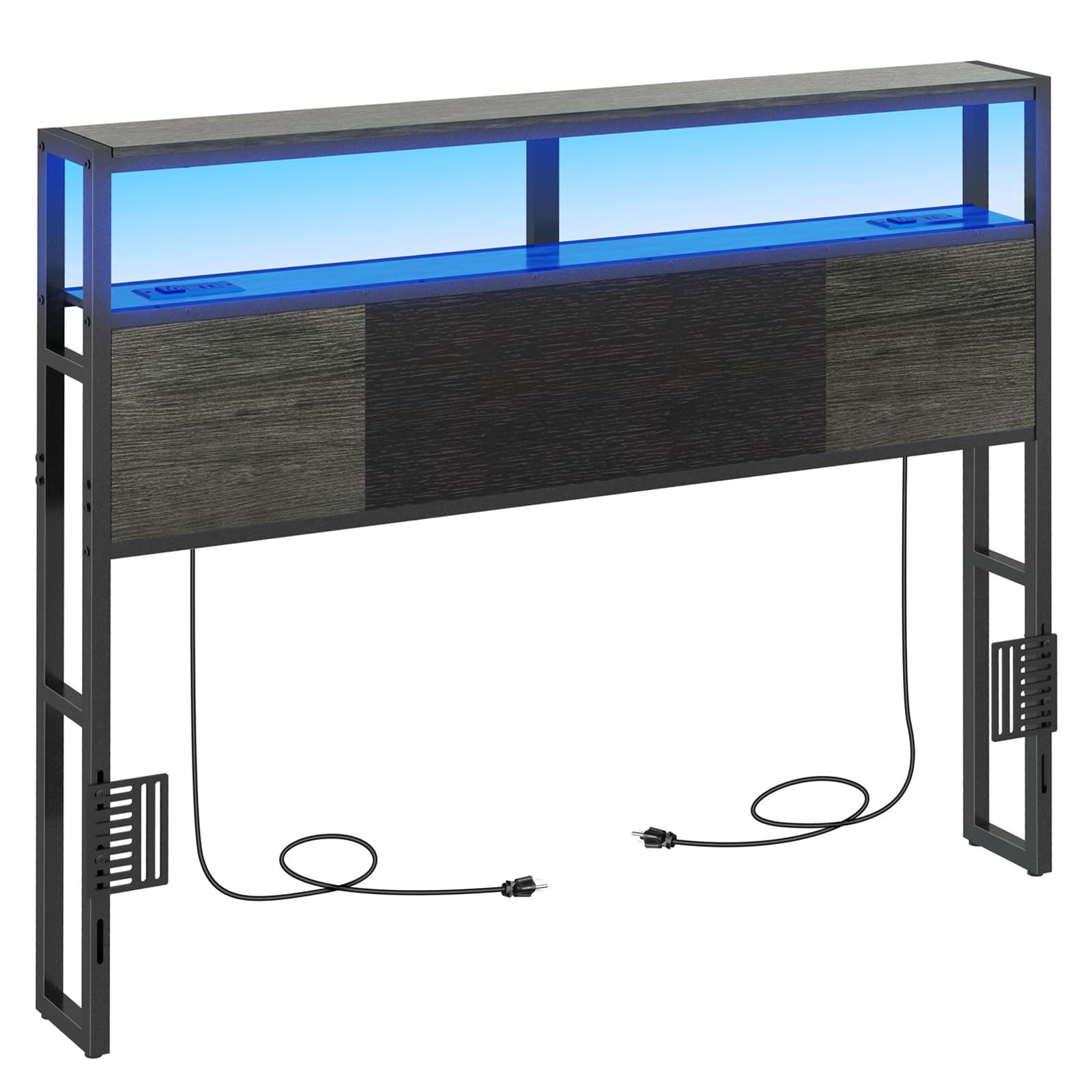
Image: Livofloral Full Size Headboard in Gray + Black, showcasing the integrated LED lighting, charging station, and storage shelves.
Safety Information
- Children are not allowed to climb or stand on the product to avoid personal injury caused by tipping.
- Ensure all connections for the charging station and LED lights are secure before use.
- Do not overload the electrical outlets.
- Keep liquids away from electrical components.
Package Contents
Please verify that all components are present before beginning assembly. If any parts are missing or damaged, please contact customer support.
- Headboard Panels (Particle Board)
- Metal Frame Components
- Hardware Pack (screws, bolts, nuts, Allen wrench)
- Power Strip with 2 AC Outlets and 4 USB Ports
- LED Light Strip with Remote Control
- Adjustable Feet (4 units)
- Bed Frame Adapters (2 units)
- Instruction Manual
Assembly Instructions
Read all instructions carefully before assembly. It is recommended to assemble the headboard with two people on a soft, clean surface to prevent scratches. Ensure you have adequate space and the necessary tools (usually an Allen wrench, provided, and a screwdriver, not provided).
- Unpack and Identify Parts: Lay out all components and hardware. Compare them with the parts list in your manual to ensure everything is present.
- Assemble the Metal Frame: Connect the vertical and horizontal metal frame components using the provided screws and bolts. Do not fully tighten screws until all parts are aligned.
- Attach Headboard Panels: Secure the particle board panels to the assembled metal frame. Ensure the panels are correctly oriented for the charging station and LED light placement.
- Install Charging Station: Insert the power strip with AC outlets and USB ports into the designated cutout on the headboard shelf. Secure it with the provided screws.
- Install LED Light Strip: Adhere the LED light strip to the underside of the top shelf, ensuring it is positioned correctly to illuminate the storage area. Connect the LED strip to its power source.
- Attach Adjustable Feet: Screw the four adjustable feet into the bottom of the headboard legs. Adjust them to ensure the headboard is level and stable on your floor.
- Connect to Bed Frame: Use the included bed frame adapters and screws to securely attach the headboard to your existing bed frame. This provides additional stability.
- Final Tightening: Once all components are assembled and aligned, fully tighten all screws and bolts.

Image: Adjustable feet allow for leveling the headboard and protecting your floor.

Image: Bed frame adapter and screws for secure attachment to a bed frame.
Operating Instructions
Charging Station
The headboard features a built-in power strip with 2 standard AC outlets (120V/12A) and 4 USB ports (5V/2A). Simply plug the headboard's main power cord into a wall outlet. You can then connect your electronic devices to the AC outlets or USB ports for convenient charging.

Image: Detail of the charging station, showing 2 AC outlets and 4 USB ports, with a phone charging.
LED Light System
The integrated LED light strip provides ambient lighting. Use the included remote control to:
- Turn On/Off: Press the power button.
- Change Colors: Select from a variety of colors using the color buttons on the remote.
- Adjust Brightness: Use the brightness control buttons to dim or brighten the lights.
- Set Timer: Activate the timer function for automatic shut-off.
- Music Sync/App Control: Refer to the specific LED light kit instructions for advanced features like music synchronization or smartphone app control, if applicable.

Image: Headboard illuminated with blue LED lights, illustrating the remote control functionality for color and brightness adjustments.
Maintenance
- Cleaning: Wipe the headboard surfaces with a soft, damp cloth. Avoid harsh chemicals or abrasive cleaners that may damage the finish.
- Electrical Components: Ensure the charging station and LED lights are unplugged before cleaning. Do not immerse electrical components in water.
- Tighten Fasteners: Periodically check and tighten all screws and bolts to maintain stability.
Troubleshooting
| Problem | Possible Cause | Solution |
|---|---|---|
| LED lights not turning on. | Power cord not plugged in; remote battery dead; LED strip not connected properly. | Ensure power cord is securely plugged into a working outlet. Check remote battery and replace if necessary. Verify LED strip connections. |
| Charging station not providing power. | Headboard power cord unplugged; device not properly connected; power strip malfunction. | Confirm the headboard's main power cord is plugged in. Ensure devices are correctly inserted into outlets/USB ports. Test with another device. |
| Headboard feels unstable or wobbly. | Screws/bolts loose; adjustable feet not properly leveled; not attached to bed frame. | Tighten all assembly fasteners. Adjust the feet to ensure even contact with the floor. Use the bed frame adapters to secure the headboard to your bed frame. |
| Difficulty during assembly. | Misaligned parts; incorrect hardware used; unclear instructions. | Review the assembly steps carefully. Ensure parts are oriented correctly before tightening. If issues persist, contact customer support. |
Specifications
- Brand: Livofloral
- Model: Full Size Headboard
- Color: Gray + Black
- Material: Particle Board, Metal Frame
- Item Dimensions (W x H): 54" x 43.3" (approximate, adjustable height)
- Storage Shelf Dimensions: 54"L x 6.3"W (2-tier)
- Charging Station: 2 AC Outlets (120V/12A), 4 USB Ports (5V/2A)
- Power Cord Length: 4.9 ft
- Special Features: Adjustable Height, USB Charging Station, LED Light, 2-Tier Storage Shelf
- Mounting Type: Wall Mount (can be attached to bed frame with adapters)
- Required Assembly: Yes

Image: Dimensional diagram of the headboard, indicating key measurements such as width, height, and shelf depth.
Warranty and Support
This product does not come with a specific manufacturer's warranty. For any questions, missing parts, or assistance with assembly or operation, please contact the seller or Livofloral customer support through your purchase platform. They will provide a solution to any issues you may encounter.