
1. Introduction
Thank you for choosing the FAIR RC FMS B3 10W Compact LiPo Battery Charger. This manual provides essential information for the safe and efficient operation of your charger. Please read it thoroughly before use to ensure proper setup, operation, and maintenance. This charger is designed for balance charging 2S and 3S LiPo batteries, and is also compatible with 1S LiPo batteries.
2. Safety Precautions
WARNING: Failure to follow these safety instructions can result in fire, property damage, or injury.
- This unit is suitable for LiPo batteries only. Do not attempt to charge other battery types (e.g., NiMH, NiCd, Pb) as this may cause fire or explosion.
- Never use the charger unsupervised. Always monitor the charging process.
- Ensure the charger is placed on a heat-resistant, non-flammable surface during operation.
- Keep the charger and batteries away from flammable materials, liquids, and heat sources.
- Do not charge damaged, swollen, or leaking batteries. Dispose of damaged batteries properly.
- Ensure proper ventilation during charging. Do not cover the charger.
- Keep out of reach of children and pets.
- Disconnect the power supply when the charger is not in use.
- Do not short-circuit the charging ports.
- Only use the provided AC power adapter wire or a compatible, certified power supply.
3. Package Contents
Verify that all items are present in your package:
- 1 x FMS B3 10W Compact LiPo Battery Charger
- 1 x AC Power Adapter Wire
- 1 x User Manual (this document)
4. Product Overview
The FMS B3 Compact Charger is an easy-to-use balance charger designed for 2S and 3S LiPo batteries. It features a compact design and simple LED indicators for charging status. It automatically detects the cell count of the connected battery and charges it accordingly.
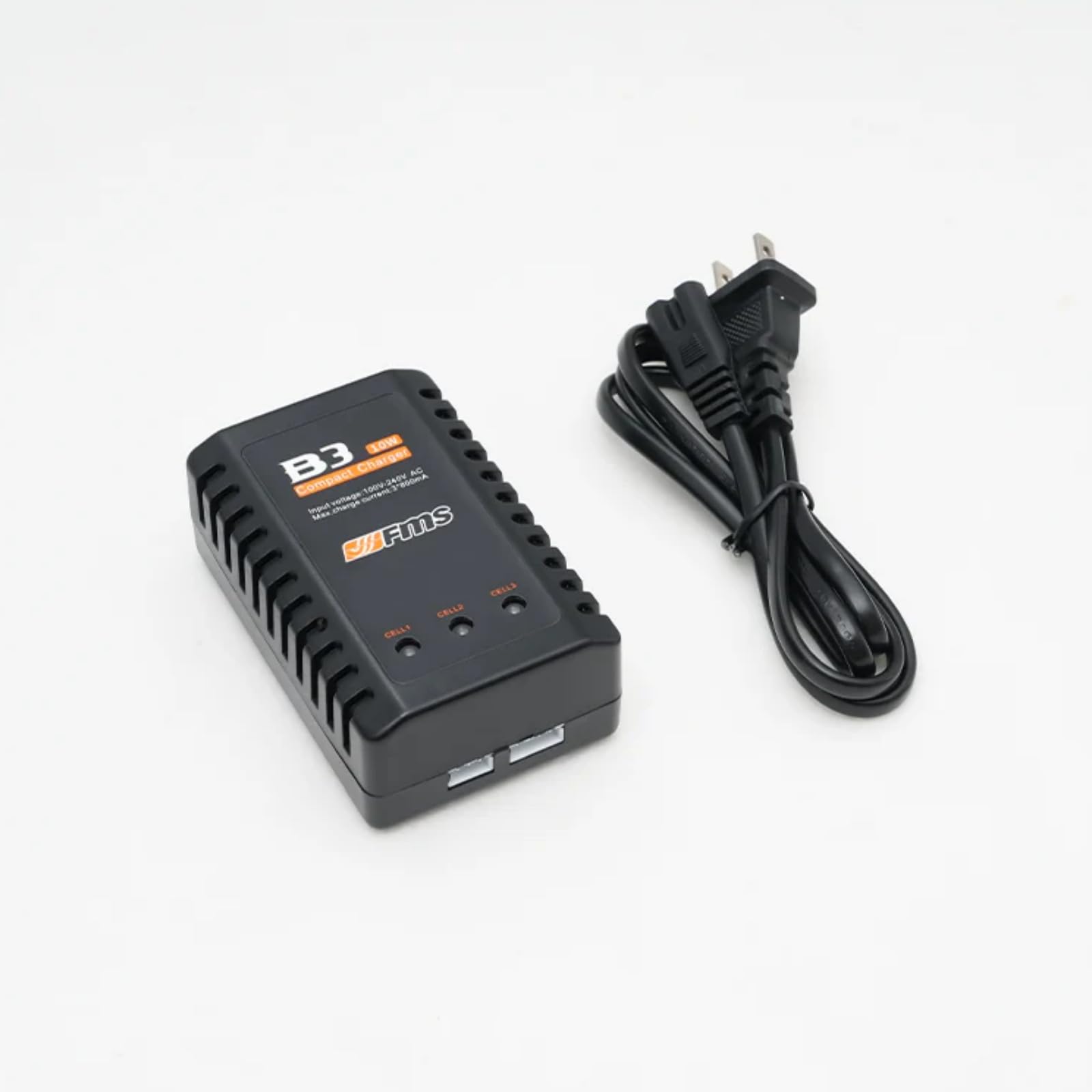
Front view of the FAIR RC FMS B3 10W Compact LiPo Battery Charger, showing the charging ports and LED indicators.
LED Indicator Status:
- Green LED (Solid): Standby or Battery Fully Charged
- Red LED (Solid): Battery Charging
5. Setup
- Connect Power: Plug the AC power adapter wire into the charger's power input port, then plug the other end into a standard 100V-240V AC wall outlet. The charger's LED indicator will turn green, indicating it is in standby mode.
- Prepare Battery: Ensure your LiPo battery is in good condition, not damaged or swollen. Identify the battery's cell count (1S, 2S, or 3S).
- Connect Battery: Carefully connect the balance plug of your LiPo battery to the corresponding balance port on the charger (e.g., 2S battery to the 2S port, 3S battery to the 3S port). For 1S batteries, connect to the 1S port. Ensure the plug is inserted correctly and fully.
6. Operating Instructions
- Initiate Charging: Once the battery's balance plug is correctly connected, the charger will automatically begin charging. The LED indicator for the connected port will turn red, indicating that charging is in progress.
- Monitor Charging: Continuously monitor the battery and charger during the entire charging process. Do not leave unattended.
- Charging Complete: When the battery is fully charged, the red LED indicator will turn green.
- Disconnect Battery: Once charging is complete and the LED is green, carefully disconnect the battery's balance plug from the charger.
- Disconnect Power: Unplug the charger from the AC wall outlet when not in use.
Important: The charger is designed to balance charge LiPo batteries. It will automatically adjust the charging current up to a maximum of 800mA per cell (2.4A total for 3S) based on the battery's needs.
7. Maintenance
- Keep the charger clean and dry. Use a soft, dry cloth to wipe the surface.
- Store the charger in a cool, dry place away from direct sunlight and extreme temperatures.
- Regularly inspect the AC power adapter wire and charging cables for any signs of damage (fraying, cuts, bent pins). Do not use if damaged.
- Do not attempt to open or modify the charger. This will void the warranty and may cause damage or injury.
8. Troubleshooting
| Problem | Possible Cause | Solution |
|---|---|---|
| Charger LED remains green after connecting battery. | Battery already fully charged, or incorrect battery connection. | Verify battery charge status. Ensure the balance plug is fully and correctly inserted into the appropriate port (1S, 2S, or 3S). |
| Charger does not power on (no green LED). | No power supply, or faulty power connection. | Check if the AC power adapter wire is securely plugged into both the charger and the wall outlet. Try a different outlet. |
| Battery gets excessively hot during charging. | Damaged battery, or incorrect battery type. | Immediately disconnect the battery. Do not continue charging. Inspect the battery for damage. Ensure it is a LiPo battery. |
9. Specifications
| Feature | Specification |
|---|---|
| Model | B3 |
| Input Voltage | AC 100V-240V |
| Output Voltage | DC 7.4V - 11.1V (for 2S-3S LiPo) |
| Max Charge Current | 3 * 800mA (2.4A total) |
| Compatible Battery Types | LiPo |
| Compatible Cell Count | 1S, 2S, 3S |
| Dimensions | 4.69 x 4.19 x 2.7 inches |
| Weight | 0.96 ounces |
| Color | Black |
10. Warranty and Support
For warranty information or technical support, please contact the seller or manufacturer directly through your purchase platform. Keep your purchase receipt as proof of purchase.