
1. Introduction
Thank you for choosing the DISIROU FJ3390A Weather Station. This device provides comprehensive weather monitoring, including indoor and outdoor temperature, humidity, wind speed, wind direction, and rainfall. It also features a weather forecast, alarm clock, and various warning functions. This manual will guide you through the setup, operation, and maintenance of your new weather station.
2. Package Contents
Please verify that all components are present in your package:
- 1 x Weather Station Main Unit
- 1 x Multi-combination Wireless Remote Sensor (for Wind Speed and Rainfall)
- 1 x USB Power Cable
- 1 x Instruction Manual (EN/DE/FR/IT/ES)
- 1 x Installation Accessories (screws, wall plugs, mounting bracket)
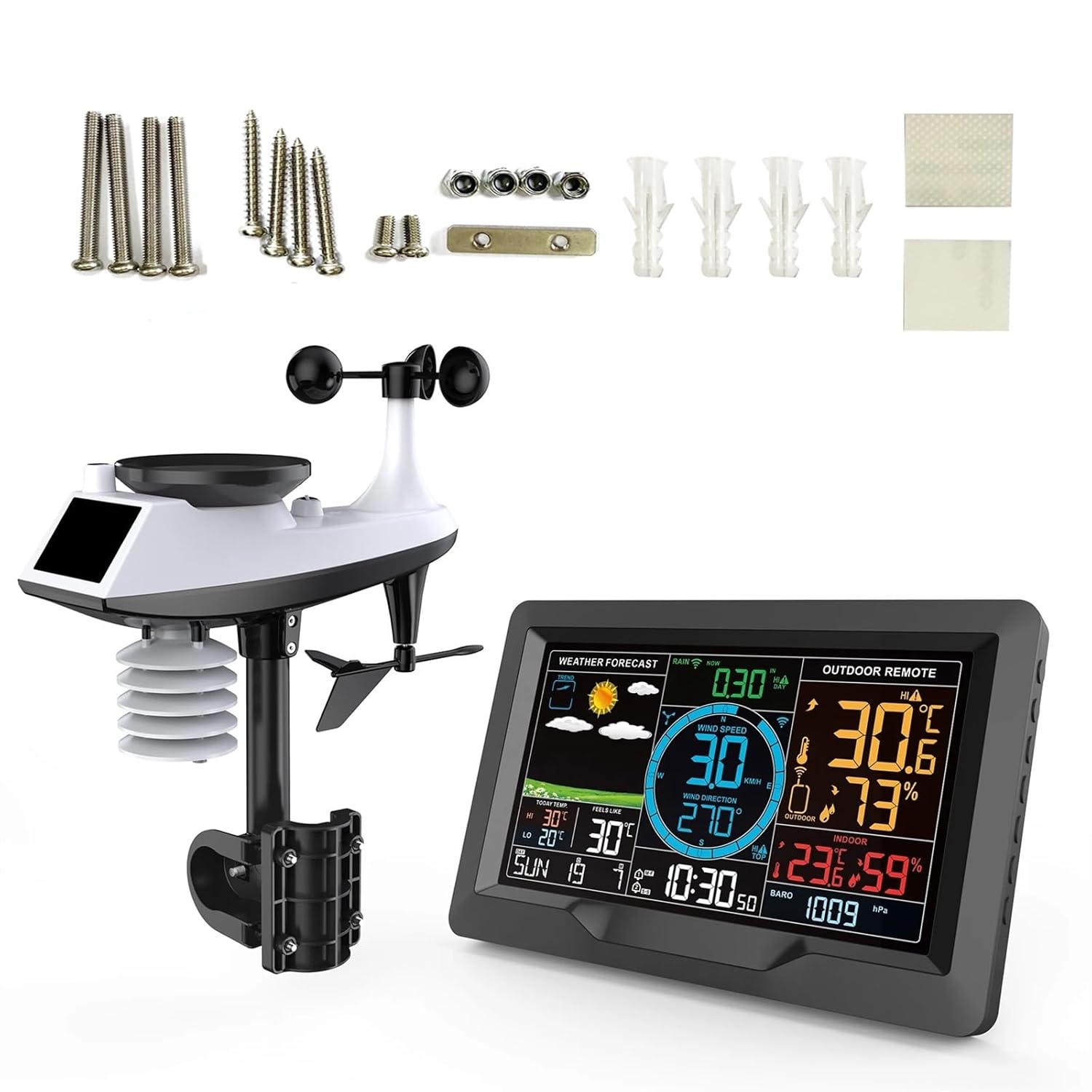
Image: The DISIROU FJ3390A Weather Station main display unit and the multi-combination outdoor sensor, highlighting key features like wind speed, direction, temperature, humidity, and solar panel.
3. Product Overview
The DISIROU FJ3390A Weather Station consists of a main display unit and a wireless multi-combination outdoor sensor. The main unit displays all collected data, while the outdoor sensor measures various environmental parameters.
Key Features:
- Eight-nation week language selection (English, German, French, Italian, Spanish, Dutch, Danish, Russian).
- Two daily alarms and automatic snooze function (OFF or 5~60min, adjustable).
- Warning functions for temperature, humidity, wind speed, and rainfall limits.
- Display of somatosensory temperature, wind chill index, thermal index, and dew point temperature.
- ASK remote transmitter signal reception with a 100m (300 feet) transmission range in open areas.
- Class 3 backlight with adjustable brightness when USB powered.

Image: The DISIROU FJ3390A Weather Station, showing the main display console and the integrated outdoor sensor unit.
4. Setup
4.1 Power Supply
- Main Unit: Power via the included USB cable (DC 5V/1.2A) for continuous backlight and full functionality. Alternatively, use 2 x AA batteries (not included) for backup power, which will illuminate the screen for 15 seconds when activated.
- Outdoor Sensor: Requires 3 x AA batteries (not included). Ensure batteries are inserted correctly according to polarity markings.
4.2 Outdoor Sensor Installation
The multi-combination wireless outdoor sensor should be installed in an open area to ensure accurate readings for wind speed, wind direction, and rainfall. It has a transmission range of up to 100 meters (300 feet) in open areas.
- Choose a Location: Select a location free from obstructions (trees, buildings) that could interfere with wind, rain, or solar panel exposure. Ensure it is within the 100m range of the main unit.
- Mounting: Use the provided installation accessories to securely mount the sensor. The sensor includes a bubble level for proper horizontal alignment, which is crucial for accurate rainfall measurement.
- Orientation: Ensure the wind direction vane is oriented correctly (e.g., North arrow pointing North) for accurate wind direction readings.

Image: Detailed view of the outdoor sensor with its components labeled, including the rain funnel, solar panel, wind speed cups, wind direction vane, and temperature/humidity sensor.
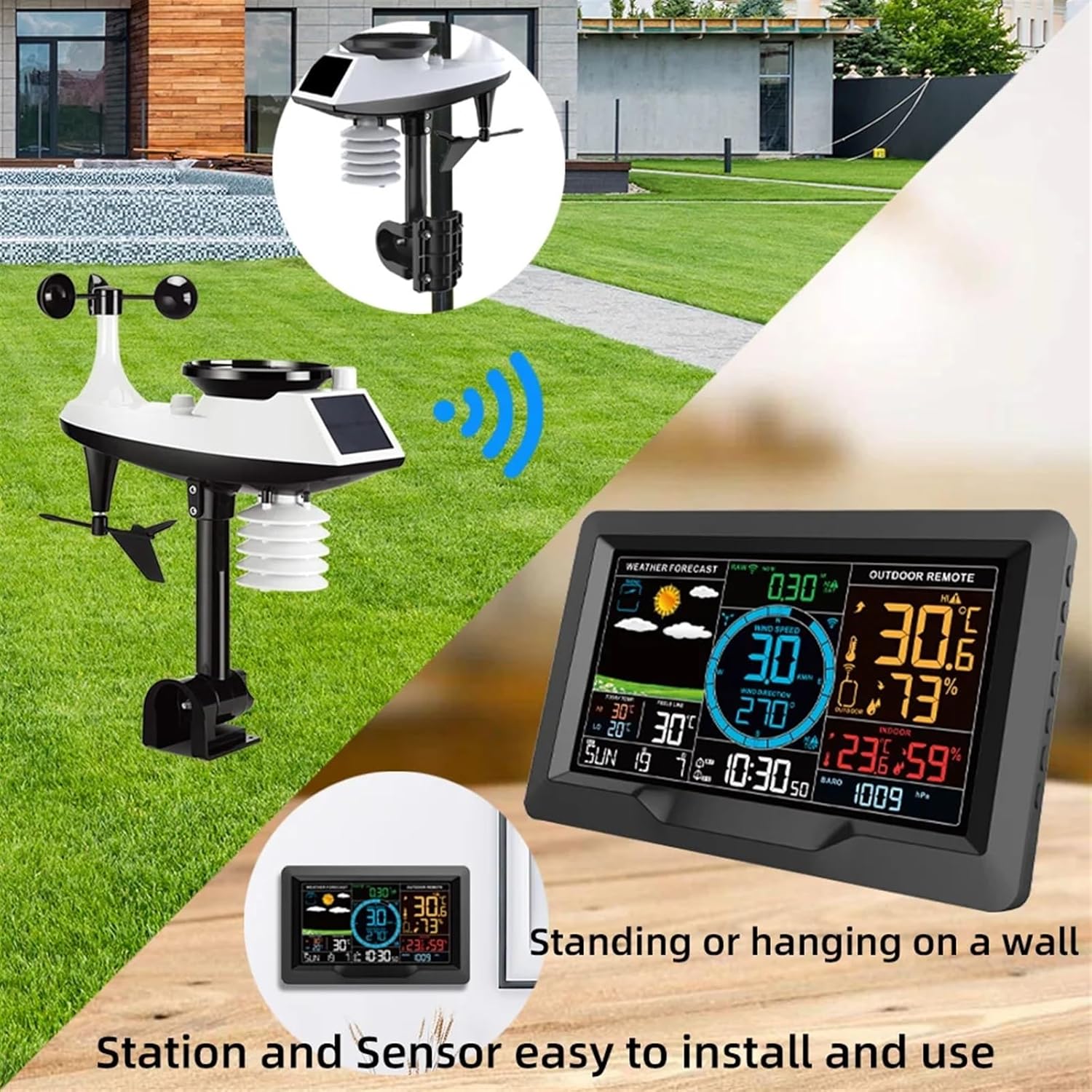
Image: An illustration demonstrating typical installation, with the outdoor sensor positioned in an open area and the main display unit placed indoors, either standing or wall-mounted.
4.3 Initial Synchronization
After powering both the main unit and the outdoor sensor, they should automatically synchronize. Allow a few minutes for the main unit to receive data from the sensor. If data does not appear, refer to the troubleshooting section.
5. Operating Instructions
The main unit features a color display that presents various weather data and settings.

Image: A detailed view of the weather station's color display, illustrating the layout of weather forecast, outdoor and indoor temperature/humidity, wind data, rainfall, and time/date information.
5.1 Display Functions
- Weather Forecast: Displays predicted weather conditions (sunny, cloudy, rainy, etc.).
- Outdoor Remote: Shows outdoor temperature, humidity, wind speed, wind direction, and rainfall.
- Indoor Data: Displays indoor temperature and humidity.
- Time & Date: 12/24 hour format, date, and day of the week display.
- Atmospheric Pressure: Current barometric pressure readings.
- Alarms & Snooze: Set two daily alarms with an adjustable snooze function.
- Backlight: Adjustable brightness when powered by USB.

Image: A visual guide to the main display features, including time, date, weather forecast, temperature, humidity, alarms, atmospheric pressure, backlight, USB charging, and wireless sensor connectivity.
5.2 Setting Time and Date
Refer to the detailed instructions in the included multi-language manual for specific button presses to set the time, date, and language preferences.
5.3 Alarm and Snooze Settings
The device supports two daily alarms. The alarm time, period, snooze time (5-60 minutes), and number of snoozes can be configured. Consult the full manual for step-by-step instructions.
5.4 Warning Functions
The weather station can be configured to issue warnings for:
- Upper and lower limits of temperature and humidity.
- Upper limit of wind speed.
- Upper limit of rainfall.
These limits are user-adjustable. An audible or visual alert will activate when a set limit is exceeded.
6. Maintenance
- Cleaning: Wipe the main unit and outdoor sensor with a soft, damp cloth. Do not use abrasive cleaners or solvents.
- Battery Replacement: Replace batteries in both units when the low battery indicator appears on the display. Ensure correct battery type and polarity.
- Outdoor Sensor: Periodically check the rain funnel for debris (leaves, insects) and clean as necessary to ensure accurate rainfall measurement. Ensure the wind cups and vane spin freely.
- Storage: If storing the unit for an extended period, remove all batteries to prevent leakage.
7. Troubleshooting
- No Outdoor Data Displayed:
- Check if the outdoor sensor batteries are correctly installed and charged.
- Ensure the outdoor sensor is within the 100m transmission range of the main unit and there are no major obstructions.
- Try re-synchronizing the units (refer to the full manual for specific steps).
- Inaccurate Readings:
- Temperature/Humidity: Ensure the sensor is not in direct sunlight or near heat sources.
- Rainfall: Check the rain funnel for blockages. Ensure the sensor is level.
- Wind: Ensure wind cups and vane are free to move and not obstructed.
- Display Not Lighting Up (Battery Power): The backlight is designed to illuminate for 15 seconds when powered by batteries to conserve energy. For continuous backlight, use the USB power cable.
8. Specifications
| Parameter | Specification |
|---|---|
| Mainframe Power Supply | USB cable powered DC 5V/1.2A, 2 x AA batteries (not included) |
| Outdoor Sensor Power Supply | 3 x AA batteries (not included) |
| Outdoor Sensor Transmitting Frequency | 433.92 MHz |
| Transmission Range (Open Area) | 100 meters (300 feet) |
| Indoor Temperature Range | 0°C ~ +50°C (32°F ~ 122°F) |
| Indoor Humidity Range | 20% ~ 95% |
| Indoor Temp/Humidity Detection Cycle | 60 seconds |
| Outdoor Temperature Range | -40°C ~ +70°C (-40°F ~ 158°F) |
| Outdoor Humidity Range | 20% ~ 95% |
| Air Pressure Range | 600 ~ 1100 HPA (17.72 ~ 32.48 INHG & 450 ~ 825 mmHg) |
| Wind Speed Range | 0 ~ 180 km/h (0 ~ 111 mph) |
| Wind Direction Range | 0 ~ 359 degrees |
| Rainfall Range | 0 ~ 9999 mm (0 ~ 393.7 in) |
| Host Size | 20.5 x 13 x 3 cm (8.07 x 5.12 x 1.18 inch) |
| Sensor Size | 38 x 30 x 9 cm (14.96 x 11.81 x 3.54 inch) |
| Item Weight | 2000 Grams |

Image: Diagram illustrating the physical dimensions of both the main display unit and the multi-combination outdoor sensor.
9. Warranty and Support
For warranty information and customer support, please refer to the documentation provided with your purchase or contact your retailer directly. Keep your proof of purchase for any warranty claims.