
Introduction
This manual provides comprehensive instructions for the setup, operation, and maintenance of your LUCKDANO Mini Security Camera. Please read this manual carefully before using the product to ensure proper functionality and safety.
Package Contents
Verify that all items listed below are included in your package:
- 1 x LUCKDANO Mini Security Camera
- 1 x English User Manual
- 1 x Charging Cable
- 1 x Magnetic Base

Image: The LUCKDANO Mini Security Camera, its charging cable, and the magnetic base included in the package.
Specifications
| Brand | LUCKDANO |
| Model Number | LUCKDANOg3fhcmk40w |
| Battery | 5V 1A 180mAh |
| Memory Card Support | Up to 128GB (card not included) |
| Wide-angle View | 150° |
| Package Dimensions | 10 x 8 x 4 cm |
| Package Weight | 55 g |
| ASIN | B0D5MNTM8G |
| First Available Date | May 30, 2024 |
Setup Guide
Follow these steps to set up your LUCKDANO Mini Security Camera:
- Download the App: Locate and download the official companion application for the camera from your device's app store. Refer to the packaging or included manual for the specific app name or QR code.
- Connect Power: Connect the camera to a power source using the provided charging cable. Ensure the camera is fully charged or continuously powered during initial setup.
- Establish Connection: Open the downloaded app and follow the on-screen instructions to connect the camera to your Wi-Fi network and pair it with your mobile device. This typically involves scanning a QR code on the camera or selecting it from a list of available devices.

Image: Front view of the LUCKDANO Mini Security Camera, showing the lens and compact design.
Operating Instructions
Once set up, your LUCKDANO Mini Security Camera offers several key functionalities:
- Real-time Remote Monitoring: Access live video feed from your camera anytime, anywhere via the mobile application. This allows you to monitor your property, children, pets, or elderly family members remotely.
- Automatic Night Vision: The camera is equipped with infrared night vision, enabling it to capture clear images and video even in low-light or complete darkness. This feature activates automatically.
- Motion Detection Alerts: Configure motion detection settings within the app. When motion is detected, the camera will send instant notifications to your mobile device, allowing for immediate awareness of activity.
- Versatile Placement: Utilize the magnetic base for flexible placement options. The camera's small size allows for discreet positioning in various locations, such as on shelves, walls, or ceilings.
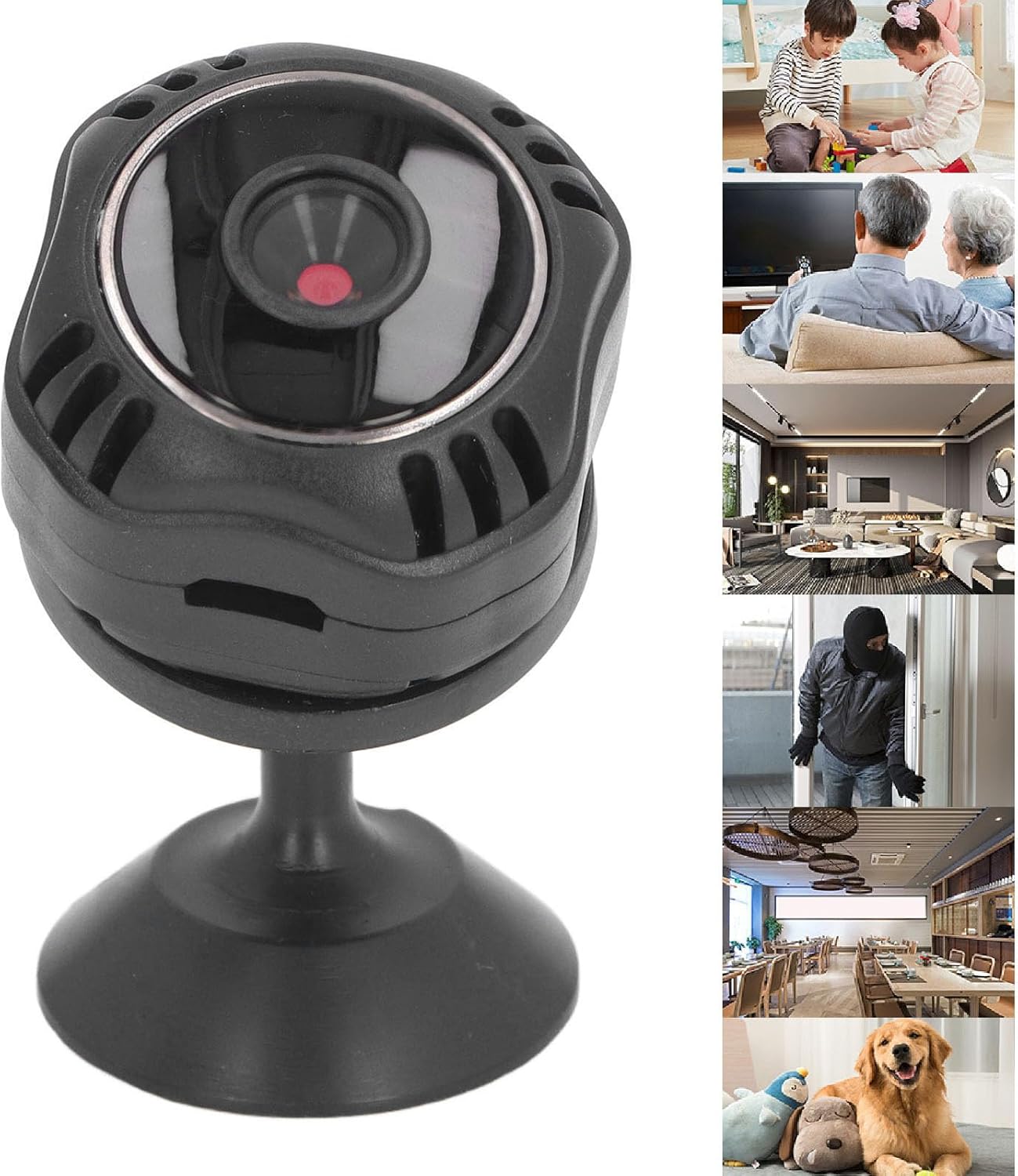
Image: The camera mounted on its magnetic base, illustrating its use for monitoring children, pets, and general home security in different environments.
Maintenance
To ensure the longevity and optimal performance of your camera, follow these maintenance guidelines:
- Cleaning: Gently wipe the camera lens and body with a soft, dry cloth. Avoid using harsh chemicals or abrasive materials.
- Power Supply: Always use the provided charging cable and a compatible power adapter (5V 1A) to prevent damage to the battery and internal components.
- Software Updates: Regularly check the companion app for firmware updates. Keeping the camera's software up-to-date ensures access to the latest features and security enhancements.
- Storage: If storing the camera for an extended period, ensure it is fully charged and stored in a cool, dry place away from direct sunlight.
Troubleshooting
If you encounter issues with your LUCKDANO Mini Security Camera, refer to the following common problems and solutions:
- Camera Not Connecting:
- Ensure your Wi-Fi network is 2.4GHz (5GHz networks may not be supported).
- Verify the camera is within range of your Wi-Fi router.
- Restart the camera and your mobile device.
- Check if the app is updated to the latest version.
- Poor Video Quality:
- Check your internet connection speed.
- Clean the camera lens for any smudges or dust.
- Ensure adequate lighting in the monitored area (if not using night vision).
- Motion Detection Not Working:
- Confirm motion detection is enabled in the app settings.
- Adjust the sensitivity settings in the app.
- Ensure there are no obstructions blocking the camera's view.
- Camera Not Powering On:
- Ensure the charging cable is securely connected to both the camera and the power adapter.
- Try a different power outlet or USB port.
- Allow the camera to charge for at least 30 minutes before attempting to power it on again.
Warranty and Support
LUCKDANO products are designed for reliability and performance. For specific warranty information, please refer to the documentation included with your purchase or contact LUCKDANO customer support.
If you require further assistance or have questions not covered in this manual, please visit the official LUCKDANO website or contact their customer service department. Contact details are typically found on the product packaging or within the companion application.