
1. Introduction
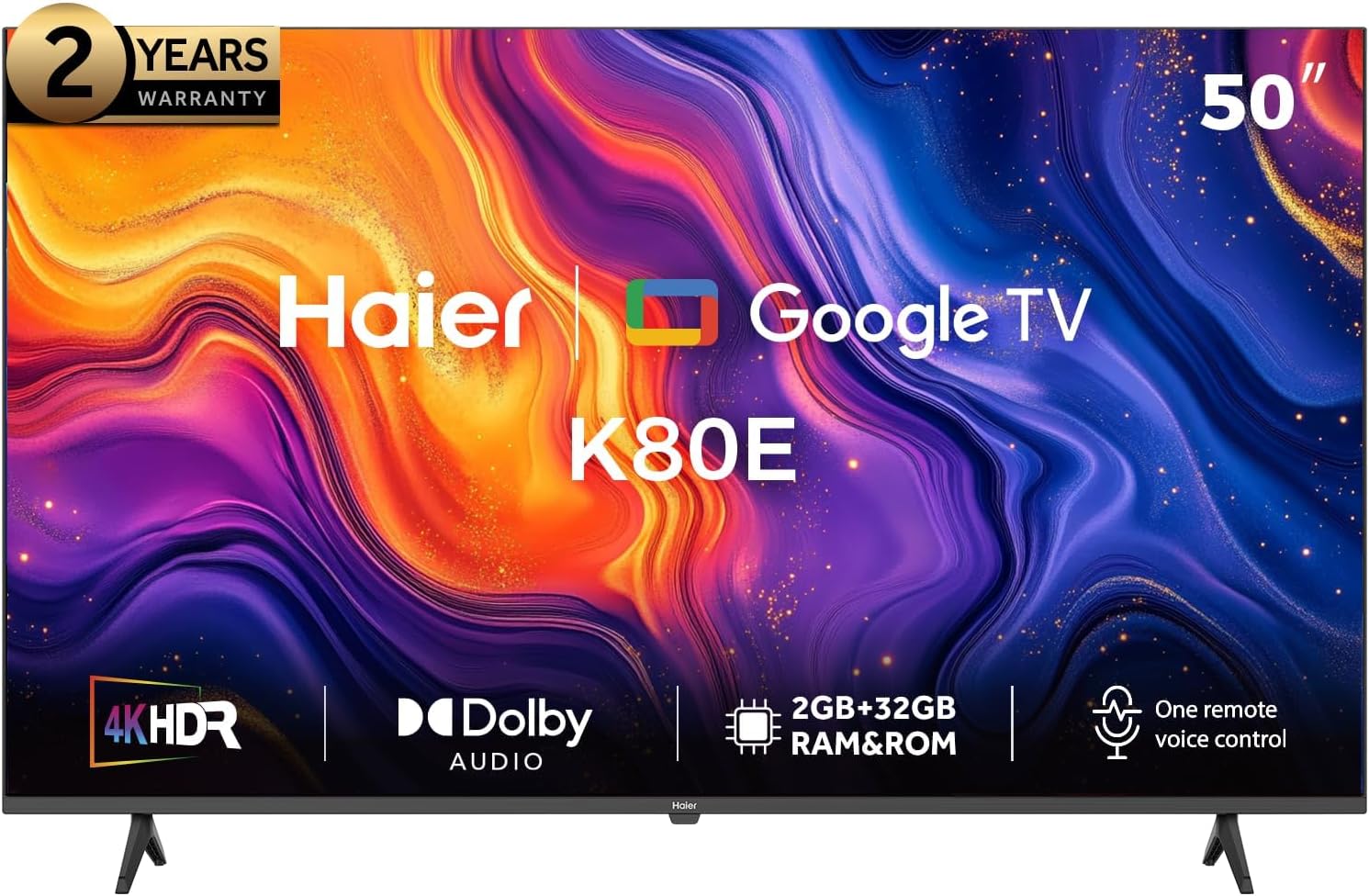
This manual provides essential instructions for setting up, operating, and maintaining your Haier 50 Inch 4K UHD QLED Smart TV, model H50K80EU. Please read this manual thoroughly before using your television to ensure proper function and safety.
2. Important Safety Information
Always follow basic safety precautions when using electrical appliances to reduce the risk of fire, electric shock, and injury.
- Do not expose the TV to rain or moisture.
- Do not open the TV casing; refer all servicing to qualified personnel.
- Ensure proper ventilation around the TV.
- Use only the power cord supplied with the TV.
- Keep the TV away from direct sunlight, heat sources, and strong magnetic fields.
- Unplug the TV during lightning storms or when unused for long periods.
3. Package Contents
Verify that all items are present in the box:
- Haier 50 Inch 4K UHD QLED Smart TV (H50K80EU)
- Remote Control
- Batteries for Remote Control
- TV Stand components
- User Manual (this document)
- Quick Start Guide

4. Physical Setup
4.1. Attaching the TV Stand
- Carefully place the TV face-down on a soft, flat surface to prevent screen damage.
- Align the stand components with the mounting holes on the bottom of the TV.
- Secure the stand using the provided screws. Ensure the stand is firmly attached before proceeding.
4.2. Connecting External Devices
Your Haier Smart TV offers various ports for connecting external devices.
- HDMI Ports: Connect Blu-ray players, game consoles, or set-top boxes.
- USB Ports: Connect USB storage devices for media playback.
- Antenna/Cable Input: Connect an antenna or cable TV signal.
- Ethernet Port: For a wired internet connection.
Refer to the port labels on the back of your TV for specific connections.
4.3. Power Connection
After connecting all necessary devices, plug the power cord into the TV's power input and then into a wall outlet.
5. Initial Setup
Upon first power-on, the TV will guide you through the initial setup process.
- Power On: Press the power button on the remote control or the TV.
- Language Selection: Choose your preferred language.
- Network Connection: Connect to your Wi-Fi network or use a wired Ethernet connection.
- Google TV Setup: Follow the on-screen instructions to sign in with your Google account. This enables access to Google Play Store, personalized recommendations, and Google Assistant.
- Channel Scan: If using an antenna or cable, perform a channel scan to find available broadcasts.
6. Operating Your TV
6.1. Remote Control Functions
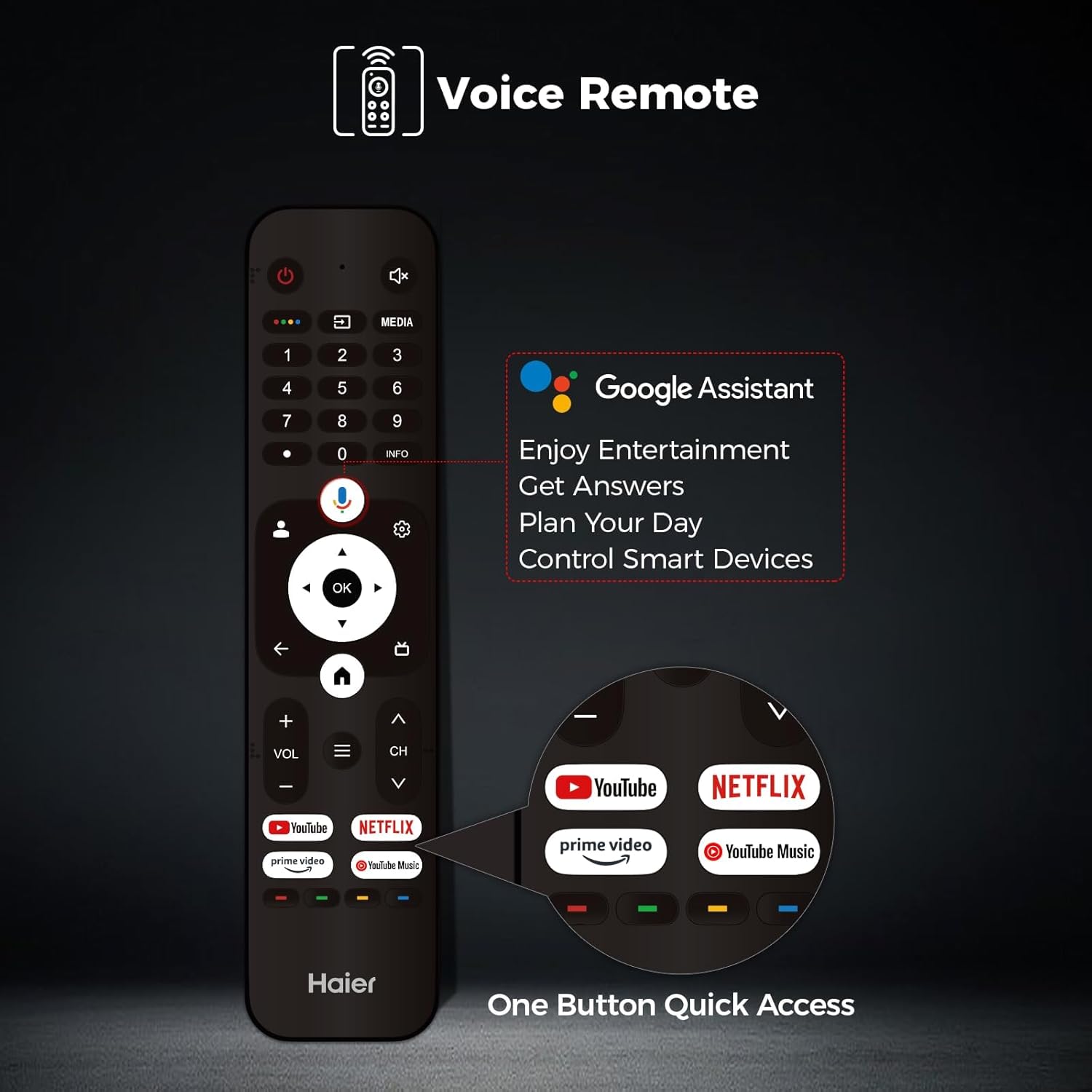
The remote control allows you to navigate the TV's features. It includes dedicated buttons for popular streaming services and voice control.

- Power Button: Turns the TV on or off.
- Navigation Pad (Up/Down/Left/Right/OK): Navigates menus and confirms selections.
- Back Button: Returns to the previous screen.
- Home Button: Accesses the Google TV home screen.
- Volume Up/Down: Adjusts the volume.
- Channel Up/Down: Changes TV channels.
- Microphone Button: Activates Google Assistant for voice commands.
- Quick Access Buttons: Direct access to YouTube, Netflix, Prime Video, and YouTube Music.
6.2. Smart Features and Connectivity
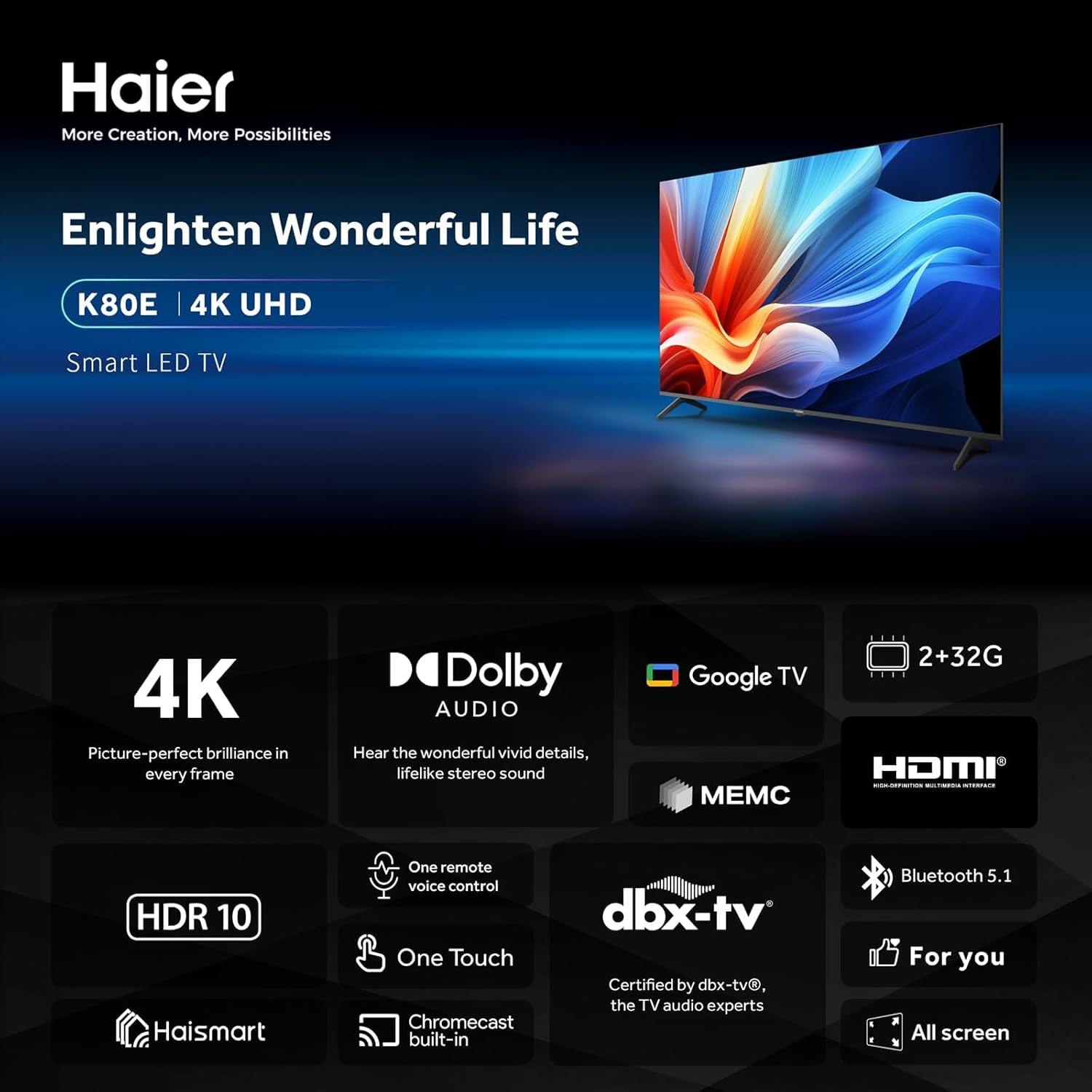
- Google Play Store: Download your favorite apps and games.
- Chromecast Built-in: Easily cast content from your mobile devices to the TV.
- Google Assistant: Use voice commands to search for content, control smart home devices, and get information.
- Haismart: Connect and control other Haismart compatible smart devices using your TV remote.
- Bluetooth 5.1: Connect wireless headphones, game controllers, and other Bluetooth-enabled devices.

6.3. Picture and Sound Settings
Optimize your viewing and listening experience through the TV's settings menu.
- 4K HDR10: Enjoy stunning picture quality with vibrant colors and enhanced contrast.
- Dolby Audio: Experience rich, clear, and powerful sound.
- MEMC (Motion Estimation, Motion Compensation): Reduces blur and enhances clarity in fast-moving scenes.


7. Maintenance
Proper care ensures the longevity of your television.
- Cleaning the Screen: Gently wipe the screen with a soft, lint-free cloth. For stubborn marks, use a screen cleaner specifically designed for TVs, applied to the cloth, not directly to the screen.
- Cleaning the Casing: Use a soft, dry cloth to wipe the TV casing. Avoid abrasive cleaners.
- Ventilation: Ensure the ventilation openings are not blocked to prevent overheating.
8. Troubleshooting
Before contacting support, try these common solutions:
| Problem | Possible Solution |
|---|---|
| No power | Check if the power cord is securely plugged into the TV and the wall outlet. Try a different outlet. |
| No picture, but sound is present | Ensure the correct input source is selected. Check cable connections to external devices. |
| No sound, but picture is present | Check volume levels and mute settings. Ensure external audio systems are correctly connected and powered on. |
| Remote control not working | Replace batteries. Ensure no obstructions between the remote and the TV. Re-pair the remote if it's a Bluetooth remote. |
| Cannot connect to Wi-Fi | Check your router and modem. Restart the TV and your network equipment. Ensure the Wi-Fi password is correct. |
| Apps not working (e.g., Netflix) | Ensure the TV's software is up to date. Clear the app's cache and data in the TV settings. Reinstall the app. Check your internet connection. |
9. Specifications
Key technical specifications for the Haier 50 Inch 4K UHD QLED Smart TV (H50K80EU):
- Screen Size: 50 Inches (127 cm visible diagonal)
- Resolution: 4K UHD (Ultra High Definition)
- Display Technology: QLED
- Special Features: 4K HDR10, Voice Control, Chromecast built-in, Smart Device Integration (Haismart), MEMC
- Operating System: Google TV
- Memory: 2GB RAM + 32GB ROM
- Connectivity: Bluetooth 5.1, Wi-Fi, HDMI, USB, Ethernet
- Aspect Ratio: 16:9
- Product Dimensions (with stand): 111.65 cm (W) x 25.89 cm (D) x 70.58 cm (H)
- Product Dimensions (without stand): 111.65 cm (W) x 8.42 cm (D) x 64.33 cm (H)
- Weight: 9.3 kg (TV only), 12.84 kg (with stand)
- Model Number: H50K80EU
- Manufacturer: Haier
10. Warranty and Support
Your Haier 50 Inch 4K UHD QLED Smart TV comes with a 2-year warranty, as indicated on the product packaging.

For warranty claims, technical assistance, or further support, please refer to the contact information provided in your Quick Start Guide or visit the official Haier website for your region. Keep your purchase receipt as proof of purchase.


