
1. Introduction
This manual provides comprehensive instructions for the installation, operation, and maintenance of your YeloDeer 120V Manual Electric Baseboard Heater Thermostat. This thermostat is designed to provide precise temperature control for electric baseboard, convection, and fan-forced heaters operating on a 120V electrical system.

Image 1: YeloDeer 120V Manual Electric Baseboard Heater Thermostat and its packaging.
2. Safety Information
WARNING: Electrical shock hazard. Installation must be performed by a qualified electrician in accordance with all local and national electrical codes. Always turn off power at the main circuit breaker before installation or maintenance.
- This thermostat is designed for 120V electric heating systems ONLY. Do NOT connect to 240V systems.
- NOT COMPATIBLE with heat pumps, gas/oil heating, central AC, humid environments, high-power devices, or smart controls. Confirm your system type and voltage before installation.
- Ensure all wiring connections are secure and properly insulated.
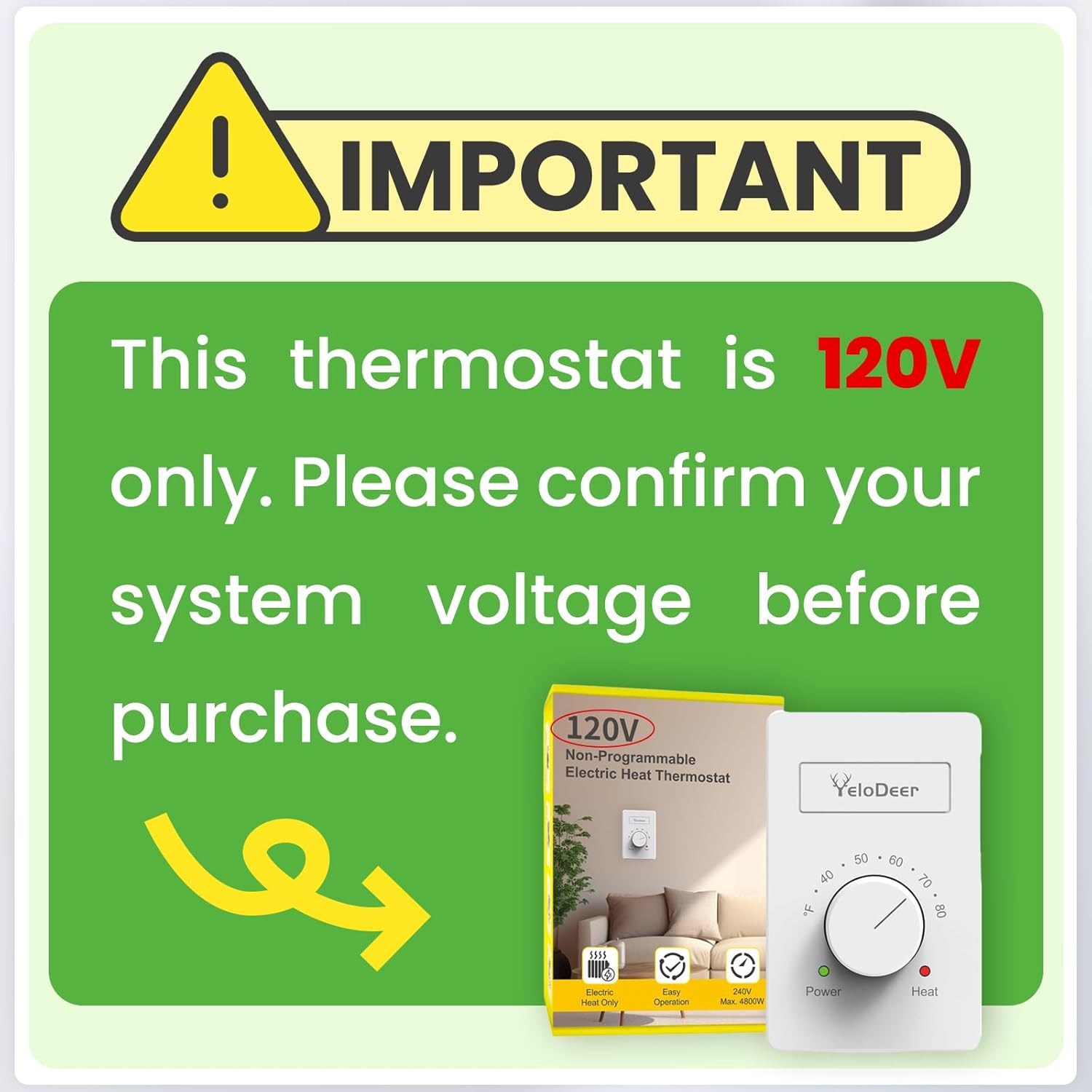
Image 2: Critical warning regarding 120V compatibility.
3. Product Features
- Stylish Design: Thin, light, and delicate design that sits flush against the wall, matching modern home aesthetics. Features a large knob for easy temperature adjustment.
- Superior Accuracy: Electronic thermostat offers higher accuracy compared to traditional mechanical baseboard thermostats, ensuring precise temperature control.
- Extended Range: Control temperature from 40°F to 80°F (4.4°C to 26.7°C), providing customizable comfort.
- User-Friendly Manual Control: Non-programmable design with a simple interface. Indicator lights clearly show when power is on (green) and when heating is active (red).
- Easy Installation: Comes with detailed instructions and is compatible with electric baseboards, connectors, and fan-forced heaters.

Image 3: Overview of key product features.
4. Package Contents
- 1 x YeloDeer Manual Electric Baseboard Heater Thermostat (Model: EA19-120v)
- 1 x Installation Manual
- Mounting Screws and Wall Anchors
5. Specifications
| Specification | Value |
|---|---|
| Brand | YeloDeer |
| Model Name | EA19-120v |
| Voltage | 120 Volts |
| Wattage | Max. 2400W |
| Input Current | Max. 20 Amps |
| Temperature Control Range | 40°F to 80°F (4.4°C to 26.7°C) |
| Controller Type | Hand Control |
| Connectivity Technology | Wired |
| Material | Metal, Plastic |
| Display Type | LED (for indicator lights) |
| Dimensions (H x W x D) | 4.6 in x 2.9 in x 1.0 in |
| Item Weight | 7.6 ounces |

Image 4: Physical dimensions of the thermostat.
6. Installation
Before beginning installation, ensure you have read and understood all safety warnings. If you are unsure about any part of the installation process, consult a qualified electrician.
6.1 Pre-Installation Checklist
- Verify your heating system is 120V.
- Turn off power to the heating circuit at the main electrical panel.
- Gather necessary tools: screwdriver, wire strippers, electrical tape.
6.2 Wiring Diagram and Voltage Matching
It is crucial that the thermostat's input voltage matches the heater's voltage. This thermostat is for 120V systems only.

Image 5: Detailed wiring diagram for 120V installation.

Image 6: Correct voltage matching: 120V supply to 120V heater via thermostat.

Image 7: Incorrect voltage matching: 120V supply with 240V heater is not compatible.
6.3 Installation Steps
- Prepare the Thermostat: Hold the thermostat with the square notch facing you. Gently pry off the front cover using a screwdriver.
- Loosen Terminal Screws: Loosen the four back terminal screws on the thermostat base.
- Wire Connections: Connect the wires from your heating system to the appropriate terminals as shown in the wiring diagram (Image 5). Ensure secure connections.
- Mount the Thermostat: Insert the wired thermostat base and back cover into the wall box. Secure it with the provided screws.
- Attach Front Cover: Snap the front cover onto the back cover, pressing the bottom until it is snug.
Video 1: Detailed installation guide for the YeloDeer Manual Baseboard Heater Thermostat.
7. Operating Instructions
The YeloDeer thermostat features simple manual control for ease of use.
7.1 Adjusting Temperature
- To adjust the desired room temperature, simply turn the large dial on the front of the thermostat.
- Rotate the dial clockwise to increase the temperature setting and counter-clockwise to decrease it.
- The temperature range is from 40°F to 80°F.
7.2 Indicator Lights
- Green Light (Power): Illuminates when the thermostat is receiving power.
- Red Light (Heat): Illuminates when the thermostat is actively calling for heat and the heating element is engaged.
Video 2: Overview of the YeloDeer Manual Electric Baseboard Heater Thermostat's operation.
8. Maintenance
Regular maintenance ensures optimal performance and longevity of your heating system.
- Cleaning: Clean the heater at least every 6 months, or as required.
- Power Off: Always turn off power at the main disconnect panel before cleaning or performing any maintenance.
- Cool Down: Wait for the heating element to cool completely before touching.
- Grill Cleaning: Remove the thermostat knob (if applicable) and the grill. Wash the grill with hot soapy water and dry thoroughly.
- Heating Element: Blow air through the heating element with a hair dryer or shop vacuum on blow cycle to remove dust.
- Fan Cleaning: Clean the fan with a vacuum cleaner. Do NOT lubricate the motor.
- Reassembly: Replace the cover and thermostat knob (if applicable).
- Restore Power: Turn power back on at the main disconnect panel.
- Any service other than cleaning should be performed by an authorized service representative.
9. Troubleshooting
If you experience issues with your YeloDeer thermostat, refer to the following common problems and solutions:
| Problem | Possible Cause | Solution |
|---|---|---|
| Heater not turning on | No power to thermostat; Incorrect wiring; Temperature set too low. | Check circuit breaker; Verify wiring connections; Increase temperature setting. |
| Inaccurate temperature reading/control | Thermostat location (drafts, direct sunlight); Sensor obstruction. | Ensure thermostat is not in direct drafts or sunlight. Clear any obstructions around the sensor. Note that electronic thermostats are generally more accurate than older mechanical types, but minor variations can occur. |
| Thermostat indicator lights not working | No power to thermostat; Faulty unit. | Check power supply and wiring. If power is confirmed and lights still don't work, contact support. |
High-Temperature Safety Shutoff
All electric heaters come with a built-in high-temperature safety shutoff that stops electricity flow to the heater if it gets too hot. If your heater is not working, check if this safety feature has been activated. Consult your heater's manual for specific reset instructions.
10. Warranty and Support
For warranty information or technical support, please contact YeloDeer customer service. Refer to the contact details provided with your product packaging or visit the official YeloDeer website.