
EDISHINE B0D5HB2SL7
EDISHINE Minimalist LED Corner Floor Lamp
Model: B0D5HB2SL7
Brand: EDISHINE
Introduction
Thank you for choosing the EDISHINE Minimalist LED Corner Floor Lamp. This instruction manual provides important information for the safe and efficient operation of your new lamp. Please read it thoroughly before assembly and use, and retain it for future reference.
Package Contents
Ensure all components are present and undamaged before proceeding with assembly.
- LED Corner Floor Lamp (2 units)
- Remote Control (2 units, 1 AAA battery included per remote)
- Power Adapter (2 units)
- User Manual
Setup and Assembly
The EDISHINE LED Corner Floor Lamp is designed for quick and easy assembly. No special tools are required.
- Unpack Components: Carefully remove all parts from the packaging.
- Attach Base: Screw the lamp column securely onto the circular base. Ensure it is tightened to prevent wobbling.
- Connect Power: Connect the power adapter to the lamp's power input, then plug the adapter into a standard electrical outlet.
- Position Lamp: Place the lamp in your desired corner or location. The slim design allows for placement in tight spaces.

Figure 1: Attaching the lamp column to the base.

Figure 2: Lamp dimensions (57.5 inches tall, 7.8 inch base) and remote control layout.
Operating Instructions
Your EDISHINE LED Corner Floor Lamp can be operated using the included RF-433 remote control or the integrated foot switch.
Remote Control Functions
The RF-433 remote allows for convenient control from up to 49 feet away. Each lamp comes with its own remote.
- Power On/Off: Press the 'O' button to turn the lamp off, and the 'I' button to turn it on.
- Brightness Adjustment: Use the '+' and '-' buttons (sun icon) to increase or decrease brightness from 10% to 100%.
- Color Temperature (CCT) Adjustment: Use the '+' and '-' buttons (snowflake/sun icon) to cycle through 7 color temperatures, ranging from 2700K (warm white) to 6000K (cool white).
- 3 CCT Preset: Press the '3 CCT' button (triangle icon) to quickly switch between three common color temperature presets.
- Night Light Mode: Press the 'Night Light Mode' button (moon icon) for a soft 30% brightness setting.
- Memory Function: The lamp remembers your last brightness and color temperature settings when turned off and on again.

Figure 3: Remote control layout and functions.
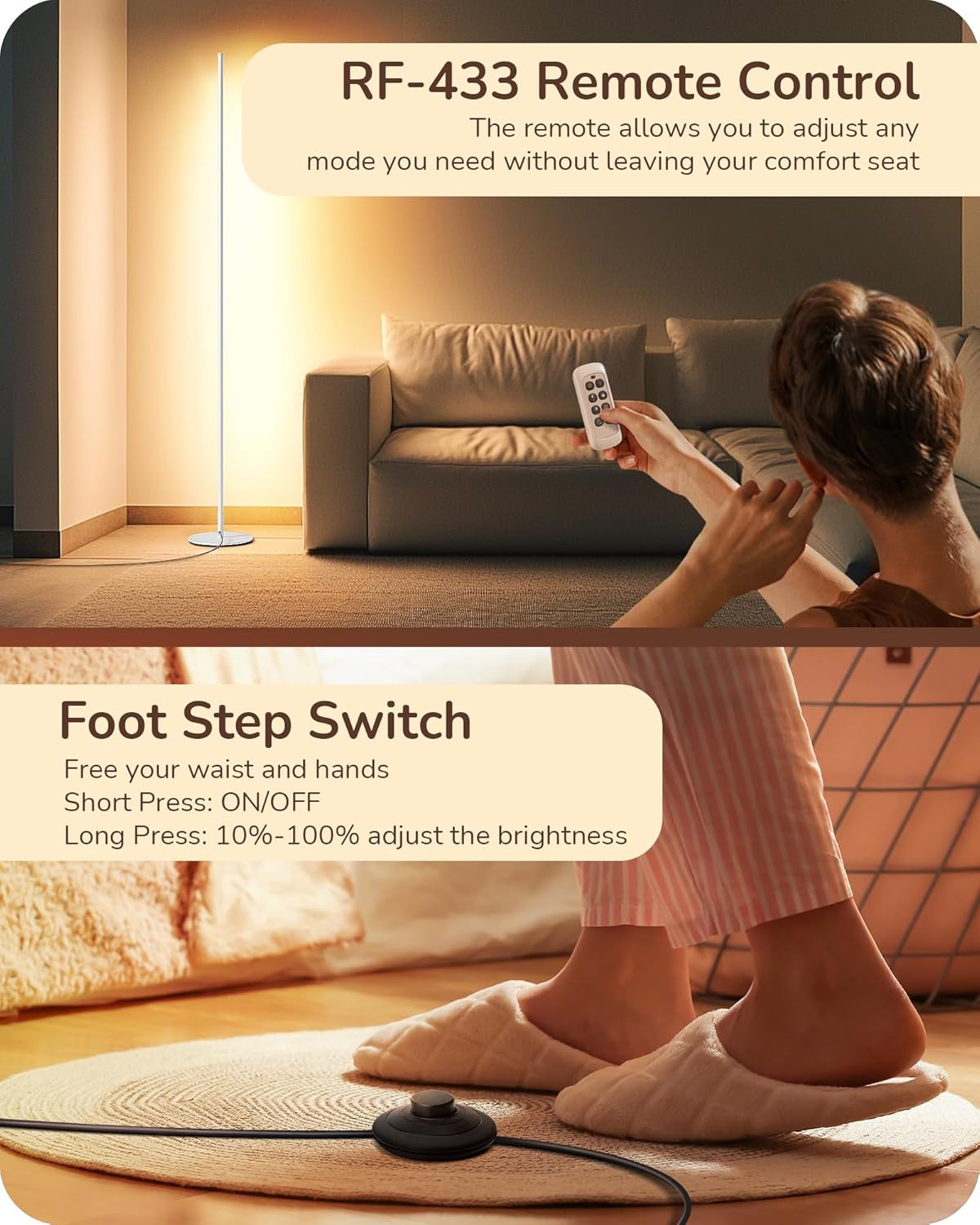
Figure 4: Using the remote control and the foot switch.
Foot Switch Operation
The lamp also features a convenient foot switch located on the power cord.
- Short Press: Press briefly to turn the lamp On or Off.
- Long Press: Press and hold to adjust the brightness from 10% to 100%.

Figure 5: Dimmable feature and memory function.

Figure 6: 7 Color Temperature options (2700K-6000K).
Key Features
- Adjustable Color Temperature (7 CCT): Choose from 7 color temperatures, from 2700K warm light to 6000K cool light, to create the desired ambiance.
- Dimmable (10-100%): Adjust the brightness level to suit your activity or mood.
- Eye Care & Stable Light: The lamp provides a soft, stable, and glare-free light, designed to reduce eye strain.
- RF-433 Remote Control: Control the lamp wirelessly from a distance with the included remote, featuring memory function for your last settings.
- Space-Saving Minimalist Design: Its sleek, tall, and slim profile (57.5" H x 7.8" W base) fits perfectly in corners without occupying much floor space.
- Long-Lasting LED: Integrated LED lights have a lifespan of over 30,000 hours, eliminating the need for bulb replacement.
- Safe and Stable: Features a heavy metal anti-tipping base for enhanced stability, making it safe for households with children and pets. The LED remains cool to the touch even after extended use.
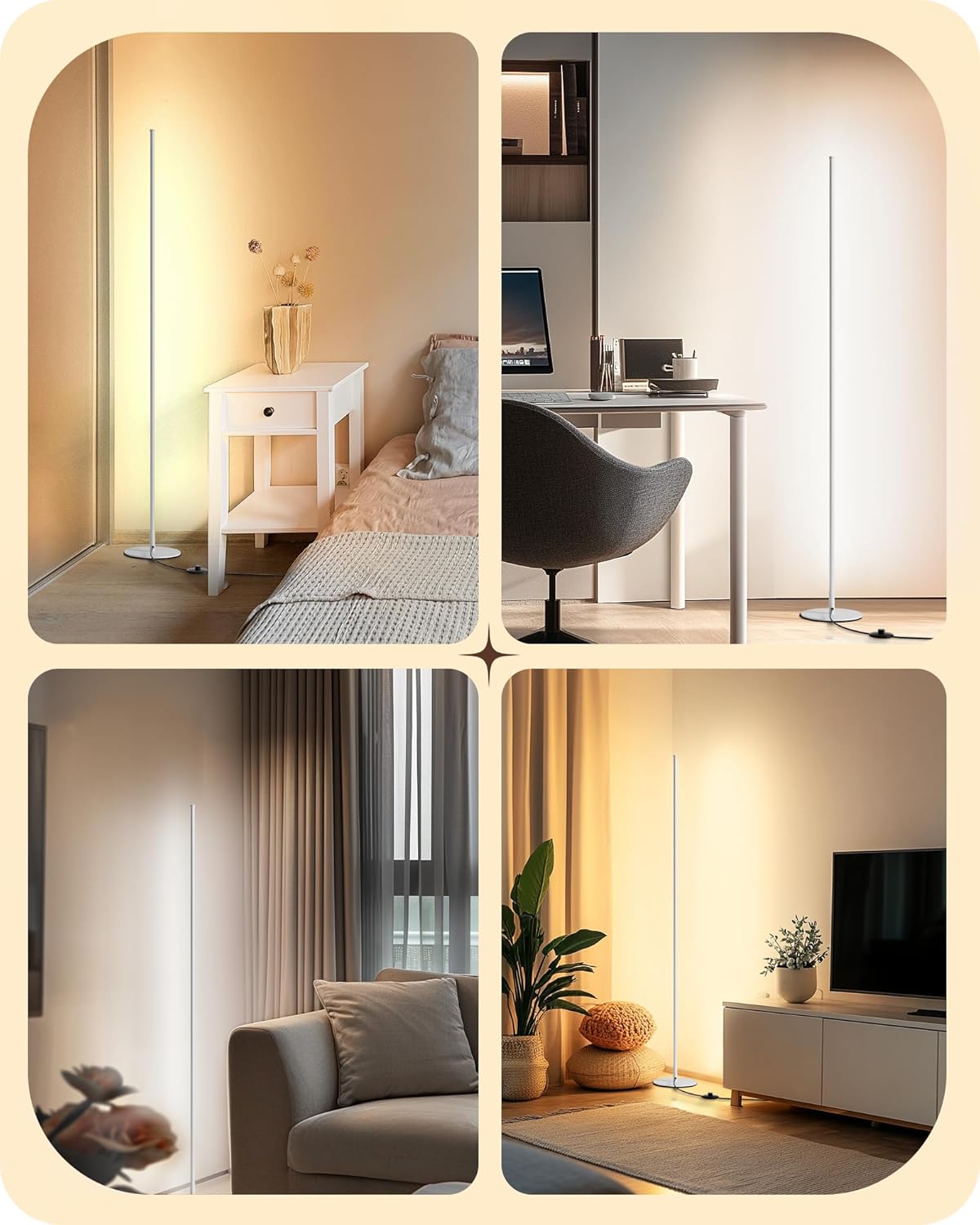
Figure 7: Versatile placement in different room types.
Care and Maintenance
- Cleaning: Disconnect the power before cleaning. Use a soft, dry cloth to wipe the lamp. Do not use abrasive cleaners or solvents.
- Bulb Replacement: The LED light source is integrated and not user-replaceable. It is designed for long-term use.
- Storage: If storing the lamp, ensure it is clean and dry. Store in a cool, dry place away from direct sunlight.
Troubleshooting
| Problem | Possible Cause | Solution |
|---|---|---|
| Lamp does not turn on. | Power cord not securely plugged in. No power from outlet. | Check power connections. Test outlet with another device. |
| Remote control not working. | Remote battery is dead or incorrectly inserted. Remote is too far from the lamp. | Replace the AAA battery in the remote. Ensure correct polarity. Move closer to the lamp. |
| Light flickers or is unstable. | Loose connection. Power supply issue. | Check all connections. Try plugging into a different outlet. If problem persists, contact customer support. |
Specifications
| Feature | Detail |
|---|---|
| Brand | EDISHINE |
| Model | B0D5HB2SL7 |
| Product Dimensions | 7.8"D x 7.8"W x 57.5"H |
| Item Weight | 8.38 Pounds |
| Material | Aluminum |
| Finish Type | Painted |
| Light Source Type | LED |
| Wattage | 19 watts |
| Light Output Maximum | 1100 Lumens |
| Color Temperature | 2700K - 6000K (7 adjustable levels) |
| Dimming Range | 10% - 100% |
| Control Method | Remote, Foot Switch |
| Indoor/Outdoor Usage | Indoor |
| Batteries Required | 1 AAA (for remote, included) |
Warranty and Support
EDISHINE products are designed and manufactured to the highest quality standards. For warranty information or technical support, please refer to the contact details provided on the product packaging or visit the official EDISHINE website. Please have your model number (B0D5HB2SL7) and purchase date ready when contacting support.
Related Documents - B0D5HB2SL7
 |
Edishine HFLCB1A Floor Lamp: Instruction Manual, Assembly, Functions & Specifications Comprehensive instruction manual for the Edishine HFLCB1A floor lamp. This guide provides detailed assembly instructions, explains product functions like stepless dimming and memory mode, lists specifications, and outlines the one-year limited warranty. |
 |
Edishine Floor Lamp Instruction Manual - Assembly, Specifications & Care Comprehensive instruction manual for the Edishine Floor Lamp (Model V50627, HLFL25A). Includes assembly steps, packing list, specifications, functions, product care, and warranty information. |
 |
Edishine LED Floor Lamp Instruction Manual Instruction manual for the Edishine LED Floor Lamp (models HLFL02W, HFLK02W, HFLG02W), covering assembly, functions, specifications, and WiFi smart control setup. |
 |
Edishine Floor Lamp Instruction Manual Instruction manual for the Edishine Floor Lamp, detailing packing list, assembly steps, safety precautions, specifications, and warranty information. Includes model V50811. |
 |
Edishine LED Table Lamp DHLTL32A Instruction Manual Instruction manual and specifications for the Edishine LED Table Lamp, model DHLTL32A. Includes assembly, functions, warranty, and disposal information. |
 |
Edishine Outdoor Wall Light HOWL07F Installation and Operation Manual Comprehensive installation and operation manual for the Edishine Outdoor Wall Light, model HOWL07F. Includes safety warnings, packing list, step-by-step installation instructions, motion sensor operation modes, technical specifications, and a one-year limited warranty. |