
1. Introduction
The iWALK Magnetic 3-in-1 Foldable Wireless Charging Stand (Model MXS007) provides a comprehensive charging solution for your Apple devices. This innovative stand is designed to simultaneously charge your iPhone, Apple Watch, and AirPods with efficiency and convenience. Its foldable and adjustable design makes it ideal for both home use and travel, ensuring your devices are always powered up and ready.

Figure 1: iWALK 3-in-1 Foldable Wireless Charging Stand with accessories.
2. What's in the Box
Upon opening your iWALK Magnetic 3-in-1 Foldable Wireless Charging Stand package, you will find the following items:
- iWALK 3-in-1 Foldable Wireless Charging Stand
- 20W USB-C Charger
- 5ft (1.5m) USB-C to USB-C Cable
- Welcome Guide (User Manual)
3. Key Features
- 3-in-1 Charging Solution: Designed exclusively for Apple devices, providing a single station to wirelessly charge your iPhone, Apple Watch, and AirPods simultaneously.
- 15W Fast Charging: Offers 15W fast charging for compatible iPhones with seamless magnetic alignment.
- Adjustable Height and Angle: The foldable design allows for adjustable height and a 0-120° tilt angle, optimizing viewing comfort and reducing neck or eye strain.
- Portable and Lightweight: Weighing only 260g, its ultra-compact and foldable design makes it highly portable, fitting easily into a palm or pocket for travel.
- Stable Design: Maintains stability across various height and angle adjustments, ensuring secure placement of your devices.

Figure 2: Simultaneous charging of iPhone, Apple Watch, and AirPods.

Figure 3: Adjustable height and angle for optimal viewing.

Figure 4: The charger's compact size for easy portability.
4. Setup Instructions
Follow these steps to set up your iWALK charging stand:
- Unpack Components: Carefully remove all items from the packaging.
- Connect Power: Insert one end of the provided USB-C to USB-C cable into the USB-C port on the charging stand and the other end into the 20W USB-C charger.
- Plug In: Plug the 20W USB-C charger into a standard wall outlet. The blue indicator light on the stand will illuminate, indicating it is powered on.
- Unfold Stand: Gently unfold the charging stand to your desired height and angle. The magnetic charging pad for the iPhone can be adjusted vertically and tilted.
- Prepare AirPods Slot: If applicable, remove the anti-slip film underneath the AirPods charging area to ensure proper charging.
Video 1: Unboxing and initial setup of the iWALK 3-in-1 charger.
5. Operating Instructions
Using your iWALK charging stand is straightforward:
- Charging iPhone: Place your MagSafe-compatible iPhone onto the magnetic charging pad. The strong magnetism will ensure secure attachment and immediate charging. You can adjust the height and tilt angle (0-120°) of your iPhone for comfortable viewing.
- Charging Apple Watch: Extend the Apple Watch charging arm and place your Apple Watch onto the designated charging area.
- Charging AirPods: Place your AirPods charging case into the recessed charging area at the base of the stand.
- StandBy Mode: When your iPhone is placed horizontally on the magnetic pad and charging, it can enter StandBy mode, displaying useful information like time, widgets, or photos, making it an ideal bedside alarm clock or desk companion.
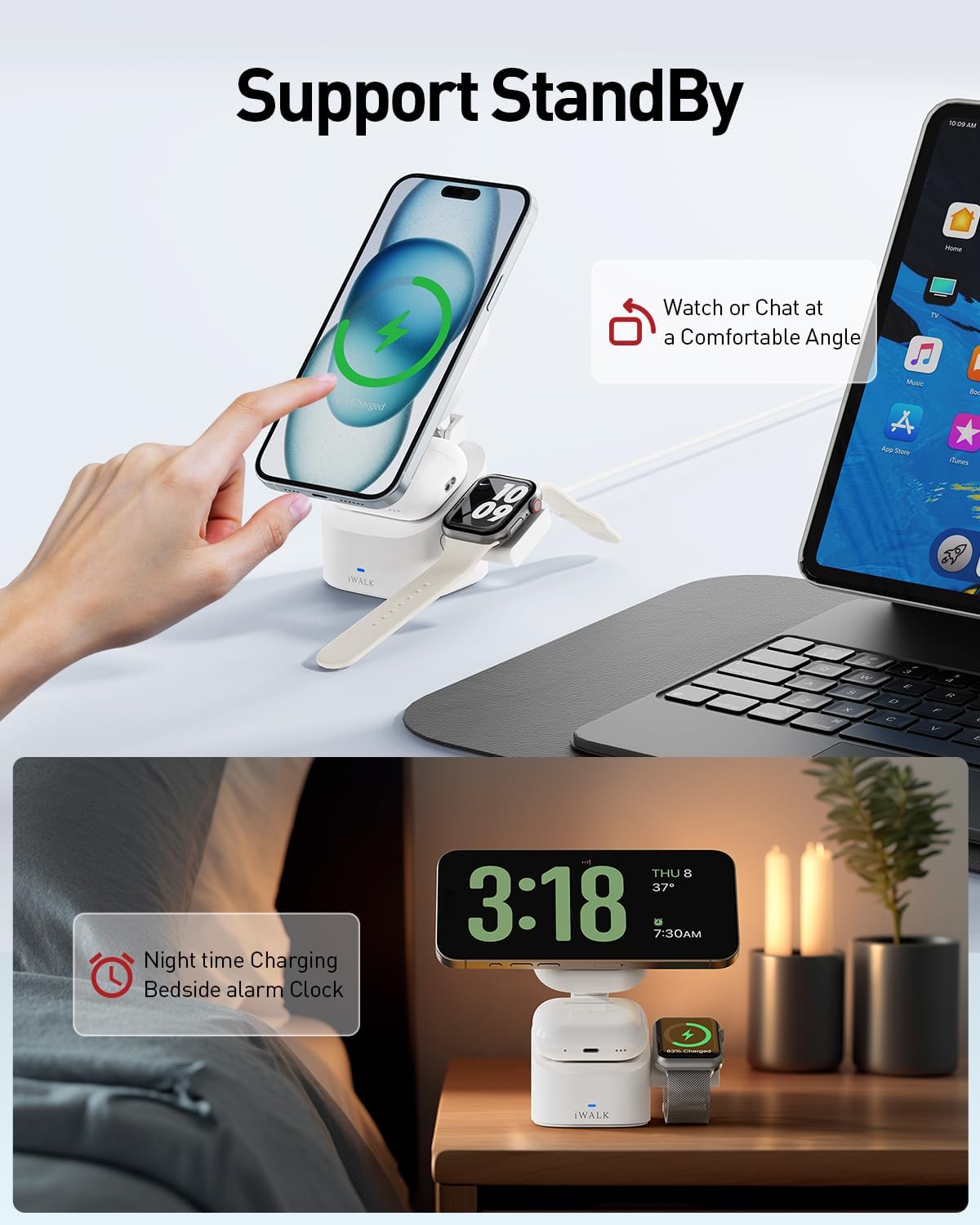
Figure 5: The charging stand supports iPhone StandBy mode for convenient bedside use.
Video 2: Demonstration of the iWALK 3-in-1 Foldable Charging Station's features and usage.
6. Device Compatibility
The iWALK Magnetic 3-in-1 Foldable Wireless Charging Stand is compatible with a wide range of Apple devices:
- iPhones: iPhone 16, iPhone 15 series (15, 15 Plus, 15 Pro, 15 Pro Max), iPhone 14 series (14, 14 Plus, 14 Pro, 14 Pro Max), iPhone 13 series (13, 13 Pro, 13 Pro Max, 13 mini), iPhone 12 series (12, 12 Pro, 12 Pro Max, 12 mini).
- Apple Watch: iWatch Ultra/SE/9/8/7/6/5/4/3/2.
- AirPods: AirPods 3, AirPods 2 (with Wireless Charging Case), AirPods Pro (1st and 2nd Generation).
- Phone Cases: For optimal magnetic alignment and charging, it is recommended to use magnetic phone cases. Non-magnetic cases may hinder proper connection.

Figure 6: Detailed compatibility for various Apple devices and phone cases.
7. Care and Maintenance
To ensure the longevity and optimal performance of your iWALK charging stand, please follow these maintenance guidelines:
- Cleaning: Use a soft, dry cloth to wipe the surface of the charging stand. Avoid using abrasive cleaners, solvents, or harsh chemicals, as these can damage the finish.
- Avoid Liquids: Do not expose the charging stand to water or other liquids. If it comes into contact with liquid, immediately unplug it and allow it to dry completely before re-using.
- Storage: When not in use or during travel, fold the stand into its compact form to protect the charging surfaces and hinges. Store in a cool, dry place.
- Cable Care: Avoid bending or crimping the USB-C cable excessively, as this can damage the internal wires.
8. Troubleshooting
If you encounter any issues with your iWALK charging stand, please refer to the following common solutions:
| Problem | Possible Cause | Solution |
|---|---|---|
| Device not charging | Improper placement, non-magnetic case, power issue, foreign object. | Ensure device is centered on the magnetic pad. Use a MagSafe-compatible case. Check power adapter and cable connection. Remove any foreign objects. |
| Slow charging | Using a non-20W charger, background apps, device temperature. | Ensure you are using the provided 20W charger. Close unnecessary background apps on your device. Ensure device is not overheating. |
| Apple Watch not charging consistently | Watch not properly seated, software glitch. | Ensure the Apple Watch is firmly placed on its charging module. Try unplugging and re-plugging the charger to reset it. |
| Blue indicator light is off | No power, faulty cable/adapter. | Check if the power adapter is securely plugged into the wall outlet. Try a different outlet. Inspect the USB-C cable and adapter for damage. |
9. Product Specifications
- Model Number: MXS007
- Dimensions: 6.26 x 4.37 x 2.95 inches (Folded)
- Item Weight: 9.2 ounces (260g)
- Input Voltage: 27 Volts (DC)
- Connectivity Technology: USB
- Connector Type: USB Type C
- iPhone Wireless Charging Output: Up to 15W
- AirPods Wireless Charging Output: Up to 5W
- Apple Watch Wireless Charging Output: Up to 2.5W
- Included Components: 3-in-1 Foldable Wireless Charging Stand, 20W Charger, 5ft / 1.5m USB-C to USB-C Cable, Welcome Guide.
- Color: White
10. Warranty and Support
The iWALK Magnetic 3-in-1 Foldable Wireless Charging Stand comes with an 18-month worry-free warranty from the date of purchase. This warranty covers manufacturing defects and ensures reliable performance of your device.
For any product inquiries, technical support, or warranty claims, please contact iWALK Direct, the authorized seller. Refer to the contact information provided in your Welcome Guide or visit the official iWALK website for further assistance.
We are committed to providing excellent customer service and ensuring your satisfaction with iWALK products.


