
AZBME YKR-H/102E
User Manual for AZBME YKR-H/102E Replacement Remote Control
Model: YKR-H/102E
Product Overview
This manual provides instructions for the AZBME YKR-H/102E Replacement Remote Control, designed for use with various AUX Air Conditioner models. This remote control is a direct replacement and operates without complex setup.
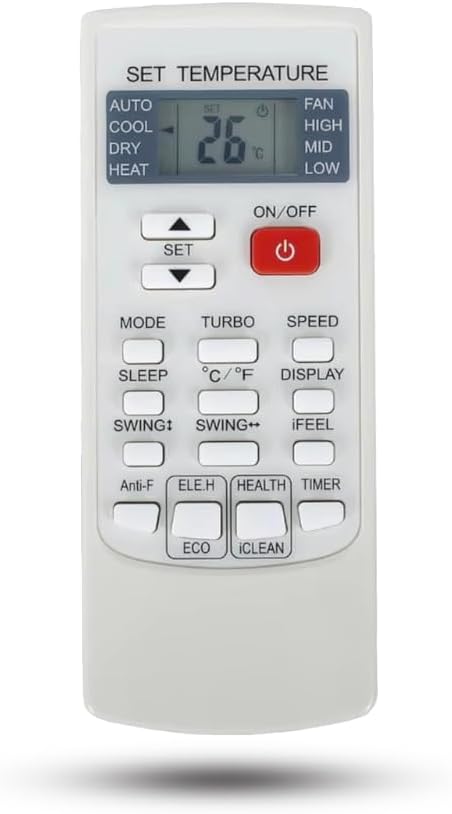
Image: Front view of the AZBME YKR-H/102E replacement remote control, showing all buttons and the LCD screen displaying "SET TEMPERATURE" and "26°C".
Important Note: This remote control only displays temperature in Celsius.
Compatible Models:
- YKR-H/101E
- YKR-H/102E
- YKR-H/002E
- YKR-H/006E
- YKR-H/103E
Setup
Battery Installation
The remote control requires two AAA 1.5V ordinary batteries (not included). Follow these steps to install them:
- Locate the battery compartment cover on the back of the remote control.
- Slide the cover downwards or in the direction indicated by an arrow to open it.
- Insert two AAA batteries, ensuring the positive (+) and negative (-) terminals align correctly with the markings inside the compartment.
- Slide the battery compartment cover back into place until it clicks securely.
Note: Always replace both batteries at the same time. Do not mix old and new batteries or different types of batteries.
Operating Instructions
This replacement remote control is designed for direct use with compatible AUX Air Conditioners without requiring complex programming. Simply insert batteries and point it towards your air conditioner.

Image: The remote control shown next to text stating "Prompt: This remote control is displayed in degrees Celsius." and "Direct use without setting." Below, icons for "Strong Signal" and "Key sensitive" are displayed.
Button Functions
| Button | Function |
|---|---|
| ON/OFF | Powers the air conditioner on or off. |
| SET (Up/Down Arrows) | Adjusts the temperature setting. |
| MODE | Cycles through operating modes (e.g., AUTO, COOL, DRY, HEAT). |
| FAN (HIGH/MID/LOW) | Indicates fan speed settings (High, Mid, Low). |
| TURBO | Activates rapid cooling or heating. |
| SPEED | Adjusts fan speed. |
| SLEEP | Activates sleep mode for quiet and energy-efficient operation. |
| °C/°F | Note: This remote only displays in Celsius. This button may not change the display. |
| DISPLAY | Controls the display on the air conditioner unit. |
| SWING↑ | Controls vertical louver swing. |
| SWING↔ | Controls horizontal louver swing. |
| iFEEL | Activates the iFEEL function, which senses temperature at the remote's location. |
| Anti-F | Anti-fungus or anti-freeze function. |
| ELE.H | Electric heating function. |
| HEALTH | Activates health-related functions (e.g., air purification). |
| TIMER | Sets the timer for automatic on/off operation. |
| ECO | Activates energy-saving mode. |
| iCLEAN | Activates self-cleaning function for the indoor unit. |

Image: The remote control is shown with an air conditioner unit in the background, illustrating its operational distance of 8 meters and strong signal capability.
Maintenance
To ensure optimal performance and longevity of your remote control, follow these simple maintenance guidelines:
- Cleaning: Wipe the remote control with a soft, dry cloth. Do not use liquid cleaners, aerosols, or harsh chemicals, as these can damage the surface or internal components.
- Battery Replacement: Replace batteries when the remote's response becomes sluggish or the display dims. Remove batteries if the remote will not be used for an extended period to prevent leakage.
- Storage: Store the remote control in a cool, dry place away from direct sunlight and extreme temperatures.
- Avoid Drops: Protect the remote from physical shocks and drops, which can damage internal circuitry.
Troubleshooting
If you encounter issues with your remote control, try the following solutions:
| Problem | Possible Solution |
|---|---|
| Remote not responding |
|
| Display is dim or blank |
|
| Air conditioner not responding to specific buttons |
|
Specifications
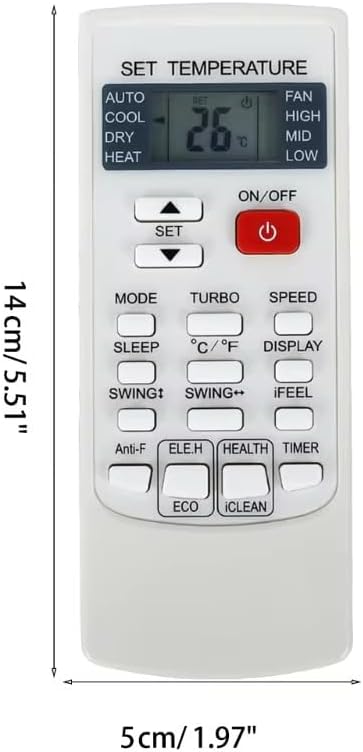
Image: The remote control with overlaid measurements indicating a length of 14 cm (5.51 inches) and a width of 5 cm (1.97 inches).
| Feature | Detail |
|---|---|
| Brand | AZBME |
| Model | YKR-H/102E (Replacement) |
| Compatible Models | YKR-H/101E, YKR-H/102E, YKR-H/002E, YKR-H/006E, YKR-H/103E |
| Connectivity Technology | Infrared |
| Power Source | 2 x AAA 1.5V Batteries (not included) |
| Display Temperature Unit | Celsius only |
| Operational Distance | Approximately 8 meters |
| Item Weight | 1.2 ounces |
| Package Dimensions | 7.09 x 2.36 x 0.39 inches |
| Material | Plastic (ABS Plastic for buttons) |
| Color | White |
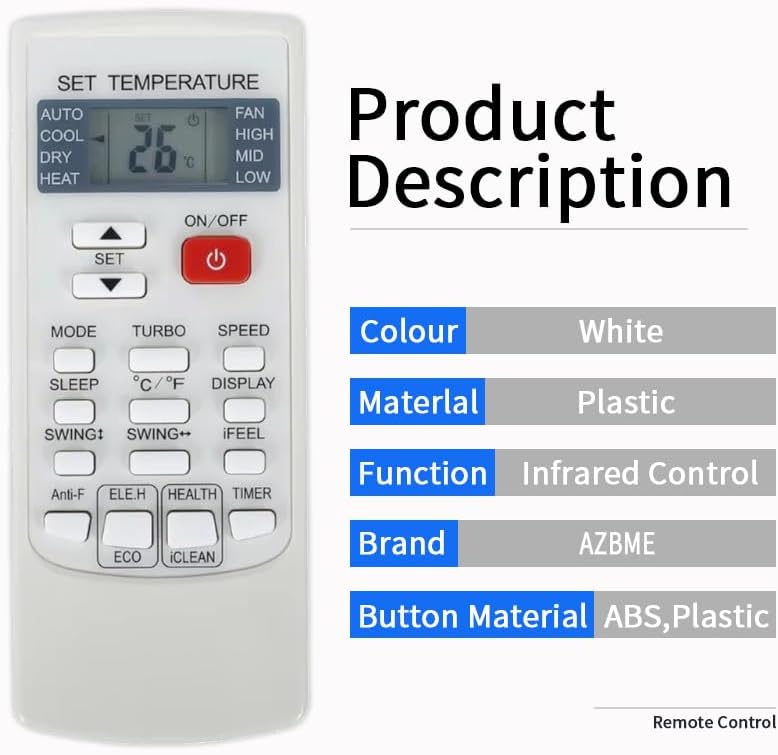
Image: A visual representation of the product's key specifications, including its white color, plastic material, infrared control function, AZBME brand, and ABS plastic button material.
Warranty and Support
Specific warranty information for this replacement remote control is not provided within this manual. For any queries or support, please contact the seller or manufacturer directly.
You can refer to the product listing or contact the seller for details regarding warranty coverage and customer service.
"Any query, please contact us at any time, we will help you!"
Ask a question about this manual
Ask about setup, troubleshooting, compatibility, parts, safety, or missing instructions. Manuals+ will review the question and use this page’s manual context to help answer it.