
1. Introduction
Thank you for choosing the RoboTouch EcoLax SL Track Zero Gravity Full Body Electric Massage Chair. This manual provides essential information for the safe and effective use, assembly, operation, and maintenance of your massage chair. Please read it thoroughly before use and retain it for future reference.
The EcoLax massage chair is designed to provide a comprehensive massage experience, featuring an SL track for extended roller coverage, zero gravity reclining, airbag compression, and heat therapy to promote relaxation and alleviate muscle tension.
2. Important Safety Instructions
When using an electrical appliance, basic precautions should always be followed, including the following:
- Always unplug the massage chair from the electrical outlet immediately after use and before cleaning.
- Do not use while bathing or in a shower.
- Do not place or store the appliance where it can fall or be pulled into a tub or sink.
- Do not place in or drop into water or other liquid.
- Never use pins or other metallic fasteners with this appliance.
- Close supervision is necessary when this appliance is used by, on, or near children, invalids, or disabled persons.
- Use this appliance only for its intended use as described in this manual. Do not use attachments not recommended by the manufacturer.
- Never operate this appliance if it has a damaged cord or plug, if it is not working properly, if it has been dropped or damaged, or dropped into water. Contact customer support for examination and repair.
- Keep the cord away from heated surfaces.
- Never use while sleeping or drowsy.
- Never drop or insert any object into any opening.
- Do not operate where aerosol (spray) products are being used or where oxygen is being administered.
- To disconnect, turn all controls to the OFF position, then remove plug from outlet.
- This appliance is intended for household use only.
- Do not stand on or in the massage chair. Use only while seated.
- Persons with pacemakers, pregnant women, or individuals with serious health conditions should consult a doctor before using this product.
3. Setup and Assembly
The RoboTouch EcoLax massage chair comes largely pre-assembled. Minimal assembly is required to prepare the chair for use.
3.1 Package Contents
- RoboTouch EcoLax Massage Chair Main Unit
- Footrest Assembly
- Remote Control
- Power Cord
- User Manual (this document)
3.2 Assembly Steps
- Carefully unpack all components from the packaging.
- Position the main chair unit in your desired location, ensuring sufficient space for reclining and movement.
- Attach the footrest portion to the main chair unit. Ensure all connections are secure. Refer to the diagrams in the included physical manual for specific attachment points.
- Connect the power cord to the chair and then to a suitable electrical outlet.
- Ensure all cables are properly routed and not pinched by moving parts of the chair.
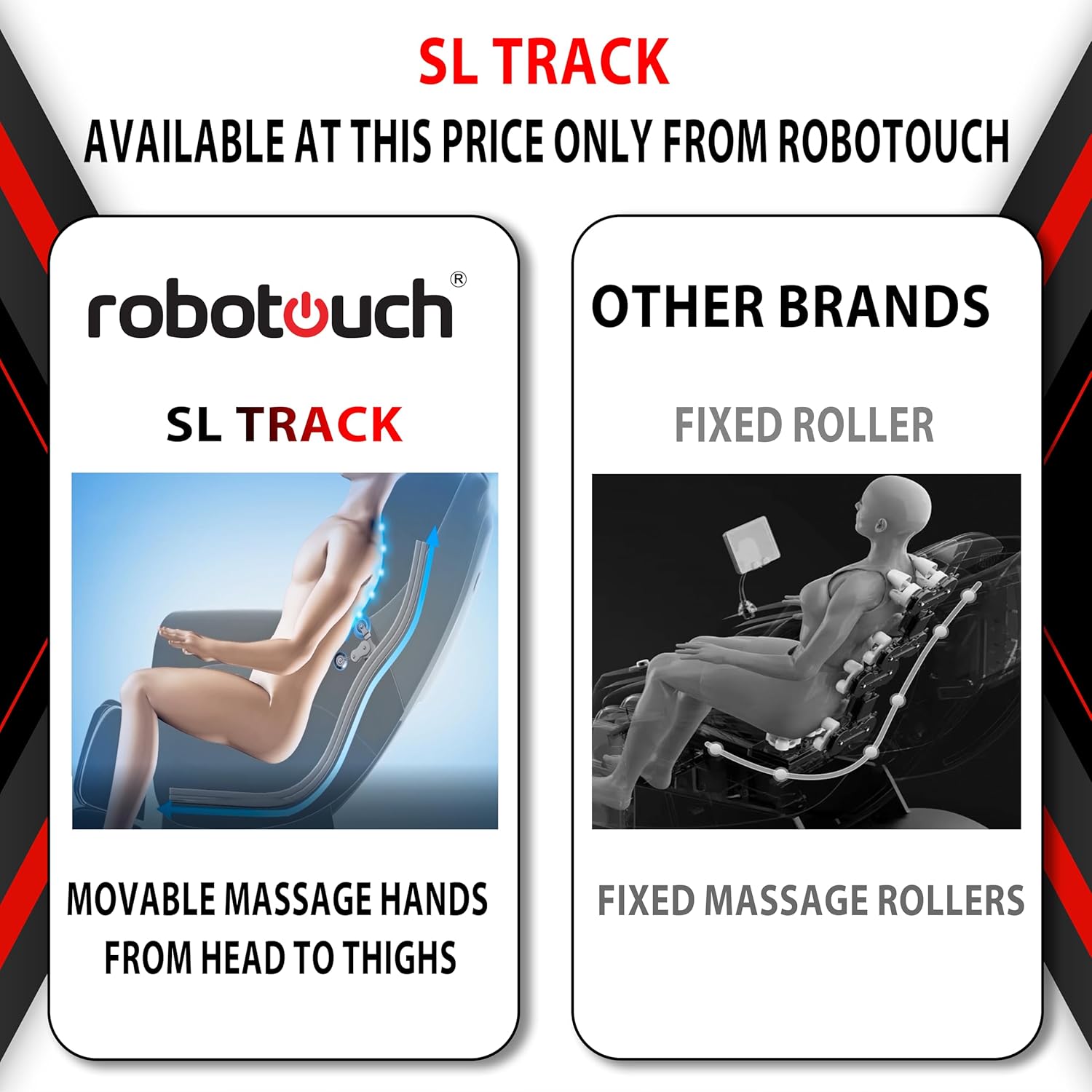
Image 1: RoboTouch EcoLax Massage Chair (Black) in a home environment.
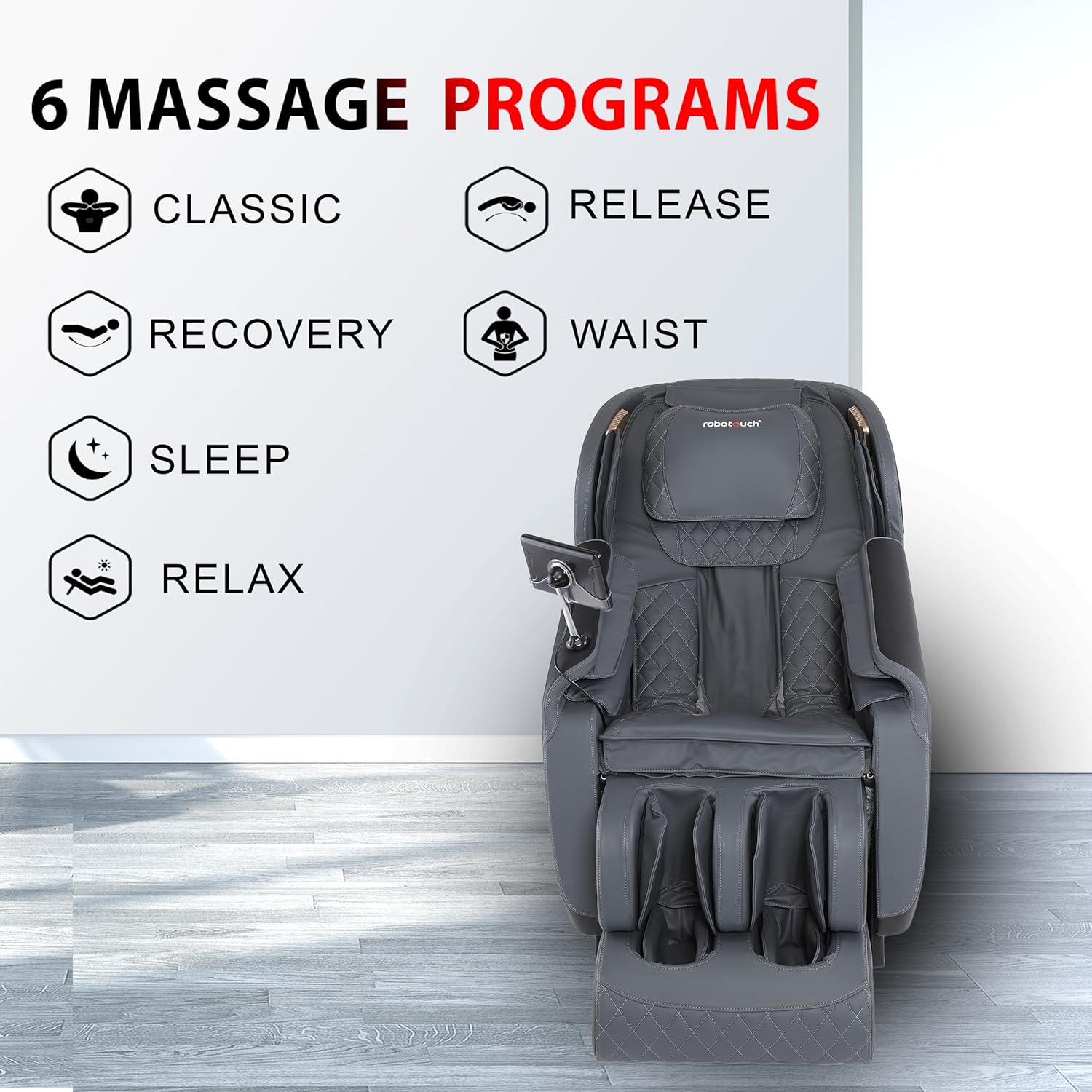
Image 2: The chair is suitable for users up to 5'9" (175 cm) tall.
4. Operating Instructions
Familiarize yourself with the remote control and the chair's features for an optimal massage experience.
4.1 Key Features
- SL Track System: The massage rollers follow the natural curve of your spine from the neck down to the buttocks, providing extensive coverage.
- Zero Gravity Recline: Elevates your legs above your heart, distributing body weight evenly and reducing pressure on the spine for enhanced relaxation.
- Airbag Compression Massage: Airbags located in the shoulders, arms, and legs inflate and deflate to provide compression massage, promoting circulation and muscle relief.
- Waist Heating Therapy: Gentle heat is applied to the waist area to soothe muscles and enhance relaxation.
- Foot Roller Massage: Rollers at the soles of the feet provide invigorating reflexology massage.
- Bluetooth Audio: Connect your device via Bluetooth to enjoy music or audio during your massage session.

Image 3: Overview of massage chair features, including shoulder airbag, arm airbag, leg airbag, waist heating, headrest pad, backrest pad, cushion, controller, sole roller, and Bluetooth audio.

Image 4: The hyperbolic guide rail ensures the massage rollers conform to the body's natural curves from neck to hips.

Image 5: The SL Track system provides movable massage hands from head to thighs, unlike fixed roller systems.

Image 6: The Zero Gravity feature reclines the chair to minimize spinal pressure and enhance relaxation.
4.2 Massage Techniques
The EcoLax chair offers a variety of massage techniques:
- Kneading: Circular motions that help relieve muscle tension and improve circulation.
- Lower-Back Tap: Rhythmic tapping focused on the lower back for targeted relief.
- Body Massage: A general massage mode covering various body areas.
- Hammering: Short, rapid strokes that stimulate muscles.
- Beating: Similar to hammering, providing a percussive massage.
- Finger Pressing: Simulates the pressure of human fingers for deep tissue massage.

Image 7: Visual representation of available massage techniques.
4.3 Massage Programs
The chair includes several pre-programmed massage routines for convenience:
- Classic: A balanced full-body massage.
- Release: Designed to relieve tension and promote muscle relaxation.
- Recovery: Focuses on muscle recovery after physical activity.
- Waist: Targets the waist and lower back area.
- Sleep: A gentle program to help induce relaxation before sleep.
- Relax: A soothing program for general stress relief.
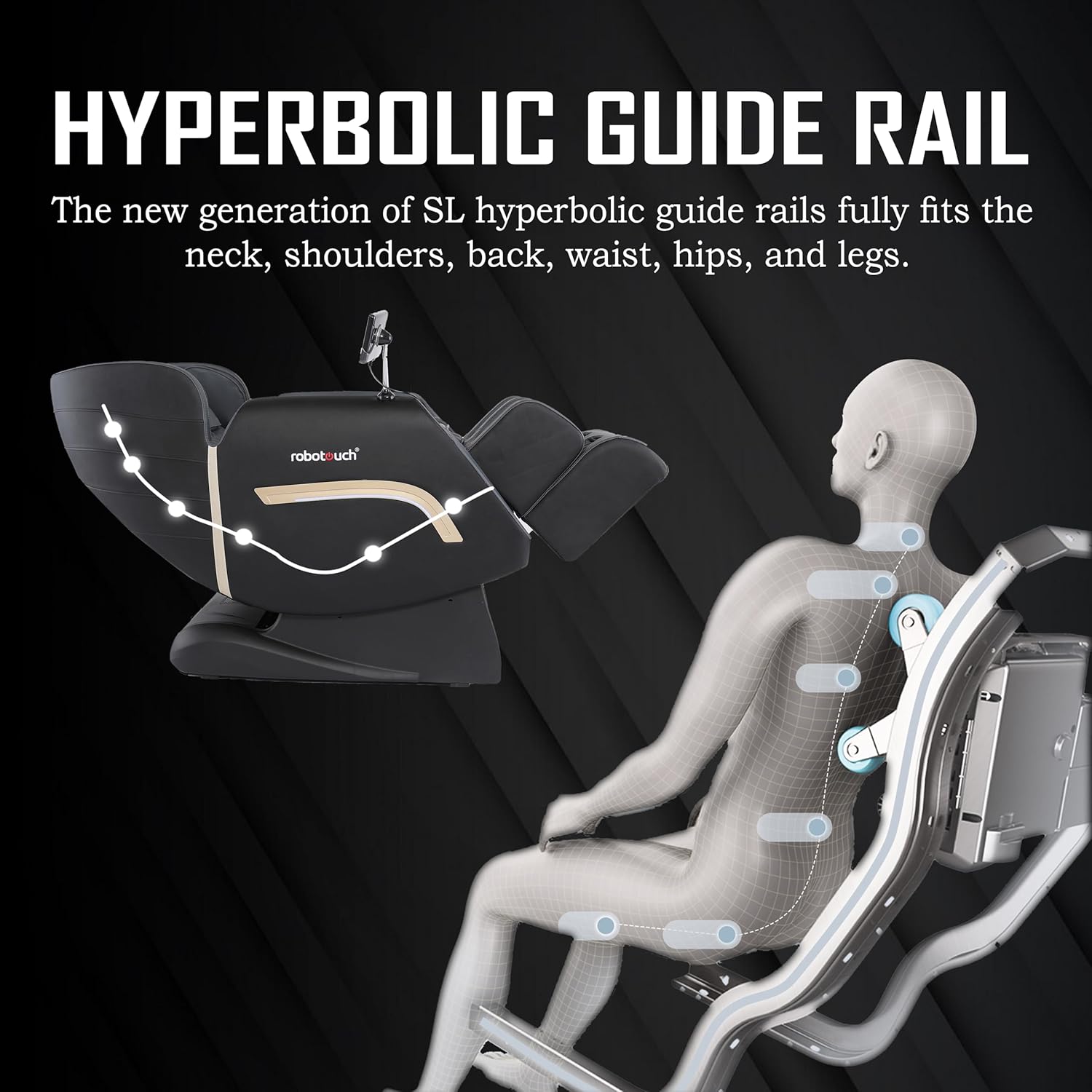
Image 8: The chair offers six distinct massage programs for various needs.
4.4 Using the Remote Control
The remote control allows you to select programs, adjust intensity, recline the chair, and activate specific massage functions. Refer to the remote control diagram in your physical manual for detailed button functions.
- Power Button: Turns the chair on/off.
- Auto Programs: Select from the 6 pre-set massage programs.
- Manual Modes: Choose specific massage techniques (kneading, tapping, etc.) and target areas.
- Recline/Incline: Adjust the chair's backrest and footrest position, including Zero Gravity.
- Heat Function: Activate or deactivate waist heating.
- Airbag Intensity: Adjust the pressure of the airbag massage.
- Roller Speed/Intensity: Adjust the speed or intensity of the back and foot rollers.
- Bluetooth Pairing: Activate Bluetooth to connect your audio device.
5. Maintenance and Care
Proper maintenance ensures the longevity and optimal performance of your massage chair.
5.1 Cleaning
- Always unplug the chair before cleaning.
- Wipe clean the surface of the chair with a soft, damp cloth. Do not use abrasive cleaners, solvents, or harsh chemicals.
- Ensure no liquid enters the internal components of the chair.
- For fabric parts, use a mild upholstery cleaner if necessary, and allow to air dry completely before use.
5.2 Storage
When not in use for extended periods, store the chair in a cool, dry place, away from direct sunlight and extreme temperatures. Cover the chair to protect it from dust.
6. Troubleshooting Guide
If you encounter any issues with your massage chair, refer to the following common problems and solutions:
| Problem | Possible Cause | Solution |
|---|---|---|
| Chair does not power on. | Power cord not securely plugged in. Power outlet not functioning. Main power switch off. |
Ensure power cord is firmly connected to both chair and outlet. Test the outlet with another appliance. Check if the main power switch (usually located near the power cord inlet) is in the 'ON' position. |
| Massage rollers are not moving. | Program not selected. Safety feature activated. |
Select an automatic program or a manual massage mode. Ensure no obstructions are preventing roller movement. Power cycle the chair. |
| Airbags are not inflating. | Airbag function not activated. Air pressure setting too low. |
Activate the airbag function via the remote control. Increase the airbag intensity setting. |
| No heat from waist heating function. | Heat function not activated. Insufficient warm-up time. |
Ensure the heat function is turned on. Allow a few minutes for the heating elements to warm up. |
| Bluetooth audio not connecting. | Bluetooth not enabled on chair or device. Device too far from chair. |
Ensure Bluetooth is enabled on both the chair and your audio device. Move your device closer to the chair. Refer to your device's Bluetooth pairing instructions. |
If the problem persists after attempting these solutions, please contact RoboTouch customer support.
7. Product Specifications
| Feature | Detail |
|---|---|
| Brand | RoboTouch |
| Model Name | EcoLax |
| Item Model Number | 804L |
| Colour | Black |
| Material | Acrylonitrile Butadiene Styrene (ABS) |
| Product Dimensions (D x W x H) | 116D x 75W x 106H Centimeters |
| Item Weight | 68 kg |
| Back Style | Solid Back |
| Form Factor | Recliner |
| Recommended Uses | Resting, Massage |
| Included Components | Manual, Remote |
| Country of Origin | China |
8. Warranty and Support
For warranty information and customer support, please refer to the specific warranty card or documentation included with your purchase. You may also contact RoboTouch customer service directly for assistance with product inquiries, technical support, or service requests.
Manufacturer: Bhagyalaxmi Industries
Address: 51, Electronic Complex Extension, Kushaiguda, ECIL, Hyderabad- 500062.
Please keep your purchase receipt as proof of purchase for warranty claims.