
Introduction
This manual provides detailed instructions for the MILOUZ Smart Watch IDW26. It covers setup, operation, maintenance, and troubleshooting to ensure optimal use of your device. The MILOUZ Smart Watch IDW26 features a 1.83-inch HD touch screen, Alexa Built-in, call answering and making capabilities, and comprehensive health monitoring including heart rate, SpO2, and sleep tracking. It is also IP68 waterproof and supports 100 sports modes.
What's in the Box
- MILOUZ Smart Watch IDW26
- Charging Cable
- User Manual (this document)
Setup
1. Charging the Smart Watch
Before initial use, fully charge your MILOUZ Smart Watch. Connect the magnetic charging cable to the charging contacts on the back of the watch and plug the USB end into a power adapter (not included) or a computer's USB port. A full charge typically takes approximately 2 hours.

Image: The MILOUZ Smart Watch connected to its magnetic charging cable, displaying battery status.
The watch has a working time of up to 7 days and a standby time of 30 days on a single charge.
2. Downloading the Companion App
To unlock all features and synchronize data, download the Veryfit app from your smartphone's app store (available for Android and iOS devices). Search for "Veryfit" and install the application.
3. Pairing with Your Smartphone
- Ensure Bluetooth is enabled on your smartphone.
- Open the Veryfit app and follow the on-screen instructions to create an account or log in.
- In the app, navigate to the device pairing section (usually indicated by a device icon or "Add Device").
- Select your MILOUZ Smart Watch from the list of available devices. The watch's model number (IDW26) may appear.
- Confirm the pairing request on both your smartphone and the smart watch.
- Once paired, the watch will synchronize time and data with your phone.
Operating the Smart Watch
Basic Navigation
The MILOUZ Smart Watch features a 1.83-inch HD touch screen for intuitive navigation. Swipe left, right, up, or down to access different menus and functions. Tap to select an option, and typically swipe right or press the side button to return to the previous screen or watch face.
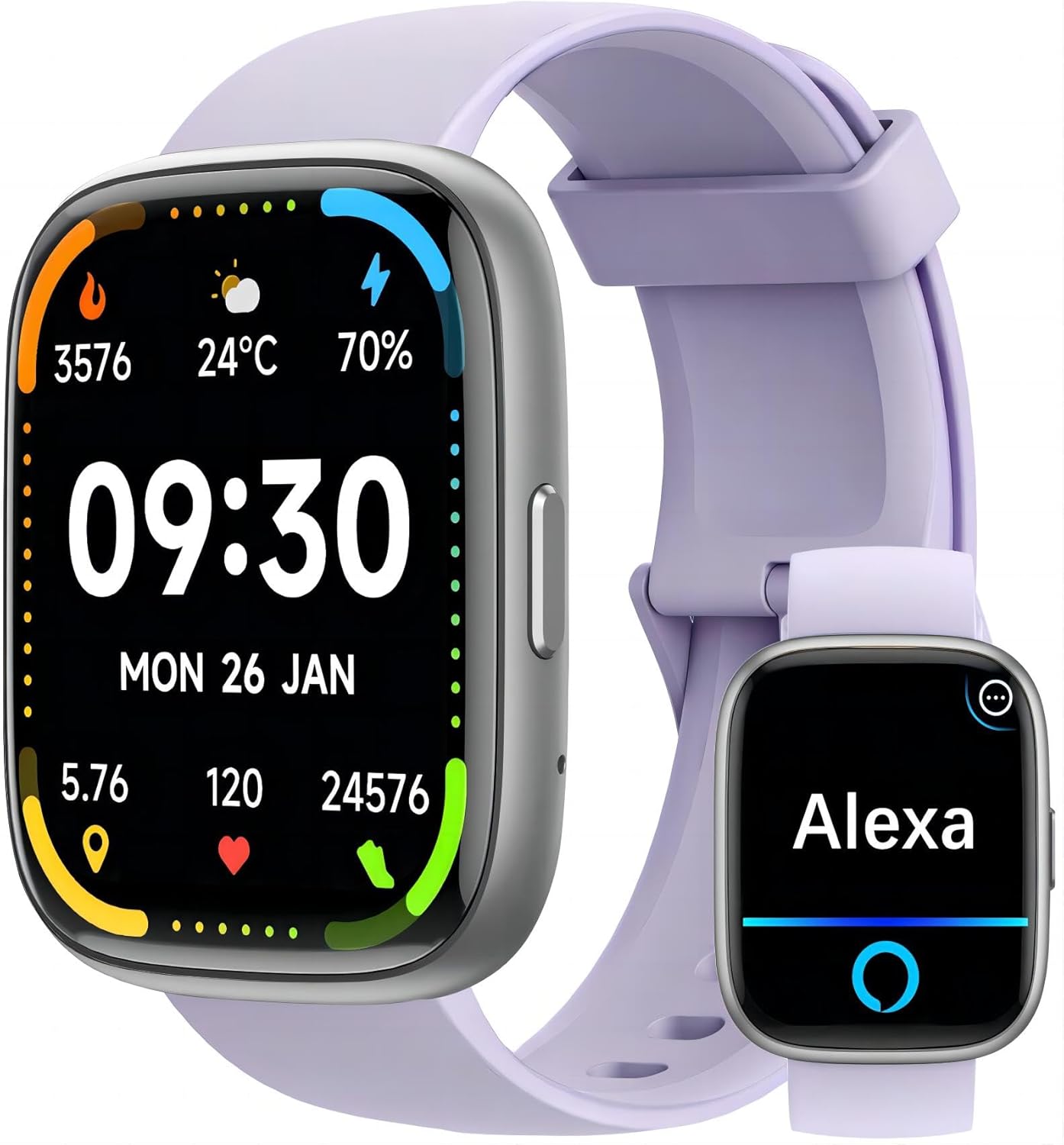
Image: The MILOUZ Smart Watch main display and an Alexa interface screen.
Call Functions (Answer/Make Calls)
After successful Bluetooth pairing, your smart watch can answer and make calls directly. The watch includes a built-in speaker and microphone.
- Answering Calls: When a call comes in, the watch will display the caller ID. Tap the green phone icon on the screen to answer.
- Making Calls: Access the phone function on your watch to view call history, frequent contacts, or use the dial pad to make a call.

Image: The MILOUZ Smart Watch showing an incoming call and various call management options.
Alexa Built-in
The MILOUZ Smart Watch integrates Alexa Voice Assistant. Ensure your watch is connected to your smartphone and the Veryfit app is running in the background for Alexa functionality. Tap the Alexa icon on your watch and speak your commands or questions.

Image: The MILOUZ Smart Watch showing message notifications and the Alexa voice assistant interface.
Message Reminders
Receive notifications for calls, SMS, and various social media apps directly on your watch. Ensure that message notifications are enabled in the Veryfit app and your phone's settings for the watch to display them.
Customizing Watch Faces
The watch supports over 200 personalized dials and DIY dial options. You can change the watch face through the Veryfit app to match your style or display preferred information.

Image: A collection of diverse watch faces available for the MILOUZ Smart Watch.
Multi-Function Smartwatch Features
The MILOUZ Smart Watch offers a range of functions accessible through its interface:
- Activity Tracking
- Phone (Call functions)
- Messages
- Alexa Voice Assistant
- Workout Modes
- Workout Records
- Stress Monitoring
- Breathe Training
- Clock (Alarm, Timer, Stopwatch)
- Weather
- Music Control
- Camera Control
- Find Phone
- Female Health Tracking
- Drink Reminder
- Sleep Monitoring
Health Tracking Features
The MILOUZ Smart Watch provides 24-hour health monitoring capabilities.

Image: The MILOUZ Smart Watch showing health metrics like heart rate, SpO2, and menstrual cycle tracking, alongside sleep monitoring data.
- Heart Rate Monitor: Continuously tracks your heart rate throughout the day.
- SpO2 Monitor: Measures your blood oxygen saturation levels.
- Sleep Monitor: Analyzes your sleep patterns, including deep sleep, light sleep, and awake times.
- Female Menstruation Monitor: Provides tracking and predictions for menstrual cycles.
100 Sports Modes
The watch supports over 100 sports modes, allowing you to track various activities such as running, swimming, cycling, yoga, and more. It records workout data including duration, distance, calories burned, and heart rate.

Image: Various sports activities being performed, illustrating the 100 sports modes feature of the MILOUZ Smart Watch.
Water Resistance (IP68)
The MILOUZ Smart Watch is rated IP68 waterproof, meaning it is resistant to dust and can withstand immersion in water up to 1.5 meters for up to 30 minutes. It is suitable for daily use, hand washing, and swimming. However, it is not recommended for hot showers, saunas, or diving, as steam and hot water can affect the seals.
Image: The MILOUZ Smart Watch being used during a swimming activity, demonstrating its IP68 waterproof rating.
Maintenance
- Cleaning: Regularly clean your watch and strap with a soft, damp cloth. Avoid using harsh chemicals or abrasive materials.
- Drying: After exposure to water, ensure the watch is completely dry before charging or prolonged use.
- Storage: Store the watch in a cool, dry place when not in use.
- Avoid Extreme Temperatures: Do not expose the watch to extremely high or low temperatures, as this can affect battery life and performance.
Troubleshooting
- Watch Not Turning On: Ensure the watch is fully charged. Connect it to the charger for at least 10 minutes.
- Cannot Pair with Phone:
- Ensure Bluetooth is enabled on your phone.
- Make sure the watch is within Bluetooth range of your phone.
- Restart both your phone and the smart watch.
- Check if the Veryfit app is updated to the latest version.
- If previously paired, try unpairing and re-pairing the device through the Veryfit app and your phone's Bluetooth settings.
- Call Function Not Working:
- Confirm the watch is successfully paired for calls (sometimes a separate Bluetooth connection for calls is needed).
- Check microphone and speaker settings on the watch.
- Ensure the watch is within Bluetooth range of your phone.
- Alexa Not Responding:
- Verify the watch is connected to your phone and the Veryfit app is active.
- Ensure your phone has an active internet connection.
- Check Alexa settings within the Veryfit app.
- If you walk too far from your phone, Alexa functionality may be interrupted and require re-connection.
- Inaccurate Health Data:
- Ensure the watch is worn snugly on your wrist, about one finger's width above the wrist bone.
- Avoid excessive movement during measurements.
- Note that smart watch health data is for reference only and not intended for medical diagnosis.
- Notifications Not Appearing:
- Check notification permissions for the Veryfit app in your phone's settings.
- Ensure notifications are enabled for specific apps within the Veryfit app.
- Verify the watch is connected to your phone.
Specifications
| Feature | Detail |
|---|---|
| Model Number | IDW26 |
| Screen Size | 1.83 Inches HD Touch Screen |
| Connectivity | Bluetooth |
| Operating System | Android Wear 1.0 (Compatible with Android & iOS) |
| Water Resistance | IP68 |
| Battery Type | Lithium Polymer |
| Charging Time | Approx. 2 hours |
| Working Time | Up to 7 days |
| Standby Time | Up to 30 days |
| Health Monitoring | Heart Rate, SpO2, Sleep, Female Health |
| Sports Modes | 100+ |
| Special Features | Alexa Built-in, Answer/Make Calls, Message Reminders, Music Control, Camera Control |
| Item Weight | 3.17 ounces |
| Package Dimensions | 10.71 x 4.17 x 0.75 inches |
Warranty and Support
For warranty information and customer support, please refer to the documentation included with your purchase or visit the official MILOUZ website. If you encounter any issues not covered in this manual, please contact MILOUZ customer service for assistance.
MILOUZ Official Store: MILOUZ Store on Amazon