
1. Introduction and Overview
Thank you for choosing the Asfrost Automatic Chicken Coop Door Model 089. This innovative product is designed to simplify poultry management by providing a reliable and secure entry/exit system for your chickens. Featuring solar power, multiple operating modes, and advanced safety features, this door ensures the well-being of your flock while offering convenience and peace of mind.
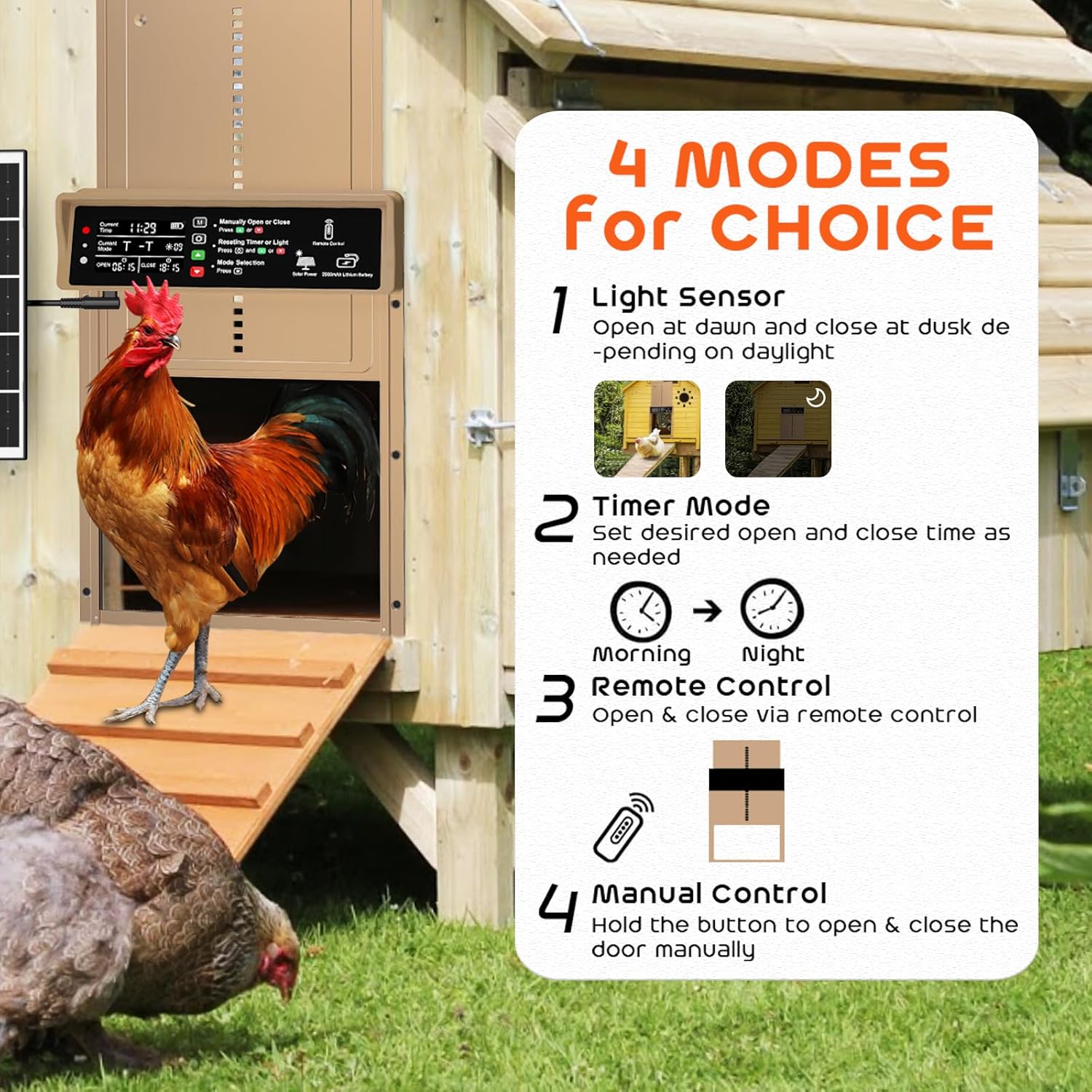
Image 1: Overview of the Asfrost Automatic Chicken Coop Door with included accessories.
2. Key Features
- Solar Powered & USB Charging: Equipped with a built-in 2000mAh battery, the door can be charged via the included 7W solar panel or a USB Type-C cable, eliminating the need for frequent battery replacements or external power sources.
- Multiple Operating Modes: Choose from four easy modes: timer, light sensor, remote control, or manual mode. Set specific opening and closing times or allow the light-sensitive sensor to operate the door based on natural light intensity.
- Anti-Pinch Safety Feature: The chicken-friendly design intelligently stops and reopens if pressure is detected, preventing harm or accidental pinching to your poultry. An alarm beep will sound if the door fails to close completely.
- Durable & Weatherproof Construction: Constructed from robust aluminum alloy and ABS materials, this door is built to withstand harsh weather conditions, including snow, rain, and dust, operating effectively from -26°C to 60°C.
- Easy Installation & Programming: Simple and straightforward installation with no complicated wiring. The clear display makes programming time and light sensitivity quick and easy.
- Large Screen Display: A clear display simplifies programming time, light sensitivity, and date settings, offering easy operation and adjustment.
- Versatile Application: Suitable for most chicken coops, chicken houses, nesting boxes, and small poultry weighing under 10 lbs, including ducks, geese, rabbits, and turkeys.

Image 2: The control panel highlights the four available operating modes for the chicken coop door.
3. What's Included
Your Asfrost Automatic Chicken Coop Door package includes:
- 1 x Automatic Chicken Door (Model 089)
- 1 x Solar Panel (7W)
- 1 x Remote Control
- 1 x USB Type-C Power Cable
- 6 x Screws for installation
4. Setup and Installation
Installation of the Asfrost Automatic Chicken Coop Door is designed to be simple and straightforward. Follow these steps for proper setup:
- Confirm Door Size and Mark Position: Measure the dimensions of the automatic door (13.8"L x 2.68"W x 10.55"H) and mark the desired opening on your chicken coop. The recommended pre-cut opening size is 8.3" x 9.5".
- Cut Opening: Carefully saw off the opening for door installation according to your markings.
- Mount the Door: Position the automatic door over the cut opening. Gently screw in the 6 provided screws. Important: Do not over-tighten the screws to avoid frame distortion that could prevent the door from opening or closing smoothly.
- Install Solar Panel: Place the solar panel where it can receive maximum sunlight throughout the day. Connect the solar panel's cable to the designated port on the automatic door unit.
- Initial Charge: For optimal performance, ensure the built-in 2000mAh lithium battery is fully charged before first use. This can be done via the solar panel or the USB Type-C cable.

Image 3: The solar panel and USB-C charging options ensure continuous power for the door.

Image 4: Visual guide for the four-step installation process.
Video 1: A seller-provided video demonstrating the installation and basic operation of the solar-powered chicken coop door.
5. Operating Instructions
The Asfrost Automatic Chicken Coop Door offers flexible operating modes to suit your needs:
5.1. Mode Selection
The control panel features a clear display and buttons for easy navigation. Press the 'M' button to cycle through the different operating modes:
- Timer Mode (T-T): Set specific opening and closing times (e.g., OPEN 06:00, CLOSE 20:00). The door will operate strictly according to these programmed times.
- Light Sensor Mode (L-L): The door opens and closes automatically based on ambient light intensity. You can adjust the light sensitivity level.
- Hybrid Modes (T-L or L-T): Combine timer and light sensor functions (e.g., open by timer, close by light sensor, or vice versa).
- Manual Mode: Use the up (green) and down (red) arrow buttons on the control panel or the remote control to manually open or close the door.

Image 5: The control panel display provides all necessary information for operation and programming.
5.2. Setting Time and Light Sensitivity
To adjust settings:
- Press the Gear button to enter setting mode.
- Use the Up and Down arrow buttons to adjust values (e.g., current time, open/close times, light sensitivity).
- Press the Gear button again to confirm and move to the next setting, or wait a few seconds for the changes to save automatically.
5.3. Remote Control
The included remote control allows for convenient manual operation from a distance. Simply press the open or close buttons on the remote to control the door.
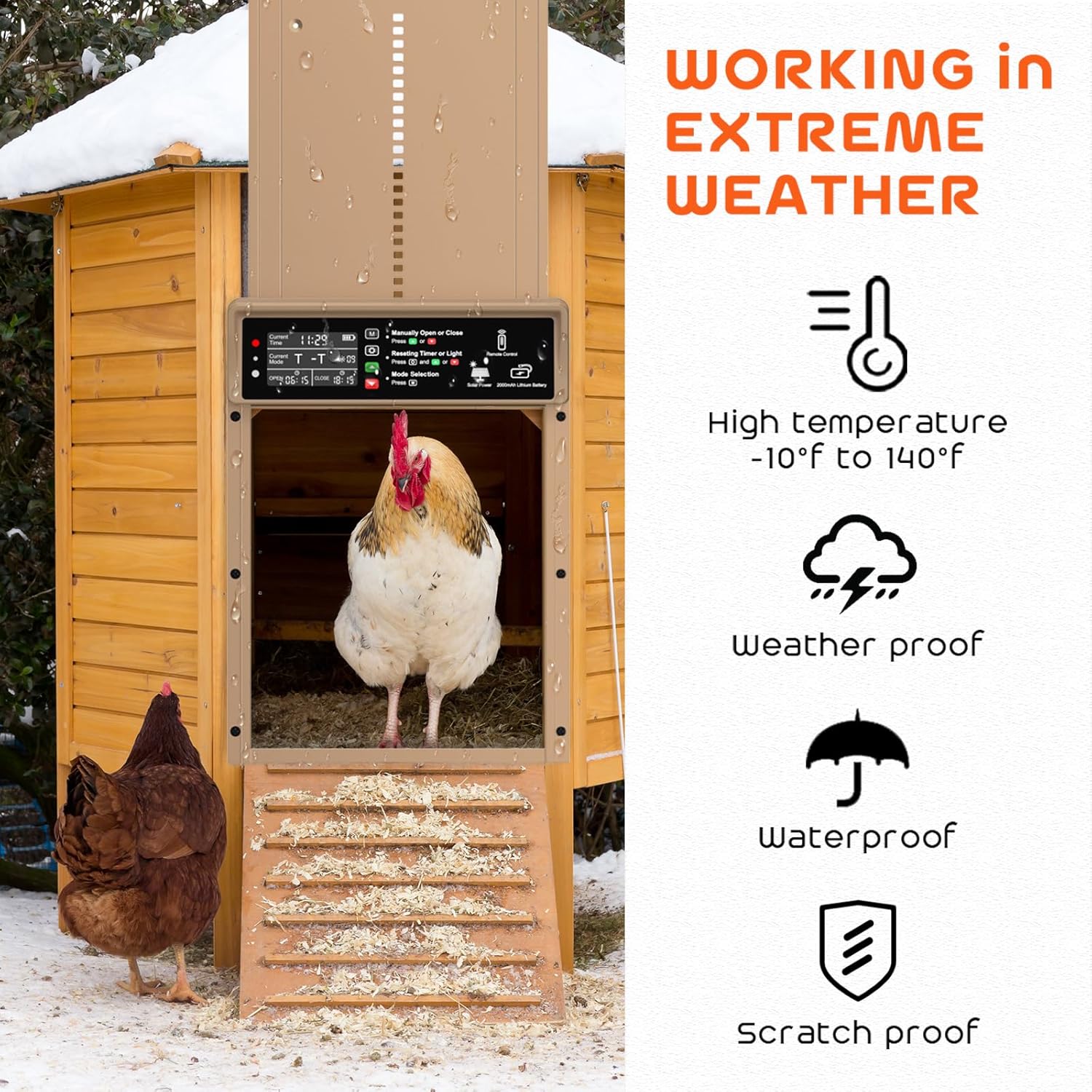
Image 6: The anti-pinch feature ensures the safety of your chickens by reversing if an obstruction is detected.
6. Maintenance
To ensure the longevity and optimal performance of your Asfrost Automatic Chicken Coop Door, regular maintenance is recommended:
- Keep Clean: Periodically wipe down the door and control panel to remove dust, dirt, and debris. Ensure the light sensor is clear for accurate readings.
- Check Connections: Verify that the solar panel and USB Type-C power cable connections are secure and free from damage.
- Monitor Movement: Observe the door's opening and closing mechanism regularly to ensure smooth operation. If any resistance or unusual sounds are noted, inspect for obstructions.
- Battery Health: While solar-powered, occasional checks on battery charge levels, especially during prolonged cloudy periods, can help maintain consistent operation.
7. Troubleshooting
If you encounter issues with your automatic chicken coop door, consider the following:
- Door Not Opening/Closing:
- Check battery level on the display. Recharge if low.
- Verify programmed times or light sensor settings are correct.
- Inspect the door path for any physical obstructions. The anti-pinch feature will prevent closure if an object is detected.
- Alarm Beeping: This indicates the door did not close properly. Check for obstructions or ensure the door is aligned correctly.
- Inaccurate Light Sensor Readings: Ensure the light sensor is clean and not obstructed by dirt, leaves, or shadows.
- Remote Control Not Working: Check the remote control's battery. Ensure you are within range of the door unit.
8. Specifications
| Feature | Detail |
|---|---|
| Brand | AsFrost |
| Model Name | 089 |
| Item Weight | 3.19 pounds |
| Product Dimensions (LxWxH) | 13.8" x 2.68" x 10.55" |
| Material | Aluminum Alloy, ABS |
| Batteries | 1 Lithium Polymer battery required (2000mAh) |
| Special Feature | Automatic, Easy Assembly, Durable, Eco-Friendly, Waterproof |
| Target Audience | Chicken, Duck, Goose, Rabbit, Turkey (under 10 lbs) |
| Operating Temperature | -26°C to 60°C |
9. Warranty and Support
The Asfrost Automatic Chicken Coop Door Model 089 comes with a 1-year warranty from the date of purchase. This warranty covers manufacturing defects and malfunctions under normal use. For warranty claims, technical support, or any questions regarding your product, please contact Asfrost customer service through your original point of purchase.