
TESSAN TS-CS05
TESSAN 65W Multi-Device Charging Station User Manual
Model: TS-CS05 | Brand: TESSAN
Introduction
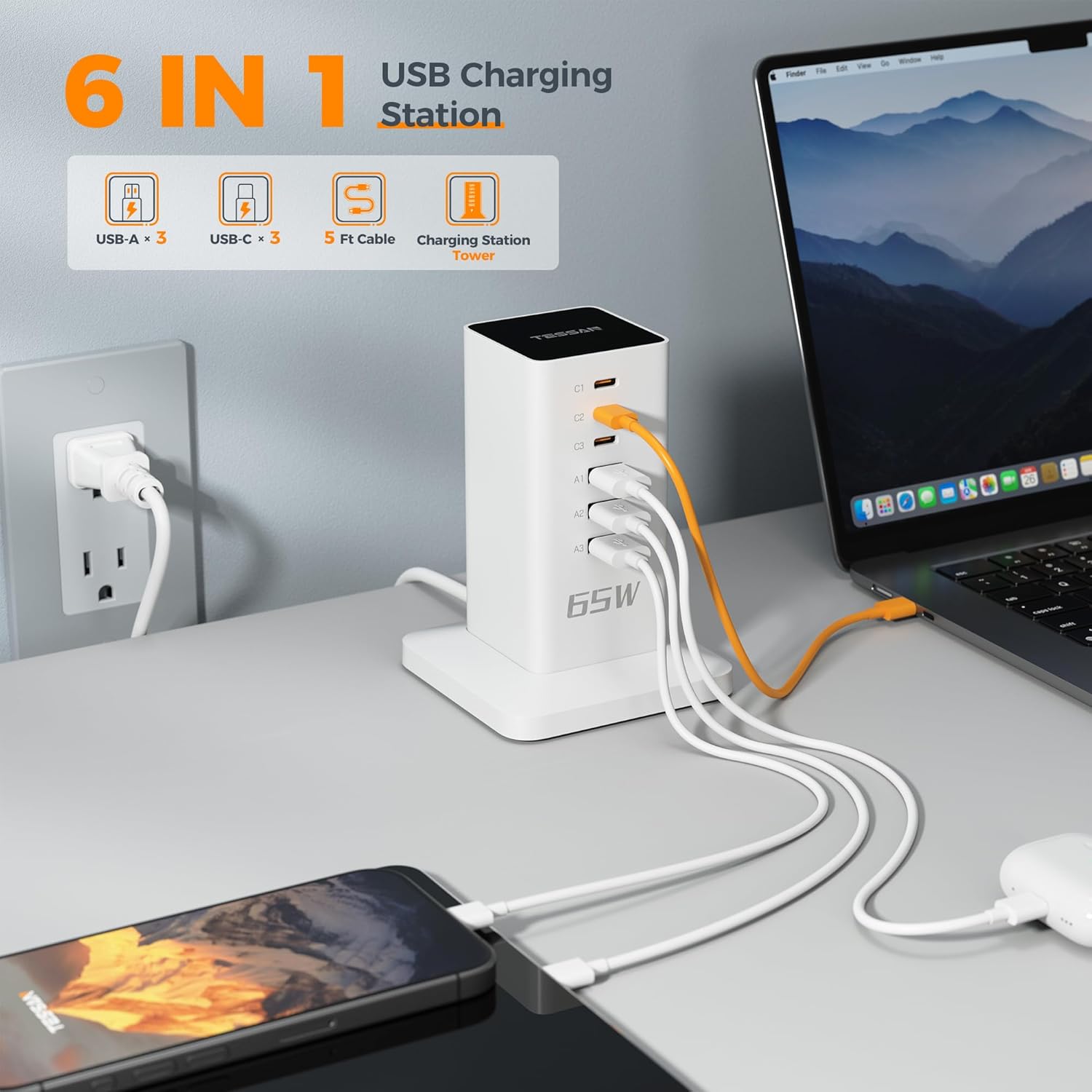
The TESSAN 65W Multi-Device Charging Station (Model: TS-CS05) is a compact and efficient power solution designed to charge multiple electronic devices simultaneously. Featuring 3 USB-A ports and 3 USB-C ports, this desktop charging hub provides a total power output of 65W, making it ideal for smartphones, tablets, laptops, and other USB-powered gadgets. Its vertical design helps save desk space and maintain a tidy charging area. Built-in safety features ensure reliable and protected charging for all your devices.
Safety Information
Please read and understand all safety instructions before using this product. Failure to follow these instructions may result in electric shock, fire, or serious injury.
- Do not expose the charging station to liquids, moisture, or extreme temperatures.
- Do not disassemble, modify, or attempt to repair the device. Refer all servicing to qualified personnel.
- Ensure the power cord is fully inserted into a compatible power outlet.
- Avoid placing heavy objects on the power cord or the charging station.
- Do not use the charging station if it has been damaged in any way.
- Keep out of reach of children.
- Use only with devices that are compatible with the specified voltage and current ratings.
- Unplug the charging station during lightning storms or when unused for long periods.

Package Contents
Please check the box for the following items:
- 1 x TESSAN 65W Multi-Device Charging Station (Model: TS-CS05)
- 1 x USB Cable (for connecting the charging station to a power source)
- 1 x User Manual (this document)
Product Overview
The TESSAN 65W Multi-Device Charging Station features a sleek, vertical design with multiple charging ports to consolidate your charging needs. It includes both USB-A and USB-C ports to accommodate a wide range of devices.

Port Configuration
| Port Type | Quantity | Description |
|---|---|---|
| USB-C | 3 (C1, C2, C3) | High-speed charging for modern devices like laptops, tablets, and newer smartphones. Each USB-C port can deliver up to 20W MAX when used individually. |
| USB-A | 3 (A1, A2, A3) | Standard USB charging for a wide range of devices including older smartphones, smartwatches, and earphones. |
The total shared power output for all USB-A and USB-C ports is 65W.
Setup
Setting up your TESSAN 65W Multi-Device Charging Station is quick and easy:
- Unpack all components from the box.
- Place the charging station on a stable, flat surface, such as a desk or tabletop. The non-slip mats on the base ensure stability.
- Connect the included USB cable to the input port on the back of the charging station.
- Plug the other end of the USB cable into a standard 125V AC wall outlet.
- The charging station is now ready for use.

Operating Instructions
Charging Devices
To charge your devices, simply connect them to the available USB-A or USB-C ports using their respective charging cables. The smart flow technology will automatically detect your device and deliver the optimal charging speed.
- For devices requiring higher power, such as laptops or fast-charging smartphones, use the USB-C ports.
- For standard charging, use the USB-A ports.
- The charging station supports simultaneous charging of up to 6 devices.
Compatibility
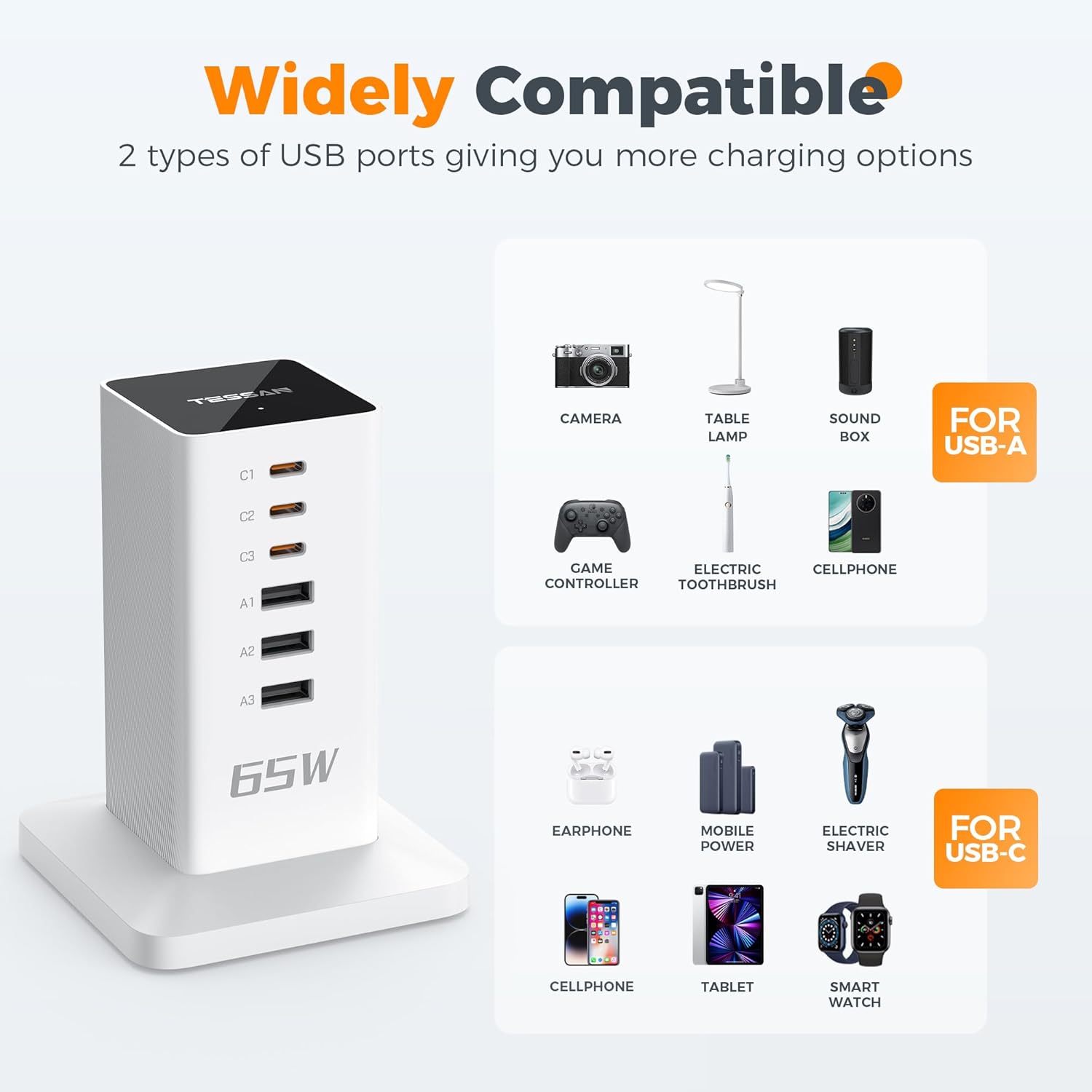
The TESSAN 65W Multi-Device Charging Station is widely compatible with a variety of electronic devices:
- USB-C Compatible Devices: Smartphones (e.g., iPhone 14/15 series, Samsung Galaxy S series), tablets (e.g., iPad, Android tablets), laptops (e.g., MacBook), earphones, mobile power banks, electric shavers, smartwatches.
- USB-A Compatible Devices: Older smartphones, cameras, table lamps, sound boxes, game controllers, electric toothbrushes, and other USB-powered accessories.
Maintenance
To ensure the longevity and optimal performance of your TESSAN Charging Station, follow these maintenance guidelines:
- Cleaning: Disconnect the charging station from the power outlet before cleaning. Use a soft, dry cloth to wipe the surface. Do not use liquid cleaners or aerosol sprays.
- Storage: When not in use, store the charging station in a cool, dry place away from direct sunlight and extreme temperatures.
- Cable Care: Avoid bending or crimping the power cable excessively. Do not pull the cable to unplug the device; always grasp the plug.
- Ventilation: Ensure the charging station has adequate ventilation and is not covered, as this can lead to overheating.
Troubleshooting
If you encounter any issues with your TESSAN Charging Station, please refer to the following table for common problems and solutions:
| Problem | Possible Cause | Solution |
|---|---|---|
| Device not charging. | Loose connection, faulty cable, power outlet issue, device incompatibility. | Ensure all cables are securely connected. Try a different charging cable. Test the power outlet with another device. Verify device compatibility with USB-A/USB-C standards. |
| Slow charging speed. | Cable quality, device drawing too much power, multiple devices connected. | Use a high-quality charging cable. Ensure the device supports fast charging. If charging multiple devices, the total 65W output is shared; some devices may charge slower. Try charging fewer devices simultaneously. |
| Charging station feels warm. | Normal operation, poor ventilation, excessive load. | It is normal for the device to feel warm during operation, especially under heavy load. Ensure adequate ventilation around the unit. If it becomes excessively hot, unplug immediately and contact support. |
| Indicator lights are off. | No power, unit malfunction. | Check if the charging station is properly plugged into a live power outlet. Try a different outlet. If the issue persists, the unit may be faulty. |
Specifications
| Feature | Detail |
|---|---|
| Model Number | TS-CS05 |
| Product Dimensions | 3.35 x 4.72 x 3.35 inches |
| Item Weight | 15.8 ounces |
| Color | White |
| Input Voltage | 125 Volts (AC) |
| Total Power Output | 65W (Shared) |
| USB-C Output (Single Port) | Up to 20W MAX |
| Connector Type | USB-A (3 ports), USB-C (3 ports) |
| Special Features | Fast Charging, Multi-Protection (Over Current, Over Temperature, Short Circuit, Over Voltage, Overload Protection, Heat Resistant) |
| Form Factor | Compact, vertical design |
| Mounting Type | Tabletop Mount |
Warranty and Support
TESSAN products are designed and manufactured to the highest quality standards. This product is covered by a standard manufacturer's warranty against defects in materials and workmanship from the date of purchase. Please refer to the product packaging or the official TESSAN website for specific warranty terms and conditions.
For technical support, troubleshooting assistance, or warranty claims, please contact TESSAN Customer Service:
- Website: Visit the TESSAN Store on Amazon
- Email: Refer to product packaging or official website for direct email support.
When contacting support, please have your product model number (TS-CS05) and purchase information ready.
Product Video
Watch the official product video for a visual guide on the TESSAN 65W Multi-Device Charging Station's features and usage.
Ask a question about this manual
Ask about setup, troubleshooting, compatibility, parts, safety, or missing instructions. Manuals+ will review the question and use this page’s manual context to help answer it.