
Introduction
This manual provides detailed instructions for the installation, use, and maintenance of your Blueshaweu Screen Protector for the Haulvean G39 Smartwatch. This product is designed to protect your smartwatch screen from scratches, impacts, and daily wear while maintaining touch sensitivity and display clarity.
What's in the Box
- 3 x Screen Protectors
- 3 x Wet Cleaning Wipes
- 1 x Fabric Cloth
- 1 x Card Tool
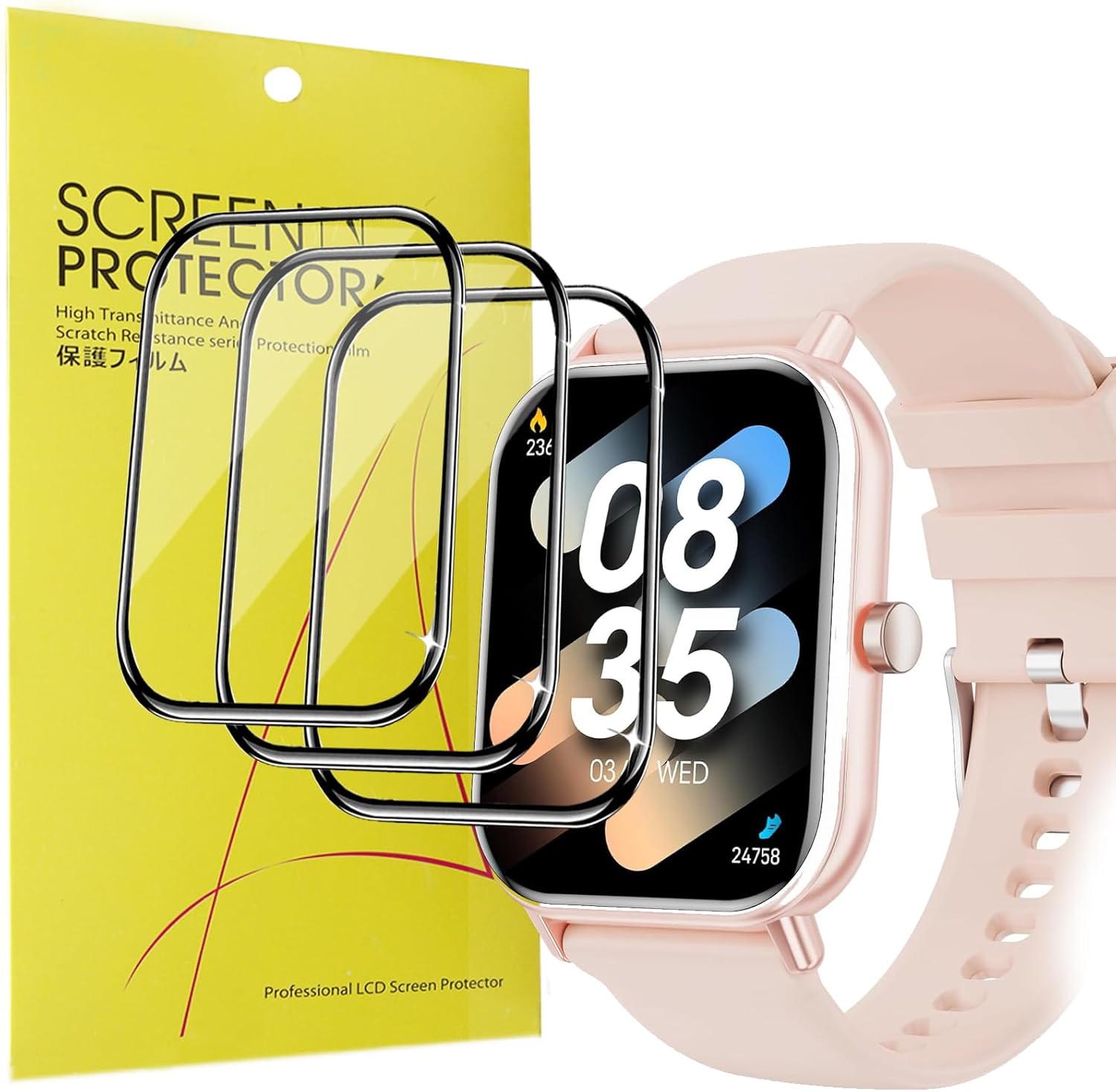
Image: Contents of the screen protector package, including the protectors and cleaning accessories.
Setup and Installation
Proper installation is crucial for optimal performance and longevity of the screen protector. Follow these steps carefully:
- Clean the Watch Screen: Use the provided wet wipe to thoroughly clean the smartwatch screen. Follow with the fabric cloth to dry the screen completely, ensuring no dust or smudges remain.
- Peel the Protective Film: Carefully pull the tab to remove the protective film from the adhesive side of the screen protector. Avoid touching the adhesive surface to prevent fingerprints or dust.
- Align the Protector: Gently align the screen protector onto the smartwatch screen. Start from one edge and slowly lower it, ensuring precise placement. Do not press the middle of the protector to adhere it at this stage.
- Press and Adhere: Once aligned, press the protector from one side to the other, pushing out any air bubbles. Use the card tool to gently smooth out any remaining bubbles towards the edges.
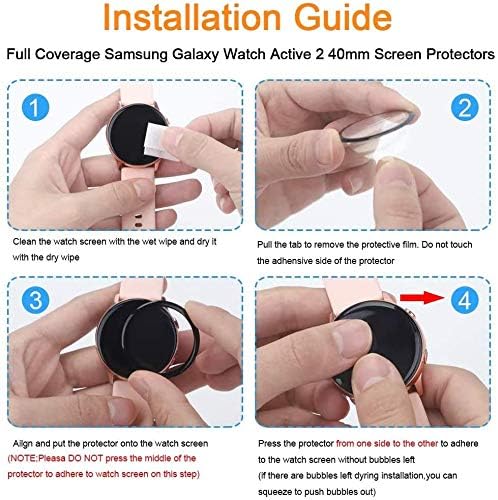
Image: Visual guide demonstrating the four steps of screen protector installation.
Operating and Features
The Blueshaweu screen protector is engineered to enhance your smartwatch experience without compromise:
- Sensitive Touch: With a thickness of only 0.1 mm, the protector preserves the original response sensitivity of your Haulvean G39 smartwatch, ensuring quick and accurate touch interactions.
- Maximum Coverage: The flexible TPU material allows the screen protector to fit your screen from edge to edge, providing comprehensive coverage for your smartwatch display.
- Ultra Clear Display: Featuring 99% HD clear transparency, the high-resolution transparent film maintains the bright and colorful image quality of your smartwatch screen.
- Shatter-proof Design: Constructed with an upgraded explosion-proof and scratch-resistant material, the protector offers robust defense against scratches and bumps, preventing screen damage.
- Bubble-Free Application: Designed for easy application, minimizing the formation of air bubbles during installation for a smooth, clear finish.

Image: Overview of the screen protector's key features.

Image: Demonstration of the screen protector's sensitive touch response.
Maintenance
To maintain the clarity and effectiveness of your screen protector:
- Regularly wipe the screen protector with a soft, lint-free cloth to remove dust and smudges.
- For stubborn marks, use a screen cleaner specifically designed for electronics, applied to the cloth, not directly to the screen.
- Avoid using harsh chemicals or abrasive materials, as these can damage the protector's surface.
Troubleshooting
If you encounter issues during or after installation, consider the following:
- Bubbles After Installation: Small bubbles can sometimes appear. Use the card tool to gently push them towards the nearest edge. For persistent bubbles, lift the nearest edge of the protector slightly and re-apply, pushing the bubble out. Ensure the screen is completely clean before re-application.
- Dust Under Protector: If dust particles are trapped, carefully lift the protector from the nearest edge using the card tool. Use a dust-removal sticker (if available) or a piece of tape to lift the dust from both the screen and the adhesive side of the protector. Re-apply carefully.
- Misalignment: If the protector is significantly misaligned, gently lift it from one edge and re-position it. It is best to do this immediately after initial placement before the adhesive fully sets.
- Reduced Touch Sensitivity: Ensure the protector is fully adhered without any air gaps. If the issue persists, verify that the smartwatch's touch settings are not altered.
Specifications
| Attribute | Detail |
|---|---|
| Product Dimensions | 4.33 x 1.97 x 0.5 inches |
| Item Weight | 0.704 ounces |
| Model Number | bs-Haulvean G39 Smartwatch -Bfilm |
| Color | Black |
| Material | Thermoplastic Polyurethane (TPU) |
| Compatible Devices | Haulvean G39 Smartwatch (1.85 Inch) |
| Finish Type | Glossy |
| Clarity | 0.99 (99% HD Clear) |
| Manufacturer | Blueshaweu |
Warranty and Support
Blueshaweu provides a 30-day warranty for this product. This warranty covers hassle-free returns, replacements, or refunds if you are not satisfied or receive defective items.
For any questions, concerns, or support needs, please contact Blueshaweu customer service directly. Refer to the product packaging or your purchase documentation for contact information.