
1. Introduction
This manual provides detailed instructions for the safe and effective operation of your Maylawn BF-88A Two-Way Radios. Please read this manual thoroughly before using the product and retain it for future reference.

Image 1.1: Maylawn BF-88A Two-Way Radios, showing two units in their charging cradles with earpieces, alongside the product packaging.
2. Product Overview
2.1. Package Contents
The Maylawn BF-88A package includes the following items:
- 2 x Maylawn BF-88A Two-Way Radios
- 2 x Rechargeable Lithium-ion Batteries (1500mAh)
- 2 x Desktop USB Chargers
- 2 x Earpieces
- 2 x Hand Straps
- 2 x Belt Clips
- 2 x User Manuals
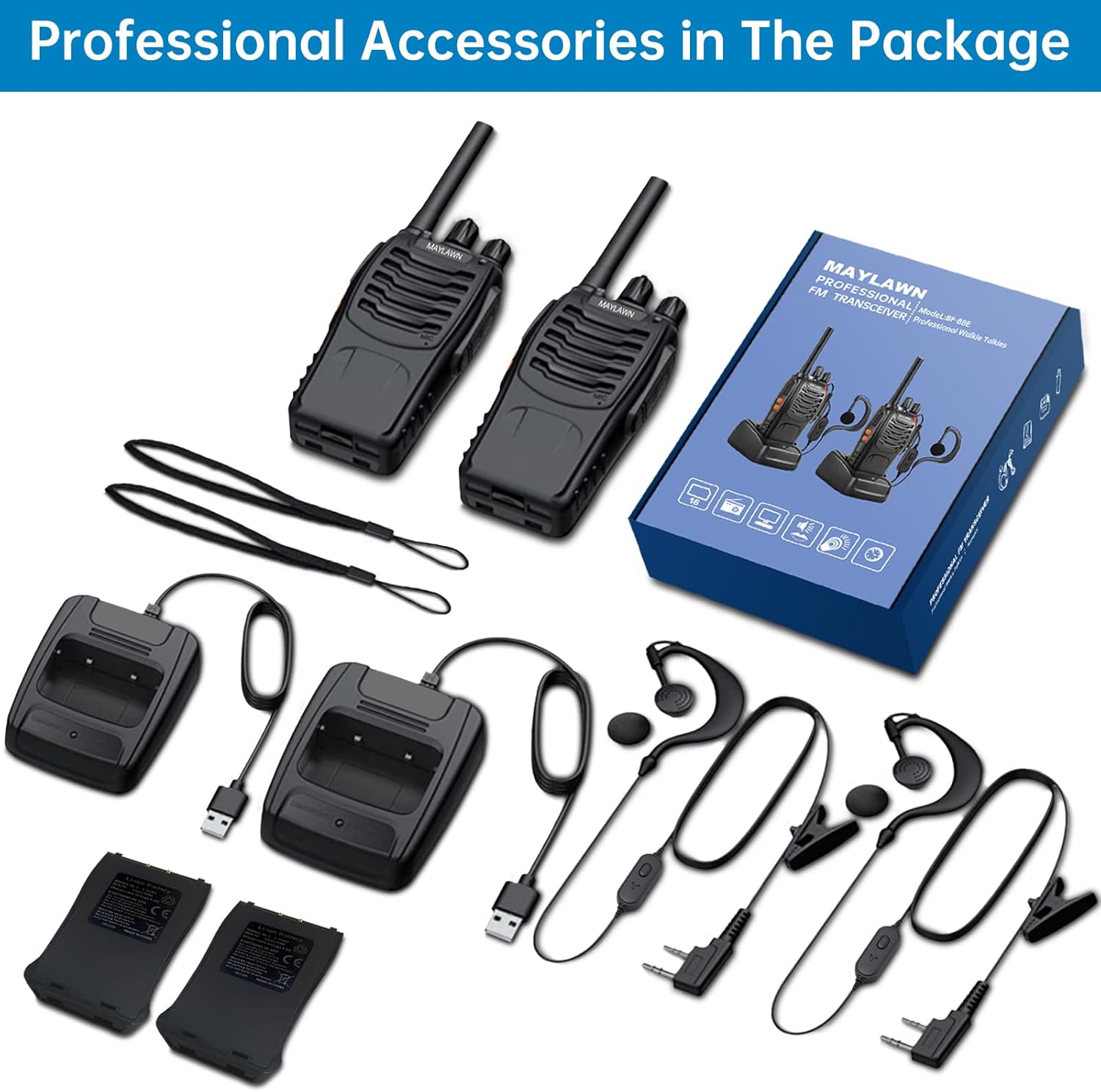
Image 2.1: All components included in the Maylawn BF-88A package, laid out for clear viewing, including two radios, batteries, chargers, earpieces, hand straps, and belt clips.
2.2. Radio Features
Familiarize yourself with the main components and features of your Maylawn BF-88A radio:

Image 2.2: Diagram highlighting key features of the Maylawn BF-88A radio, including the LED indicator light, channel switch, power/volume control, PTT button, monitor button, flashlight button, and external speaker/microphone port.
- LED Indicator Light: Displays radio status (e.g., transmitting, receiving, charging).
- Channel Switch: Rotary knob to select one of the 16 available channels.
- Power Switch/Volume Control: Rotary knob to turn the radio on/off and adjust volume.
- PTT (Push-To-Talk) Button: Press and hold to transmit your voice.
- Monitor Button: Press to temporarily disable squelch and listen for weak signals.
- Flashlight Button: Activates the built-in LED torch.
- External Speaker/Microphone Jack: Port for connecting earpieces or external audio accessories.
3. Setup
3.1. Battery Installation
- Ensure the radio is turned off.
- Align the battery pack with the grooves on the back of the radio.
- Slide the battery pack upwards until it clicks into place.
- To remove, press the release latch (if present) and slide the battery downwards.
3.2. Attaching Accessories
- Antenna: Screw the antenna clockwise into the connector on top of the radio until secure.
- Belt Clip: Attach the belt clip to the designated slot on the back of the radio using the provided screws.
- Earpiece: Insert the earpiece plug into the external speaker/microphone jack on the side of the radio.
4. Operating Instructions
4.1. Power On/Off and Volume Adjustment
Rotate the Power Switch/Volume Control knob (C) clockwise to turn the radio on. Continue rotating clockwise to increase the volume. Rotate counter-clockwise to decrease the volume and turn the radio off.
4.2. Channel Selection
Rotate the Channel Switch knob (B) to select one of the 16 available channels. Ensure all radios you wish to communicate with are set to the same channel.
4.3. Transmitting and Receiving
- To transmit, press and hold the PTT (Push-To-Talk) button (D). Speak clearly into the microphone, holding the radio approximately 2-5 cm from your mouth. The LED indicator light (A) will turn red.
- Release the PTT button to stop transmitting and return to receive mode. The LED indicator light will turn green when receiving a signal.
4.4. Monitor Function
Press the Monitor button (E) to temporarily open the squelch and listen for weak signals or to check if a channel is clear before transmitting. Release the button to re-engage squelch.
4.5. Flashlight Function
Press the Flashlight button (F) to turn the built-in LED torch on or off. This feature is useful in low-light environments.
5. VOX Function (Voice Operated Exchange)
The VOX function allows for hands-free communication by automatically transmitting when it detects your voice, without needing to press the PTT button.
5.1. Activating/Deactivating VOX
Follow these steps to enable or disable the VOX function:
- Ensure the radio is turned on.
- Rotate the Channel Selector knob to Channel 1 (VOX function can be activated on channels 1-5).
- Turn the radio off.
- Press and hold both the PTT button and the Monitor button simultaneously.
- While holding both buttons, turn the Power Switch/Volume Control knob clockwise to turn the radio on.
- Release the PTT and Monitor buttons once the radio powers on.
To verify activation, speak close to the walkie-talkie. If the LED indicator light turns red, the VOX function is active. If not, repeat the steps, trying channels 1 through 5.
5.2. VOX Sensitivity
Due to potential surrounding noise, the VOX function's sensitivity is optimized to prevent unwanted transmissions. For reliable voice detection, it is recommended to speak close to the walkie-talkie or connected earpiece/headset when VOX is active.
6. Charging and Battery Information
Each radio is powered by a 1500mAh rechargeable Lithium-ion battery.
6.1. Charging Procedure
- Insert the radio (with battery installed) into the desktop USB charger cradle.
- Connect the USB charger to a compatible USB power source (e.g., wall adapter, computer USB port).
- The charger's indicator light will show the charging status (typically red for charging, green for fully charged).
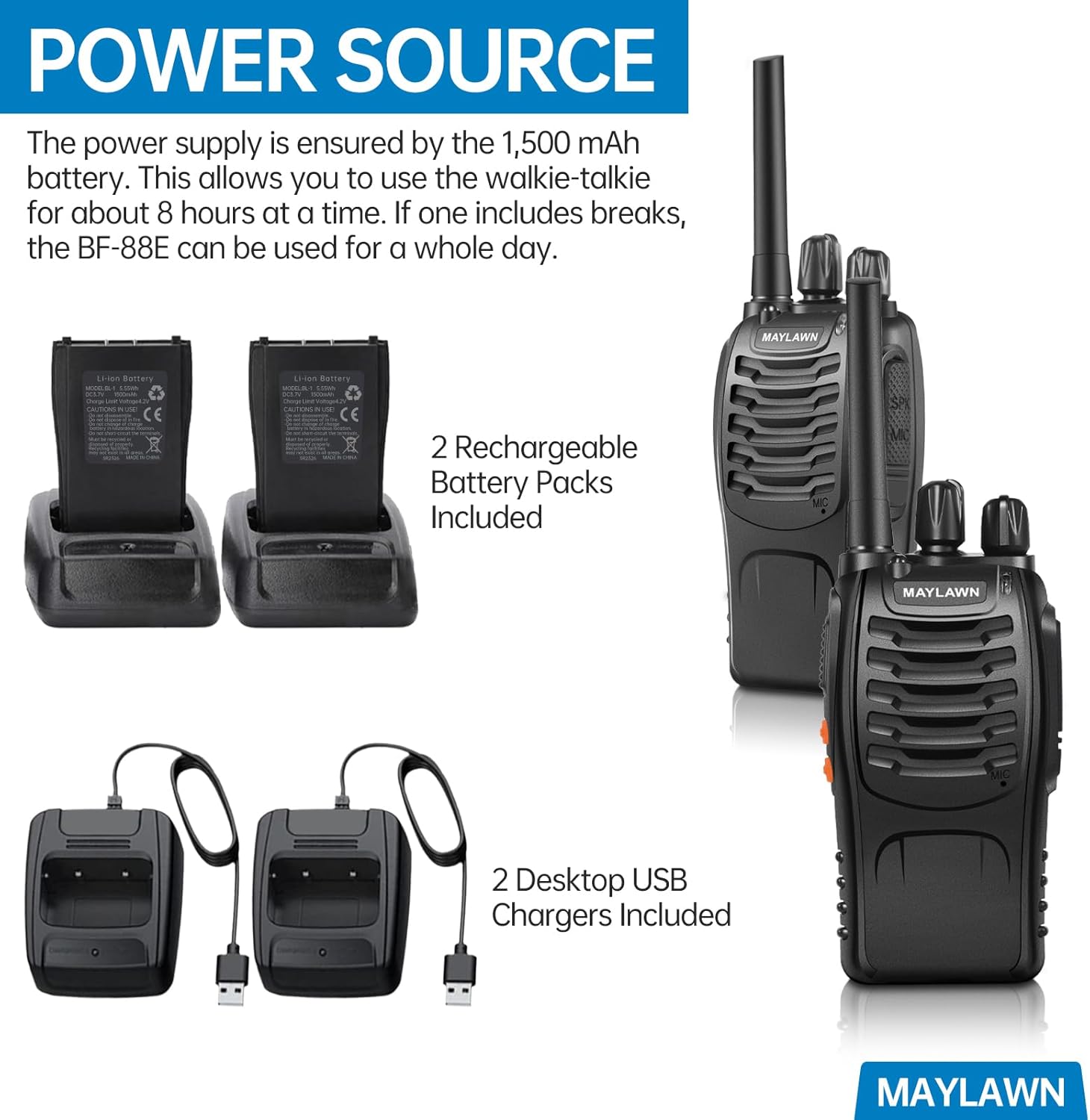
Image 6.1: Two Maylawn BF-88A radios shown with their respective desktop USB charging cradles and rechargeable battery packs.
6.2. Battery Life
A fully charged 1500mAh battery provides approximately 8-12 hours of continuous use. A full charge typically takes 4-5 hours. For extended use, the battery can last a full day with intermittent breaks.
7. Range Information
The effective communication range of your Maylawn BF-88A radios is highly dependent on terrain and environmental conditions.
- Maximum Theoretical Range: Up to 4-5 kilometers (approximately 2.5-3 miles) in clear, unobstructed areas with line of sight.
- Urban Areas: Approximately 1.5 kilometers (0.9 miles) in downtown environments with buildings and moderate obstructions.
- Obstructed Environments: Effective communication across 1-50 floors within a single building.

Image 7.1: Visual representation of the Maylawn BF-88A radio's communication range under different conditions: maximum in clear paths, ideal in downtown areas, and obstructed within buildings.
8. Maintenance
- Cleaning: Use a soft, damp cloth to clean the radio's exterior. Do not use harsh chemicals or abrasive cleaners.
- Storage: Store the radios in a cool, dry place when not in use. Remove batteries if storing for extended periods.
- Battery Care: Avoid overcharging or completely draining the battery. Recharge regularly to maintain battery health.
- Water Resistance: The radios are water-resistant, but not waterproof. Avoid submerging them in water.
9. Troubleshooting
| Problem | Possible Cause | Solution |
|---|---|---|
| Radio does not power on. | Battery is low or not installed correctly. | Ensure battery is fully charged and properly seated. |
| Cannot transmit or receive. | Incorrect channel selected; radios out of range; battery low. | Verify both radios are on the same channel. Move closer to the other radio. Recharge battery. |
| Poor audio quality or static. | Weak signal; interference; volume too low/high. | Adjust volume. Move to an area with fewer obstructions. Check antenna connection. |
| VOX function not working. | Not activated correctly; speaking too far from microphone. | Re-follow VOX activation steps. Speak closer to the microphone. |
10. Specifications
- Model: BF-88A
- Brand: Maylawn
- Number of Channels: 16
- Battery Type: 1500mAh Lithium-ion (included)
- Battery Life: Up to 12 hours (continuous use)
- Charging Time: 4-5 hours
- Talking Range Maximum: 5 Kilometers (under ideal conditions)
- Special Features: Battery Saver Mode, Lightweight, Long Range, Noise Reduction, Rechargeable, Built-in LED Torch, VOX Function
- Water Resistance Level: Water Resistant
- Item Weight: Approximately 1.32 pounds (for the pack of 2)
- Package Dimensions: 9.41 x 6.93 x 2.56 inches
- FCC ID: 2AJGM-BF-88A
11. Warranty and Support
Your Maylawn BF-88A Two-Way Radios come with a 2-Year Manufacturer Warranty. Maylawn also provides lifetime customer service for this product.
For technical assistance, warranty claims, or customer support, please refer to the contact information provided with your purchase or visit the official Maylawn website.

Image 11.1: An image depicting a Maylawn radio with a scenic mountain background, emphasizing lifetime customer support.
12. Safety Information
- Do not operate the radio in explosive atmospheres (e.g., near flammable gas, dust, or fine powders).
- Do not modify the radio or its accessories. Unauthorized modifications can void the warranty and violate regulations.
- Keep the radio and its accessories out of reach of small children.
- Use only Maylawn-approved batteries and chargers.
- Avoid exposing the radio to extreme temperatures, direct sunlight, or excessive moisture.
- If the radio emits smoke or an unusual odor, immediately turn off the power and remove the battery.