1. Introduction
The EPTTECH TLC2326 is a smart ultrasonic liquid level monitor designed for various tanks, including oil, water, and other liquids. It provides real-time liquid level detection, remote monitoring via a smartphone application, and customizable alerts. This device is suitable for both household and industrial applications, offering a reliable solution for managing liquid volumes.
2. Product Components
The EPTTECH TLC2326 Liquid Level Monitor package includes the following items:
- Ultrasonic Sensor Unit
- Power Adapter (Input: 100-240V AC, Output: 5V DC)
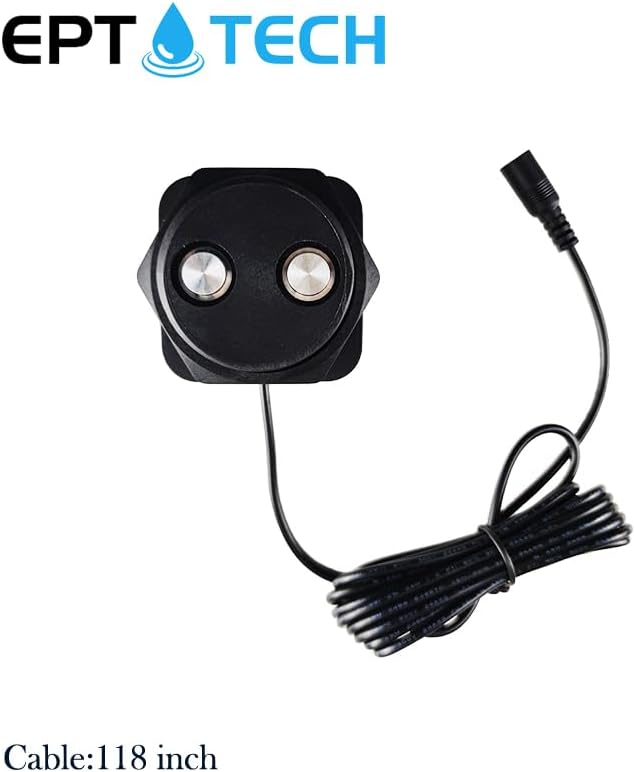
Figure 2.1: Ultrasonic Sensor Unit with Cable
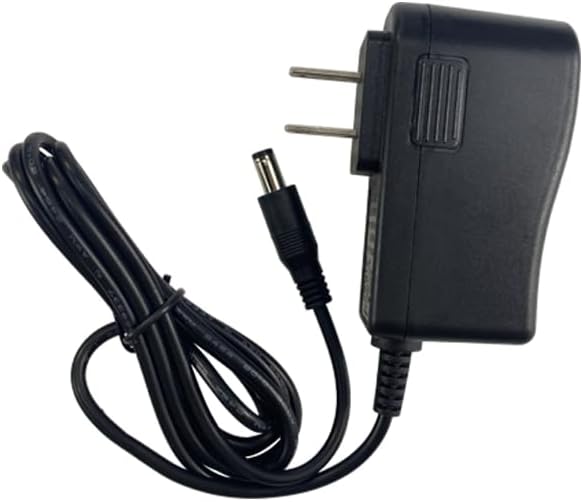
Figure 2.2: Power Adapter
3. Specifications
| Feature | Specification |
|---|---|
| Model Number | TLC2326 |
| Brand | EPTTECH |
| Voltage | 5 Volts (DC) |
| Control Method | App (Tuya Smart Life) |
| Mounting Type | Tabletop Mount (or tank top installation) |
| Maximum Measuring Range | 4 to 118 inches (from sensor) |
| Sensor Technology | Ultrasonic Sensor |
| Waterproof Rating | IP67 |
| Operating Temperature | -10℃ to +70℃ |
| WiFi Range | 11.8 inches (when no obstacle) |
| Product Dimensions | 1.98"L x 2.44"W x 1.98"H |
| Item Weight | 10.2 ounces |
4. Setup Instructions
4.1 Physical Installation
The sensor is designed for easy installation on top of a tank. It features a threaded base for secure mounting.
- Ensure the tank has an appropriate opening for the sensor's threaded base (diameter of the sensor thread is 58 mm).
- Screw the sensor into the opening on top of the tank.
- Connect the power adapter to the sensor and plug it into a power outlet.

Figure 4.1: Sensor Dimensions (BSF 2 1/4 thread)

Figure 4.2: Sensor Installation Steps
4.2 App Connection
The EPTTECH TLC2326 monitor uses the Tuya Smart Life app for remote monitoring and control. Ensure your smartphone is connected to a 2.4GHz Wi-Fi network during the setup process.
- Download the "Tuya Smart" or "Smart Life" app from your smartphone's app store.
- Open the app and register/log in.
- Ensure the sensor is powered on. The LED indicator on the sensor will flash.
- In the app, tap "Add Device" or the "+" icon.
- If the app does not automatically detect the sensor, manually select "Sensors" or "Liquid Level Sensor" from the device list.
- Follow the on-screen instructions to connect the sensor to your Wi-Fi network. You may need to press and hold the button on the sensor until the red and blue LEDs flash alternately to enter pairing mode.
- Once connected, the blue light on the sensor will flash, indicating a successful connection.
Video 4.1: Instructions on how to restart and connect the TLC2326 sensor to the network.

Figure 4.3: App Interface for Liquid Level Monitoring
5. Operating Instructions
5.1 Monitoring Liquid Level
Once connected, the app will display the liquid level in real-time, showing both the liquid level ratio (percentage) and depth (in inches). The graph table updates the average liquid level every half hour. To refresh the data, return to the app homepage and pull down to refresh.
Video 5.1: Demonstration of the EPTTECH TLC2326 118-inch tank level monitor in operation.
5.2 Setting Up Alerts
The app allows you to set custom alerts for full and low liquid levels. You will receive message alerts when these thresholds are met.
- Navigate to the sensor settings within the app.
- Locate the "Alarm Level" or "Alert Settings" option.
- Set your desired maximum and minimum liquid levels for alerts (by height or percentage).

Figure 5.1: Setting Alarm Levels in the App
5.3 Multi-Tank Monitoring
The app supports monitoring multiple sensors, allowing you to manage up to 100 sensors from a single application. This is ideal for environments with several tanks.

Figure 5.2: Multi-Tank Monitoring Interface
6. Maintenance
The EPTTECH TLC2326 is designed for durability with an IP67 waterproof rating. Regular maintenance is minimal:
- Periodically check the sensor for any debris or buildup that might obstruct the ultrasonic waves. Clean gently if necessary.
- Ensure the power adapter and cable are free from damage.
- Verify the Wi-Fi signal strength in the sensor's location to ensure consistent connectivity.
7. Troubleshooting
7.1 Common Issues and Solutions
- App cannot recognize the sensor / Sensor not connecting to Wi-Fi:
Ensure your phone is connected to a 2.4GHz Wi-Fi network. Press and hold the middle button on the sensor until the red and blue LEDs flash alternately to re-enter pairing mode. Follow the app's instructions for reconnection. A weak Wi-Fi signal can also cause connection issues; consider relocating the sensor or improving Wi-Fi coverage.
- Delayed message alerts:
This can be due to a poor Wi-Fi signal. Ensure the sensor is within optimal range of your router. The Smart Life app's pop-up reminders are generally faster.
- Liquid level displayed correctly, but percentage is incorrect:
Verify the "sensor to full line" setting in the app. This value must be accurately set according to your tank's dimensions and sensor installation height for correct percentage calculation.
- Graph table not updating in real-time:
The graph table updates the average liquid level every half hour, not in real-time. To refresh the current data, return to the app homepage and pull down to refresh.
- Sensor test errors / Inaccurate readings:
Ensure the sensor is installed correctly and the ultrasonic path is clear. Common causes for errors include:
- Flat objects not facing the sensor directly (angle greater than 45 degrees).
- Object being too small to reflect ultrasonic waves effectively.
- Object being too soft to reflect ultrasonic waves.

Figure 7.1: Common Causes of Sensor Test Errors
8. Warranty and Support
For any after-sales problems, technical assistance, or product inquiries, please contact EPTTECH customer support. Refer to your product packaging or the official EPTTECH website for contact information.