
Introduction
Thank you for choosing the Bangfun 65W 4-Port USB C Car Charger. This device is designed to provide efficient and fast charging for multiple electronic devices simultaneously in your vehicle. Please read this manual carefully to ensure proper use and optimal performance.
Product Overview
The Bangfun 65W 4-Port USB C Car Charger features a compact design with two USB-C ports and two USB-A ports, offering a total output of 65W. It supports Power Delivery (PD 30W) and Quick Charge (QC 18W) technologies for rapid charging of compatible devices. The charger is constructed with an all-aluminum alloy exterior for durability and incorporates a smart chip for enhanced safety.

Image: Three Bangfun 65W 4-Port USB C Car Chargers, highlighting the port configuration and silver finish.
A soft blue LED light ring around the ports assists in locating the charging ports in low-light conditions.
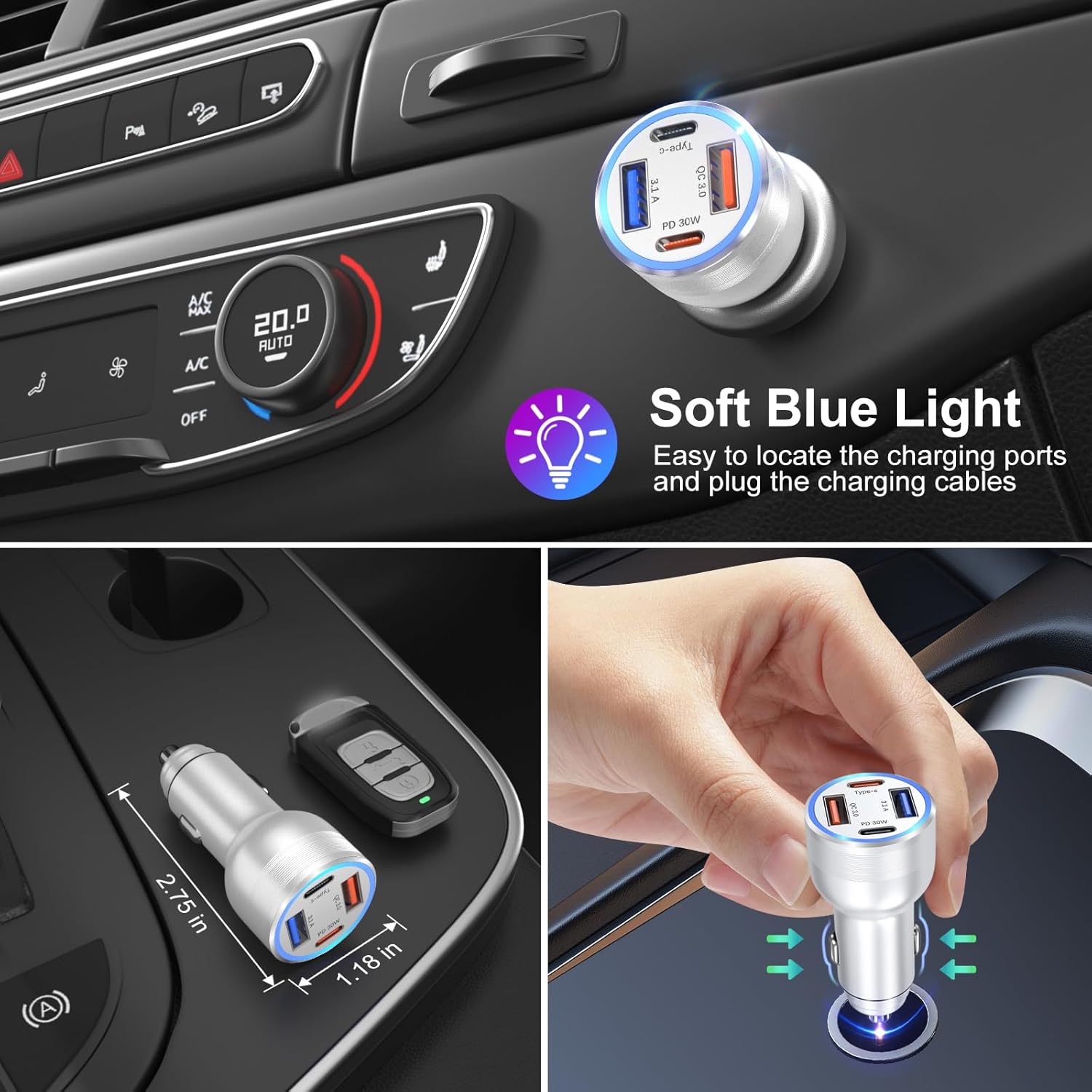
Image: The car charger installed in a vehicle, illustrating its compact size and the soft blue illumination.
Setup
- Ensure your vehicle's engine is off before installation.
- Locate the cigarette lighter socket in your vehicle. This charger is compatible with DC 12V-24V sockets.
- Insert the Bangfun car charger firmly into the cigarette lighter socket until it is securely seated. The blue LED light will illuminate, indicating it is powered on and ready for use.

Image: Proper insertion of the car charger into the vehicle's power outlet.
Operating Instructions
This charger allows you to power up to four devices simultaneously. Use appropriate charging cables for your devices.
- USB-C Ports (PD 30W): These ports support Power Delivery 3.0 and are ideal for fast charging high-speed devices such as iPhone 15 Pro Max, iPad Pro, and even some MacBook models.
- USB-A Ports (QC 18W / 3.1A): One USB-A port supports Quick Charge 3.0 for rapid charging of most Android devices. The other USB-A port provides a standard 3.1A output for other USB-powered accessories.
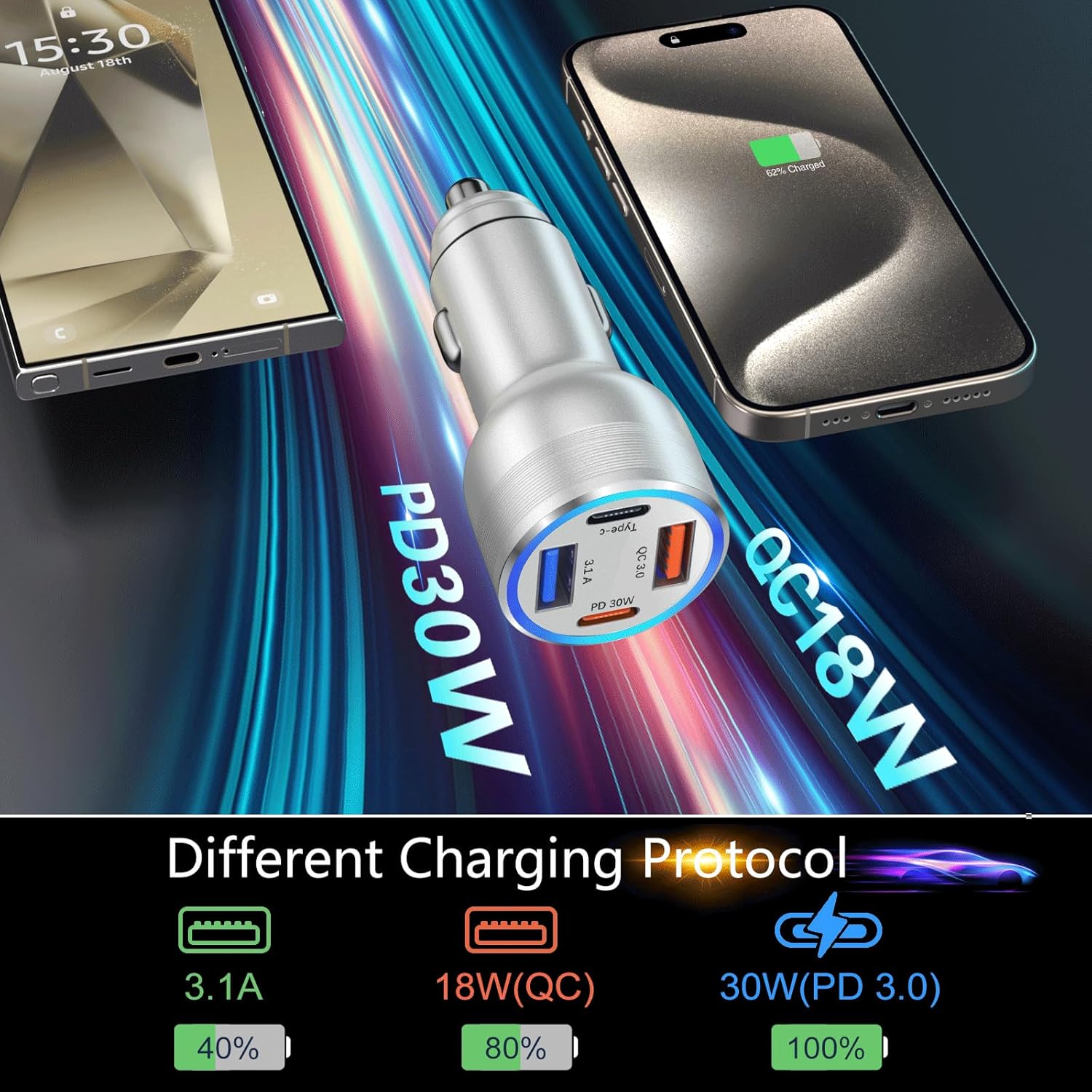
Image: Visual representation of the different charging protocols and their efficiency.
Connect your devices using compatible USB cables to the respective ports. The smart chip automatically detects the connected device and delivers the optimal charging current.

Image: Examples of various devices, including an iPad Pro, iPhone 15 Pro, and Samsung A55, being charged by the unit.
The charger is compatible with a wide range of devices including iPhone 15/14/13/12/11 series, iPad Pro/Mini, Samsung Galaxy S24/S23/S22 series, Note series, Pixel phones, dashcams, USB fans, and other USB car accessories.

Image: Demonstrates simultaneous charging of multiple devices within a vehicle environment.
Maintenance
- Cleaning: Disconnect the charger from the car socket before cleaning. Use a soft, dry cloth to wipe the exterior. Do not use liquid cleaners or abrasive materials.
- Storage: When not in use for extended periods, remove the charger from the car socket and store it in a cool, dry place away from direct sunlight.
- Safety: Avoid exposing the charger to water, extreme temperatures, or corrosive environments. Do not attempt to disassemble or modify the charger.
Troubleshooting
| Problem | Possible Cause | Solution |
|---|---|---|
| Charger not powering on (no blue light) | Loose connection; vehicle socket issue; blown fuse in vehicle. | Ensure the charger is firmly inserted. Check if the vehicle's cigarette lighter socket is functional. Consult your vehicle's manual for fuse box location and replacement. |
| Device charging slowly | Device not compatible with fast charging; cable not supporting fast charging; multiple devices drawing power. | Verify your device and cable support PD or QC fast charging. Use a high-quality cable. If charging multiple devices, total output is shared. |
| Charger or device overheating | Excessive load; poor ventilation; faulty device/cable. | Disconnect devices and allow the charger to cool. Ensure proper ventilation around the charger. Try different cables or devices to isolate the issue. The charger has built-in protection against overheating. |
| Charger automatically stops charging | Device fully charged; vehicle ignition turned off; safety protection activated. | This is normal behavior. The charger will stop when the device is full or when the car's 12V outlets are powered down with the ignition. |
Specifications
| Feature | Specification |
|---|---|
| Model Number | BHCC04 |
| Input Voltage | DC 12V-24V |
| Total Output Power | 65W (Max) |
| USB-C Output (PD 3.0) | 30W (Max) |
| USB-A Output (QC 3.0) | 18W (Max) |
| USB-A Output (Standard) | 3.1A (15W) |
| Number of Ports | 2x USB-C, 2x USB-A |
| Dimensions | 2.75 x 1.18 x 1.18 inches |
| Item Weight | 1.23 ounces |
| Material | Aluminum Alloy |
| Color | Silver |
Warranty and Support
Bangfun is committed to providing high-quality products and prompt customer service. If you encounter any defective chargers or have any other issues with your product, please do not hesitate to contact the manufacturer directly for assistance. Please refer to your purchase documentation for specific warranty terms and contact information.