
Arrow Dancer AD-V8-Earbuds
AD V8 TWS Earphones User Manual
Model: AD-V8-Earbuds | Brand: Arrow Dancer
Introduction
Welcome to the user manual for your new AD V8 TWS Earphones. These wireless earbuds are designed to provide a superior audio experience with advanced features such as a full-color LCD touch screen, Active Noise Cancellation (ANC), Environmental Noise Cancellation (ENC), and Bluetooth 5.3 connectivity. This manual will guide you through the setup, operation, and maintenance of your earphones to ensure optimal performance and longevity.
What's in the Box
Upon unboxing your AD V8 TWS Earphones, please verify that all components are present:
- AD V8 TWS Earbuds (Left and Right)
- Wireless Charging Case with LCD Touch Screen
- USB Type-C Charging Cable
- Multiple Sizes of Ear Cushions (S, M, L)
- User Manual (this document)
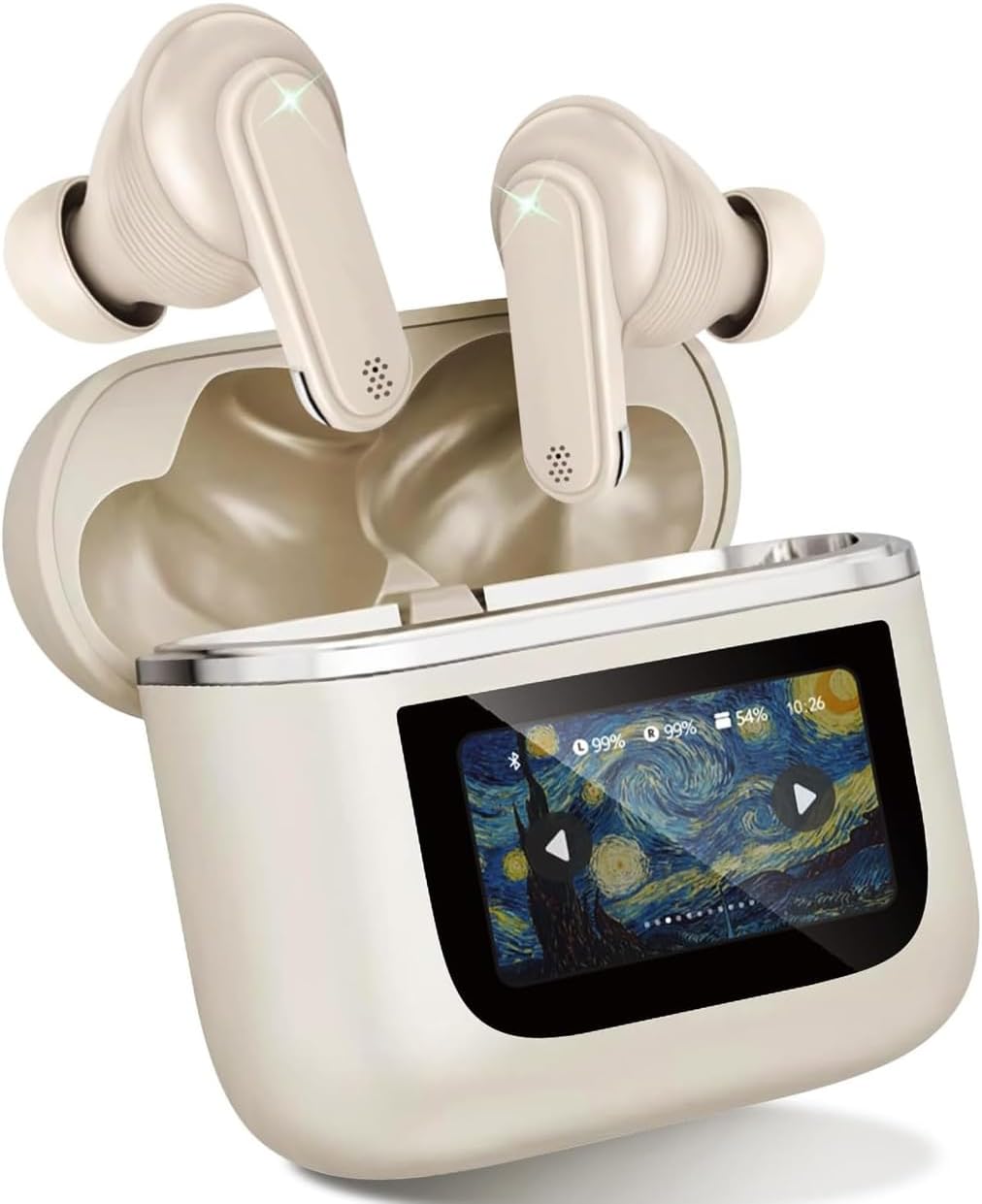
Image: The AD V8 TWS Earphones, including the earbuds and the charging case with its LCD screen. This image shows the primary components included in the product package.
Setup Guide
1. Initial Charging
Before first use, fully charge the earphones and the charging case. Connect the provided USB Type-C cable to the charging port on the case and a compatible USB power source. The LCD screen will display the charging status.
- Charging Time: Approximately 60 minutes for a full charge.
- Battery Life: Earbuds provide over 8 hours of continuous playtime. The charging case provides an additional 24 hours of battery life.
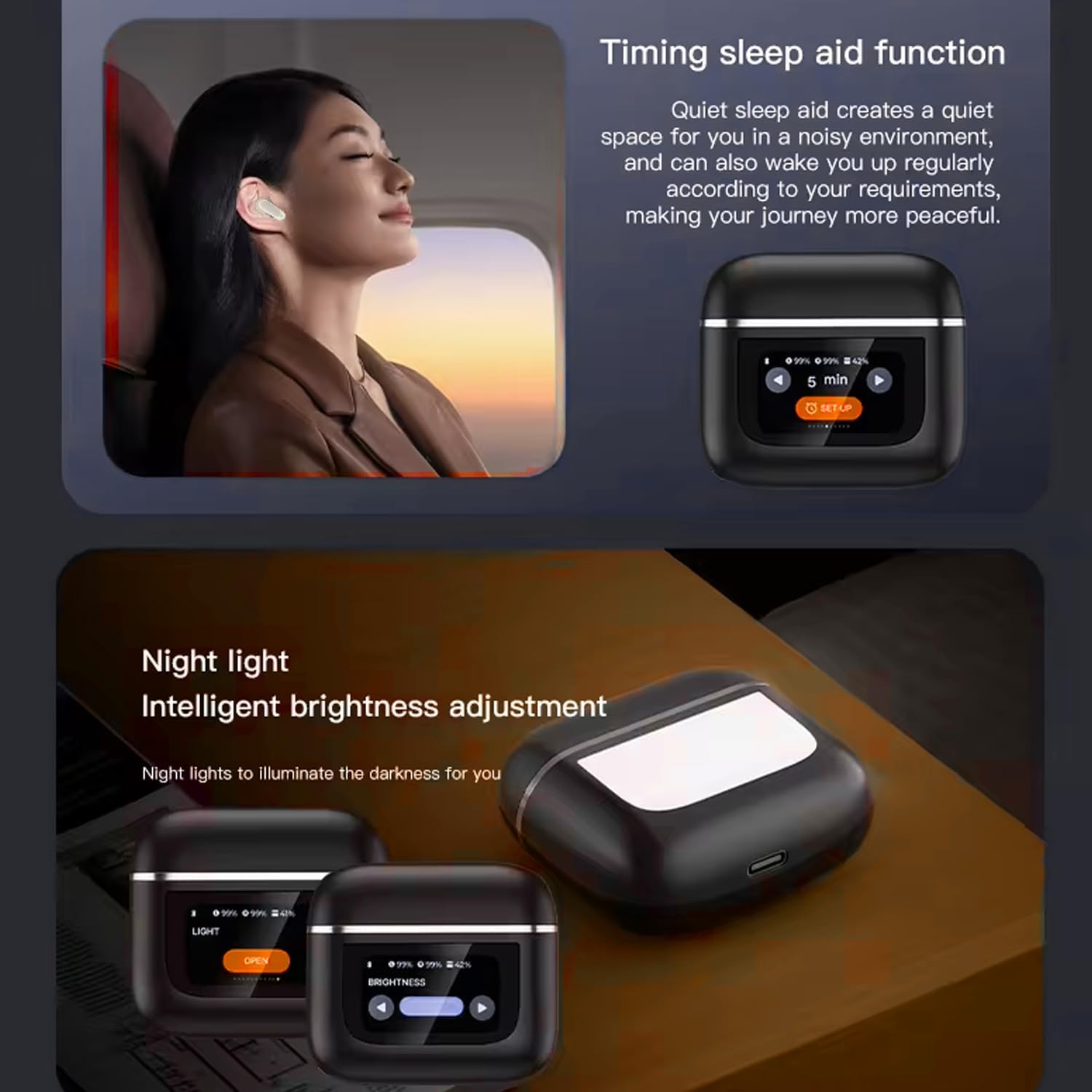
Image: The AD V8 TWS Earphones charging case, illustrating its ultra-long battery life capabilities and quick charge technology. The image highlights the charging status and battery indicators on the LCD screen.
2. Pairing with Your Device
- Ensure the earphones are in the charging case and the case lid is open.
- On your smartphone or Bluetooth-enabled device, navigate to the Bluetooth settings.
- Search for available devices and select "AD V8 Earphones" from the list.
- Once connected, the LCD screen on the charging case will indicate successful pairing.
The earphones support Bluetooth 5.3 for a stable and efficient connection with a transmission range of up to 15 meters. They offer seamless pairing with both Apple and Android devices, along with fast auto-connect functionality after initial pairing.

Image: The AD V8 TWS Earphones and their charging case, emphasizing the Bluetooth 5.3 connectivity. The image visually represents the wireless connection capability of the earbuds.
Operating Instructions
LCD Touch Screen Functions
The full-color LCD touch screen on the charging case provides intuitive control over various settings. Swipe left or right to access different menus and tap to select options.
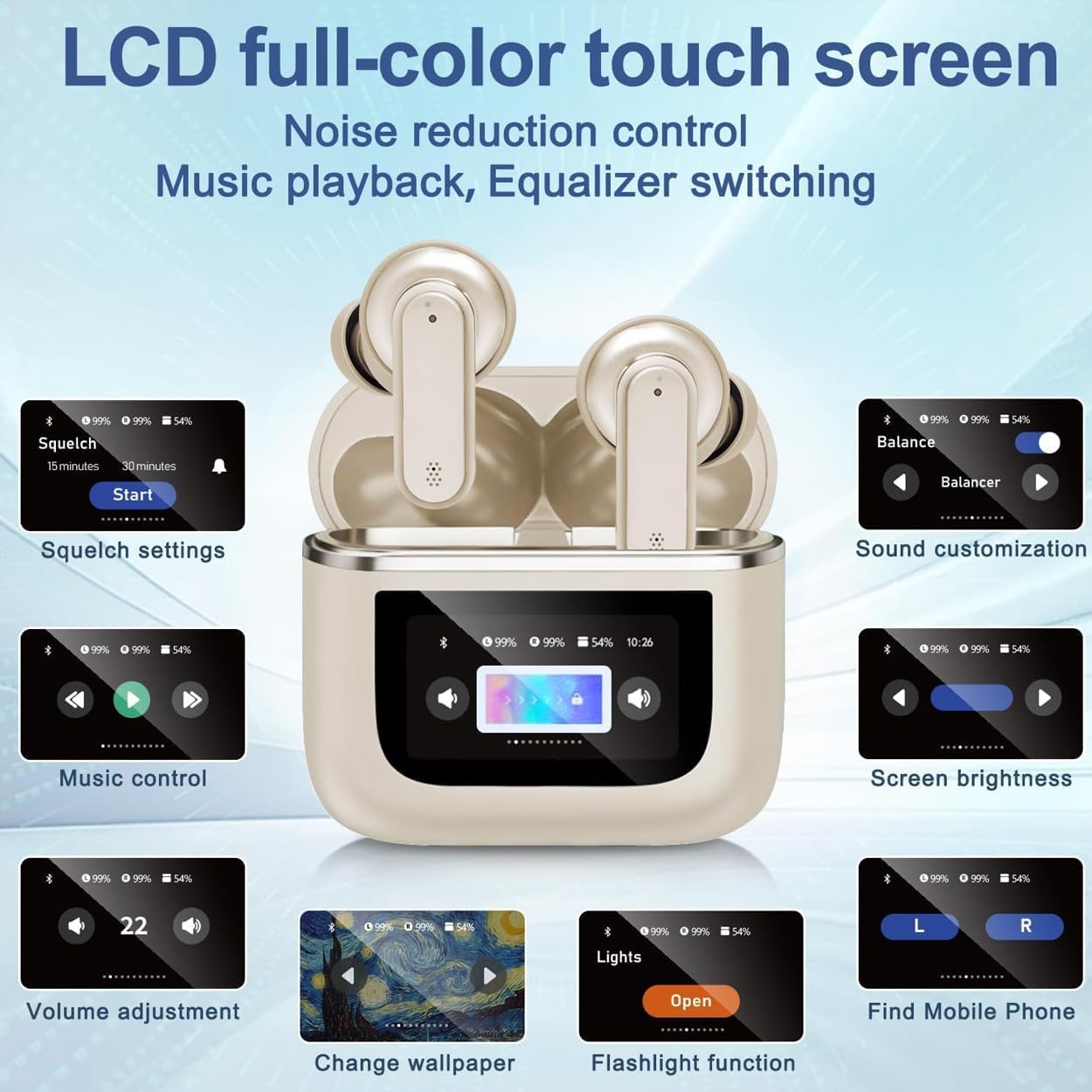
Image: A detailed view of the AD V8 TWS Earphones LCD full-color touch screen, showcasing various control options such as squelch settings, sound customization, music control, screen brightness, volume adjustment, wallpaper change, flashlight function, and finding a mobile phone.
- Music Control: Play/Pause, Skip tracks.
- Volume Adjustment: Increase or decrease audio volume.
- Sound Customization: Select from various equalizer presets (Balanced, Stereo, Bass, Jazz, Vocal).
- Noise Reduction Control: Toggle Active Noise Cancellation (ANC) and Environmental Noise Cancellation (ENC) modes.
- Screen Brightness: Adjust the display brightness.
- Change Wallpaper: Personalize the screen background.
- Flashlight Function: Activate a small light for convenience.
- Find Mobile Phone: Trigger a tone on your paired phone to locate it.
Touch Controls on Earbuds
The earbuds themselves feature touch-sensitive areas for quick control without needing to access the charging case screen.
| Action | Control |
|---|---|
| Play/Pause Music | Single tap on either earbud |
| Next Track | Double tap on right earbud |
| Previous Track | Double tap on left earbud |
| Answer/End Call | Single tap on either earbud |
| Reject Call | Press and hold either earbud for 2 seconds |
| Activate Voice Assistant | Triple tap on either earbud |
| Toggle ANC/Transparency Mode | Press and hold either earbud for 3 seconds |
Noise Cancellation Modes
The AD V8 TWS Earphones feature advanced Active Noise Cancellation (ANC) and Environmental Noise Cancellation (ENC) technology. These modes can be toggled via the LCD touch screen or by pressing and holding the earbud touch area.
- ANC (Active Noise Cancellation): Reduces ambient noise for immersive listening.
- ENC (Environmental Noise Cancellation): Enhances call clarity by reducing background noise during conversations.
- Transparency Mode: Allows you to hear your surroundings while still enjoying audio, useful for awareness in urban environments.

Image: The AD V8 TWS Earphones demonstrating intelligent adaptive noise reduction, showing a visual representation of sound before and after noise reduction, indicating a significant reduction in external noise.
Gaming Mode
Activate the low latency gaming mode for a synchronized audio experience during gameplay. This mode minimizes audio delay, providing a competitive edge.

Image: A user engaged in mobile gaming while wearing the AD V8 TWS Earphones, illustrating the low latency gaming mode feature. The image also shows a user listening to music and on a video call, highlighting the multi-functional use of the earphones.
Maintenance and Care
- Cleaning: Regularly clean the earbuds and charging case with a soft, dry, lint-free cloth. Do not use abrasive materials or harsh chemicals.
- Ear Cushions: Remove and clean the ear cushions periodically. Ensure they are completely dry before reattaching.
- Water Resistance: The earphones have an IPX-5 waterproof rating, meaning they are resistant to sweat and light splashes. Do not submerge them in water or expose them to heavy rain.
- Storage: When not in use, store the earphones in their charging case to protect them and keep them charged. Store in a cool, dry place away from direct sunlight and extreme temperatures.
- Charging Port: Keep the USB-C charging port free of dust and debris.
Troubleshooting
| Problem | Possible Solution |
|---|---|
| Earbuds not pairing |
|
| No sound from one earbud |
|
| Charging case not charging |
|
| Poor sound quality |
|
Product Specifications
| Feature | Detail |
|---|---|
| Model Name | AD V8 Wireless Earphones |
| Bluetooth Version | 5.3 |
| Wireless Range | Up to 15 meters (49 feet) |
| Noise Control | Active Noise Cancellation (ANC), Environmental Noise Cancellation (ENC) |
| Water Resistance Rating | IPX-5 |
| Earbud Battery Life | 8+ hours (continuous playtime) |
| Charging Case Battery Life | Additional 24 hours (total 32 hours with case) |
| Charging Time | Approx. 60 minutes (earbuds and case) |
| Charging Port | USB Type-C |
| Control Type | Touch (earbuds), LCD Touch Screen (case) |
| Frequency Response | 20 Hz - 20,000 Hz |
| Sensitivity | 95 dB |
| Impedance | 140 Ohm |
| Material | Plastic, Rubber |
| Item Weight | 4.8 ounces |
| Product Dimensions | 3 x 2.5 x 1 inches |
Warranty and Support
Arrow Dancer products are manufactured to the highest quality standards. For warranty information and technical support, please refer to the contact details provided on the product packaging or visit the official Arrow Dancer website. Please retain your proof of purchase for warranty claims.
For further assistance, you may contact Arrow Dancer customer support through their official channels. Details can typically be found on the brand's Amazon store page or their dedicated support website.
Online Resources:
- Arrow Dancer Amazon Store: Visit Store
Important Safety Information
- Do not disassemble, repair, or modify the product.
- Keep away from extreme temperatures, humidity, and corrosive substances.
- Avoid dropping or subjecting the product to strong impacts.
- Do not expose to open flames or dispose of in fire.
- Use only certified chargers and cables.
- Prolonged exposure to high volume levels may cause hearing damage. Adjust volume to a safe level.
Ask a question about this manual
Ask about setup, troubleshooting, compatibility, parts, safety, or missing instructions. Manuals+ will review the question and use this page’s manual context to help answer it.