
1. Introduction and Safety Information
This manual provides essential instructions for the safe operation, maintenance, and troubleshooting of your Robustrue Cordless Impact Wrench models RT550B and RT1200B. Please read this manual thoroughly before using the tool to ensure proper and safe operation. Keep this manual for future reference.
General Safety Warnings
- Read all safety warnings and instructions. Failure to follow the warnings and instructions may result in electric shock, fire, and/or serious injury.
- Keep work area clean and well lit. Cluttered or dark areas invite accidents.
- Do not operate power tools in explosive atmospheres, such as in the presence of flammable liquids, gases, or dust. Power tools create sparks which may ignite the dust or fumes.
- Keep children and bystanders away while operating a power tool. Distractions can cause you to lose control.
- Wear eye protection. Always wear safety glasses with side shields.
- Use appropriate personal protective equipment (PPE) such as gloves and hearing protection.
- Avoid accidental starting. Ensure the switch is in the off-position before connecting to battery pack, picking up or carrying the tool.
- Do not overreach. Keep proper footing and balance at all times. This enables better control of the power tool in unexpected situations.
- Disconnect the battery pack from the power tool before making any adjustments, changing accessories, or storing power tools.
2. Product Overview
The Robustrue Cordless Impact Wrench is designed for efficient fastening and loosening of various bolts and nuts. It features a brushless motor for enhanced performance and durability.
Key Components
- Impact Wrench Body
- Battery Pack (Lithium-Ion)
- Battery Charger
- Socket/Bit Adapter (depending on model/kit)
Brushless Motor Technology
Both RT550B and RT1200B models incorporate an upgraded 5.0 copper brushless motor. This technology offers several advantages over traditional brushed motors:
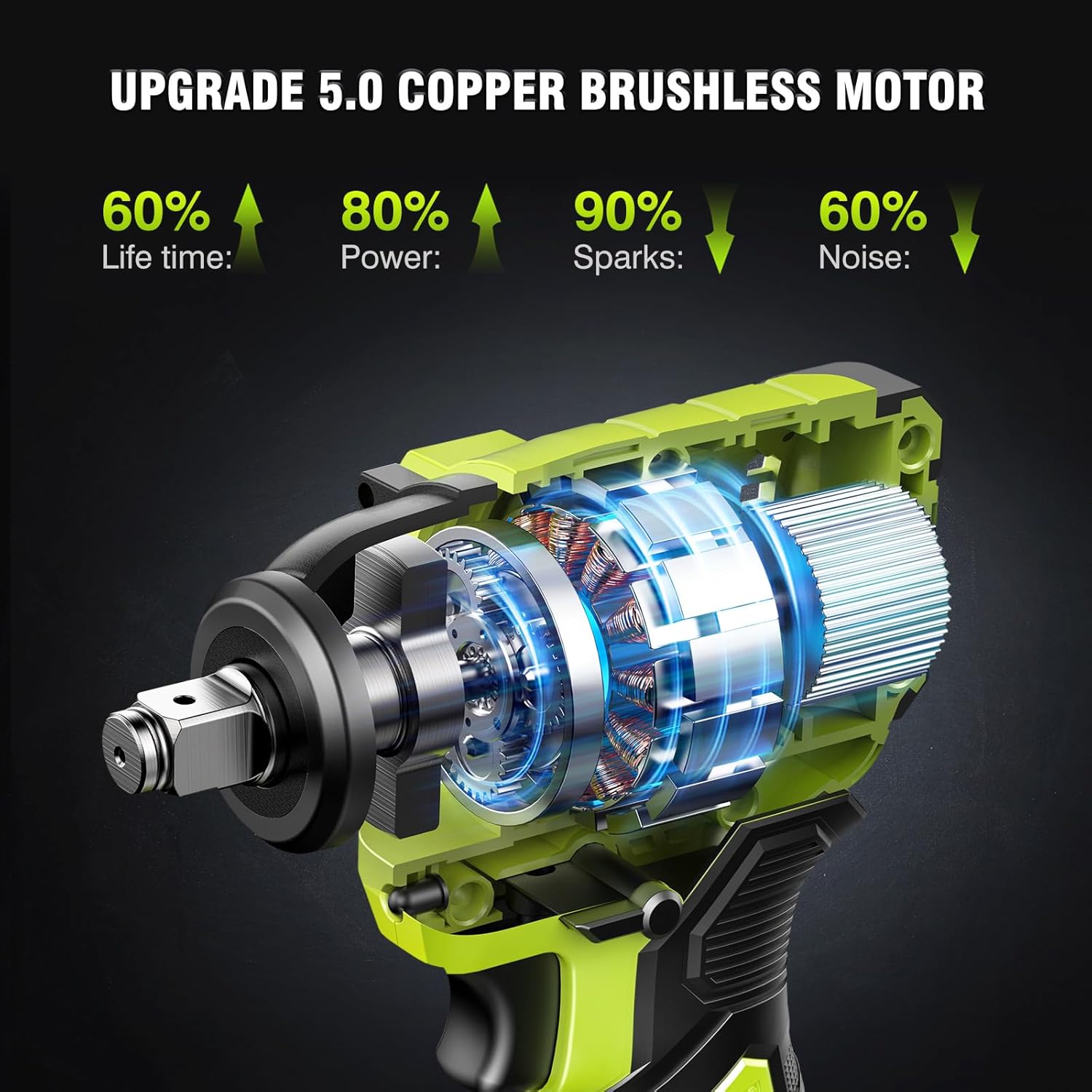
Image: Internal view of the impact wrench highlighting the brushless motor. This motor design contributes to 60% longer life, 80% more power, 90% fewer sparks, and 60% less noise compared to brushed motors.
- Increased Lifetime: Reduced wear and tear due to the absence of brushes.
- Higher Power Output: More efficient energy conversion.
- Reduced Sparks: Safer operation in certain environments.
- Lower Noise: Quieter operation for user comfort.
3. Specifications
The Robustrue Cordless Impact Wrench is available in two main models, RT550B and RT1200B, each with distinct performance characteristics.
| Feature | RT550B Model | RT1200B Model |
|---|---|---|
| Max Torque | 550 N.m (406 ft-lbs) | 1200 N.m (885 ft-lbs) |
| Battery Voltage | 21V | 18V |
| Battery Capacity | 2 x 4.0 Ah Lithium-Ion | 2 x 5.0 Ah Lithium-Ion |
| Charging Time | Approx. 1 Hour | Approx. 1 Hour |
| No-Load Speed (3-speed settings) | 0-1990 / 2200 / 2800 RPM | 0-1500 / 2000 / 2300 RPM |
| Motor Type | Brushless | Brushless |
| Chuck Size | 1/2 inch | 1/2 inch |

Image: The Robustrue RT550B Cordless Impact Wrench demonstrating its 550 N.m (406 ft-lbs) torque, powered by a 21V 4.0Ah Lithium Battery. Suitable for tasks like tightening screws, shelf installation, tire disassembly, and various industrial applications.

Image: The Robustrue RT1200B Cordless Impact Wrench highlighting its maximum torque of 1200 N.m (885 ft-lbs), powered by an 18V 5.0Ah Lithium Battery. This model offers higher power for demanding applications.
4. Setup
Battery Charging
Before first use, fully charge the battery pack. The battery indicator lights will show the charging status.
- Connect the charger to a standard power outlet.
- Slide the battery pack onto the charger until it clicks into place.
- The charger indicator light will show the charging status (e.g., red for charging, green for fully charged).
- Once fully charged, disconnect the charger from the power outlet and remove the battery pack.
Both 4.0Ah and 5.0Ah batteries are designed for quick charging, typically reaching full charge in approximately 1 hour.
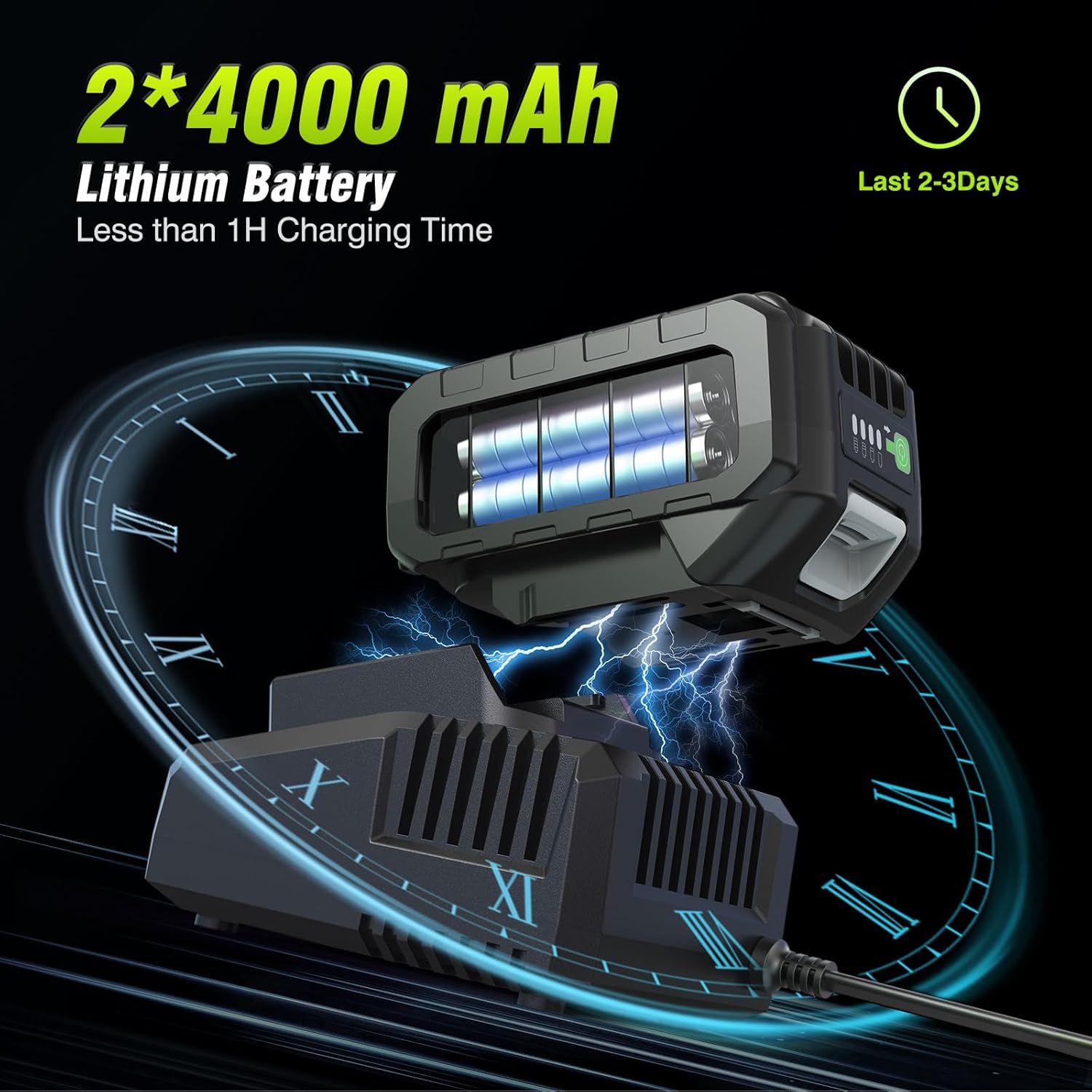
Image: Illustration of the 2x 4000 mAh Lithium Battery being charged. The battery features a power indicator to check remaining charge. Charging time is less than 1 hour.

Image: Illustration of the 2x 5000 mAh Large Capacity Battery being charged. These batteries provide extended runtime for the RT1200B model.
Battery Installation and Removal
- To install: Align the battery pack with the battery port on the tool handle and slide it in until it clicks securely into place.
- To remove: Press the battery release button (usually located on the battery pack) and slide the battery pack out of the tool.
Accessory Installation
The impact wrench is compatible with 1/2 inch drive sockets and various adapters for drilling or driving applications.

Image: The impact wrench shown with a socket, a drill bit adapter, and a screwdriver bit adapter, illustrating its 3-in-1 multifunctional capability for various tasks.
- Ensure the battery is removed from the tool before changing accessories.
- Push the desired 1/2 inch drive socket or adapter onto the anvil of the impact wrench until it is firmly seated.
- To remove, pull the socket or adapter off the anvil.
5. Operating Instructions
Power On/Off and Trigger Control
The tool is activated by pressing the power trigger. The speed of the impact wrench is proportional to the pressure applied to the trigger, allowing for precise speed control.
Forward and Reverse Rotation
The direction of rotation (clockwise for tightening, counter-clockwise for loosening) is controlled by a side button or switch near the trigger.

Image: Diagram illustrating the forward (F) and reverse (R) switch for tightening and loosening nuts. The arrows indicate the direction of rotation.
- Push the switch to the 'F' position for forward (tightening) rotation.
- Push the switch to the 'R' position for reverse (loosening) rotation.
- Ensure the switch is in the neutral (center) position when not in use to prevent accidental starting.
Adjustable Speed Control
Both models feature a 3-speed control system to adapt to different applications. The speed settings are typically adjusted via a bottom switch or button.

Image: Visual representation of the 3-speed control settings. The harder the trigger is pressed, the faster the tool operates within the selected speed range. Specific RPMs vary by model.
- RT550B Speeds: 0-1990 RPM (Low), 0-2200 RPM (Medium), 0-2800 RPM (High).
- RT1200B Speeds: 0-1500 RPM (Low), 0-2000 RPM (Medium), 0-2300 RPM (High).
- Select the appropriate speed setting based on the material and fastener type. Lower speeds are suitable for delicate tasks or starting fasteners, while higher speeds are for rapid fastening.
Reverse Auto-Stop Mode (Brake Stop Function)
When operating in reverse mode, the tool features an auto-stop function to prevent nuts or bolts from falling off completely after loosening.
- Activate reverse rotation.
- Once the nut or bolt is loosened, the brake stop device will activate, reducing speed and torque.
- This function helps protect the bolt thread and prevents the fastener from dropping.
Built-in LED Work Light
The impact wrench includes a built-in LED light to illuminate the work area.
- The LED light activates when the trigger is pressed.
- It remains on for approximately 20 seconds after releasing the trigger, providing continued visibility in dark or narrow environments.
6. Maintenance
Regular maintenance ensures the longevity and optimal performance of your impact wrench.
- Cleaning: Keep the tool's ventilation openings clean and free from dust and debris. Use a soft, damp cloth to wipe down the exterior. Do not use harsh chemicals or abrasive cleaners.
- Battery Care: Store batteries in a cool, dry place away from direct sunlight. Do not store fully discharged batteries for extended periods. Charge them periodically if not in use.
- Inspection: Regularly inspect the tool for any signs of damage, loose screws, or worn parts. Do not use a damaged tool.
- Lubrication: The brushless motor generally requires no internal lubrication. Refer to a qualified service technician for any internal maintenance.
- Storage: When not in use, store the impact wrench and its accessories in a dry, secure location out of reach of children.
7. Troubleshooting
If you encounter issues with your Robustrue Cordless Impact Wrench, refer to the following common troubleshooting steps:
| Problem | Possible Cause | Solution |
|---|---|---|
| Tool does not start | Battery not charged or improperly installed. | Ensure battery is fully charged and correctly inserted. |
| Tool lacks power/torque | Battery charge is low. Incorrect speed setting. | Recharge battery. Select a higher speed setting. |
| Excessive vibration or noise | Loose accessory. Internal damage. | Ensure socket/adapter is securely attached. If problem persists, discontinue use and contact support. |
| Battery not charging | Charger not connected. Faulty battery or charger. | Check power connection. Try another battery (if available) or contact support for charger/battery replacement. |
For issues not covered here, or if troubleshooting steps do not resolve the problem, please contact Robustrue customer support.
8. Warranty and Support
Robustrue products are manufactured to high-quality standards. For warranty information, technical support, or service inquiries, please refer to the warranty card included with your product or visit the official Robustrue website.
Please retain your proof of purchase for any warranty claims.