
1. Introduction
Thank you for choosing the VESSEL e-ASSIST Screwdriver Model 220USBP5U. This electric and manual screwdriver is designed for efficient and versatile fastening tasks. Please read this manual thoroughly before use to ensure safe and optimal performance.
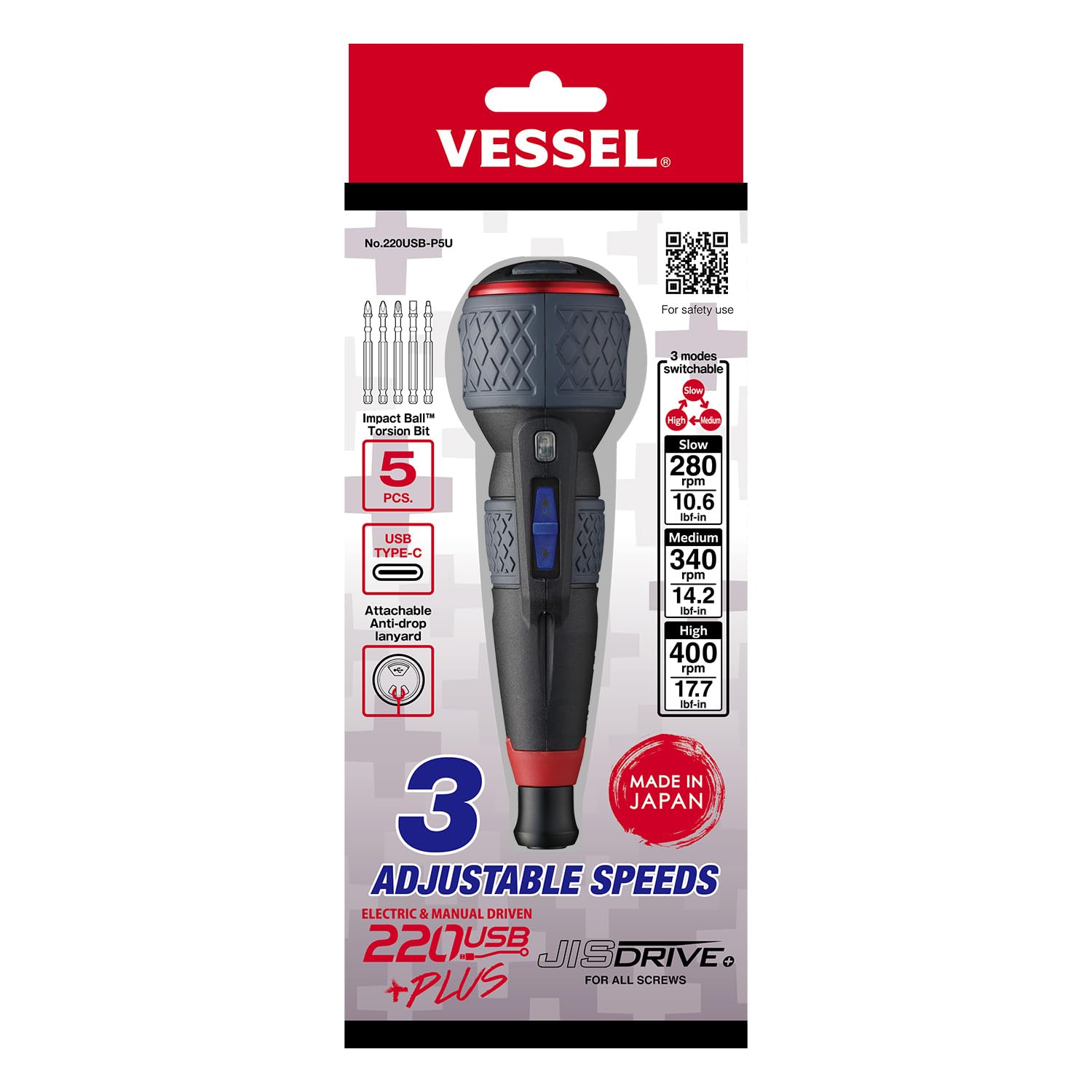
Figure 1: VESSEL e-ASSIST Screwdriver Model 220USBP5U with included 5-piece bit set.
2. Setup
2.1 Charging the Screwdriver
Before first use, fully charge the screwdriver. The device uses a USB Type-C charging port.
- Open the protective cap covering the USB Type-C port located at the base of the handle.
- Connect a commercially available USB charger (DC5V) to the port using a USB Type-C cable.
- The LED indicator will show charging status. Ensure the device is fully charged before use.
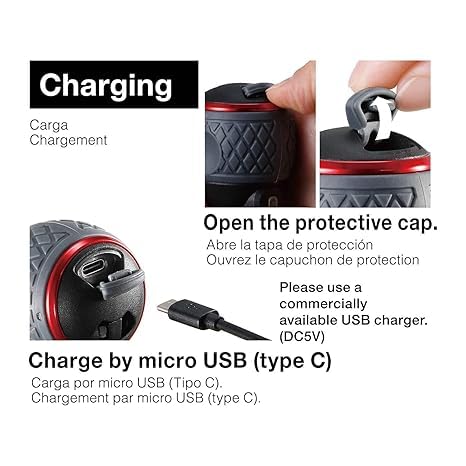
Figure 2: USB Type-C charging port with protective cap open.
2.2 Bit Installation
The VESSEL e-ASSIST Screwdriver is compatible with 1/4-inch Hex Power Bits or Double Ended Bits (note: Japanese 1/4-inch Hex standard is not applicable).
- Ensure the screwdriver is powered off.
- Insert the desired bit firmly into the chuck until it clicks into place.
- To remove, pull the bit out of the chuck.
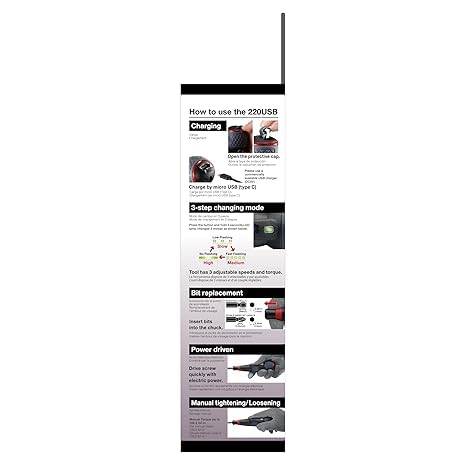
Figure 3: Illustration of bit replacement and various operational modes.
2.3 Attaching the Anti-Drop Lanyard
For safety when working at heights, attach an anti-drop lanyard to the designated attachment hole.
- Locate the anti-drop lanyard attachment hole on the screwdriver.
- Thread a suitable lanyard through the hole and secure it according to the lanyard manufacturer's instructions.
3. Operating Instructions
3.1 Power and Manual Operation
The VESSEL e-ASSIST Screwdriver offers both electric and manual driving capabilities for seamless work.
- Electric Mode: Press the power button to activate the electric motor for driving or loosening screws.
- Manual Mode: For initial tightening, final tightening, or when higher torque is required, use the screwdriver manually. The manual torque can reach up to 88.5 lbf-in.

Figure 4: Screwdriver being used in an electrical application.
3.2 Adjusting Speed and Torque
The screwdriver features 3 adjustable speeds and corresponding torque settings, allowing you to select the appropriate mode for your task.
- Press and hold the mode button for 2 seconds to cycle through the speed settings.
- The LED lamp indicates the current mode:
- Low Flashing: Low Speed (280 rpm / 10.6 lbf-in) - Suitable for terminal blocks.
- Fast Flashing: Medium Speed (340 rpm / 14.2 lbf-in) - Ideal for general work.
- No Flashing: High Speed (400 rpm / 17.7 lbf-in) - Best for light ceiling screws.

Figure 5: LED indicators for speed and torque modes.
3.3 Official Product Video
Video 1: Official VESSEL e-ASSIST overview, demonstrating electric and manual functions, 3 adjustable speeds, USB-C charging, and bit compatibility.
4. Maintenance
4.1 Cleaning
Regular cleaning helps maintain the tool's performance and longevity.
- Ensure the screwdriver is powered off and disconnected from any charging source before cleaning.
- Wipe the exterior of the screwdriver with a clean, damp cloth. Do not use harsh chemicals or abrasive cleaners.
- Keep the charging port free from dust and debris.
4.2 Bit Care
The included 5-piece bit set features high durability TOUGH 30X bits with new alloy steel "VoHA" (VESSEL Outstanding High-Performance Alloy) and a hardness of 62 HRC.
- Store bits in a dry place to prevent rust.
- Replace worn or damaged bits to prevent stripping screws and ensure efficient operation.

Figure 6: The 5-piece bit set included with the screwdriver.
5. Troubleshooting
If you encounter issues with your VESSEL e-ASSIST Screwdriver, refer to the following common problems and solutions:
| Problem | Possible Cause | Solution |
|---|---|---|
| Screwdriver does not turn on. | Low battery. | Charge the screwdriver fully using the provided USB Type-C port. |
| Motor runs, but screw does not turn. | Bit not properly seated; Worn bit; Insufficient torque for task. | Ensure bit is fully inserted. Replace worn bits. Switch to a higher speed/torque mode or use manual mode for tougher applications. |
| Screwdriver stops unexpectedly. | Overload protection activated; Low battery. | Reduce load on the screwdriver. Charge the battery. |
6. Specifications
- Model Number: 220USBP5U
- Brand: VESSEL
- Product Dimensions: 10 x 4 x 3 inches
- Weight: 12 ounces
- Battery: 1 P76 battery (included)
- Charging Port: USB Type-C (DC5V)
- Speed Settings:
- Low: 280 rpm / 10.6 lbf-in
- Medium: 340 rpm / 14.2 lbf-in
- High: 400 rpm / 17.7 lbf-in
- Manual Torque: Up to 88.5 lbf-in
- Bit Compatibility: 1/4-inch Hex Power Bits or Double Ended Bits
- Included Bits: 5 pcs (Cross +2 x2pcs, +3, Slotted -6, Square SQ2)
- Head Style: JIS
- Material: Tool Steel
- Color: Black
- Manufacturer: VESSEL Co.,Inc
7. Warranty and Support
7.1 Warranty Information
For detailed warranty information, please refer to the documentation included with your product or visit the official VESSEL website. Keep your purchase receipt as proof of purchase.
7.2 Customer Support
If you have any questions, require technical assistance, or need further support, please contact VESSEL customer service or visit their official website:
- Official Product Page: https://vessel.co.jp/english/sp/220usbplus/
- VESSEL Tools USA Store: Amazon VESSEL Store