1. Introduction
This manual provides essential information for the safe and efficient use of your Samsung 27" ViewFinity S8 (S80D) Series 4K UHD High Resolution Computer Monitor. Please read this manual thoroughly before operating the device and retain it for future reference. The Samsung ViewFinity S8 monitor offers crystal-clear 4K UHD resolution, HDR10 support, and versatile connectivity options, designed to enhance productivity and visual experience.

Figure 1.1: Front view of the Samsung ViewFinity S8 monitor.
2. Package Contents
Verify that all items listed below are included in your product box. If any items are missing or damaged, contact your retailer.
- Samsung 27" ViewFinity S8 Monitor
- Easy Setup Stand (Base and Neck)
- HDMI Cable
- DisplayPort (DP) Cable
- Power Cable
- USB Hub Cable
- Quick Setup Guide
- Warranty Card
3. Assembly and Setup
3.1 Stand Assembly
The ViewFinity S8 monitor features an Easy Setup Stand designed for tool-free assembly. Simply align the stand neck with the monitor panel and push until it clicks into place. Then, attach the base to the neck.
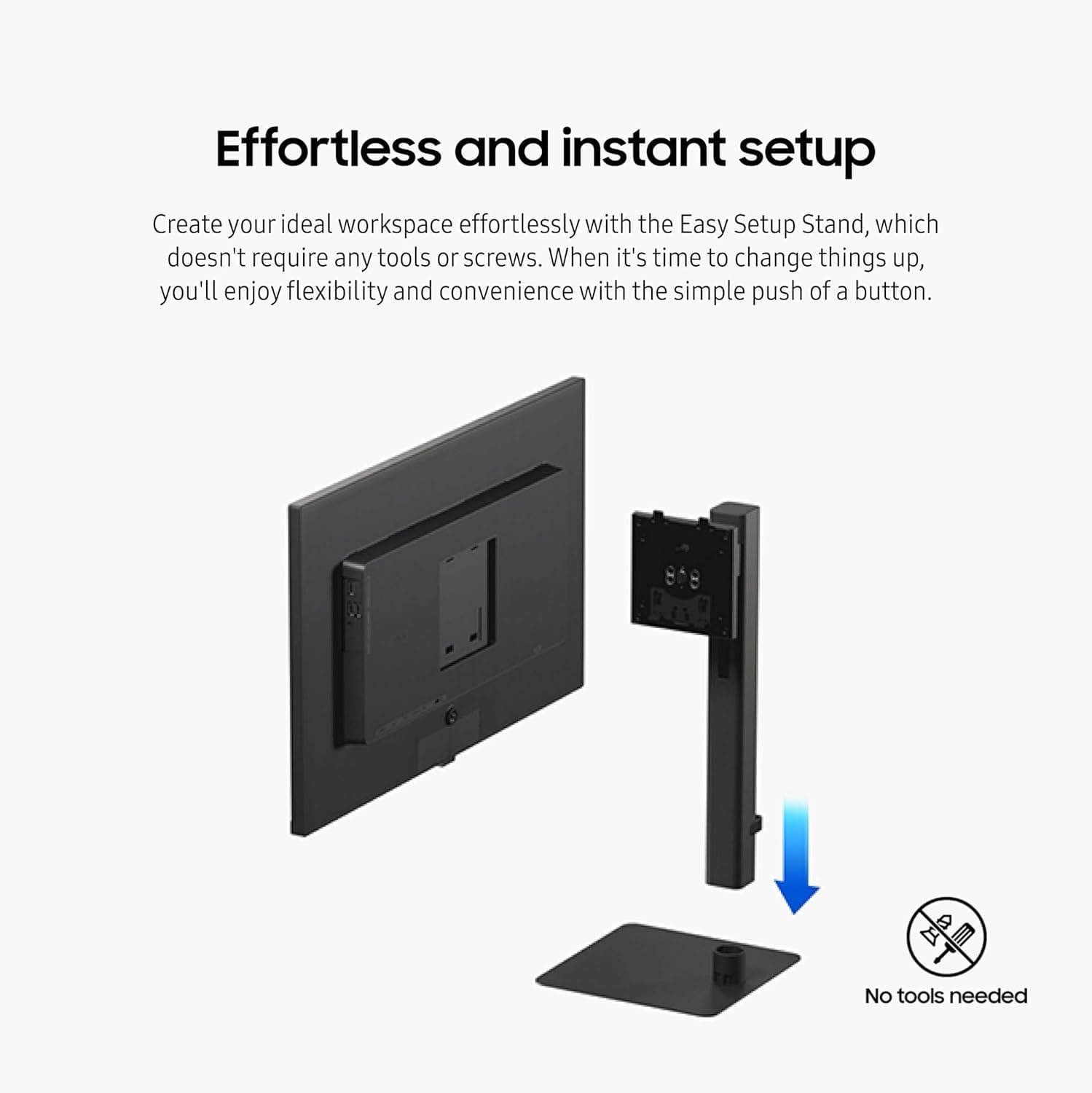
Figure 3.1: Easy Setup Stand assembly process.
3.2 Connecting Cables
Connect the necessary cables to the corresponding ports on the back of the monitor and your computer or other devices. Ensure all connections are secure.
- Power Cable: Connect one end to the monitor's power input and the other to a power outlet.
- HDMI/DisplayPort Cable: Connect to your computer's video output port and the monitor's HDMI IN or DisplayPort IN.
- USB Hub Cable: Connect the USB-B Upstream port on the monitor to a USB port on your computer to enable the monitor's USB-A downstream ports.
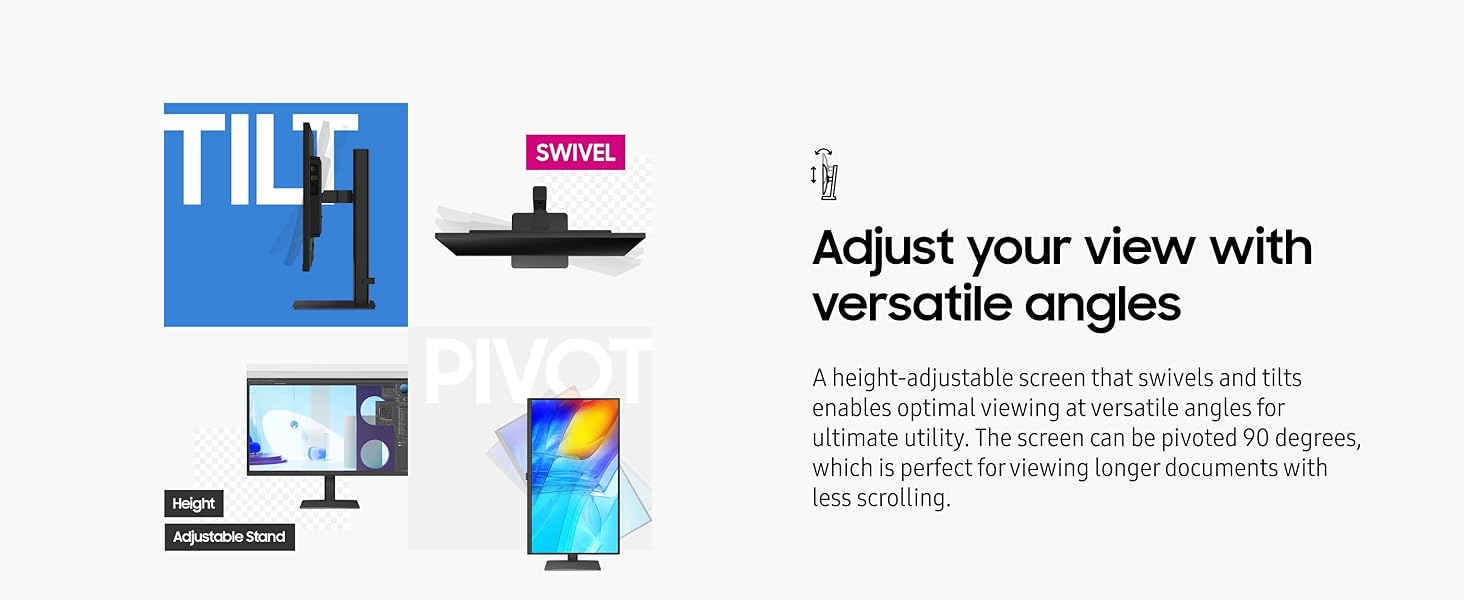
Figure 3.2: Rear ports of the Samsung ViewFinity S8 monitor.
4. Operating Instructions
4.1 Power On/Off
To power on the monitor, press the power button located on the lower back of the monitor. Press it again to power off.
4.2 Display Features
- 4K UHD Resolution (3840x2160): Experience increased detail and pixel density for a clear visual experience.
- HDR10 Support: Enjoy true-to-life color representation with deeper contrast, offering a wider gamut of colors.

Figure 4.1: Enhanced detail with 4K UHD resolution.
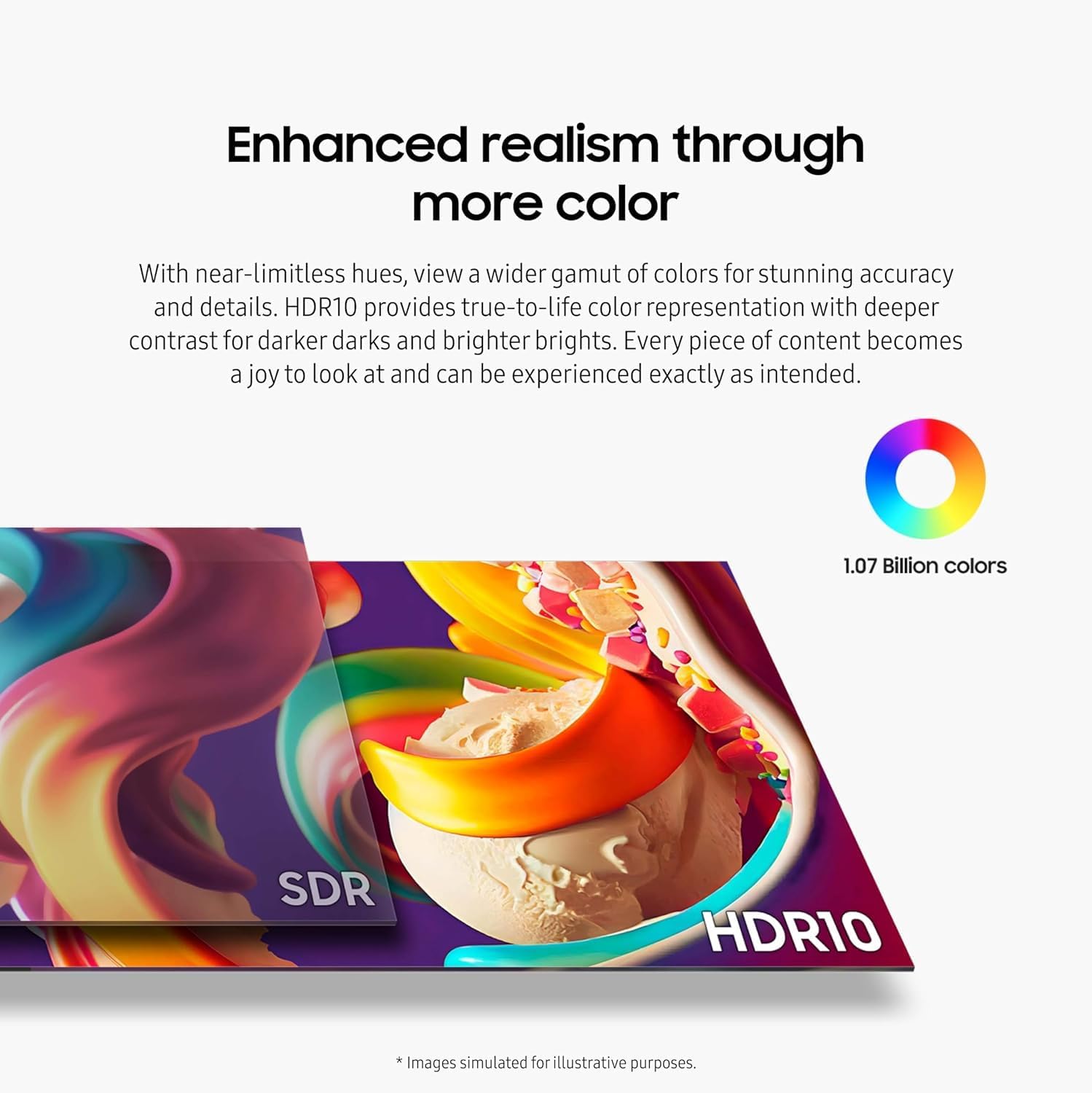
Figure 4.2: HDR10 for enhanced color realism.
4.3 Ergonomic Adjustments
The monitor's stand allows for various adjustments to optimize your viewing comfort:
- Height Adjustment: Raise or lower the screen to your preferred eye level.
- Tilt: Adjust the vertical angle of the screen.
- Swivel: Rotate the screen horizontally.
- Pivot: Rotate the screen 90 degrees for portrait viewing, ideal for long documents.
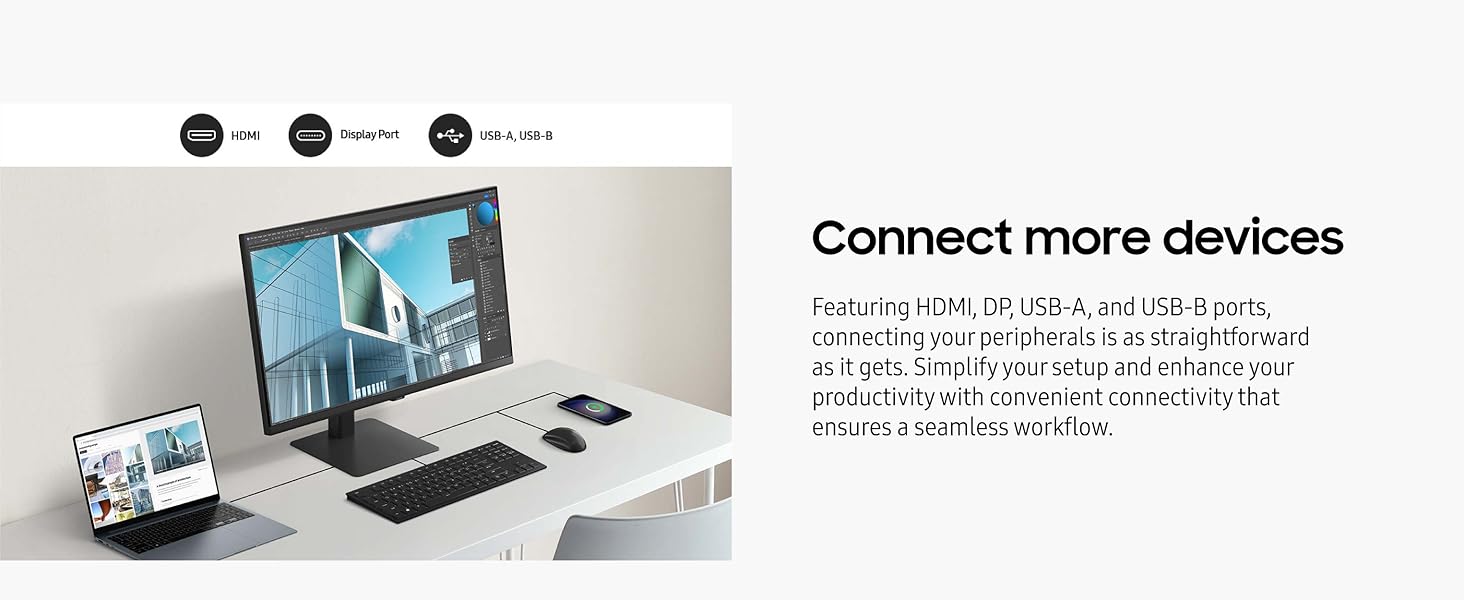
Figure 4.3: Versatile ergonomic adjustments.
4.4 Eye Care Features
The ViewFinity S8 is TÜV-certified for intelligent eye care, incorporating features to reduce eye strain:
- Eye Saver Mode: Reduces blue light emissions.
- Flicker-Free Technology: Minimizes screen flickering.
- Adaptive Picture: Automatically optimizes brightness and color temperature based on ambient light.
4.5 Smart Monitor Features
The Samsung ViewFinity S8 offers integrated smart features for entertainment and productivity:
- Streaming TV: Access popular streaming apps directly from the monitor without needing a PC.
- Gaming Hub: Expand your gaming experience with cloud gaming services, no console or PC required for many titles.
- SmartThings Integration: Control smart home devices and monitor energy usage directly from your monitor.
Video 4.1: Overview of Samsung Smart Monitor features, including streaming, gaming, and smart home control.
5. Maintenance
5.1 Cleaning the Monitor
To clean the monitor screen, gently wipe it with a soft, lint-free cloth. For stubborn marks, lightly dampen the cloth with water or a screen-cleaning solution specifically designed for electronics. Avoid using harsh chemicals, abrasive cleaners, or spraying liquids directly onto the screen.
5.2 General Care
Keep the monitor away from direct sunlight, heat sources, and excessive dust. Ensure proper ventilation around the monitor to prevent overheating. Do not block the ventilation openings.
6. Troubleshooting
If you encounter issues with your monitor, refer to the following common troubleshooting steps:
- No Display: Ensure the power cable is securely connected and the monitor is powered on. Check that the video cable (HDMI/DP) is firmly connected to both the monitor and your computer. Try a different video input source or cable if available.
- Poor Picture Quality: Verify that the display resolution on your computer is set to 3840x2160 (4K UHD). Adjust brightness, contrast, and color settings through the monitor's On-Screen Display (OSD) menu.
- No Sound: If using the monitor's headphone jack, ensure your audio output device is selected correctly on your computer. Check volume levels on both the monitor and your computer.
- Connectivity Issues: For USB ports, ensure the USB-B Upstream cable is connected from the monitor to your computer.
For more detailed troubleshooting or persistent issues, consult the full user manual or contact Samsung support.
7. Technical Specifications
| Feature | Specification |
|---|---|
| Brand | Samsung |
| Model Number | LS27D806EANXGO |
| Screen Size | 27 Inches |
| Screen Resolution | 3840 x 2160 Pixels (4K UHD) |
| Max Screen Resolution | 3840 x 2160 Pixels |
| Aspect Ratio | 16:9 |
| HDR Support | HDR10 |
| Connectivity | HDMI, DisplayPort, USB-A (3 ports), USB-B (Upstream) |
| Ergonomics | Height Adjustable Stand, Swivel, Tilt, Pivot |
| Eye Care Features | TÜV-certified, Eye Saver Mode, Flicker-Free, Adaptive Picture |
| Item Weight | 13.45 pounds |
| Product Dimensions | 8.66 x 24.13 x 21.91 inches (LxWxH) |
| Voltage | 120 Volts |
8. Warranty and Support
Your Samsung ViewFinity S8 monitor comes with a 3-Year Warranty. For warranty claims, technical support, or service inquiries, please contact Samsung Customer Service. You can find contact information and additional resources on the official Samsung website or refer to the warranty card included in your package.
For the most up-to-date support information, visit the Samsung Support Website.