
1. Introduction and Overview
The ONIKUMA GAMING T18 Wireless Earbuds offer a superior audio experience with advanced Bluetooth 5.3 technology, dual ENC microphones for crystal-clear calls, and a unique retro camera design. Designed for both gaming and music, these earbuds provide low latency and comfortable wear for extended periods.

Figure 1.1: ONIKUMA GAMING T18 Wireless Earbuds and Retro Camera-style Charging Case.
Key Features:
- ENC Noise Reduction Technology: 13mm chamber speaker driver unit provides stereo sound with deep bass and clear treble. Large chamber acoustic design balances internal and external air pressure to avoid sound loss, ensuring clear communication even in noisy environments.
- Bluetooth V5.3 Technology and One-Step Auto Pairing: Offers unparalleled audio experience with faster transmission speed, stronger connection stability, and longer Bluetooth range. Automatic pairing upon removal from the charging case.
- Smart Touch Control: Equipped with sensitive touch control panels for flexible control of music playback, calls, volume, track switching, and voice assistant activation. Features dedicated Game and Music Dual Modes.
- Ergonomic Design: Precise design for ultimate comfort, distributing pressure in the ear canal while maintaining stability. Includes 3 sizes of eartips (S/M/L).
- Retro Camera Styling: Pocket-sized charging case with a unique camera design. Includes a washable and smooth silicone lanyard for easy portability.
- Extended Playback: Over 8 hours of playtime on a single charge, with a total of 46 hours using the charging case. Fast-charging Type-C port fully charges the case in 1.5-2 hours.
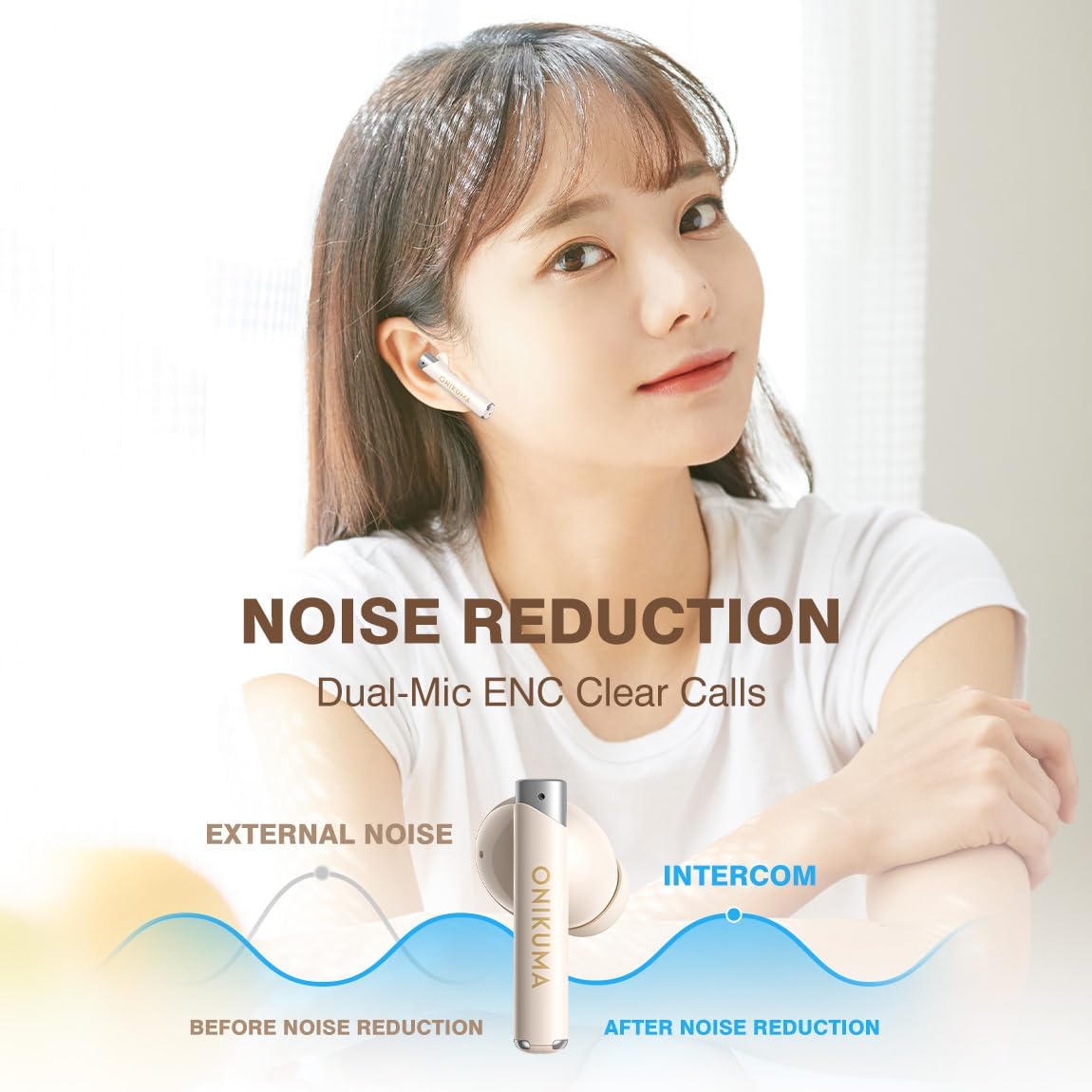
Figure 1.2: Illustration of ENC Noise Reduction for clear calls.

Figure 1.3: Visual representation of Game Mode Low Latency for synchronized audio.
Video 1.1: Official product video showcasing the ONIKUMA GAMING T18 Wireless Earbuds with Dual ENC Mic and Retro Camera Design.
2. What's in the Box
Your ONIKUMA GAMING T18 Wireless Earbuds package includes the following items:
- T18 Wireless Earbuds (Left and Right)
- Wireless Charging Case (Retro Camera Design)
- 3 pairs of Eartips (Sizes: Small, Medium, Large)
- Type-C Charging Cable
- User Manual

Figure 2.1: All items included in the ONIKUMA GAMING T18 Wireless Earbuds retail package.
3. Setup
3.1 Charging the Earbuds and Case
Before first use, ensure the charging case and earbuds are fully charged. Use the provided Type-C charging cable to connect the case to a power source. The indicator light on the case will illuminate during charging.
- Insert the earbuds into the charging case. Ensure they are properly seated to initiate charging.
- Connect the Type-C charging cable to the charging port on the case and to a USB power adapter (not included).
- Charging time for the case is approximately 1.5-2 hours. The earbuds will charge simultaneously when placed inside the powered case.

Figure 3.1: Connecting the Type-C cable to the charging case for quick charging.
3.2 Pairing with Your Device
The T18 earbuds feature one-step auto pairing for convenience.
- Open the charging case. The earbuds will automatically power on and enter pairing mode.
- On your smartphone or other Bluetooth-enabled device, navigate to the Bluetooth settings.
- Select "T18" from the list of available devices to connect.
- Once connected, you will hear an audio prompt, and the earbuds' indicator lights will change.
- For subsequent uses, the earbuds will automatically reconnect to the last paired device when removed from the case.

Figure 3.2: Simple steps to pair your T18 Earbuds with a mobile device.
4. Operating Instructions
4.1 Smart Touch Controls
The T18 earbuds feature intuitive touch controls on each earbud (MFB - Multi-Function Button). Refer to the table below for specific functions:
| Action | Control | Function |
|---|---|---|
| Long Tap MFB x3s | Left/Right Earbud | Power On |
| Long Tap MFB x5s | Left/Right Earbud | Power Off |
| Double Tap MFB | Left/Right Earbud | Play/Pause Music |
| Double Tap MFB | Left/Right Earbud | Answer/Hang Up Call |
| Tap (R) MFB | Right Earbud | Volume + |
| Tap (L) MFB | Left Earbud | Volume - |
| Long Tap (L) MFB x2s | Left Earbud | Previous Track |
| Long Tap (R) MFB x2s | Right Earbud | Next Track |
| Long Tap MFB x2s | Left/Right Earbud | Reject Call |
| Triple-Tap (L) MFB | Left Earbud | Voice Assistant |
| Triple-Tap (R) MFB | Right Earbud | Turn Gaming Mode On/Off |

Figure 4.1: Detailed diagram of touch control functions on the T18 Earbuds.
4.2 Game and Music Dual Mode
The T18 earbuds support a dual mode for optimized performance. Triple-tap the Right MFB to switch between Game Mode (low latency for gaming) and Music Mode (enhanced audio for music listening).
5. Maintenance
Proper maintenance ensures the longevity and optimal performance of your T18 Wireless Earbuds:
- Cleaning: Regularly clean the earbuds and charging case with a soft, dry, lint-free cloth. Do not use harsh chemicals or abrasive materials.
- Eartips: The silicone eartips can be removed and gently washed with water if necessary. Ensure they are completely dry before reattaching.
- Storage: When not in use, store the earbuds in their charging case to protect them and keep them charged. Store in a cool, dry place away from direct sunlight and extreme temperatures.
- Avoid Water: The earbuds are not waterproof. Avoid exposure to water, sweat, or high humidity to prevent damage.
- Charging Port: Keep the Type-C charging port free of dust and debris.
6. Troubleshooting
If you encounter issues with your T18 Wireless Earbuds, try the following troubleshooting steps:
- Earbuds not pairing/connecting:
- Ensure both earbuds are charged.
- Turn off Bluetooth on your device, then turn it back on.
- Forget "T18" from your device's Bluetooth list and attempt to re-pair.
- Place both earbuds back into the charging case, close the lid, wait a few seconds, then open the lid and try pairing again.
- No sound or low volume:
- Check the volume level on both your device and the earbuds.
- Ensure the earbuds are properly seated in your ears.
- Clean any debris from the earbud mesh.
- Charging issues:
- Ensure the charging cable is securely connected to both the case and the power source.
- Try a different charging cable or power adapter.
- Ensure the charging contacts on the earbuds and inside the case are clean.
- Microphone not working:
- Ensure the earbuds are properly connected to your device.
- Check your device's audio input settings to ensure the earbuds' microphone is selected.
7. Specifications
Detailed technical specifications for the ONIKUMA GAMING T18 Wireless Earbuds:
| Feature | Specification |
|---|---|
| Model Name | T18 beige |
| Connectivity Technology | Wireless, Bluetooth 5.3 |
| Bluetooth Version | 5.3 |
| Bluetooth Range | 10 Meters |
| Audio Driver Type | Dynamic Driver |
| Audio Driver Size | 13 Millimeters |
| Frequency Response | 20 Hz - 20,000 Hz |
| Impedance | 32 Ohm |
| Sensitivity | 108 dB |
| Noise Control | Sound Isolation |
| Control Type | Call Control, Media Control, Voice Control, Volume Control, Game Control |
| Control Method | Touch |
| Charging Time | 1.5 Hours (for case) |
| Playback Time | Up to 8 hours (earbuds), 46 hours (with charging case) |
| Compatible Devices | Cellphones (iOS, Android) |
| Material | Plastic |
| Product Dimensions | 2.44 x 0.87 x 1.89 inches |
| Item Weight | 5 ounces |
| Color | Beige |
8. Warranty and Support
ONIKUMA GAMING products are manufactured to high quality standards. For specific warranty information, please refer to the warranty card included in your product packaging or visit the official ONIKUMA GAMING website.
If you require technical assistance or have questions regarding your T18 Wireless Earbuds, please contact the seller, Popular Gaming Store, through the platform where you made your purchase. Provide your order details and a clear description of the issue for prompt support.
For general inquiries about ONIKUMA GAMING products, you may visit the ONIKUMA GAMING Store on Amazon.