
1. Introduction
This manual provides detailed instructions for the safe and efficient operation, maintenance, and troubleshooting of your KESSER Splash Bot 365 Robotic Pool Cleaner. Please read this manual thoroughly before using the device to ensure proper function and longevity.

Figure 1: KESSER Splash Bot 365 Robotic Pool Cleaner and accessories.
2. Safety Instructions
Always observe the following safety precautions to reduce the risk of injury, electric shock, or damage to the product.
- Read all instructions carefully before operating the pool cleaner.
- Ensure the power supply is disconnected before performing any maintenance or cleaning tasks.
- Do not operate the pool cleaner if the power cable is damaged. Contact qualified service personnel for repair.
- Keep children and pets away from the pool area while the cleaner is in operation.
- Only use the provided power supply and control module with the device.
- Do not use the cleaner in pools with water temperatures outside the recommended range (typically 10°C - 35°C, refer to specific product labels if available).
- Ensure the pool cleaner is fully submerged before starting operation.
- Remove the cleaner from the pool after each cleaning cycle and store it in a cool, dry place away from direct sunlight.
3. Package Contents
Verify that all items are present in the package:
- 1 x KESSER Splash Bot 365 Robotic Pool Cleaner
- 1 x Power Cable (17 meters)
- 1 x Control Module
- 1 x Instruction Manual
4. Product Features
The KESSER Splash Bot 365 Robotic Pool Cleaner is designed with advanced features for efficient and thorough pool cleaning:
- Intelligent App and Control Box Operation: Allows for convenient control and monitoring of the pool cleaner's status from anywhere.
- Floor and Wall Cleaning: Effectively cleans both the bottom and sides of your pool.
- Debris Removal: Capable of removing leaves, twigs, sand, moss, algae, dirt, small stones, insects, particles, and flower remnants.
- Max. Grip Climbing Mechanism: Ensures the robot can reach and clean hard-to-access areas and climb walls with exceptional grip and stability.
- Intelligent Navigation System: Provides precise movement and comprehensive coverage of the pool area, minimizing missed spots and redundant cleaning.
- Powerful IP X8 Motor: Integrated 120W, 50Hz, 24V motor for fast and effective cleaning, ensuring durability and reliability.
- Compact and Lightweight Design: Easy to handle and store.
- Versatile Pool Compatibility: Suitable for both round and square pools.
- Wide Operating Depth: Functions in water depths from 0.5 to 3.5 meters.
- Large Pool Coverage: Designed for pools up to 100 m².
- 4D Easy-Clean Filter: Fine 160 µm filter made of dense fabric, effectively capturing even the smallest particles and easy to clean.

Figure 2: The KESSER Splash Bot 365 effectively removes various types of debris from your pool.
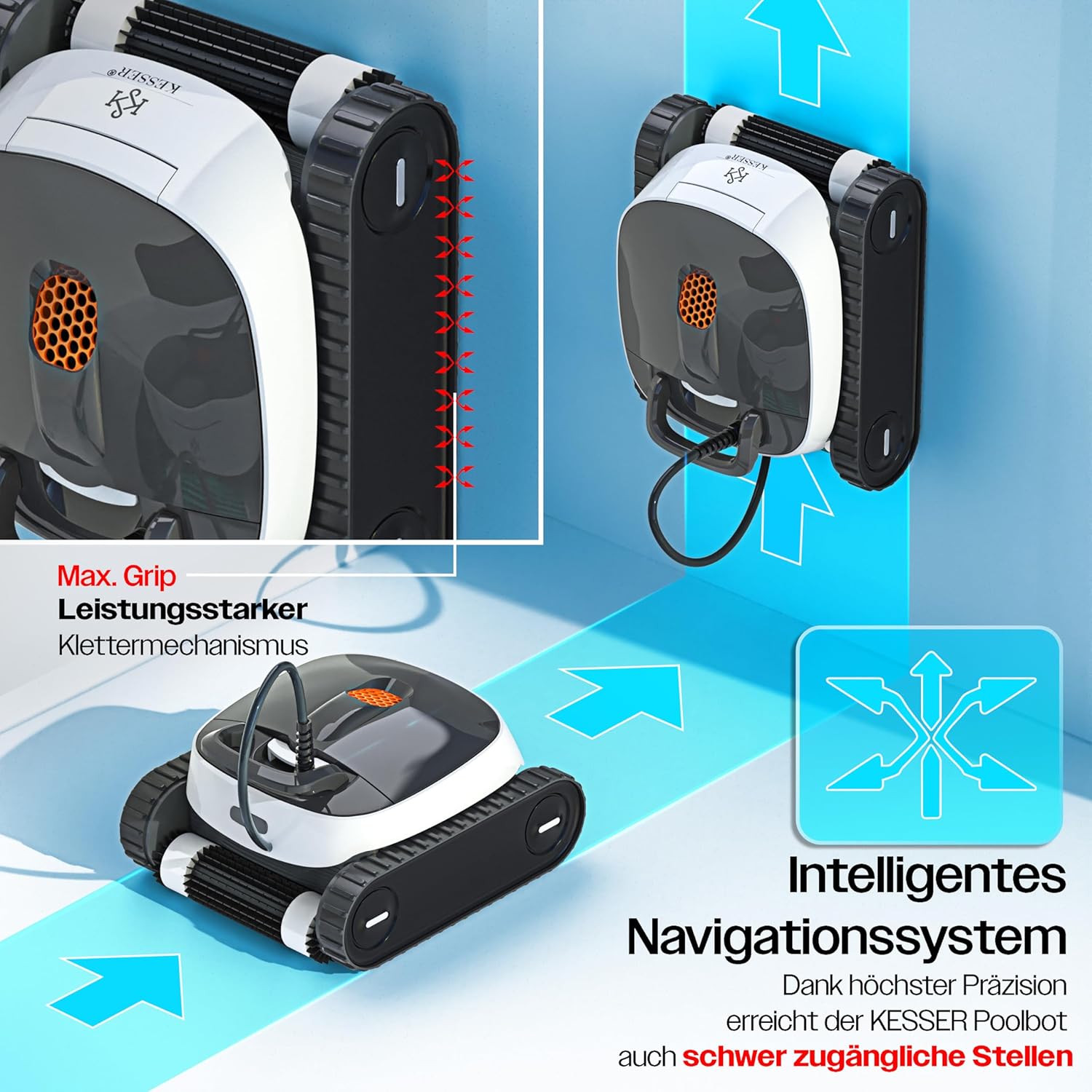
Figure 3: Max. Grip climbing mechanism and intelligent navigation system for comprehensive cleaning.
5. Setup
Follow these steps to set up your KESSER Splash Bot 365 Robotic Pool Cleaner:
- Unpack the Device: Carefully remove all components from the packaging.
- Connect the Control Module: Place the control module in a dry, shaded area, at least 3.5 meters (11.5 feet) from the edge of the pool. Connect the power cable from the pool cleaner to the control module.
- Power Connection: Plug the control module's power cord into a grounded electrical outlet. Ensure the outlet is protected by a Ground Fault Circuit Interrupter (GFCI) or Residual Current Device (RCD).
- App Installation (Optional): For app control, download the "CIPU Robot" app from your device's app store (Google Play or Apple App Store). Follow the in-app instructions to pair your device.

Figure 4: The KESSER Splash Bot 365 supports smart control via a dedicated app.
6. Operating Instructions
Operating your KESSER Splash Bot 365 is straightforward:
- Place in Pool: Gently lower the pool cleaner into the water. Ensure it sinks to the bottom and all trapped air is released.
- Select Cleaning Mode:
- Via Control Module: Use the buttons on the control module to select your desired cleaning mode:
- Pool Floor: Cleans only the bottom of the pool.
- Waterline: Focuses on cleaning the waterline.
- Entire Pool: Cleans both the floor and walls of the pool.
- Via App: Open the "CIPU Robot" app on your smartphone. Connect to the device and select the desired cleaning mode from the app interface. The app also allows for manual control.
- Via Control Module: Use the buttons on the control module to select your desired cleaning mode:
- Start Cleaning: Press the start button on the control module or within the app. The cleaner will begin its cycle according to the selected mode.
- Completion: The cleaner will automatically shut off after completing its cleaning cycle (typically around 3 hours for a full cycle).
- Remove from Pool: Disconnect the power from the control module. Gently pull the cleaner out of the water using its handle. Allow excess water to drain before placing it on a clean surface.

Figure 5: Control module with options for cleaning pool floor, waterline, or entire pool.

Figure 6: Gently remove the pool cleaner from the water using its handle.
7. Maintenance
Regular maintenance ensures optimal performance and extends the lifespan of your pool cleaner.
- Clean the 4D Easy-Clean Filter: After each cleaning cycle, remove the filter basket from the cleaner. Rinse the filter thoroughly with a garden hose to remove all trapped debris. Ensure the filter is completely clean before reinserting it.
- Inspect Brushes/Rollers: Periodically check the cleaning brushes/rollers for wear or damage. Replace if necessary.
- Inspect Power Cable: Examine the power cable for any signs of damage, cuts, or fraying. If damage is found, discontinue use and contact customer support.
- Storage: When not in use, store the pool cleaner and control module in a cool, dry, and shaded area. Do not expose to direct sunlight or extreme temperatures.
8. Troubleshooting
If you encounter issues with your KESSER Splash Bot 365, refer to the following common problems and solutions:
- Cleaner does not start:
- Ensure the power cable is securely connected to both the cleaner and the control module.
- Verify the control module is plugged into a working, grounded electrical outlet.
- Check if the GFCI/RCD has tripped. Reset if necessary.
- Cleaner is not moving or moving erratically:
- Check for obstructions in the brushes or drive tracks.
- Ensure the filter basket is not excessively clogged, which can reduce suction and movement.
- Verify the pool cleaner is fully submerged and no air is trapped.
- Inspect the power cable for tangles or twists, which can impede movement.
- Poor cleaning performance:
- Clean the 4D Easy-Clean filter thoroughly. A clogged filter significantly reduces cleaning efficiency.
- Ensure the pool water chemistry is balanced. Excessive algae can hinder cleaning.
- Run a full pool cleaning cycle to ensure comprehensive coverage.
- App connectivity issues:
- Ensure Bluetooth is enabled on your smartphone.
- Make sure the cleaner and control module are powered on.
- Try restarting the app and the control module.
- Ensure your smartphone is within range of the control module.
If the problem persists after attempting these solutions, please contact KESSER customer support or your retailer for further assistance.
9. Specifications
Technical specifications for the KESSER Splash Bot 365 Robotic Pool Cleaner:
| Brand | KESSER |
| Model Name | Splash Bot 365 (25916_mfn) |
| Product Dimensions (L x W x H) | 47 x 25 x 41 cm |
| Product Weight | 13.4 kg |
| Power | 120 W |
| Frequency | 50 Hz |
| Voltage | 24 V |
| Power Source | Corded Electric |
| Power Cable Length | 17 m |
| Water Depth Range | 0.5 - 3.5 m |
| Maximum Pool Size | Up to 100 m² |
| Filter Type | 4D Fine Filter, 160 µm |
| Control Method | App, Control Module |
| Assembly Required | No |

Figure 7: Dimensions and key technical data of the KESSER Splash Bot 365.
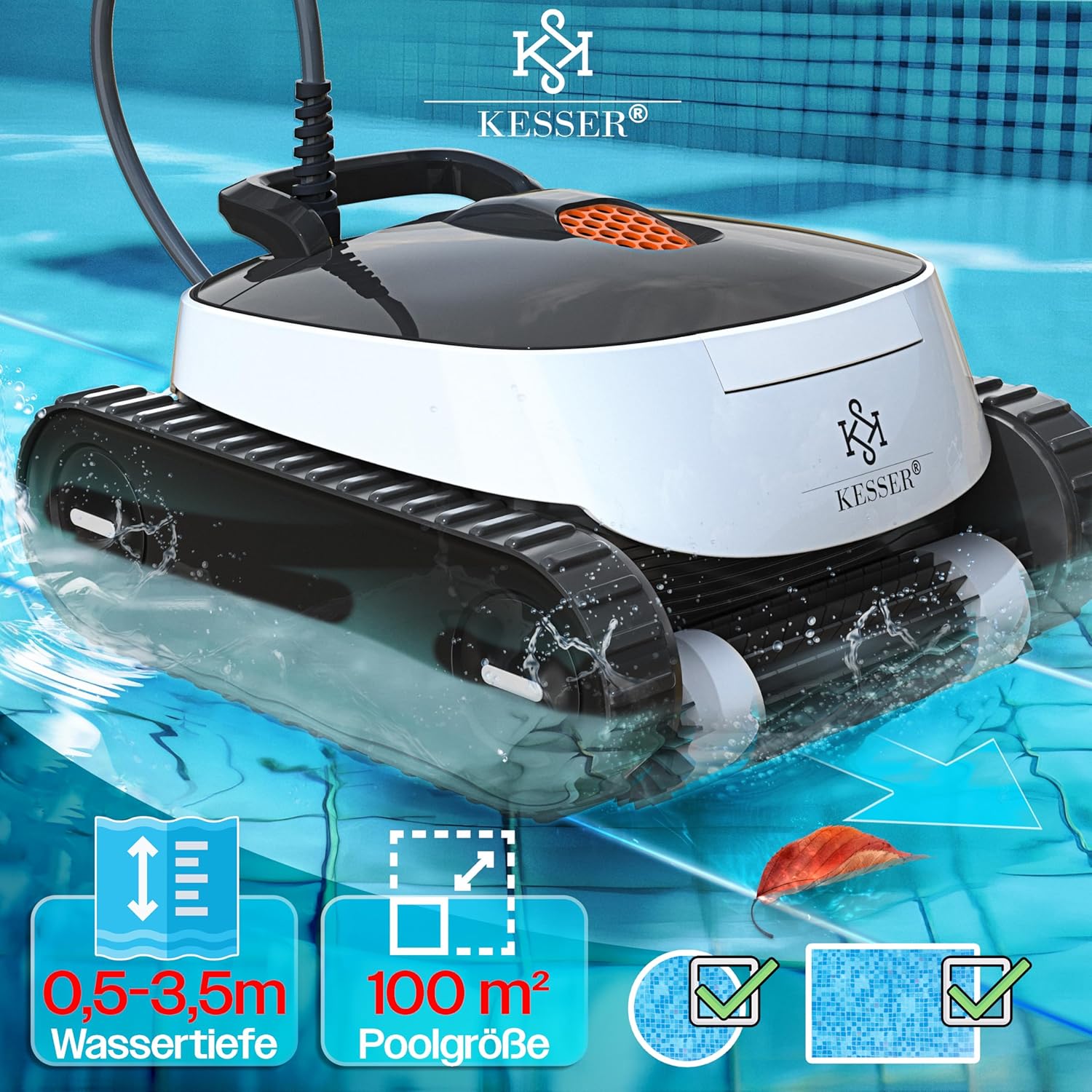
Figure 8: The KESSER Splash Bot 365 is suitable for various pool sizes and depths.
10. Warranty and Support
For warranty information, please refer to the documentation provided at the time of purchase or contact your retailer. For technical support or further assistance, please reach out to KESSER customer service through their official channels.