
1. Introduction
This manual provides detailed instructions for the JOYO JW-06 5.8GHz Wireless Guitar System and the MOMIX CAB Guitar Audio Interface. These devices are designed to enhance your musical experience, offering wireless freedom for your instrument and a versatile audio interface for recording and live streaming. Please read this manual thoroughly before use to ensure proper operation and to maximize the performance of your equipment.
2. Package Contents
Verify that all items listed below are included in your package. If any items are missing or damaged, please contact your retailer.
- JOYO JW-06 5.8GHz Wireless Transmitter
- JOYO JW-06 5.8GHz Wireless Receiver
- JOYO JW-06 Charging Case
- MOMIX CAB Guitar Audio Interface
- USB Type-C Cable
- Lightning Converter (for iOS devices)
- User Manual (this document)

Image: The complete JOYO JW-06 Wireless Guitar System and MOMIX CAB Audio Interface bundle, showing all included components.
3. Product Overview
3.1. JOYO JW-06 5.8GHz Wireless Guitar System
The JOYO JW-06 provides a stable and clear wireless connection for your electric guitar or bass. It operates on the 5.8GHz frequency band, minimizing interference and delivering high-fidelity audio with low latency.

Image: The JOYO JW-06 wireless transmitter and receiver units shown connected to various electric guitars, highlighting their compact design and 6.35mm audio jack.
- Transmitter (TX): Connects to your instrument's output.
- Receiver (RX): Connects to your amplifier, pedalboard, or audio interface input.
- 6.35mm Audio Jack: Standard instrument jack for connection.
- Channel Button: Used to switch between available frequency channels to avoid interference.
- LED Indicators: Display battery status and channel information.
3.2. MOMIX CAB Guitar Audio Interface
The MOMIX CAB is a compact audio interface designed for high-quality internal recording and live streaming directly to your smartphone or laptop.

Image: The MOMIX CAB Audio Interface connected to a smartphone, illustrating its use for recording, monitoring, creating, and live streaming. It emphasizes its plug-and-play functionality.
- 6.35mm Input Jack: For connecting your electric guitar, bass, or other instruments.
- 3.5mm Output Jack: For monitoring sound effects with headphones.
- Type-C Port: Connects to smartphones (Android/iOS with adapter) or laptops for recording/streaming.
- Volume Buttons (+/-): Adjusts the monitoring volume in real-time.
- Back Clamp Design: Allows for portable use and easy attachment.

Image: Detailed view of the MOMIX CAB's 6.35mm input jack, used for connecting electric guitars, basses, and other instruments.

Image: Detailed view of the MOMIX CAB's 3.5mm output jack for monitoring and the Type-C port for connecting to smartphones for live streaming and recording.

Image: The MOMIX CAB showcasing its portable back clamp design and the volume adjustment buttons.
4. Setup Instructions
4.1. JOYO JW-06 Wireless Guitar System Setup
- Charge the Units: Before first use, ensure both the transmitter and receiver units are fully charged using the provided charging case. Refer to Section 5 for charging details.
- Connect Transmitter: Plug the JW-06 transmitter unit into the 6.35mm output jack of your electric guitar or bass.
- Connect Receiver: Plug the JW-06 receiver unit into the 6.35mm input of your amplifier, effects pedal, or the MOMIX CAB audio interface.
- Power On: Press and hold the power button on both the transmitter and receiver until their LED indicators light up. They should automatically pair. If not, refer to Section 6 for channel switching.
4.2. MOMIX CAB Audio Interface Setup
- Connect Instrument: Plug your instrument (or the JW-06 receiver) into the 6.35mm input jack of the MOMIX CAB.
- Connect to Smartphone/Laptop:
- For Android devices or laptops with USB-C: Use the provided USB Type-C cable to connect the MOMIX CAB's Type-C port to your device.
- For iOS devices (iPhone/iPad): Use the provided Lightning converter with the USB Type-C cable to connect the MOMIX CAB to your iOS device.
- Connect Headphones (Optional): Plug your headphones into the 3.5mm output jack of the MOMIX CAB for real-time monitoring.
- Launch Application: Open your preferred recording or live streaming application on your smartphone or laptop. The MOMIX CAB should be recognized as an audio input device.
5. Charging the JW-06 Wireless System
The JOYO JW-06 wireless system comes with a portable charging case that also extends battery life.
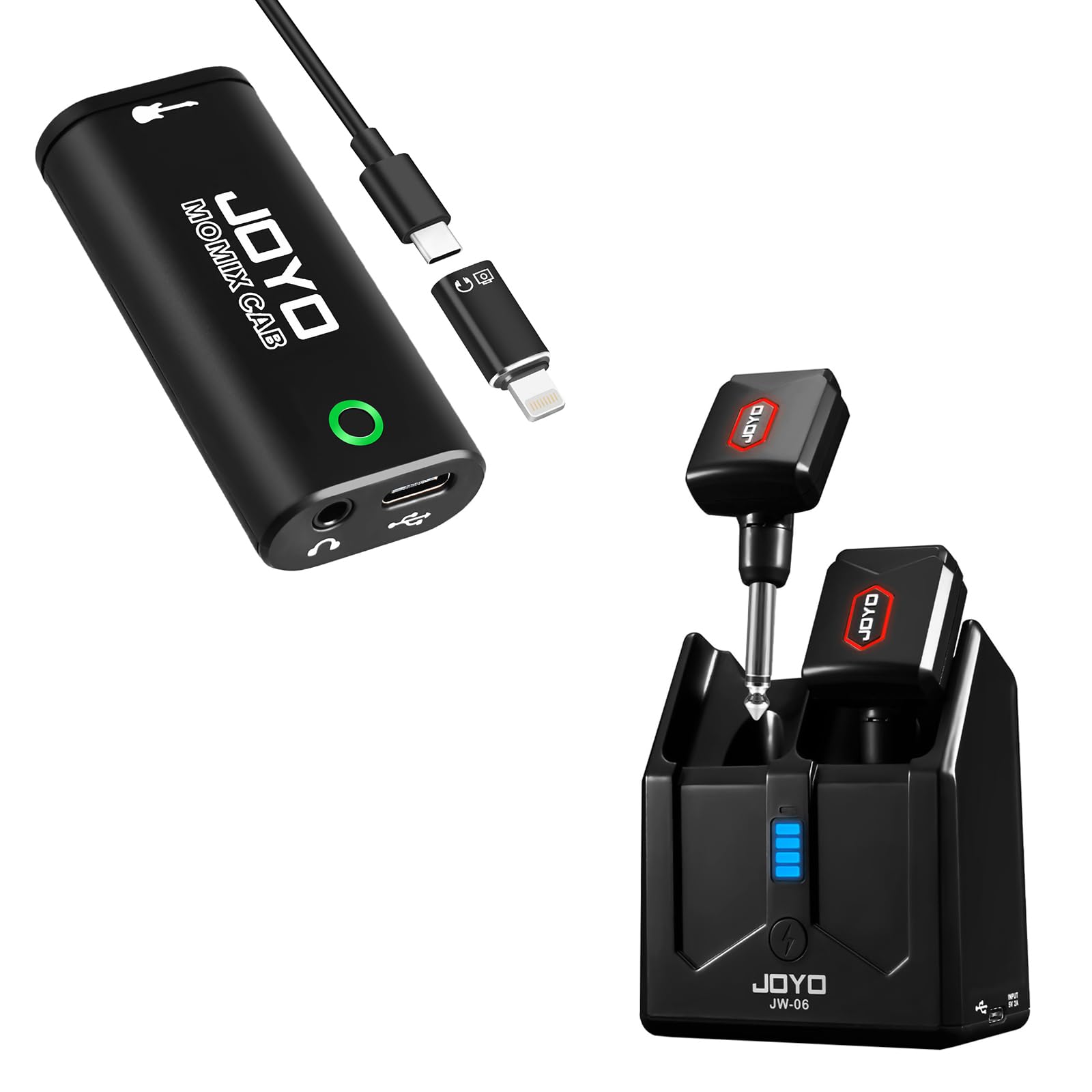
Image: The JOYO JW-06 wireless transmitter and receiver units docked in their portable charging case, indicating battery levels and charging status.
- Place Units in Case: Insert the JW-06 transmitter and receiver into their respective slots in the charging case.
- Charge Case: Connect the charging case to a USB power source using a USB Type-C cable. The case's LED indicators will show the charging status.
- Battery Life: A full charge provides up to 6 hours of working time for the wireless units. The charging case can recharge the units approximately twice.
6. Operating the JW-06 Wireless System
6.1. Channel Switching for Interference Avoidance
The JW-06 system operates on the 5.8GHz band and divides its working frequency into 4 channel banks to minimize interference. Each paired transmitter and receiver uses one channel bank.
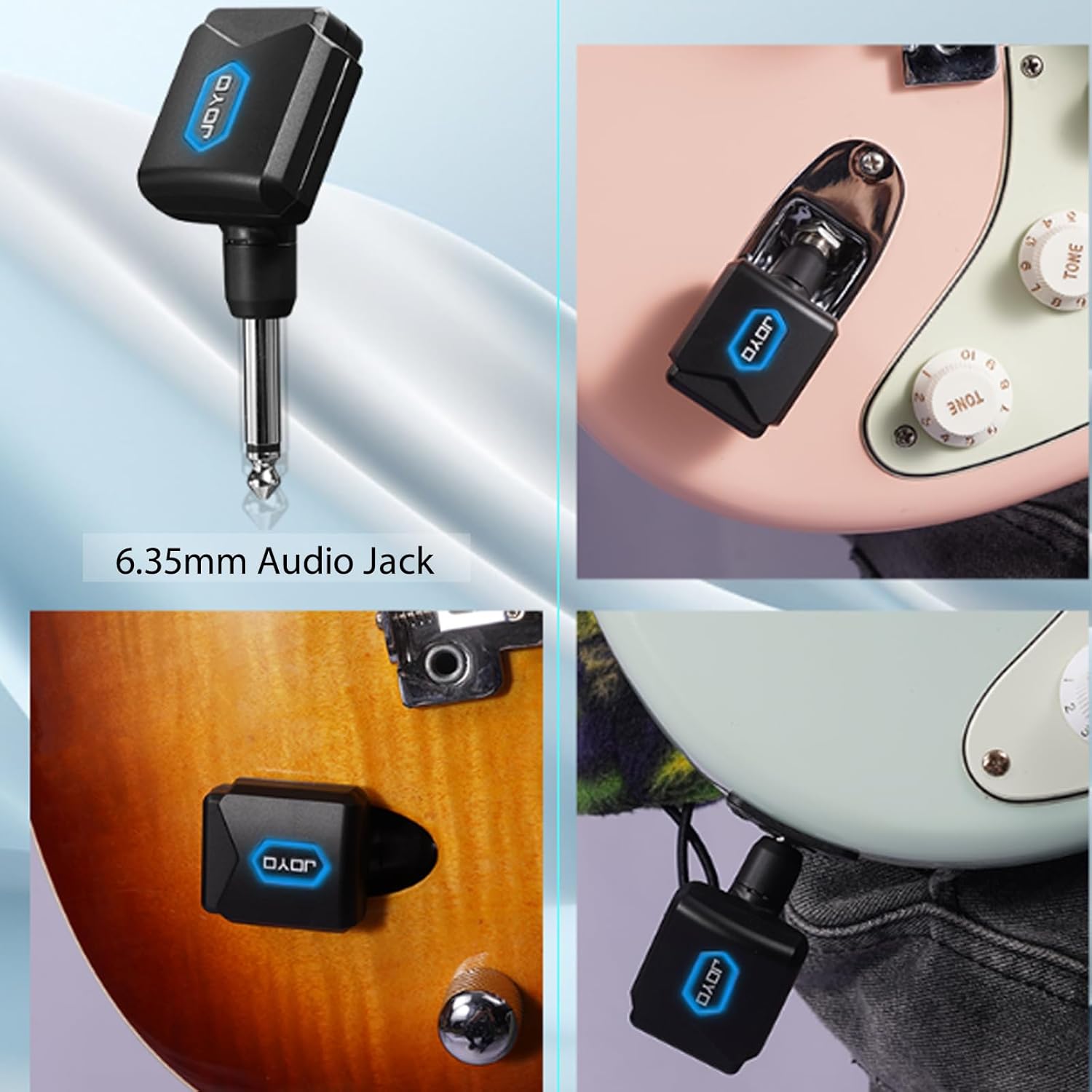
Image: The JOYO JW-06 wireless system highlighting its anti-interference capabilities and the method for switching channel banks. The red indicator's flicker times correspond to the current channel bank.
- Identify Current Channel: When the units are powered on, the red indicator light on both the transmitter and receiver will flicker. The number of flickers indicates the current channel bank (e.g., 1 flicker for Channel 1, 2 flickers for Channel 2, etc.).
- Switch Channel: To change the channel, tap the button on the transmitter unit once. Both the transmitter and receiver will automatically switch to the next available channel bank and re-pair. Repeat until you find a clear channel.
Note: For optimal performance, ensure both the transmitter and receiver are on the same channel bank. If you experience interference, try switching to a different channel.
7. Operating the MOMIX CAB Audio Interface
The MOMIX CAB is a plug-and-play device. Once connected to your smartphone or laptop, it should be automatically recognized.
- Recording: Open your recording application (e.g., GarageBand, Audacity, or a mobile DAW). Select the MOMIX CAB as your audio input device. Adjust input levels within the application as needed.
- Live Streaming: Open your live streaming application (e.g., YouTube Live, Facebook Live, TikTok). Select the MOMIX CAB as your audio input source.
- Monitoring: If headphones are connected to the 3.5mm jack, you can monitor your instrument's sound and the output from your device in real-time. Use the volume buttons on the MOMIX CAB to adjust the monitoring level.
Image: The MOMIX CAB Audio Interface connected to a smartphone, illustrating its use for recording, monitoring, creating, and live streaming. It emphasizes its plug-and-play functionality.
8. Maintenance
- Cleaning: Use a soft, dry cloth to clean the surfaces of both devices. Do not use liquid cleaners or solvents.
- Storage: Store the devices in a cool, dry place away from direct sunlight and extreme temperatures. When not in use, keep the JW-06 units in their charging case.
- Avoid Moisture: Do not expose the devices to water or excessive humidity.
- Handle with Care: Avoid dropping or subjecting the devices to strong impacts.
9. Troubleshooting
| Problem | Possible Cause | Solution |
|---|---|---|
| No sound from JW-06 wireless system. | Units not powered on, not paired, or low battery. | Ensure both transmitter and receiver are powered on. Check battery levels and charge if necessary. Tap the channel button to re-pair or switch channels. |
| Interference or signal drops with JW-06. | Other 5.8GHz devices nearby, or too far from receiver. | Tap the channel button on the transmitter to switch to a different channel bank. Reduce distance between transmitter and receiver. Avoid obstacles. |
| MOMIX CAB not recognized by smartphone/laptop. | Incorrect cable/adapter, or application settings. | Ensure correct USB-C cable and Lightning converter (for iOS) are used. Check your device's audio input settings and the recording/streaming application's settings to select MOMIX CAB. |
| No monitoring sound from MOMIX CAB headphones. | Headphones not connected, volume too low, or application settings. | Ensure headphones are fully plugged into the 3.5mm jack. Adjust volume using the MOMIX CAB's volume buttons. Check monitoring settings in your application. |
10. Specifications
10.1. JOYO JW-06 5.8GHz Wireless Guitar System
- Operating Frequency: 5.8GHz
- Latency: <6ms
- Audio Resolution: 48K/24bit
- Channels: 4 channel banks
- Battery Life (Units): Up to 6 hours per charge
- Charging Case Capacity: Provides approximately 2 full recharges for units
- Connector: 6.35mm (1/4 inch) TS jack

Image: The JOYO JW-06 wireless system emphasizing its stable signal, high resolution sound (48K/24bit), and ultra-low delay time of less than 6ms.
10.2. MOMIX CAB Guitar Audio Interface
- Instrument Input: 6.35mm (1/4 inch) TS jack
- Headphone Output: 3.5mm (1/8 inch) TRS jack
- Device Connection: USB Type-C
- Compatible Devices: Smartphones (Android/iOS with adapter), Laptops
- Features: Internal recording sound card, real-time monitoring, volume control.
11. Warranty and Support
JOYO Technology Co.,LTD is committed to customer satisfaction. For warranty information, technical support, or any inquiries regarding your JOYO JW-06 Wireless Guitar System or MOMIX CAB Audio Interface, please refer to the warranty card included with your product or visit the official JOYO website. You may also contact your retailer for assistance.
JOYO strives to provide excellent service and will address any issues promptly after receiving your message.


