
Introduction
The ION Uber Boom Ultra is a high-power 80-Watt portable Bluetooth stereo speaker system designed for versatile use. It features dual 3.5-inch woofers with beat-syncing multi-color lights, a built-in rechargeable battery providing up to 12 hours of use, and is rated IP66 for water and sand resistance. This speaker system supports Bluetooth 5.0 connectivity, USB/SD card playback, and includes a 1/4-inch microphone input for karaoke. Control audio and lighting functions conveniently via the ION Sound XP app. The Uber Boom Ultra also offers hands-free call answering with its integrated microphone.
What's in the Box
- Uber Boom Ultra Speaker
- USB-C Charging Cable (1.6 ft / 50 cm)
- Quickstart Guide
Features
- 80W High-Power Sound System: Delivers robust audio output.
- Dual 3.5" Full-Range Speakers: Equipped with two passive radiators for enhanced sound.
- Rechargeable 12-Hour Battery: Provides extended playback time on a single charge.
- IP66 Water-Resistant & Sandproof: Suitable for outdoor environments, including beaches and trails.
- Bluetooth 5.0 Connectivity: Wireless streaming up to 100 feet.
- USB/SD Card Playback: Play audio directly from USB drives or SD cards.
- 1/4" Microphone Input: For connecting a microphone (sold separately) for karaoke or announcements.
- ION Sound XP App Control: Customize lighting, EQ, and microphone echo from your mobile device.
- Wireless Stereo-Link: Connect two Uber Boom Ultra speakers for stereo sound.
- Multi-Colored Beat-Sync Lights: Lights that synchronize with the music.
- Hands-Free Call Answering: Built-in microphone for phone calls.
- Bass Boost: Enhances low-frequency audio.
Setup
- Unpack: Carefully remove the Uber Boom Ultra and all accessories from the packaging.
- Initial Charge: Before first use, fully charge the speaker using the provided USB-C cable. Connect the USB-C cable to the speaker's charging port and the other end to a USB power adapter (not included) or a powered USB port. The charging indicator will show the battery status.
- Power On: Press and hold the Power button located on the top panel to turn the speaker on.
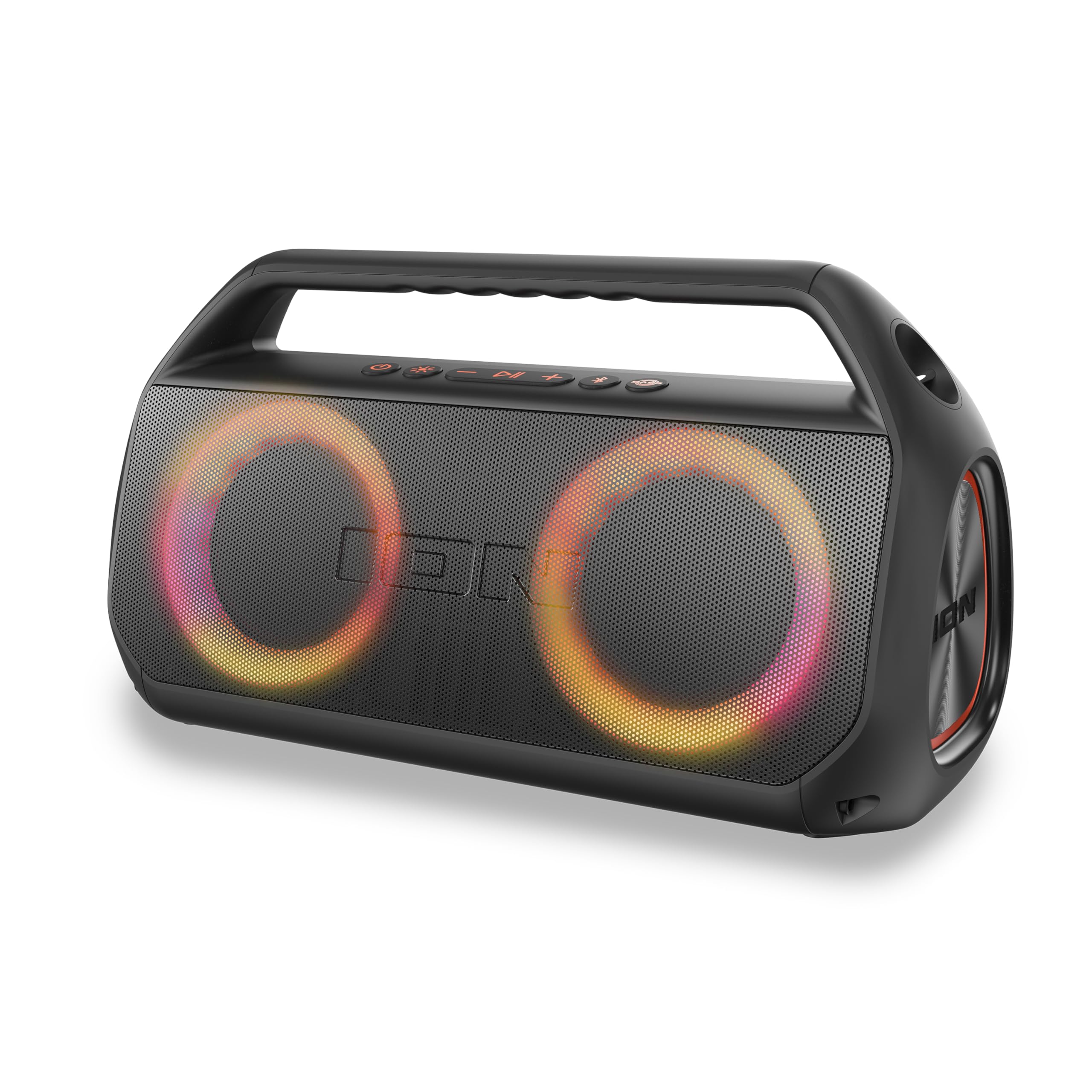
Image: The ION Uber Boom Ultra speaker, showcasing its design and illuminated speaker rings.
Operating Instructions
1. Power On/Off
To power on the Uber Boom Ultra, press and hold the Power button on the top panel. To power off, press and hold the Power button again.
2. Bluetooth Pairing
- Ensure the Uber Boom Ultra is powered on.
- The speaker will automatically enter Bluetooth pairing mode, indicated by a flashing Bluetooth icon.
- On your Bluetooth-enabled device (smartphone, tablet, etc.), navigate to the Bluetooth settings.
- Select "Uber Boom Ultra" from the list of available devices.
- Once paired, the Bluetooth icon on the speaker will glow solid, and you will hear an audible confirmation.
3. USB/SD Card Playback
- Insert a USB drive or SD card (with compatible audio files) into the respective port on the speaker.
- The speaker will automatically detect the media and begin playback.
- Use the playback controls (Play/Pause, Next Track, Previous Track) on the speaker or connected Bluetooth device to manage your music.
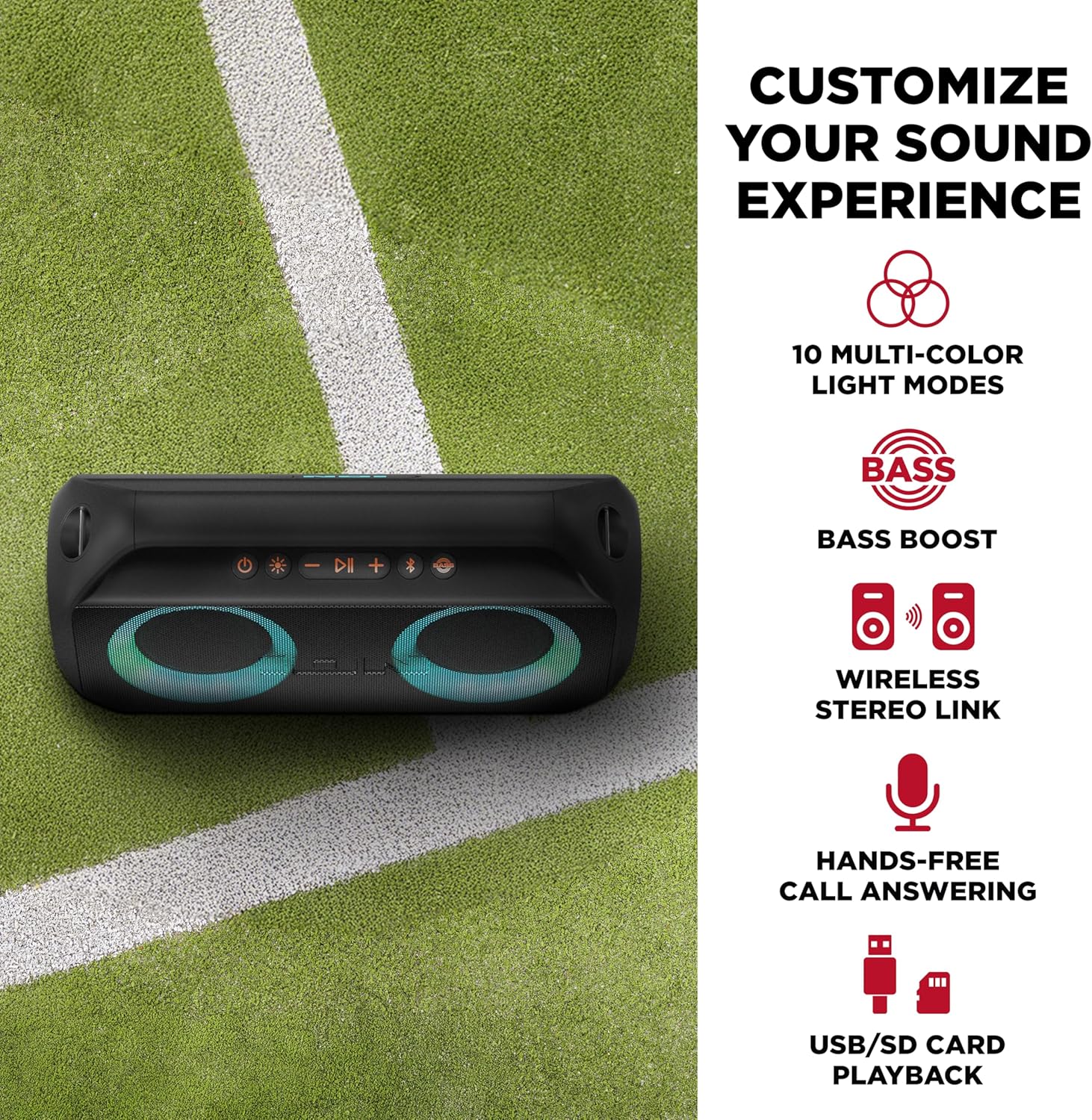
Image: The top panel of the Uber Boom Ultra, highlighting the USB and SD card playback options.
4. Microphone Input
Connect a 1/4-inch microphone (sold separately) to the MIC input on the speaker. Adjust the microphone volume and echo effect using the ION Sound XP app.
5. ION Sound XP App Control
- Download the "ION Sound XP" app from your device's app store (iOS or Android).
- Ensure your Uber Boom Ultra is powered on and connected via Bluetooth to your device.
- Open the app and select your speaker.
- From the app, you can control:
- Audio Volume and Equalizer (EQ) settings.
- Light modes and colors.
- Microphone echo effect (in Karaoke Mode).
- Battery life status.

Image: A user interacting with the ION Sound XP app on a smartphone to control the speaker's functions.
Video: Official product video demonstrating the features and usage of the ION Uber Boom Ultra speaker.
6. Wireless Stereo-Link
To connect two Uber Boom Ultra speakers for stereo sound:
- Ensure both speakers are powered on and not connected to any Bluetooth device.
- On one speaker, press and hold the Stereo-Link button (refer to the Quickstart Guide for button location). The speaker will enter Stereo-Link pairing mode.
- Repeat the process for the second speaker.
- Once connected, the speakers will play audio in stereo. Then, connect your Bluetooth device to one of the speakers as described in the Bluetooth Pairing section.

Image: Two Uber Boom Ultra speakers connected wirelessly to provide stereo audio.
7. Lights
The Uber Boom Ultra features multi-colored lights that can beat-sync to your music. Use the Light Mode button on the speaker or the ION Sound XP app to cycle through different light modes or turn them off.
Charging the Battery
The Uber Boom Ultra has a built-in rechargeable battery. To charge, connect the provided USB-C cable to the speaker's charging port and to a standard USB power source (e.g., wall adapter, computer USB port, power bank). The battery indicator will show charging status. A full charge provides up to 12 hours of playback, depending on volume and light usage.
Water and Sand Resistance (IP66)
The Uber Boom Ultra is rated IP66, meaning it is protected against dust ingress and powerful water jets. This makes it suitable for use in various outdoor environments, including beaches, trails, and during light rain. Important: Do not submerge the speaker in water. Ensure all port covers are securely closed before exposure to water or sand.

Image: The Uber Boom Ultra speaker positioned on a sandy beach, demonstrating its water and sand resistance.
Specifications
| Feature | Specification |
|---|---|
| Brand | ION |
| Model Name | Uber Boom Ultra |
| Speaker Maximum Output Power | 80 Watts |
| Frequency Response | 15 KHz |
| Connectivity Technology | Bluetooth 5.0 |
| Bluetooth Range | 100 Feet |
| Audio Output Mode | Stereo |
| Mounting Type | Tabletop Mount |
| Enclosure Material | Polycarbonate (PC), Polypropylene, Thermoplastic Polyurethane (TPU) |
| Speaker Type | Outdoor |
| Water Resistance Level | IP66 (Water Resistant) |
| Battery Average Life | 12 Hours |
| Power Source | Battery Powered (1 Lithium Ion battery included) |
| Control Method | Button, Voice (via connected device), App |
| Speaker Size | 3.5 Inches (Woofer Diameter) |
| Item Dimensions (D x W x H) | 8"D x 15"W x 9"H |
| Item Weight | 4.86 Pounds |
| Compatible Devices | Smartphone, Tablet, MP3 Player, Desktop, Television, Projector, Laptop |

Image: Diagram showing the dimensions of the Uber Boom Ultra speaker.
Maintenance
- Cleaning: Use a soft, dry cloth to clean the exterior of the speaker. Do not use abrasive cleaners or solvents.
- Storage: Store the speaker in a cool, dry place away from extreme temperatures.
- Battery Care: For optimal battery life, avoid fully discharging the battery frequently. Recharge the battery regularly, even if the speaker is not in use for extended periods.
- Water/Sand Exposure: After exposure to water or sand, wipe the speaker clean and ensure all ports are dry before charging or connecting other devices.
Troubleshooting
| Problem | Solution |
|---|---|
| No power | Ensure the battery is charged. Connect the speaker to a power source using the USB-C cable. |
| Cannot connect via Bluetooth |
|
| No sound |
|
| Lights not working |
|
Warranty and Support
The ION Uber Boom Ultra comes with a 90-day manufacturer's limited warranty. For detailed warranty information, technical support, or service inquiries, please refer to the official ION Audio website or contact their customer support directly. Keep your proof of purchase for warranty claims.
You can visit the official ION Store for more information: ION Audio Store


